

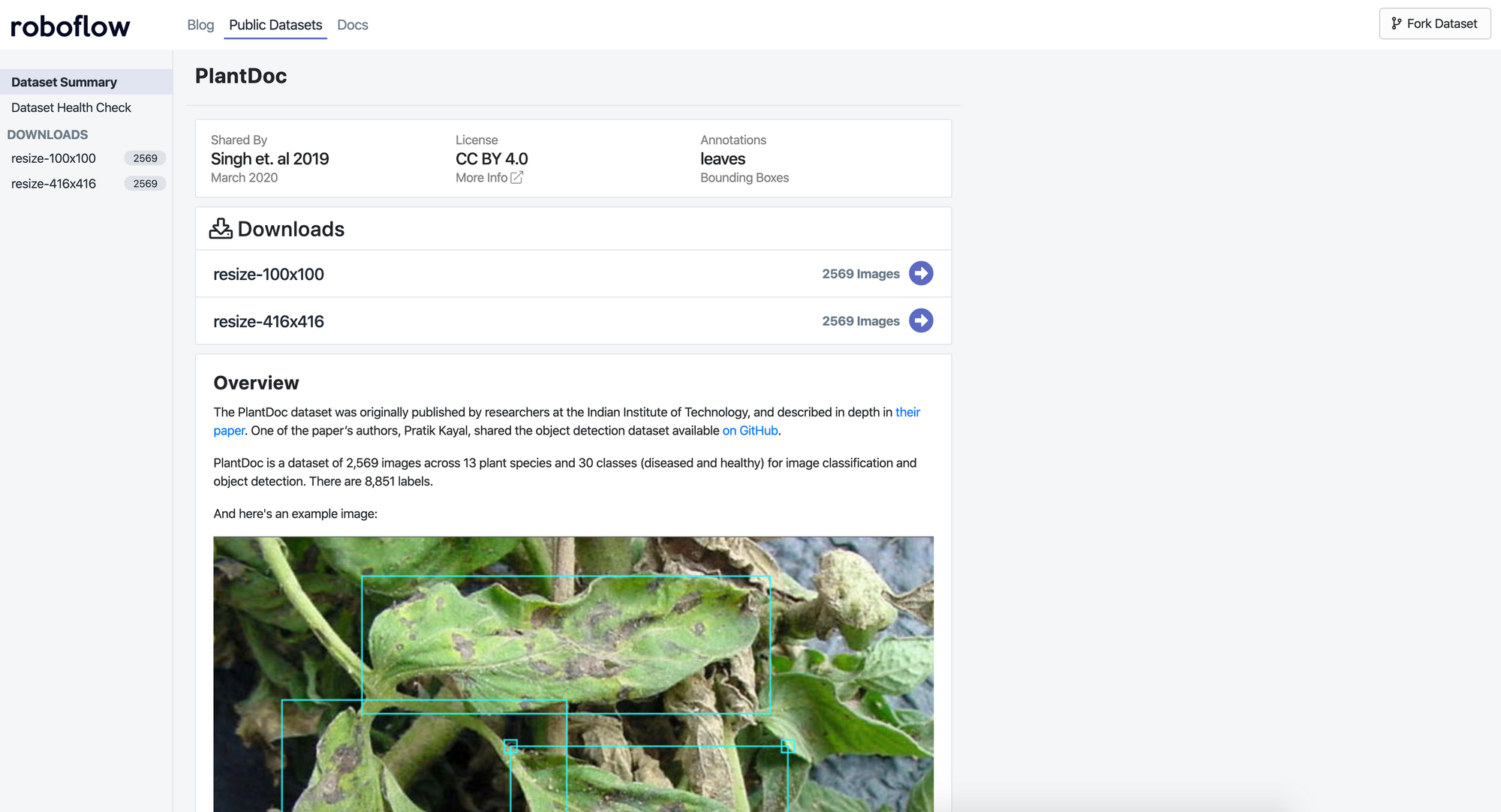
PlantDoc is a public dataset of 2,598 images spanning 13 plant species and 27 classes (17 disease, 10 healthy), created by researchers at the Indian Institute of Technology for plant disease classification and object detection. Roboflow hosts an improved version on Universe with corrected annotations, available for download in VOC XML,COCO JSON, CreateML JSON, and TFRecord formats.
The world population is expected to reach 9.7 billion by 2050. That’s a lot of mouths to feed.
Technology is powering the next generation of yield increases. Computer vision is especially critical to greener, more efficient production. For example, Blue River’s (John Deere) “See & Spray” enables machinery to do weed detection in real-time, deploying 90 percent less herbicide while more effectively targeting problematic weeds.
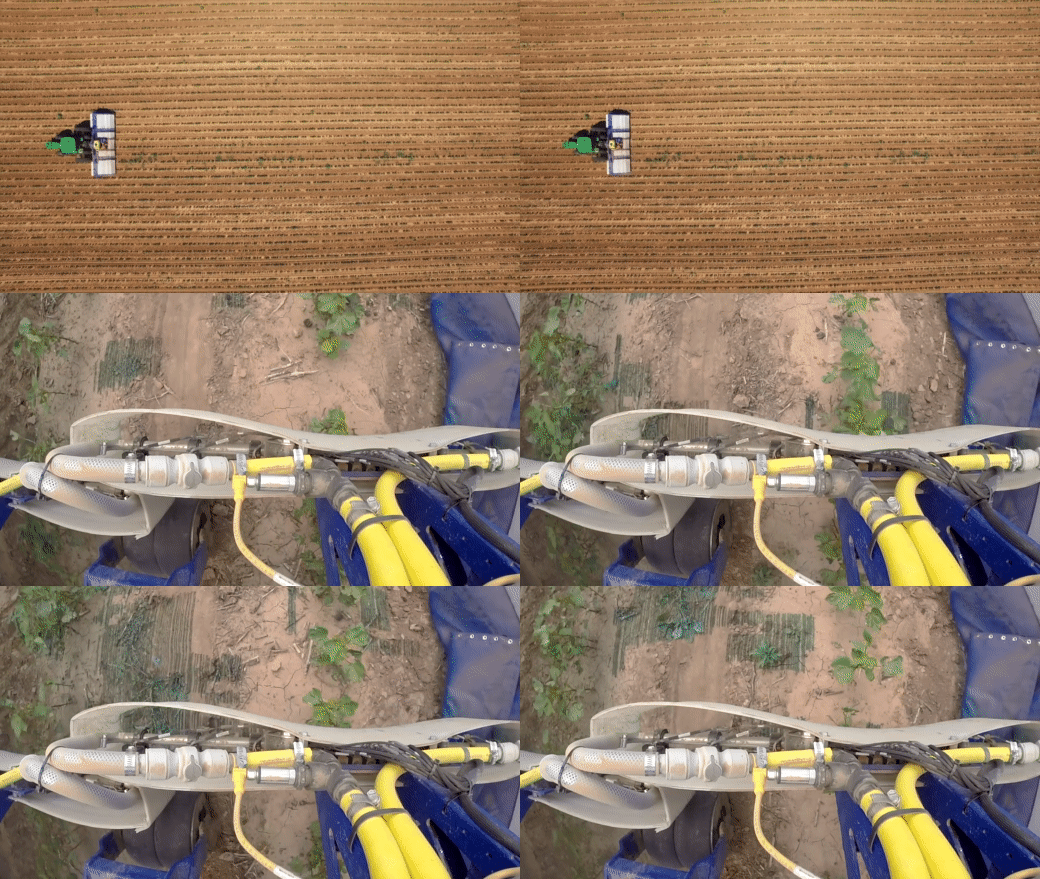
But computer vision in agriculture is just beginning, and more open source data is key to increasing its rate of adoption. We're already starting to see self-driving combines, automated phenotyping, and autonomous tractors powering a revolution in precision ag.
Introducing the PlantDoc Dataset
In fall 2019, researchers at Indian Institute of Technology released PlantDoc, a dataset of 2,598 images across 13 plant species and 27 classes (17 disease; 10 healthy) for image classification and object detection. The researchers note the dataset’s creation took over 300 human hours of collecting and annotating. Unlike similar datasets like CropDeep and DeepWeeds, this dataset is available for the public to download for deep learning researchers to use for free!
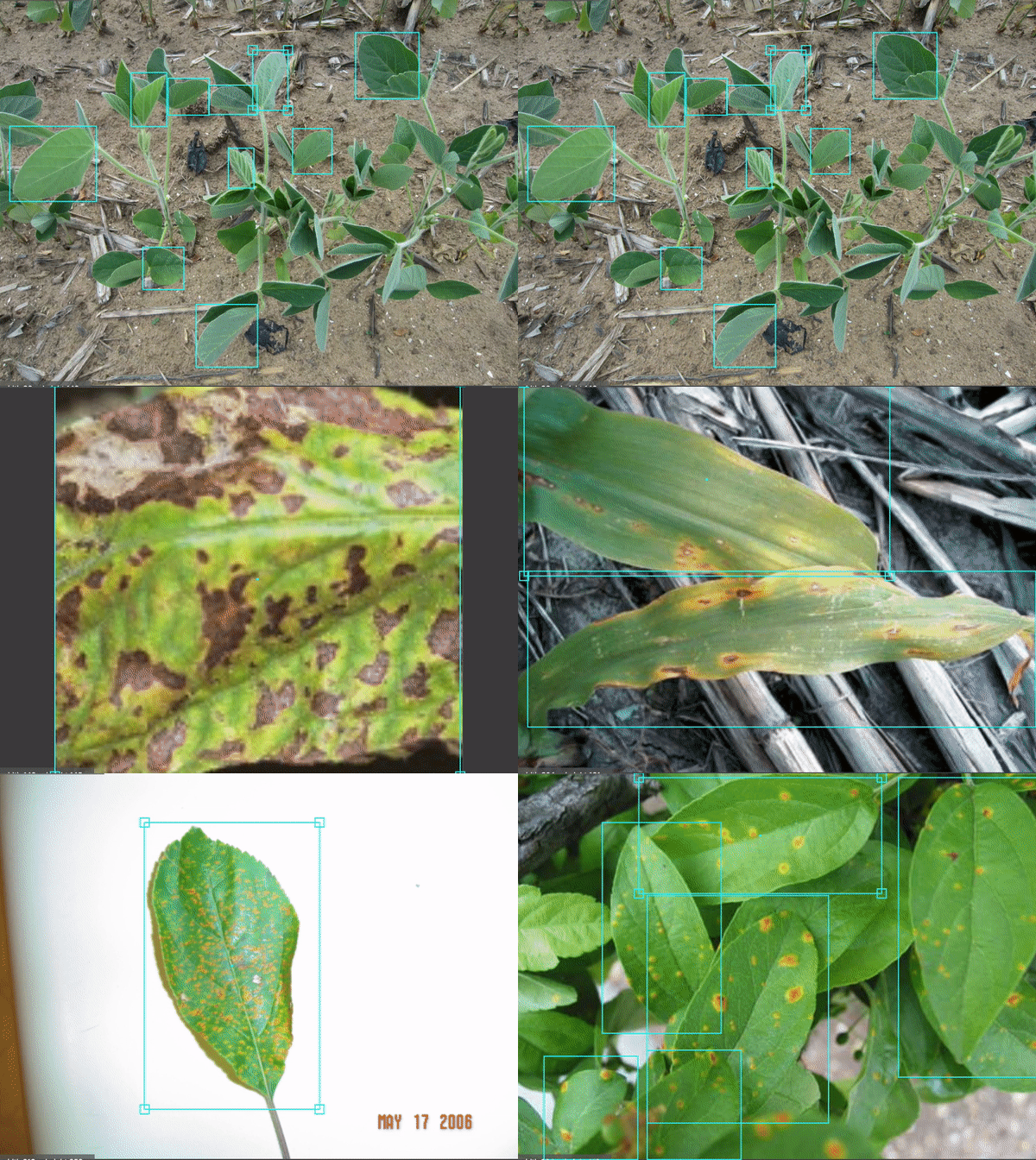
One of the paper’s authors, Pratik Kayal, shared the object detection dataset available on GitHub.
Adding PlantDoc to Roboflow Public Datasets
At Roboflow, we’re committed to advancing computer vision work in all industries, including agriculture. We’re hosting the dataset on Roboflow Universe, available in any annotation format you may need: VOC XML, COCO JSON, CreateML JSON, and even TFRecords. The dataset follows the same train/test split Pratik Kayal’s GitHub release did for easy reproducibility of your machine learning experiments.
When we added the dataset to Roboflow and took advantage of automated annotation checking, we identified opportunities for improvement, so the dataset varies slightly from the original in a few ways.
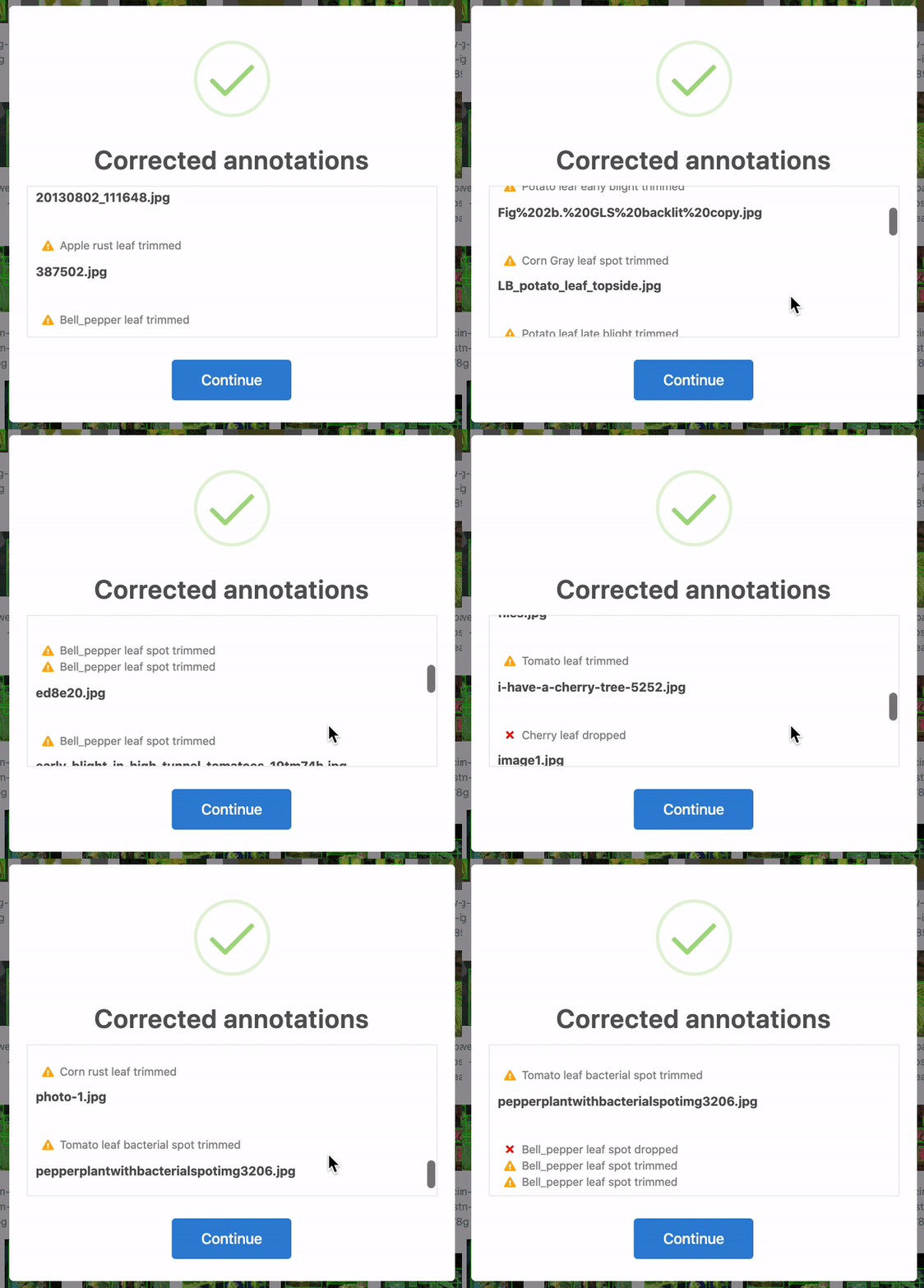
Firstly, over 28 annotations were corrected. In some cases, the bounding boxes were slightly out of frame and, thus, cropped to be in-line with the edge of the image. Yet others were accidentally bounding zero pixels and dropped altogether. 25 of these were in the training set, and three were in the test set. When humans are tasked with over 300 hours of labelling to create 8,851 bounding boxes, mistakes happen! Roboflow identifies and corrects these issues automatically for any dataset.
Secondly, five images did not contain any labels. In the training set, this included images originally titled Tdisease_1.jpg, ac-0018.pdf-2_2.jpg, and Tomato%20physiologic%20leaf%20roll1F.JPG.jpg. In the test set, this included images originally titled Summersquashpowderymildew.jpg and stock-photo-cultivar-marrow-leaf-strongly-affected-with-a-powdery-mildew-in-the-summer-garden-707948062.jpg.
We are not plant biologists as the original authors are. However, based on context and research from The Ohio State University [1] [2], we were able to infer how the original images should have been labeled and corrected them by hand.
Use Cases for PlantDoc
As the researchers from IIT stated in their paper, “plant diseases alone cost the global economy around US$220 billion annually.” Training models to recognize plant diseases earlier dramatically increases yield potential.
The dataset also serves as a useful open dataset for benchmarks. The researchers trained both object detection models and image classification models.
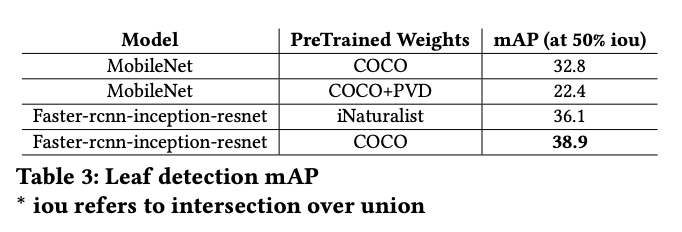
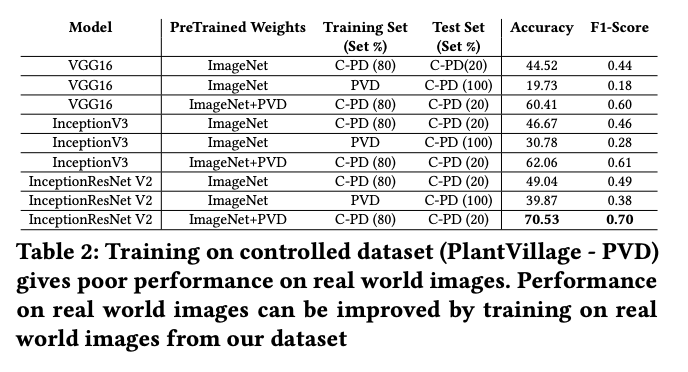
The dataset is useful for advancing general agriculture computer vision tasks, whether that be health crop classification, plant disease classification, or plant disease object detection.
How to Train a Plant Disease Detection Model on PlantDoc
You can go from this dataset to a trained model entirely in Roboflow, no local GPU or environment setup required.
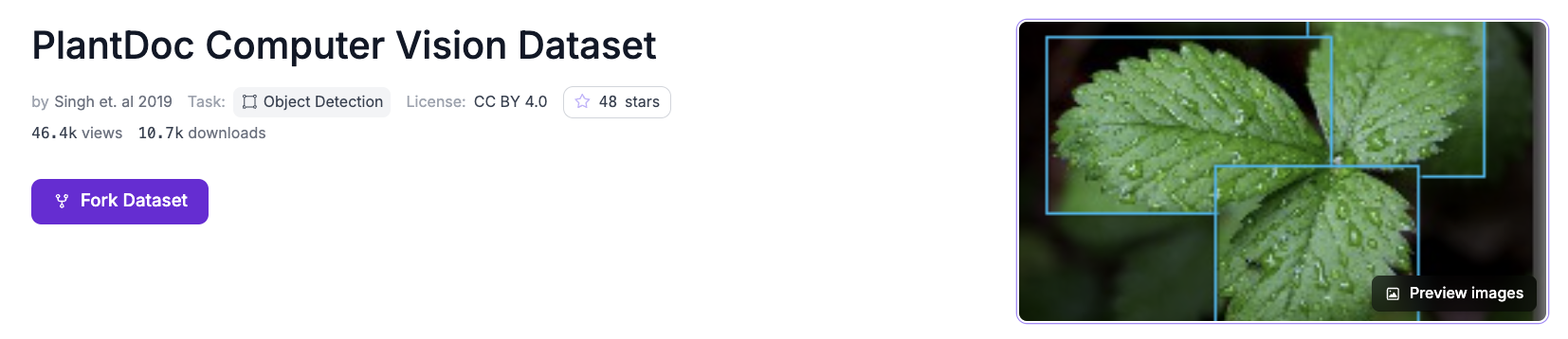
- Click to fork the dataset. Open the PlantDoc dataset and add it to your Roboflow workspace, or upload your own field images and label them. Roboflow Annotate includes Label Assist to speed up labeling if you bring your own data.
- Generate a dataset version. Apply preprocessing like auto-orient and resize, and consider augmentation that matches field conditions, such as brightness and exposure shifts for changing daylight. Roboflow keeps your train, validation, and test split consistent.
- Train RF-DETR. Open Train, click Custom Training, choose RF-DETR, and train from the public COCO checkpoint so you start with transfer learning rather than from scratch. See the training docs for options. Training runs in the cloud and emails you when it is done.
- Evaluate. Roboflow reports mean average precision, precision, and recall on the held-out test set, with a per-class breakdown. Plant disease classes are often imbalanced, so check the weak classes and add or relabel images for them rather than reaching for a different model.
Once trained, run your model through the hosted API:
pip install inference-sdk supervision
import os
import cv2
import supervision as sv
from inference_sdk import InferenceHTTPClient

client = InferenceHTTPClient(
    api_url="https://serverless.roboflow.com",
    api_key=os.getenv("ROBOFLOW_API_KEY"),
)

# Replace with your model ID, in the form "project-name/version"
result = client.infer("leaf.jpg", model_id="plantdoc/1")

image = cv2.imread("leaf.jpg")
detections = sv.Detections.from_inference(result)

box_annotator = sv.BoxAnnotator()
label_annotator = sv.LabelAnnotator()
annotated = box_annotator.annotate(scene=image.copy(), detections=detections)
annotated = label_annotator.annotate(scene=annotated, detections=detections)
cv2.imwrite("leaf-annotated.png", annotated)
Pass your API key through the ROBOFLOW_API_KEY environment variable and never share it publicly. From here you can build a pipeline with Roboflow Workflows (for example, detect, then count diseased leaves and flag a plant) and deploy on the edge with Roboflow Inference on hardware such as an NVIDIA Jetson mounted on field equipment.
Is PlantDoc free to use?
It is publicly available for download. Check the dataset page and the original paper for the specific license and terms before using it in a commercial project.
Which model should I train for plant disease detection?
For object detection, train RF-DETR. It fine-tunes quickly on a custom dataset, reaches high accuracy, and ships with commercial-safe licensing, which makes it a strong default for field deployments.
Can I detect diseases that are not in PlantDoc?
Yes. Upload your own images of the crops and conditions you care about, label them (Auto Label can draft the boxes), and train on your data, either on its own or combined with PlantDoc.
Why use object detection instead of classification?
Detection localizes the diseased area on the plant rather than labeling the whole image, which is what you need for targeted action like spot treatment, counting affected leaves, or flagging specific plants.
With computer vision poised to continue to transform agriculture, we’re excited to see how making the PlantDoc dataset more accessible advances research interests.


Cite this Post
Use the following entry to cite this post in your research:
Contributing Writer. (Feb 25, 2026). Introducing an Improved PlantDoc Dataset for Plant Disease Object Detection. Roboflow Blog: https://blog.roboflow.com/introducing-an-improved-plantdoc-dataset-for-plant-disease-object-detection/