

The fastest way to build vision models just got even better.
When we launched Roboflow Rapid, we set out to eliminate the weeks of manual labeling that traditionally stood between an idea and a deployed model. With text prompts, you could go from concept to custom detector in minutes.
Rapid now gives you complete control over your annotations—without sacrificing the speed that makes it revolutionary.
Sometimes the AI gets it 95% right, and you just need to make a few quick adjustments. Maybe it missed an object, misclassified something, or you just want to refine a few boxes.
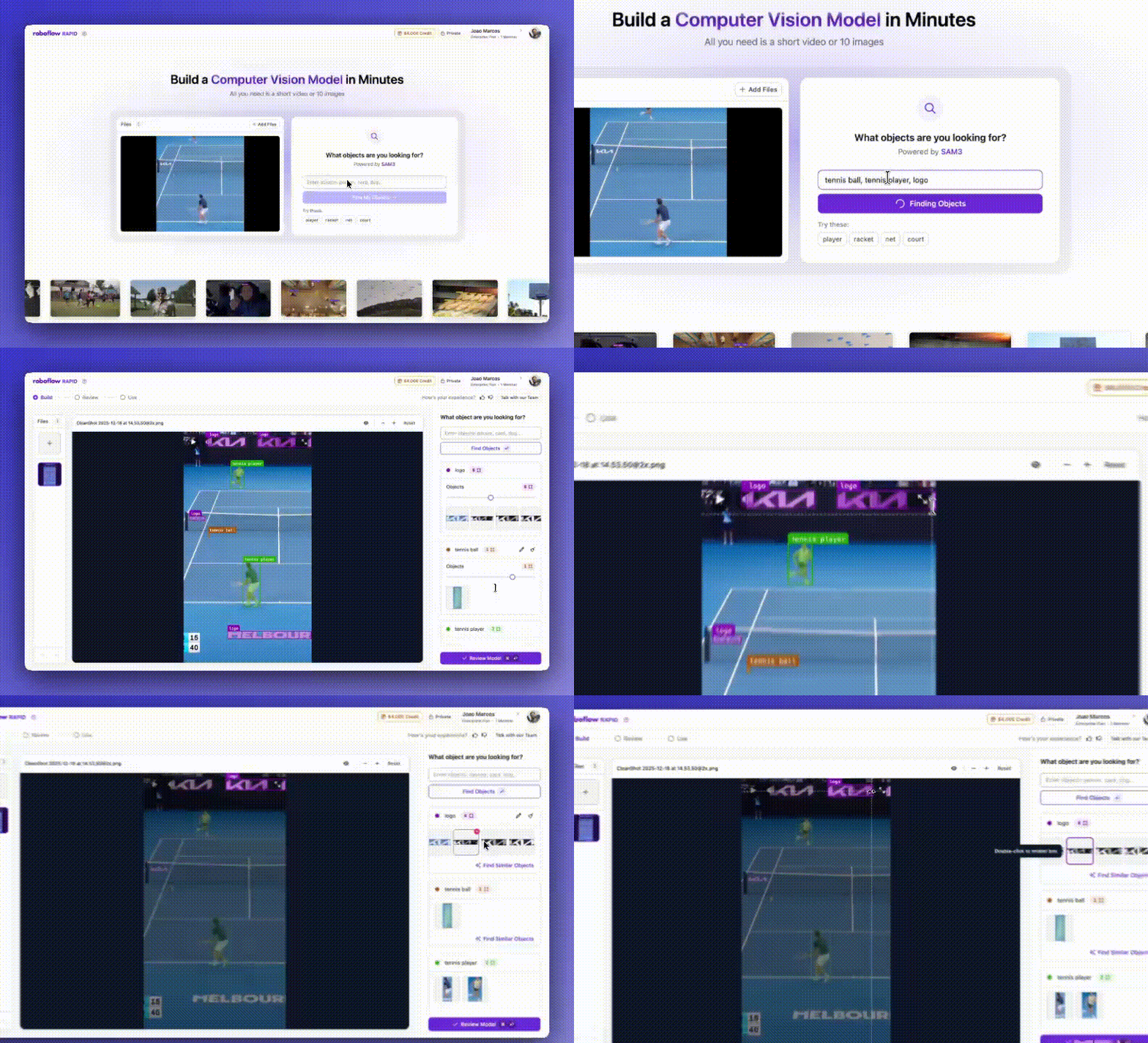
New Advanced Annotation Features
Previously, Rapid worked for initial dataset generation but if it missed an object or misclassified something, your options were limited and the process could end up being frustrating.
Now, Rapid combines the best of both worlds—AI-powered speed with human-in-the-loop precision.
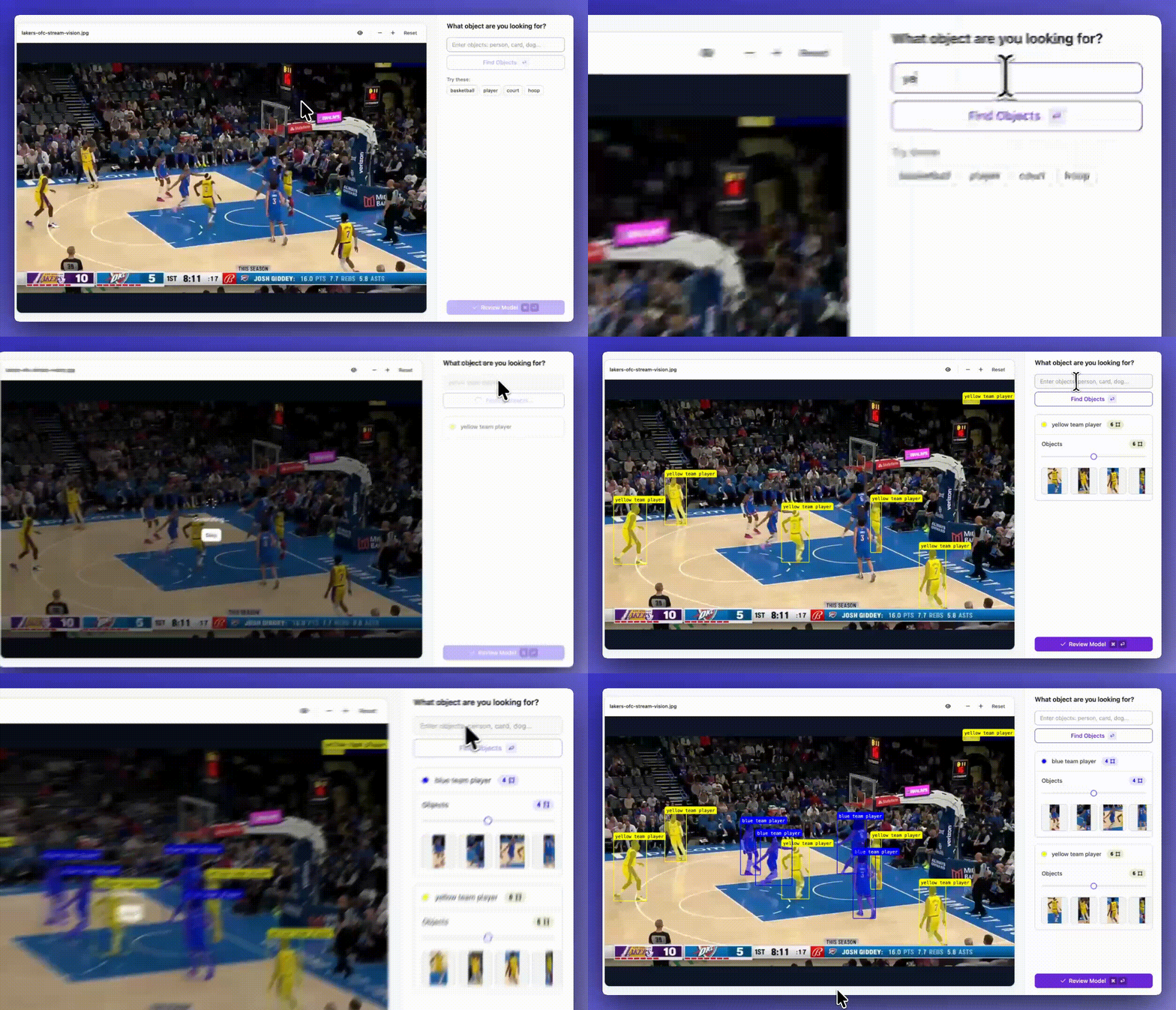
Prompt with text for new objects
Start by describing what you're looking for and let the AI find it across your images or video. Type "hard hat," "player in the yellow team," or "defective weld" and watch Rapid locate every instance automatically.
Edit everything
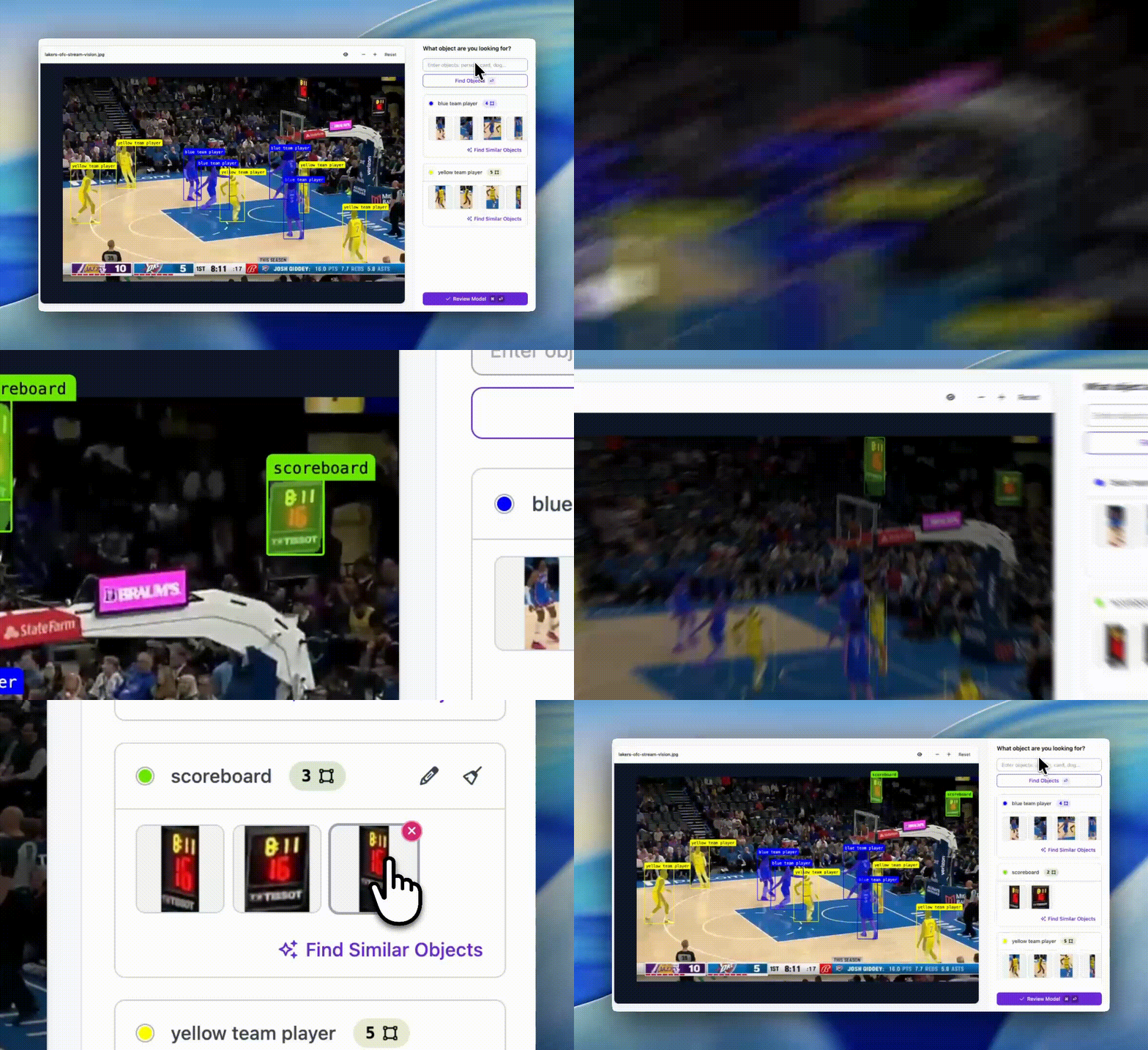
Once you have your annotations, treat them like clay:
- Delete any box that doesn't belong
- Resize boxes to fit objects more precisely
- Rename objects to correct class labels or consolidate categories
- Draw freely to add annotations the AI missed
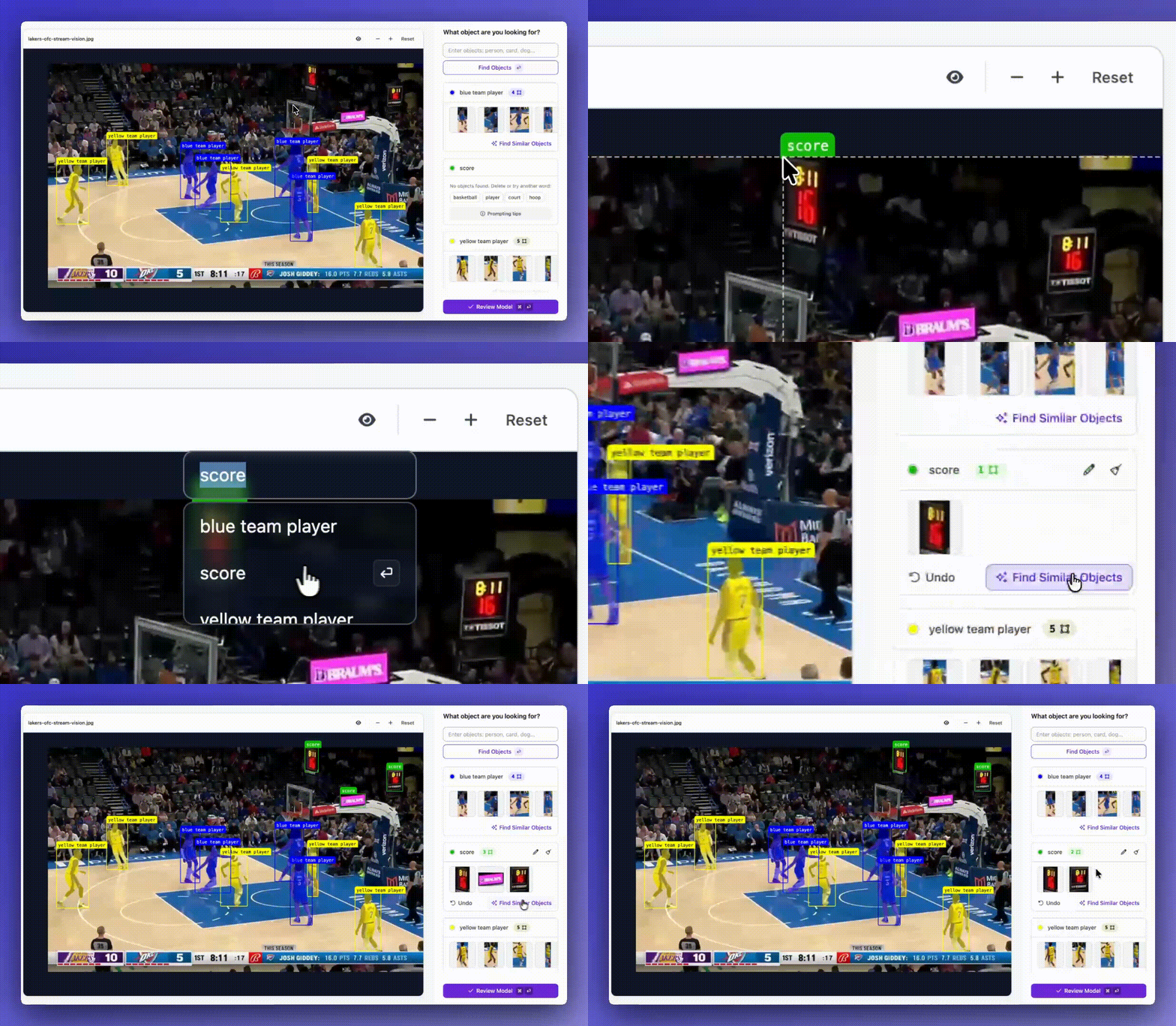
Find similar objects with visual prompting for refinement
Found an object the AI missed? Draw a box around it and click Find Similar Objects: Rapid will use that example to find similar objects in your image - it is visually prompting. This is perfect for edge cases or subtle variations the text prompt didn't catch.
Making automated data labeling better
Big foundation models can auto-label a video pretty quickly while making lots of mistakes, and manual annotation can give you precision but took hours or days.
Rapid's new editing capabilities eliminate this tradeoff. You get most of your annotations from AI-powered prompting, while still able to do a manual refinement to achieve production quality.
This is particularly powerful for manufacturing quality control, where the difference between a defect and acceptable variation might be subtle. Or for retail inventory, where you need to distinguish between similar products. Or for medical imaging, where precision is non-negotiable.
Your data, your way
We built Rapid to take you from prompt to deployed model in minutes. With full annotation control, you now get that same speed without compromising on quality.
Whether you're prototyping a new use case, building a production model, or iterating on an existing detector, Rapid adapts to your workflow—not the other way around.
Ready to build your next vision model? Try Rapid today and experience the future of computer vision development.
Cite this Post
Use the following entry to cite this post in your research:
Joao Marcos Cardoso Ramos da Silva. (Dec 29, 2025). Roboflow Rapid Advanced Annotation Control. Roboflow Blog: https://blog.roboflow.com/roboflow-rapid-full-annotation-control/