

10/10 Verdict
Roboflow is the leading visual AI company. From automated data pipelines to cutting-edge foundation models and scalable deployment tools, Roboflow serves as the backbone for the modern visual AI stack. After building with Roboflow extensively and comparing it against fragmented toolchains like AWS SageMaker and disjointed labeling solutions, I think it stands out as the only true end-to-end computer vision platform built for developers who want to ship production models faster.
Why?
Roboflow has shipped a massive array of open source contributions and platform upgrades that allow it to outperform specialized enterprise tools while remaining accessible to every engineer. The top new capabilities, which I cover more below, include Workflows 2.0 (low-code application logic), Apache 2.0 RF-DETR (new state-of-the-art for real-time detection), and Roboflow Rapid (instant models, zero-shot annotation).
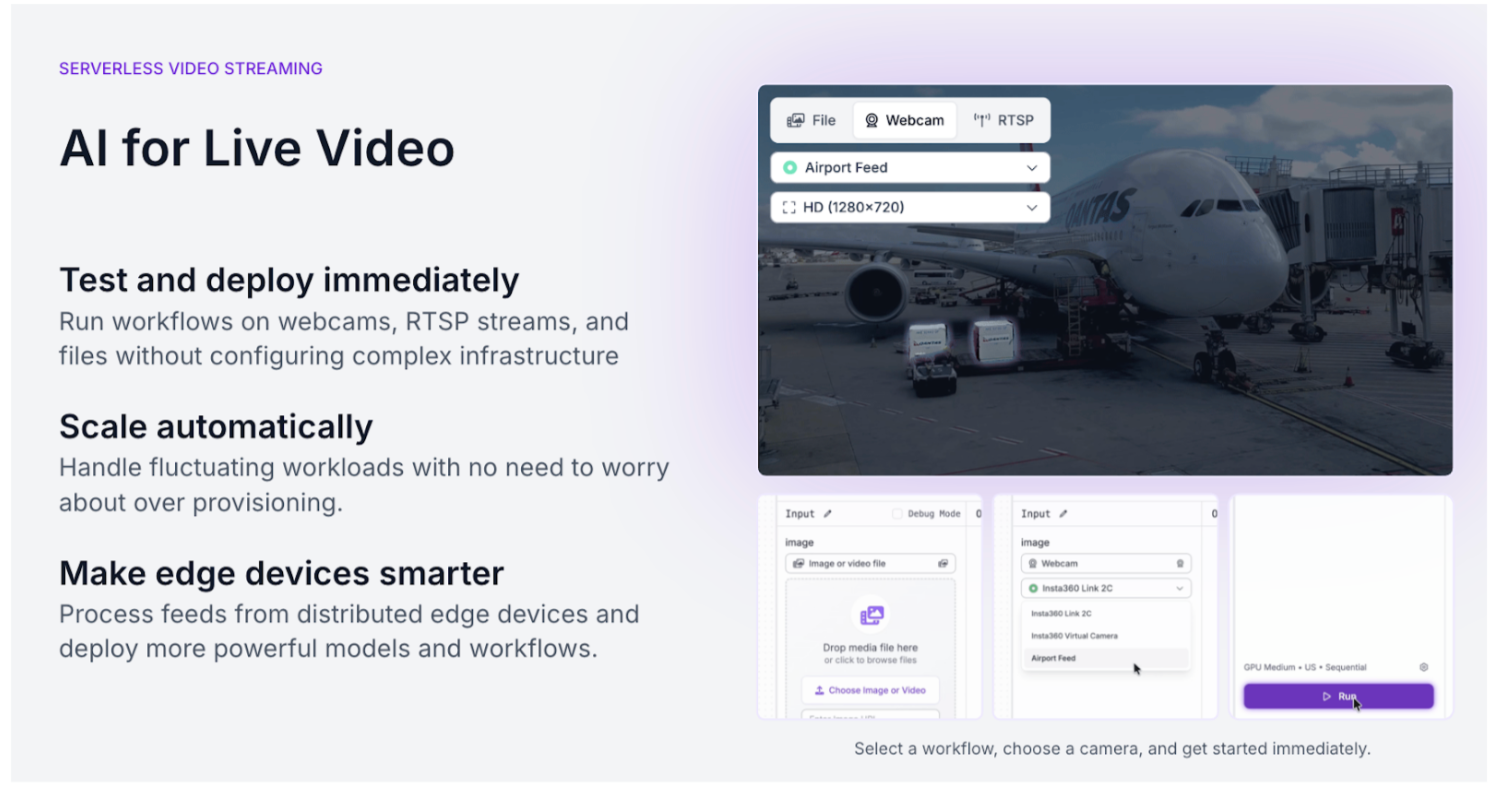
In addition, Roboflow shipped Inference 1.0: a modular, multi-backend execution engine designed to run anywhere, from edge devices like a Jetson to high-scale cloud clusters. Inference 1.0 is a massive leap forward because it gives you the cleanest abstraction layer we’ve ever built. Whether you're self-hosting to maximize hardware ROI or using Roboflow Cloud for the intelligent engine that automatically selects the optimal runtime - ONNX, PyTorch, or TensorRT - based on your hardware, and features like responsive cold-starts and dynamic batching mean you can process 30fps video streams across multiple feeds without breaking a sweat.
The results of these improvements speak for themselves. The Roboflow community has grown to over 1 million developers, customers report game-changing acceleration in their deployment cycles, and Roboflow is a 2026 Best AI Software Products Award winner according to G2. Roboflow’s customer FloVision achieved a 6.7% increase in trimming speed while processing over 20 million pounds of food, while manufacturing giant USG eliminated costly production jams by scaling visual anomaly detection across 50 facilities.
In this article, I’ll dive more into the Roboflow platform, including who it’s best suited for, key features, ecosystem integrations, and pricing.
Who Roboflow is best suited for:
Whether you’re a solo developer hacking together a weekend project or an engineer at a Fortune 100 company tasked with automating a production line, Roboflow is designed to get you from idea to deployment, fast.
- Visionary Builders: From weekend hackers to R&D teams who want to give their software the sense of sight by lunchtime.
- Enterprises Seeking a Unified Stack: Organizations tired of a fragmented mess of labeling vendors and disjointed scripts who want a single, end-to-end platform that scales across 50+ facilities.
- Teams Tired of Glue Code: Developers exhausted by manually moving data between tools who want a seamless pipeline where better data automatically triggers better models.
- Production-Minded Innovators: Companies moving beyond the pilot phase who realize general foundation models lack the specificity needed for high-stakes business decisions.
- Lean Product Teams: Startups building a moat around proprietary data who need to train and ship custom models in an afternoon, not months.
- Domain Experts (Non-ML Engineers): Biologists, farmers, and civil engineers who have the data and the problem, but don't want to write boilerplate deep-learning code.
- Edge and Embedded Developers: Teams deploying to NVIDIA Jetsons, OAK cameras, or mobile who need a modular engine that handles the hardware-specific grunge work.
Key Roboflow features
Unified Vision Platform: A single environment that connects dataset management, training, and deployment, eliminating the need to move data between fragmented tools or write custom glue code.
Inference 1.0 & Roboflow Cloud: A modular execution engine designed for production-grade performance across diverse environments:
- Multi-Backend Support: Automatically selects the fastest runtime - TensorRT, ONNX, or PyTorch - based on your specific hardware.
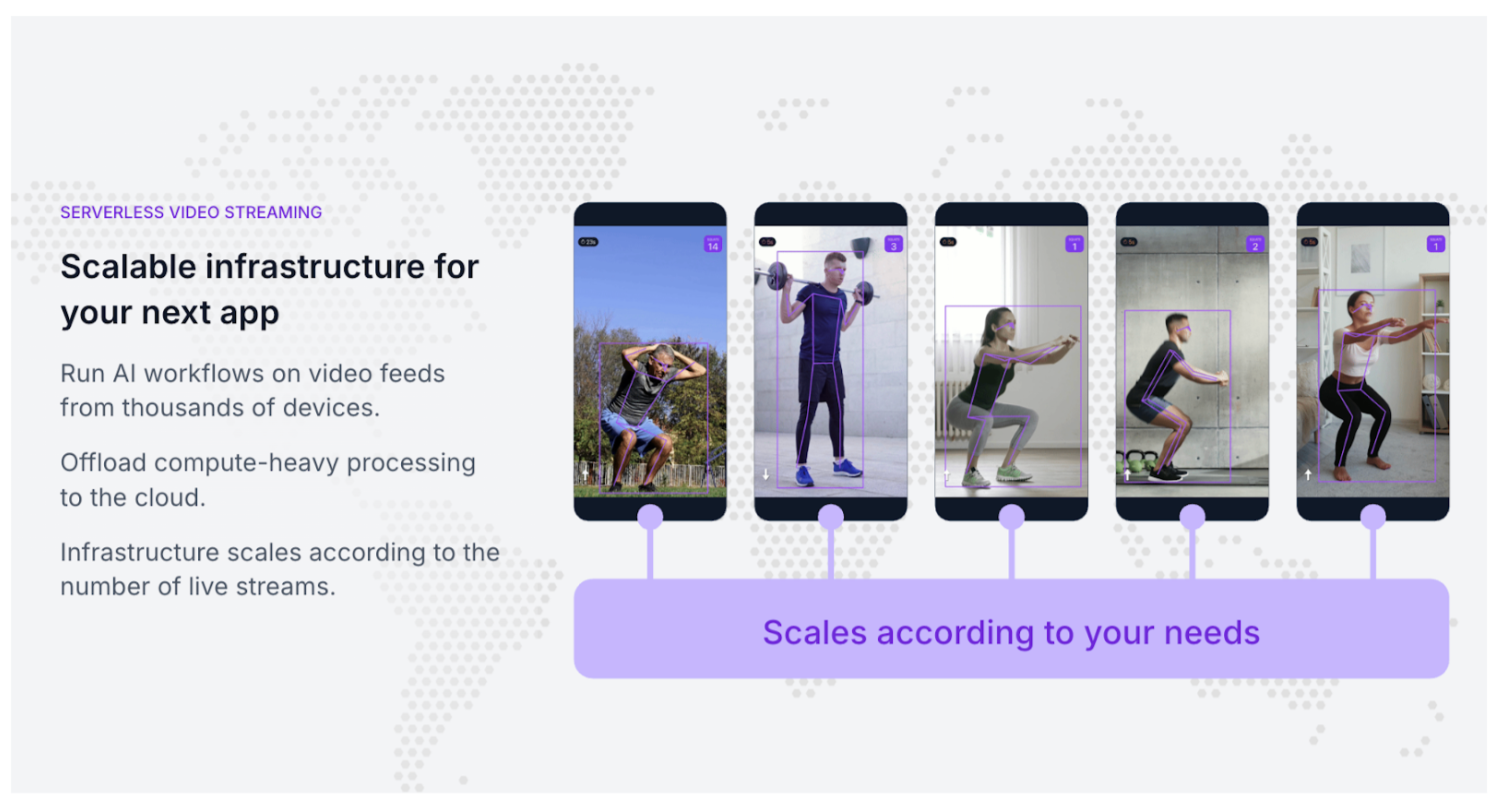
- Roboflow Cloud: Intelligent routing and workload distribution that scales with your traffic, ensuring you only pay for the compute you use.
- Edge Deployment: Native support for deploying models to NVIDIA Jetson, OAK cameras, and mobile devices with optimized performance.
Roboflow Workflows & Vision Agent: Tools for building complex application logic without deep-learning expertise:
- Workflows: A low-code canvas to chain models together (e.g., detecting an object, then cropping and running OCR on the result).
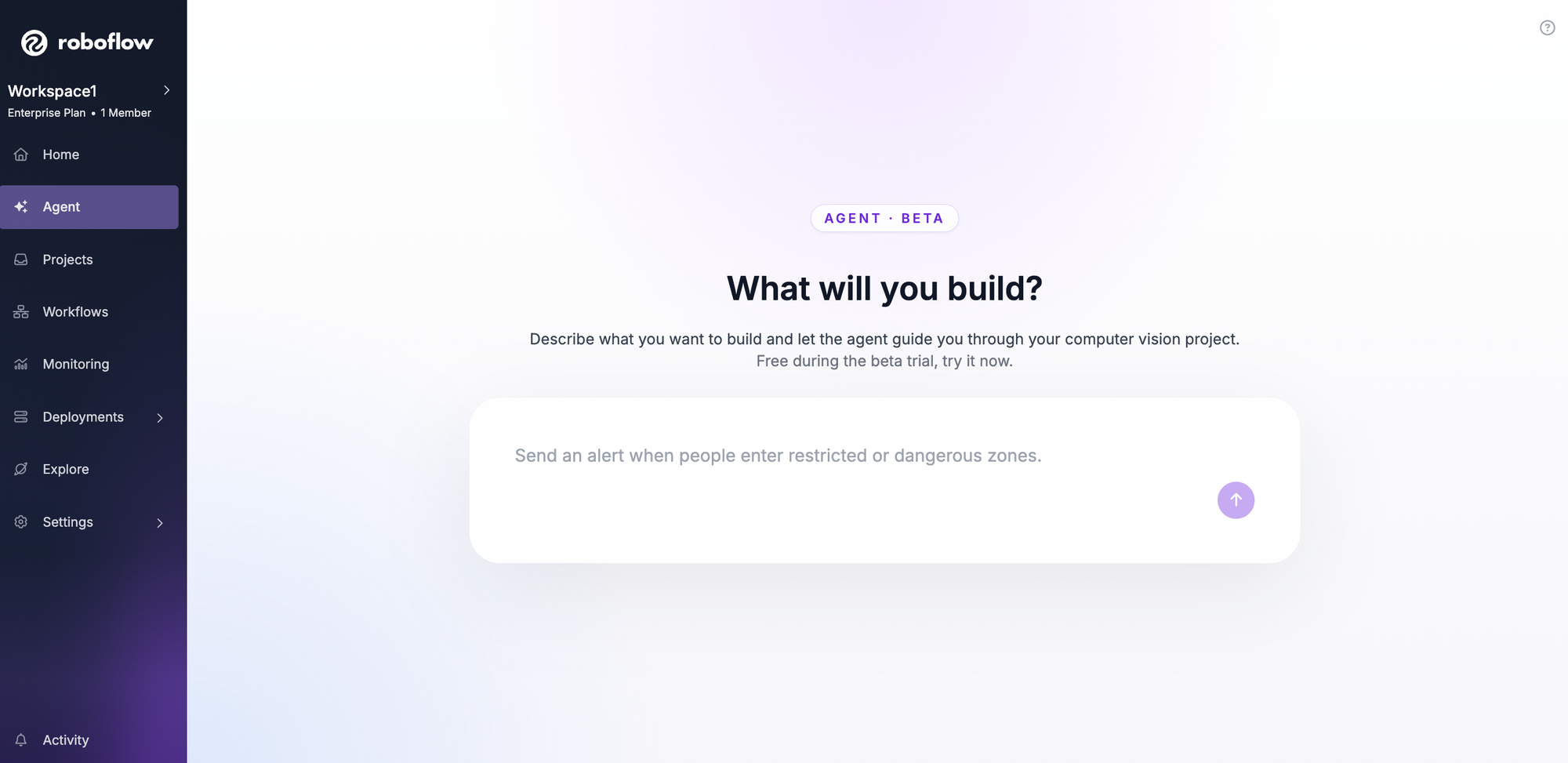
- Vision Agent: An autonomous conversational interface that lets you instruct the system in plain English to monitor streams and react to specific visual events.
Advanced Model Training: Access to state-of-the-art architectures optimized for real-world speed and accuracy:
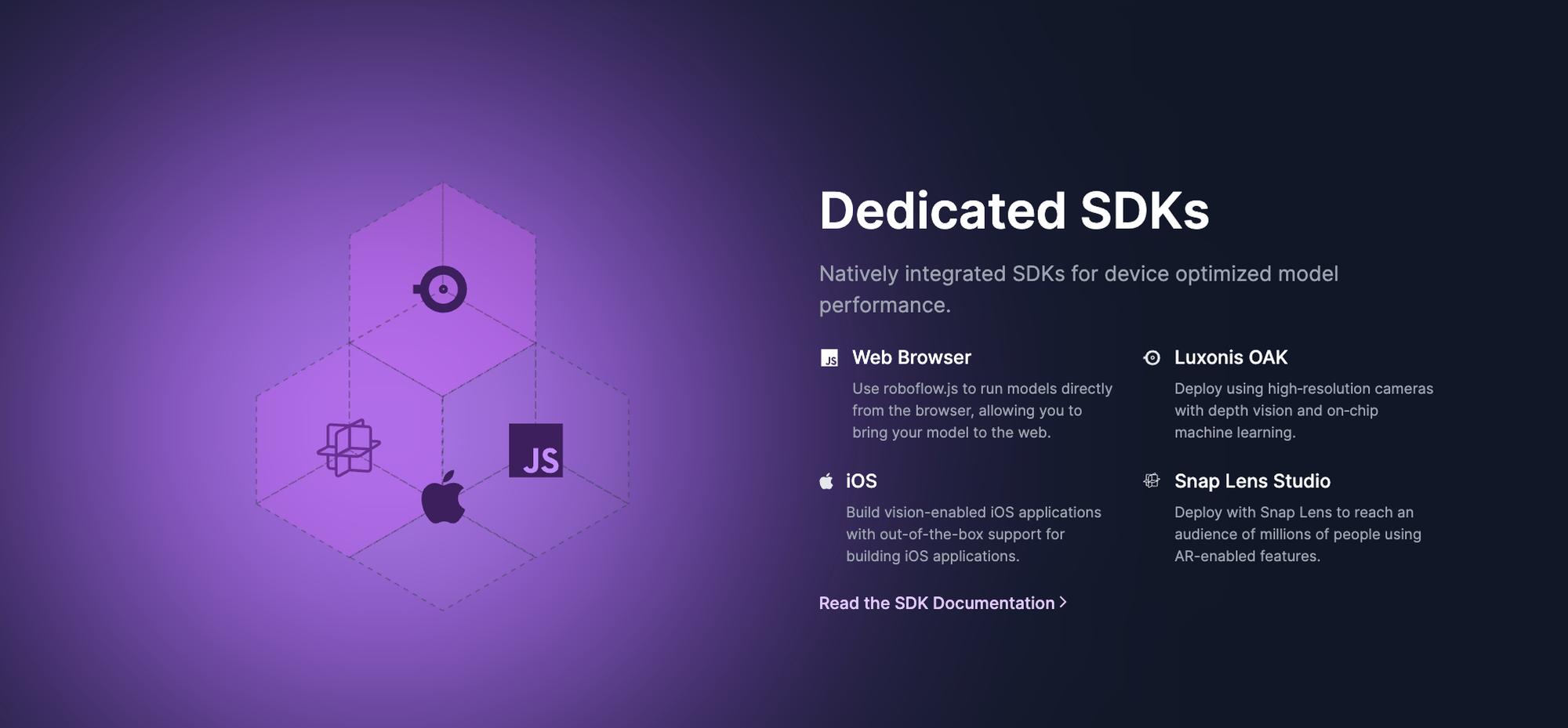
- RF-DETR: Roboflow’s Apache 2.0-licensed detection transformer that delivers industry-leading accuracy for real-time applications.
- One-Click Training: Automated hyperparameter tuning and model versioning that allows any developer to train a custom model in an afternoon.
AI-Powered Labeling & Curation: Tools to eliminate the manual "grunge work" of preparing visual data:
- Auto-Labeling: Rapid uses zero-shot foundation models to automatically annotate datasets based on simple text prompts.
- Dataset Health: Advanced search and analytics to find outliers, identify bias, and ensure your model is learning from high-quality data.
Multi-Modal & Foundation Model Ecosystem: Deep integrations with the latest breakthroughs in AI:
- Model Licensing: Access and chain together models like CLIP, SAM 3, and Grounding DINO within a single pipeline.
- Roboflow Universe: Instant access to over 250,000 open-source datasets and 50,000 pre-trained models to jumpstart any project.
Cons
- Inference 1.0 offers so many deployment permutations (Cloud, Edge, Local) that the initial choice can feel complex, but intelligent routing and one-line deployment scripts handle the hardware optimization.
- The modularity of Workflows 2.0 can feel like too much power when first designing application logic, but this granularity is what allows you to chain multiple models and custom business rules into a single production endpoint that would otherwise take months to hard-code.
- The vastness of datasets and models on Roboflow Universe can be overwhelming, but advanced search and curated featured datasets make it easy to find a high-quality starting point in seconds.
- New features and model architectures (like RF-DETR) ship fast, though production deployments don’t break as the tech evolves, due to stable APIs and versioning.
- Rapid auto-labeling is so efficient at bootstrapping datasets that it can make manual annotation feel obsolete, yet this speed requires users to shift their focus from drawing boxes to high-level auditing, ensuring that your domain expertise is used for quality control rather than repetitive labor.
“The vision AI solutions we developed with Roboflow have been a core component of connecting our teams and unlocking their ability to collaborate. By automating routine tasks with AI, like visual quality inspections, staff members can spend less time with their hands or eyes focused on dull and sometimes dangerous work. Instead, they can focus their minds on pursuing higher value initiatives that ultimately improve success for our customers.”
-Lou Stocco, Director of Manufacturing Advanced Analytics at USG
Roboflow Pricing
Roboflow uses a modular, credit-based pricing model designed to scale with your project. Whether you’re an open-source hobbyist or an enterprise automating a global supply chain, you only pay for the compute and storage you actually use. Here’s how Roboflow stacks up against alternatives:
For teams already building with visual data, Roboflow eliminates the integration tax of stitching together a labeling tool, a training server, and an inference API. You get one unified bill for the entire lifecycle. For those just starting, the ability to deploy to the edge means you avoid the cloud API trap, where costs spiral as your user base grows.
Ease of Roboflow use and interface
I tested Roboflow from the perspective of an engineer, a domain expert, and a product manager. The interface is built to bridge the gap between raw visual data and production-ready code, replacing the manual scripts and fragmented tools typically found in traditional computer vision workflows.
For Developers
The developer experience is centered on the Deployment-First API and the Roboflow SDK. The dashboard provides instant access to code snippets for Python, JavaScript, and C++, along with managed API keys and versioning.
- One-Line Integration: Deploying a model to production is handled via a single line of code. The SDK manages the communication between your application and the Inference 1.0 engine.
- Version Control: Every dataset generation creates a permanent snapshot with a unique version ID. This allows engineers to iterate on preprocessing and augmentations without disrupting active production endpoints.
For Product Managers
The Roboflow Vision Agent and Dataset Health tools provide a high-level command center for monitoring system performance and intent.
- Roboflow Vision Agent: This conversational interface allows stakeholders to define application logic using plain English. A product manager can instruct the system to "Alert the team if the inventory shelf is more than 50% empty" without writing Python or JSON.
- Dataset Health: This dashboard provides automated analytics on class balance, image dimensions, and potential bias. It flags gaps in the data (e.g., a lack of low-light images) before they lead to model failure in the field.
For Domain Experts and Labelers
The annotation interface is designed for high-volume data throughput, allowing those with specific subject-matter expertise to contribute without needing technical AI knowledge.
- Rapid Auto-Labeling: Instead of drawing every bounding box manually, users leverage Rapid. You provide a text prompt or a few example images, and foundation models generate the initial annotations. This reduces the manual workload to a process of verification and refinement.
- Collaborative Workspaces: Real-time synchronization allows multiple team members to label datasets simultaneously. The UI includes progress tracking and assignment tools to manage large-scale data projects efficiently.
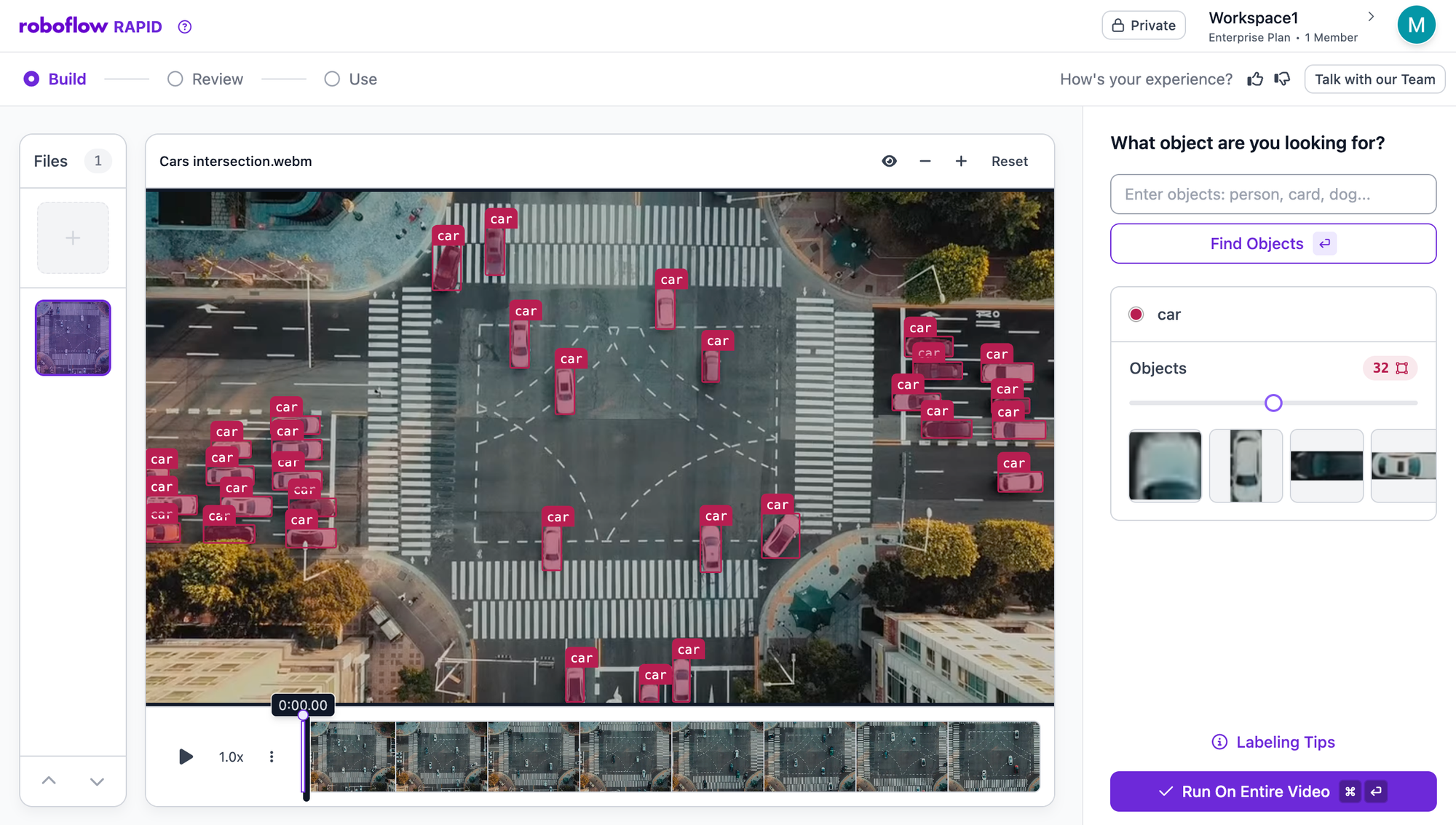
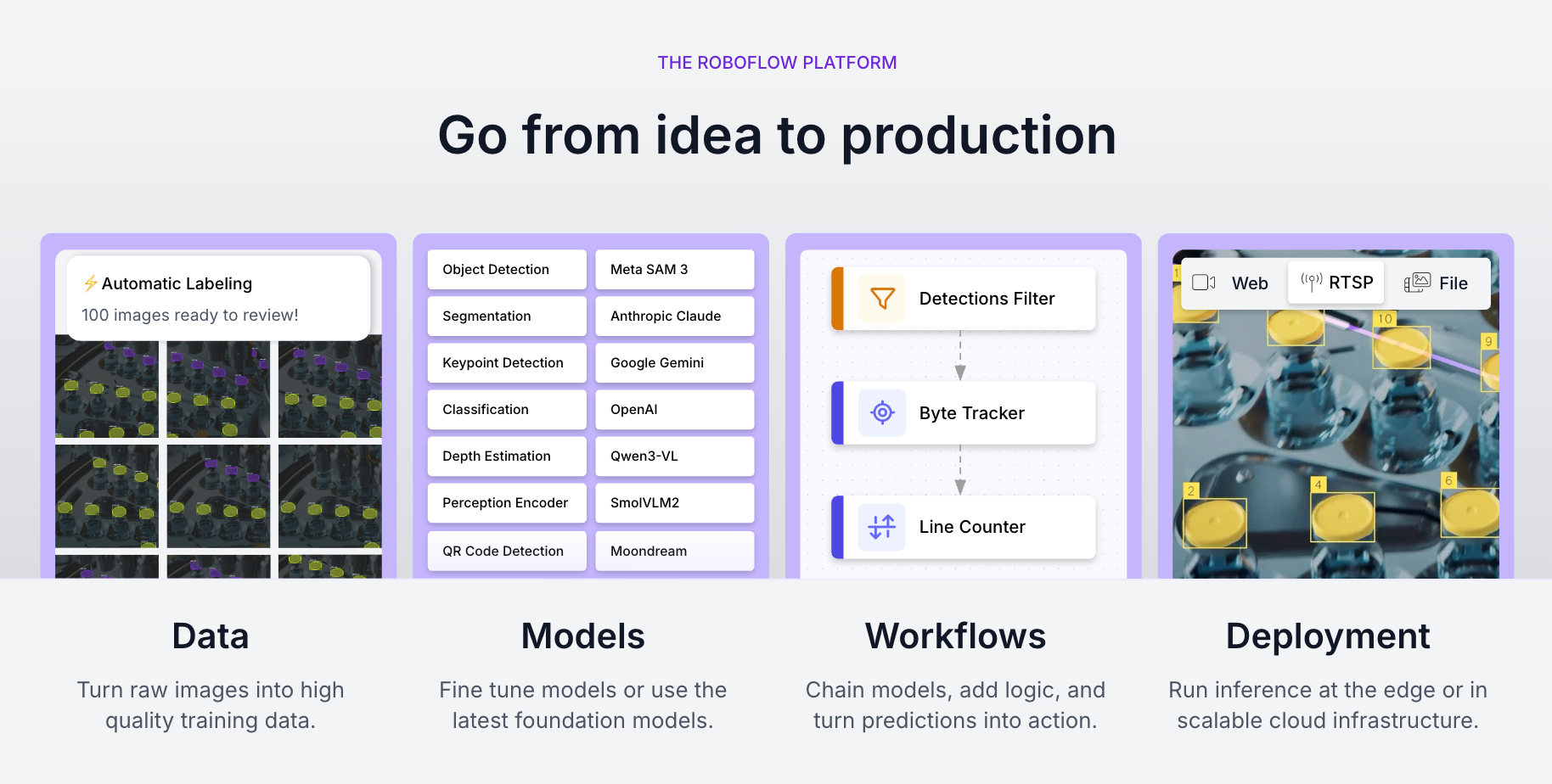
Core Roboflow functionalities
1. Automated Labeling and Curation
Roboflow replaces manual annotation with Rapid, which uses zero-shot foundation models to identify objects based on text descriptions. This allows teams to move from raw images to a labeled dataset in hours rather than weeks. The Dataset Health tool then automatically audits these labels for consistency and identifies outliers that could degrade model performance.
2. Model Training and RF-DETR
Training happens on a managed infrastructure that automatically handles hyperparameter tuning and hardware provisioning.
- RF-DETR: Users have direct access to our Apache 2.0-licensed Real-Time Detection Transformer. It is optimized for speed on commodity hardware and serves as a high-accuracy alternative to traditional YOLO architectures.
- One-Click Training: The "Train" button initiates a process that includes automated validation and performance reporting (mAP, Precision, and Recall), making it accessible to non-ML engineers.
3. Deployment and Inference 1.0
Once trained, models are deployed via Inference 1.0, a modular engine that manages the complexities of hardware-specific runtimes.
- Multi-Backend Support: The engine automatically detects the optimal environment (TensorRT, ONNX, or PyTorch) to maximize frames-per-second (FPS) on your specific device.
- Unified API: Whether you are deploying to a local NVIDIA Jetson or the Roboflow Cloud, the API remains identical, ensuring your code is portable across the entire infrastructure.
4. Intelligent Workflows and Vision Agent
Workflows provide a low-code environment to chain multiple models together for complex tasks, such as detecting a vehicle and then running a secondary model to identify the make and model. The Vision Agent sits on top of this stack, allowing users to orchestrate these workflows through natural language commands. This turns a complex computer vision system into a conversational tool that can observe a stream and react based on user-defined business logic.
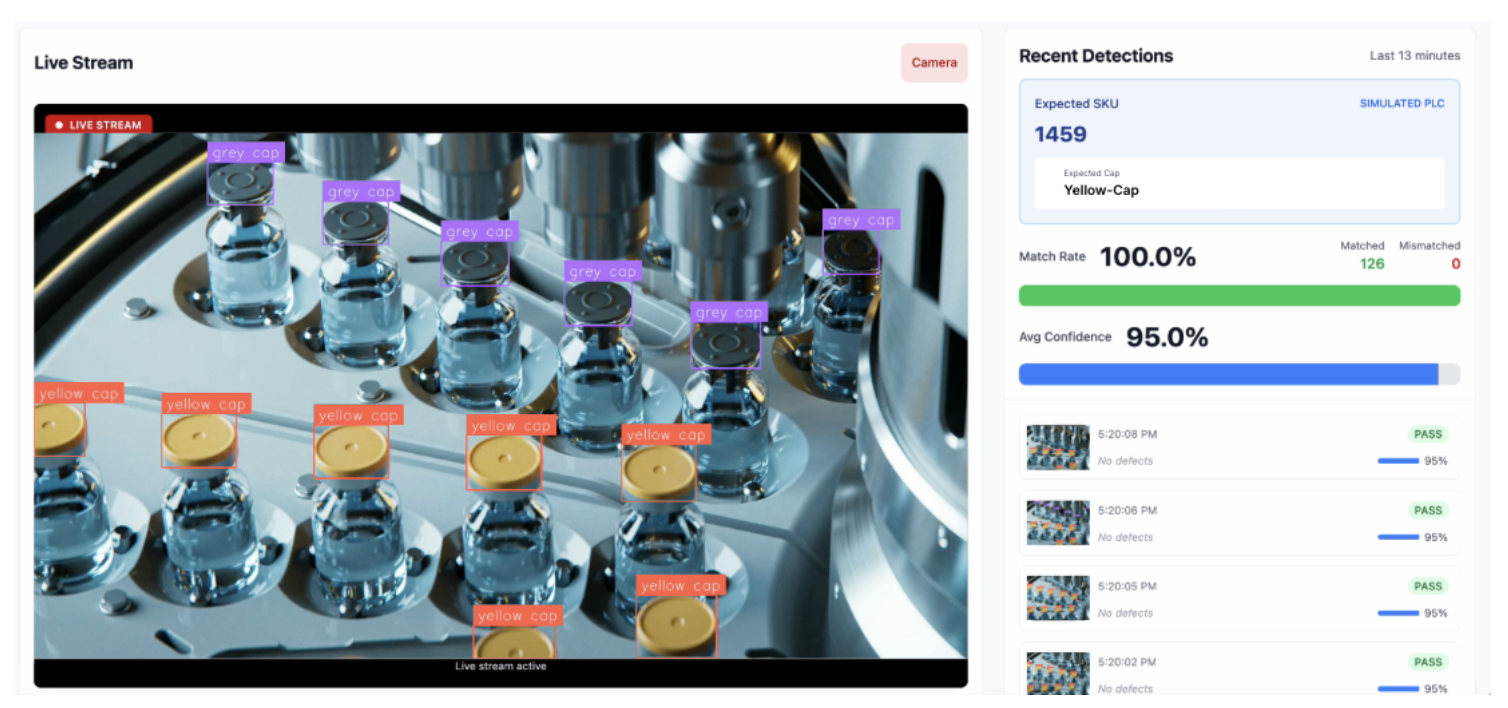
Roboflow reporting and analytics
Roboflow turns unstructured visual data into structured business intelligence, providing a clear roadmap from initial training to global deployment. The platform replaces raw terminal logs with high-fidelity training graphs and real-time operational dashboards.
Advanced Training Diagnostics: After every epoch, Roboflow generates detailed performance visualizations that serve as your primary defense against model failure:
- Model Health (mAP): Tracks Mean Average Precision (mAP@.50 and mAP@.50:.95), providing a difficulty-graded view of how well your model finds and accurately hugs objects.
- Geometric Precision (Box Loss): Tracks localization error using smarter metrics like CIoU and GIoU. These graphs help you diagnose if your model is roughly in the right place or achieving pixel-perfect alignment.
- Class & Objectness Loss: Visualizes how well the model distinguishes between categories (e.g., car vs. bike) and background noise, helping identify messy labels or contradictory data.
- Validation vs. Training Split: Advanced dashboards overlay training metrics with validation reality. This is your best defense against overfitting - if the lines drift apart, you know your model is memorizing data rather than learning general patterns.
Operational Edge Visibility: Once your model is in the field, Roboflow transitions from training metrics to real-time business insights via the Insights HMI:
- Global Visibility: View performance metrics across multiple sites simultaneously, allowing you to monitor and compare operational efficiency at a global scale.
- Automated Event Logging: Send detections directly to your existing databases or BI tools. This allows you to track specific events - like loading dock occupancy or defect rates, and trigger alerts before downstream costs occur.
- Local Event Logs: For low-connectivity environments, Roboflow allows for local data logging, ensuring your reporting remains reliable even without a stable cloud connection.
Roboflow security and compliance
Roboflow is built for enterprise-grade security, serving as the trusted visual stack for over half of the Fortune 100 and organizations with high-stakes data requirements.
- Export Control & FIPS Compliance: Roboflow provides dedicated engineering support that meets DOE export control standards (10 CFR Part 810) and uses FIPS 140-2–compliant encryption for data protection.
- Single-Tenant Environments: For organizations with strict data sovereignty needs, Roboflow offers single-tenant, isolated environments that keep your data and models entirely within your own private network or VPC.
- Air-Gapped & Offline Deployment: Models are capable of running fully offline or within a secure intranet, requiring only infrequent connections for updates.
- Centrally Managed Over-the-Air (OTA) Updates: Even when devices are in the field, you can manage and redeploy models centrally. A simple 12-character change in your code allows for instant, site-specific version control without manual hardware access.
Roboflow integrations and automations
Roboflow connects directly with the software, hardware, and storage infrastructure that modern engineering teams actually use.
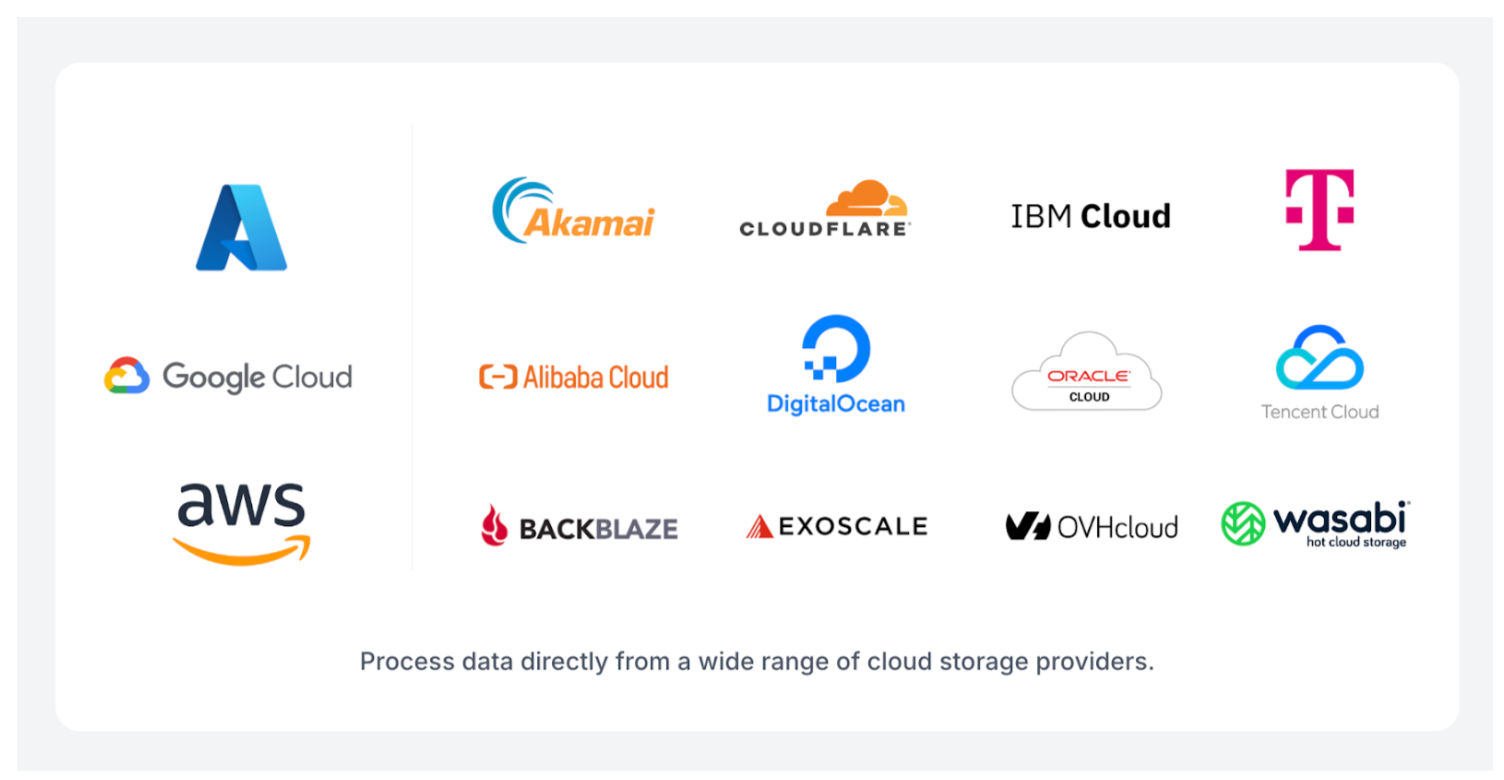
- Cloud Storage & Data Lakes: Native integration with AWS S3, Google Cloud Storage, and Azure Blob Storage. With the release of Batch Processing, Roboflow now supports the wider ecosystem of S3-compatible storage, including Wasabi, Backblaze B2, Cloudflare R2, and Databricks. You can process millions of images or thousands of hours of video directly from these buckets without transferring terabytes of data.
- Edge Hardware & Cameras: Direct deployment to NVIDIA Jetson, Raspberry Pi, and iOS/Android. Roboflow integrates with professional-grade machine vision cameras from Basler, Lucid Vision Labs, Allied Vision, and FLIR, as well as any RTSP or USB-capable stream (including Hikvision and Reolink).
- Industrial Protocols: For manufacturing and warehouse automation, Roboflow supports OPC-UA, MQTT, and Modbus TCP. This allows your visual AI to communicate directly with PLCs, HMIs, and Ignition systems on the factory floor.
- Communication & Notifications: Automated alerts via Slack and Microsoft Teams. You can configure Workflows to send a message or a visual overlay whenever a specific condition is met (e.g., "Package damage detected on Line 4").
- Database & BI Integration: Built-in "Sinks" for Microsoft SQL Server and Supabase, along with Zapier and n8n support for no-code connections to thousands of other apps.
- ML Ecosystem: Seamless export and import with Hugging Face, Weights & Biases, and CVAT, ensuring Roboflow fits into your existing R&D toolchain.
- Direct LLM & VLM Integration: Roboflow allows you to orchestrate and license the world's most powerful multi-modal models, including Gemini 3 Pro, within your visual pipeline.
The total ecosystem spans over 50+ native integrations and hundreds of community-supported connections. This infrastructure ensures that your model isn't an isolated experiment, but a connected asset that talks to your entire business.
Roboflow customer support and implementation
Roboflow implementation begins with a structured lifecycle management process designed to move you from raw data to production in days.
The Developer Onboarding Flow
Getting started is essentially a three-step process that requires zero infrastructure setup:
- Rapid Auto-Labeling: New users can immediately use Rapid to bootstrap their data. By providing a text prompt or an example image, foundation models handle the first pass of annotations, allowing developers to skip the manual "box-drawing" phase.
- Guided Setup: The platform uses a step-by-step workflow for dataset staging and camera integration. Developers can connect a webcam or an RTSP stream and see live detections within minutes using pre-trained models.
- One-Click Training: Once data is curated, the training process is fully managed. Roboflow handles hardware provisioning and hyperparameter tuning, delivering an API endpoint the moment the model converges.
Enterprise Support Tiers
For organizations scaling across multiple facilities, Roboflow provides a specialized Field Engineering model to ensure long-term ROI:
- Forward Deployed AI Engineers (Zero-to-One): These experts act as an extension of your product team. They focus on high-value use cases, handling bespoke solution design and hands-on installation to bridge the gap between a lab pilot and a production reality.
- Implementation Engineers (One-to-Many): This team specializes in scaling validated solutions across site or product variations. They create operational playbooks to ensure that a model working at one plant can be replicated across fifty.
- Technical Support Engineers (Continuous Improvement): These engineers provide proactive monitoring of model health. They focus on diagnosing and resolving performance drift to ensure stable accuracy as real-world conditions change.
Self-Service Resources
Roboflow maintains an extensive library of documentation through Roboflow University and the Roboflow Blog. These resources include step-by-step guides for everything from optimizing RF-DETR to deploying on NVIDIA Jetson.
Support Channels
Support channels include live chat during business hours, email support, a community forum, and a searchable knowledge base. Enterprise customers receive dedicated account support, including an assigned Field Engineer and scheduled co-building sessions to ensure their visual AI roadmap stays ahead of the curve.
Roboflow customer reviews and ratings
Roboflow is trusted by over a million developers and half of the Fortune 100 companies. Over $50 trillion in global GDP is dependent on applying AI to problems in industrial settings, and NVIDIA is working with Roboflow to deliver those solutions.
Roboflow maintains strong ratings across major review platforms:
- GitHub: 36.7k stars for Roboflow Supervision
- Product Hunt: 5.0/5 stars
- G2: 4.8/5 stars (Ranked #1 in Image Recognition for 2026)
- Crozscore: 4.8/5 stars
On G2, users consistently praise the ease of use and intuitive interface of Roboflow, which simplifies the entire process of computer vision deployment.
One developer noted, “The best thing about Roboflow is that I can create my own computer vision models and, beyond that, configure them from scratch so they work exactly the way I need. The simple drag-and-drop features make it easy to set things up, and I can make intuitive changes on the go.”
Users also highlight the massive time savings provided by Rapid and automated labeling. A researcher explained, "Roboflow distinguishes itself as a leading end-to-end computer vision platform by streamlining the often disjointed process of object detection and instance segmentation into a cohesive, unified workflow. One of the most notable benefits is the annotation experience…This tool transforms the usually painstaking, pixel-level clicking required for segmentation masks into a fast, one-click operation."
Asim Ghanchi, AVP of Technology at BNSF Railway, summarized the enterprise impact: "Achieving positive results using AI in a lab environment is easy, but the real challenge comes when scaling the solution across a network like ours without disrupting day-to-day operations. Our partnership with Roboflow is allowing us to do just that."
While the platform is praised for its ease of use, some users note that the sheer depth of features means it takes time to fully explore the most advanced configurations. Others mention that while auto-labeling is a game-changer, high-stakes projects still benefit from a "human-in-the-loop" to ensure absolute precision.
Roboflow vs. competitors
Here's how Roboflow stacks up against computer vision platforms:
Final verdict: Roboflow is a 10/10
Roboflow has established itself as the leading visual AI company by moving organizations beyond stagnant pilot projects and into the era of operationalized visual AI.
The integration between dataset, model, and deployment is genuine, and the time savings are real. Roboflow is the gold standard for deploying at scale.
Cite this Post
Use the following entry to cite this post in your research:
Contributing Writer. (Jan 1, 2026). An Honest Review of Roboflow Visual AI. Roboflow Blog: https://blog.roboflow.com/roboflow-review/