

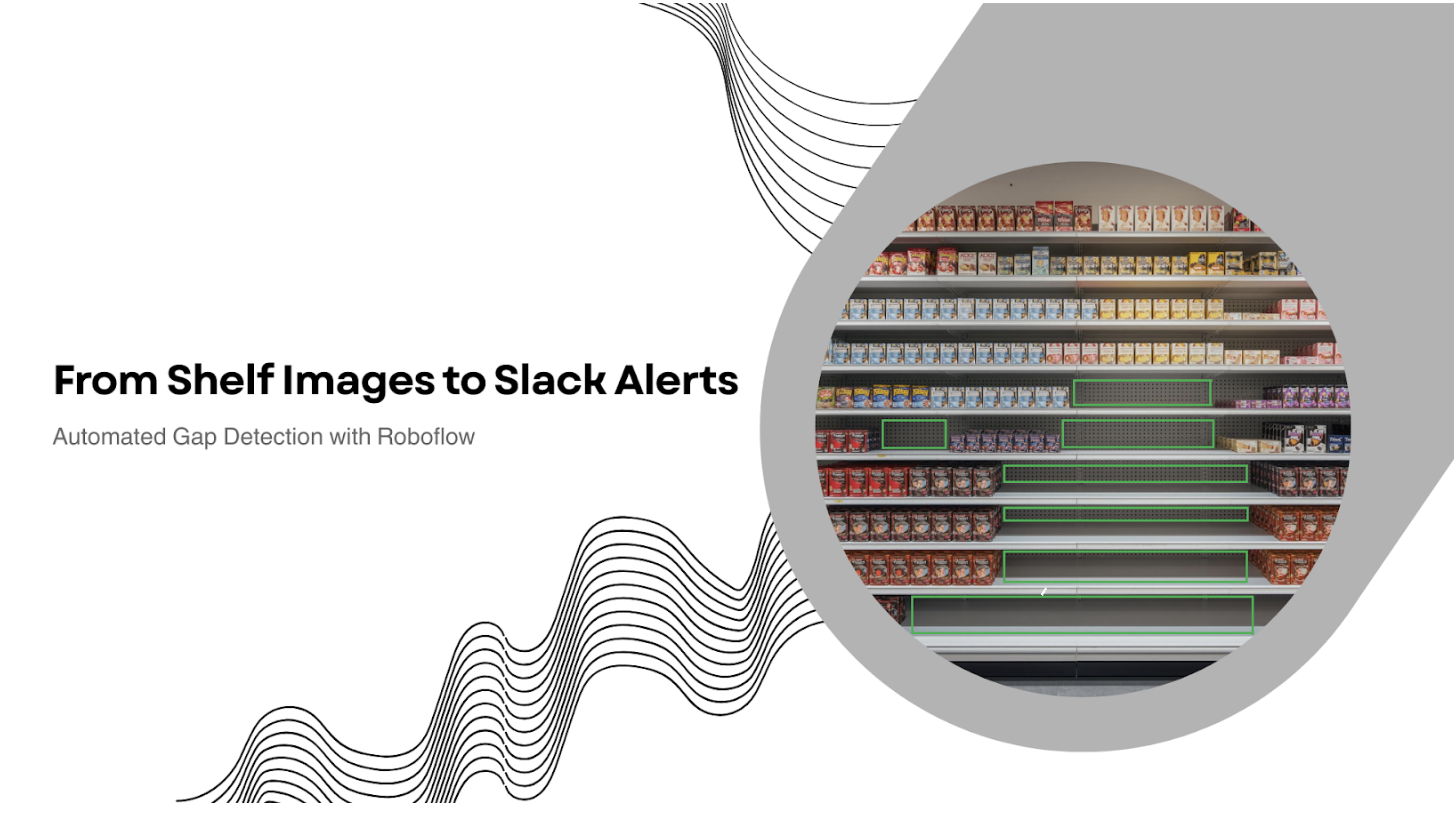
Today we will train a computer vision model to identify empty facings - the visual gaps where products should be but aren’t, and then wire that model into a Roboflow Workflow that turns every detection into action.
When a shelf image contains gaps, the system automatically sends a Slack alert with the annotated image, shelf ID, and gap count.
So, instead of “look, it found something,” you get: "Shelf A3 has 4 empty facings. Here’s the photo." - in short, a shelf-monitoring system your team will actually use.
Shelf-Monitoring with Vision AI
In this tutorial, you’ll build the full loop, not just the model. You’ll train a gap-detection model, deploy it into a Roboflow Workflow, and automate the last mile: when a shelf image contains empty facings, a Slack alert is sent with the image, shelf ID, and the gap count. The goal isn’t to prove the model can detect something. It’s to show how detection becomes operations.
1. Create a Training Dataset Using a Public Baseline
A shelf-monitoring system only gets as reliable as the dataset behind it. Instead of starting from scratch, we’ll use a public baseline dataset so we can focus on the workflow that matters: training, deploying, and automating actions.
For this tutorial, we’ll use Supermarket Empty Shelf Detector, an object detection dataset that’s already been battle-tested by the community. It’s a good fit because it contains the kind of real-world variation that breaks fragile models: different shelf layouts, mixed lighting, imperfect camera angles, and edge cases where “empty” can be confused with glare, shadows, or dark packaging.
At a high level, we’ll do two quick setup steps:
- Fork the dataset into your own Roboflow workspace so you can version and train from it.
- Create a baseline version so you have a clean reference point before making any changes.
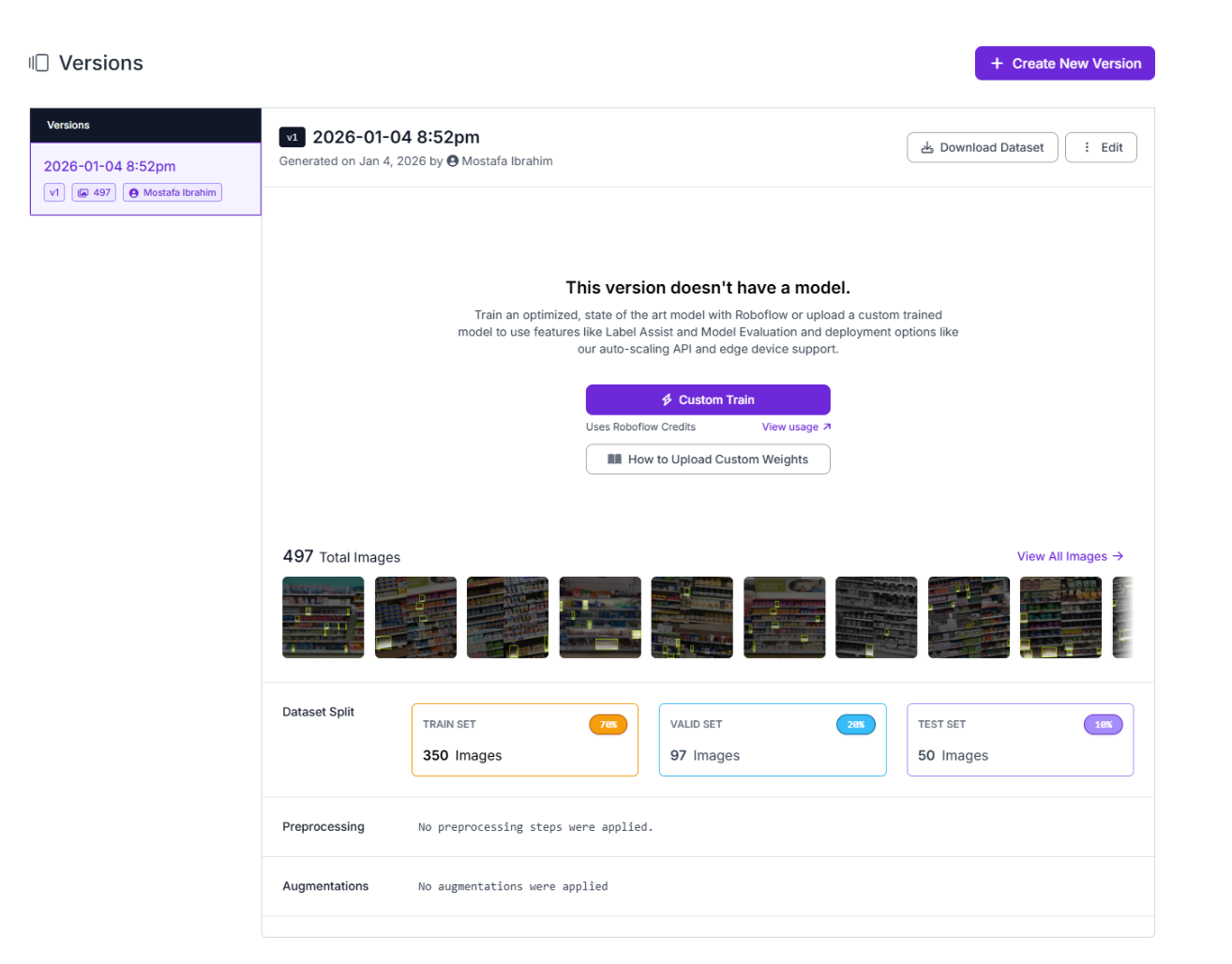
One small but important cleanup: the dataset’s original label is 100- O-O-S, which is technically fine but not exactly reader-friendly. We’ll rename that class to empty-facing so the class name matches what we’re detecting and stays consistent across training, evaluation, and workflow logic later on.
This gives us a clean, realistic starting point and sets us up to iterate without guesswork.
2. Train a Gap-Detection Model in Roboflow
This is where the dataset becomes something you can actually deploy: a model that detects empty facings in shelf images reliably enough to trigger downstream automation.
For this tutorial, we’ll train a single baseline model to keep the pipeline focused and reproducible. In real deployments, teams typically iterate over multiple dataset versions (adding edge cases, tightening labels, and retraining), but you only need a strong starting point to build the workflow and automation loop.
Training configuration (both runs):
- Task: Object detection (empty_facing)
- Architecture: RF-DETR
- Model size: Small
- Initialization: Train from pretrained weights
Baseline model (trained from the baseline dataset version)
This model is trained on the unmodified baseline dataset version to establish a clean reference point before any future dataset tuning.

Once training completes, you’ll have a reliable gap-detection model ready to drop into Roboflow Workflows, where predictions can trigger Slack alerts automatically.
Build a Workflow That Turns Predictions Into Slack Alerts
This is the point where the project stops being “a model that detects boxes” and becomes an actual system someone can use. Roboflow Workflows is the glue that connects inference to action, so detections don’t just sit in a dashboard. They trigger something real.
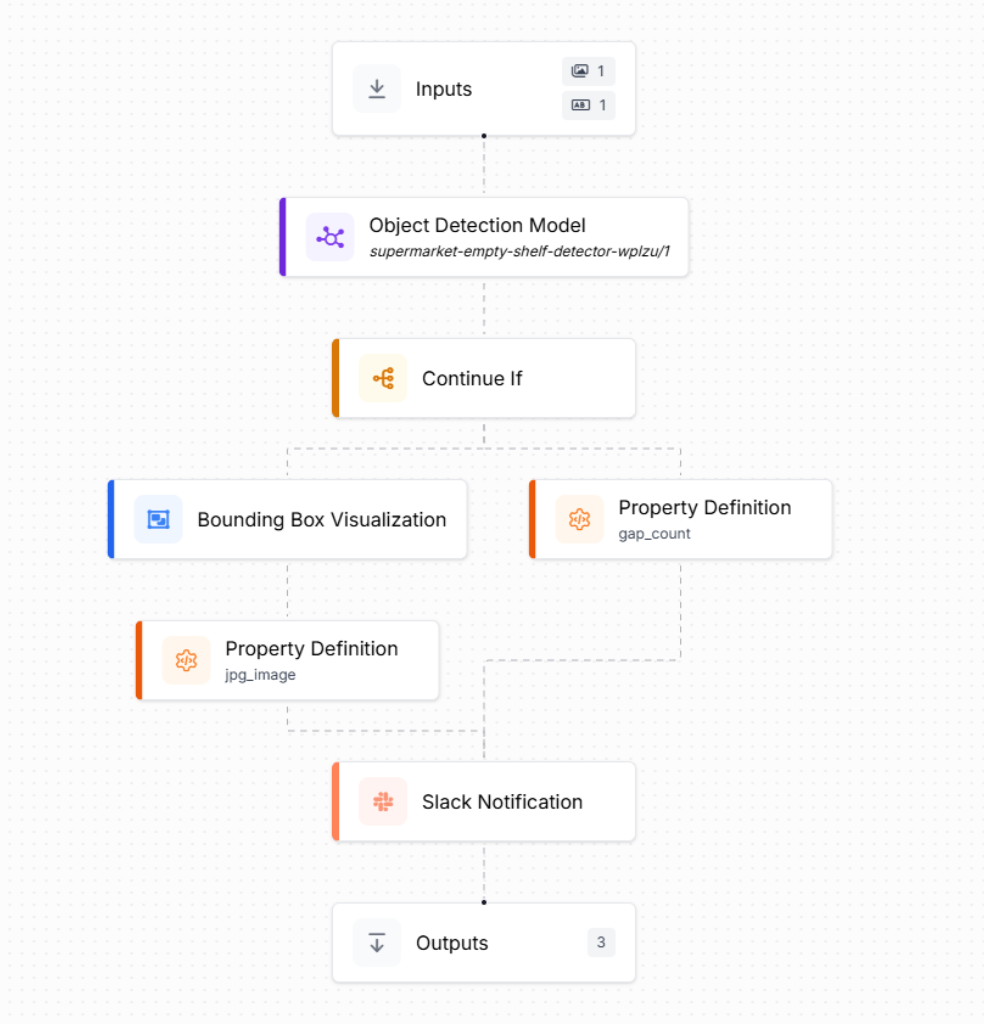
At a high level, the workflow is simple: image in → run inference → if gaps exist → notify Slack. The difference is in the small pieces of logic that make it reliable and readable.
Here is a preview of what our final workflow will look like:
Step 1: Generate the workflow scaffold
To build the workflow, go to your trained model and click Try Workflows → Build My Own. Roboflow automatically creates a basic workflow for you: an Inputs block feeding an Object Detection Model block, ending in Outputs. From there, you extend it into an automation pipeline.
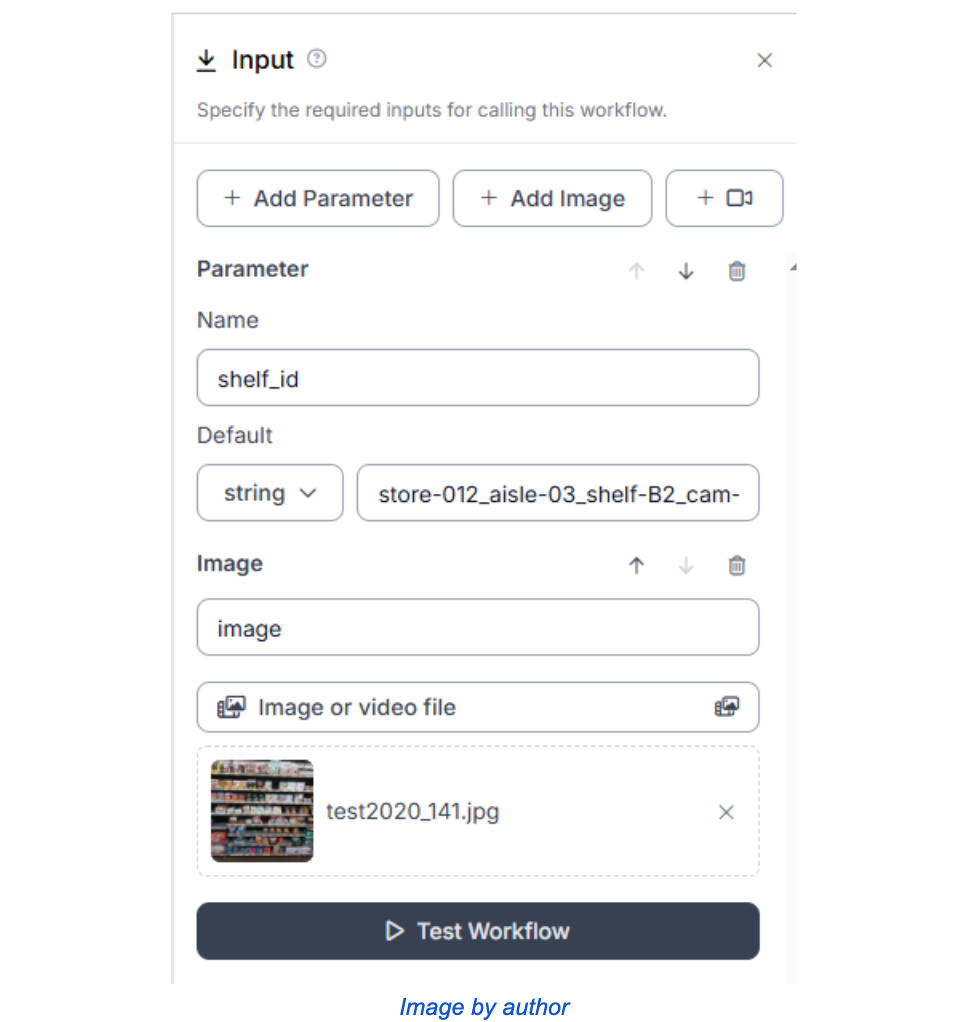
Step 2: Inputs (image + shelf context)
In the Inputs block, set up two inputs:
- a test shelf image
- a Shelf ID (so the alert is actionable, not just “gap detected somewhere”)
Step 3: Only continue if gaps were detected
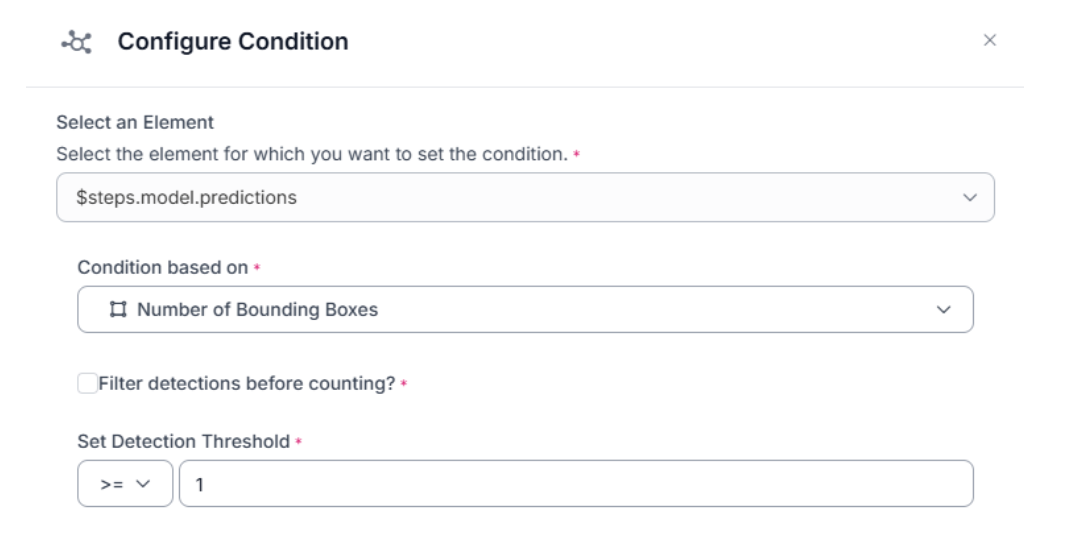
To avoid pointless downstream steps, we add a Continue If block. This checks the number of bounding boxes returned by the model and only continues when it’s ≥ 1.
Step 4: Prepare two outputs for Slack (image + gap_count)
From there, we create two useful artifacts:
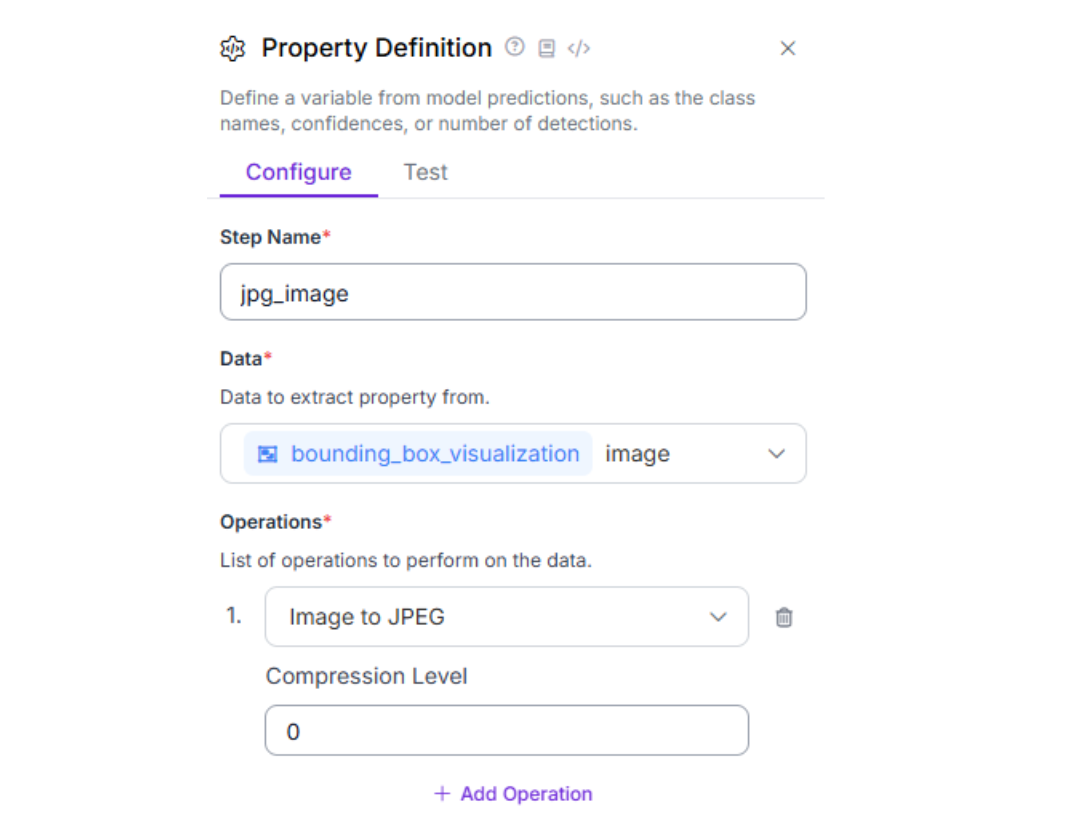
- A visualized image (bounding boxes drawn on top of the shelf image), then convert it to JPEG so it can be attached in Slack.
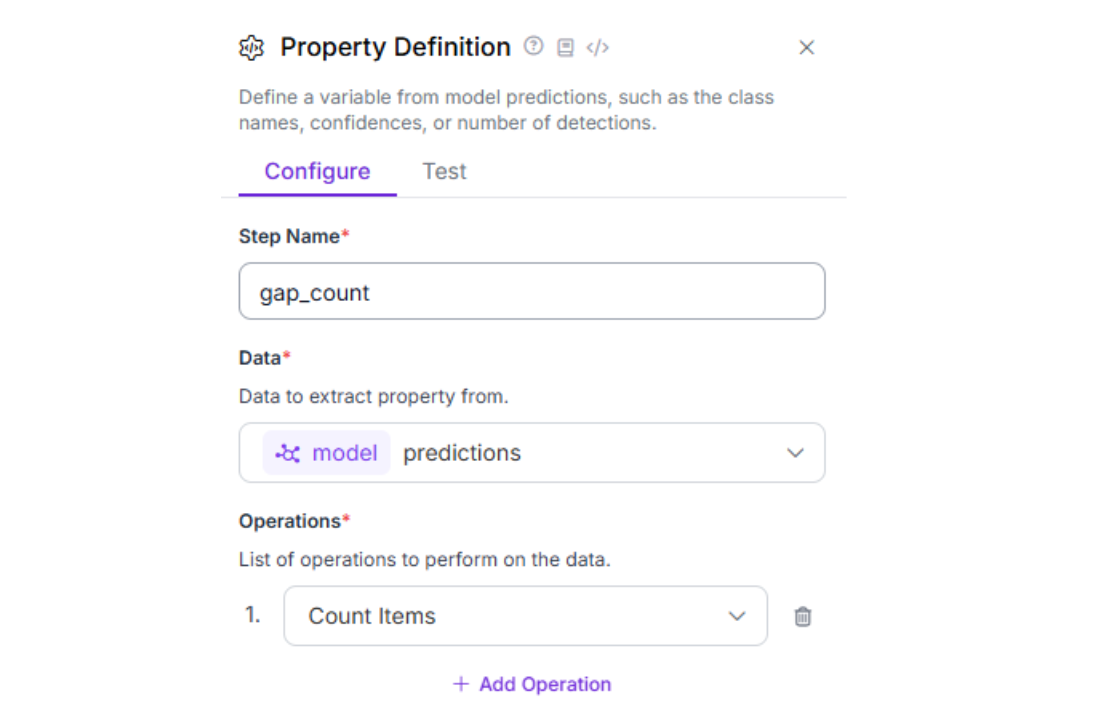
A numeric gap_count, calculated by counting the model’s prediction items.
Step 5: Send the Slack alert
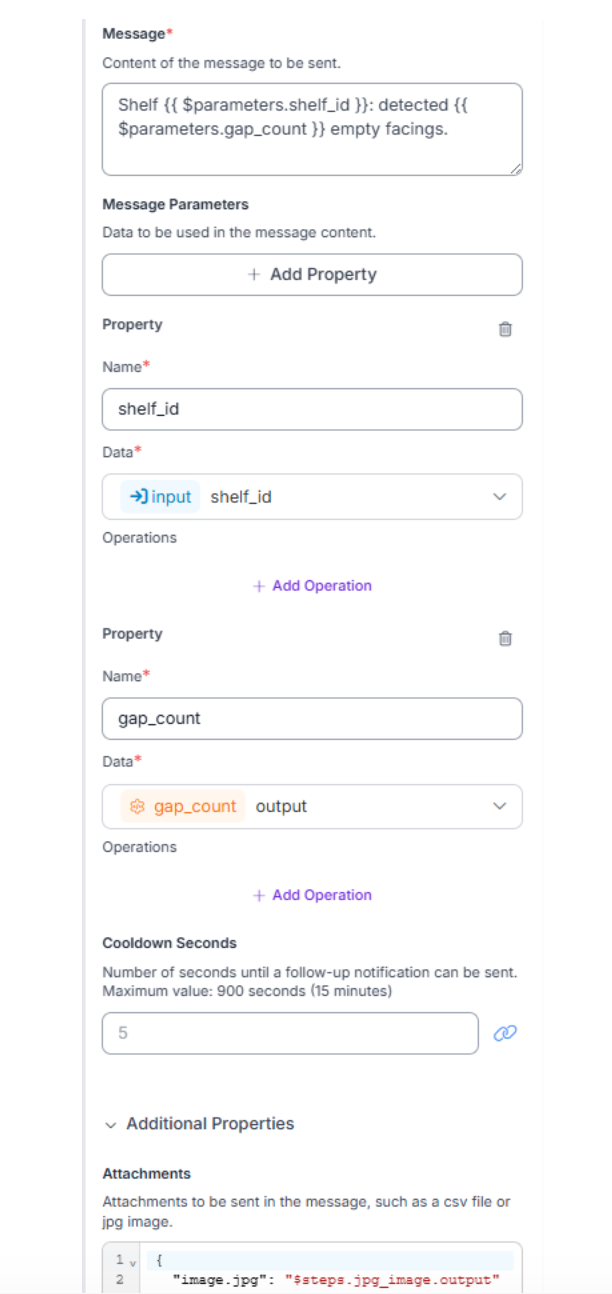
Finally, the Slack Notification block sends a message using two parameters: shelf_id and gap_count, and attaches the annotated image. (For the Slack token + channel setup, reference Roboflow’s Slack Notification guide, Step 5.)
Message:
Shelf {{ $parameters.shelf_id }}: detected {{ $parameters.gap_count }} empty facings.
Attachment field:
{
  "image.jpg": "$steps.jpg_image.output"
}
Step 6: Test the workflow
Run a quick sanity check to verify the workflow works end-to-end and the alert contains the right information.
- Test the workflow with a sample shelf image + shelf_id
- Confirm you get one Slack message with annotated image + gap_count + shelf_id
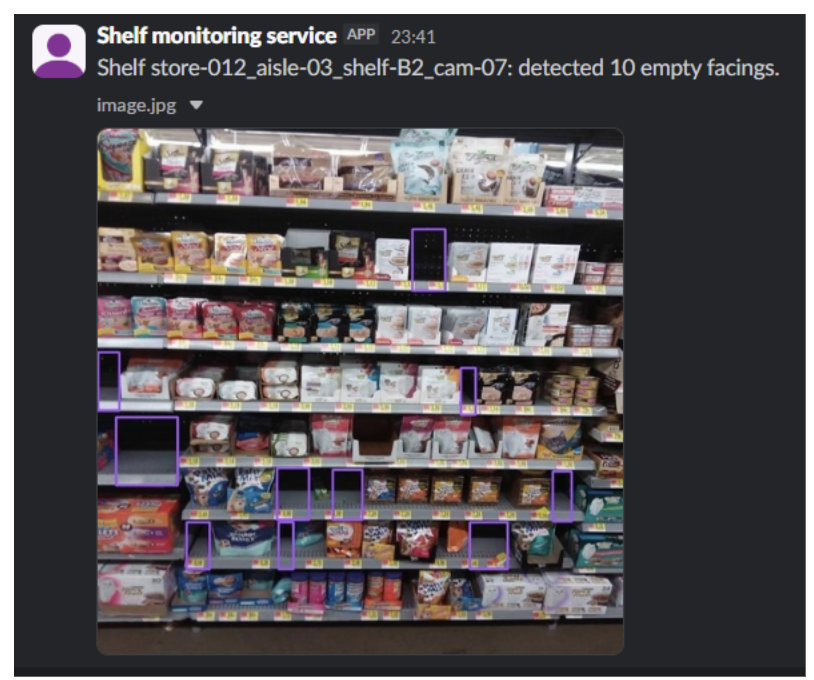
With this workflow in place, every shelf image becomes an operational trigger: detect empty facings, package the evidence, and notify the right channel automatically.
From Tutorial to Production: Making Alerts Trustworthy and Scalable
The workflow you built is the core loop: detect empty facings and notify the right channel. In production, the model is rarely the thing that breaks first. The alerting system breaks first, usually because it’s too noisy, too repetitive, or too hard to route to the right owner. This is where teams harden Workflows so the system stays useful as volume and complexity grow.
Reduce noise without losing real signals
Most teams add a few lightweight guardrails before expanding rollout:
- Confidence thresholds: only alert when detections are strong enough to trust (for example, only notify when detected gaps are above a set confidence level to avoid glare/shadow false positives).
- Cooldowns: prevent repeated alerts for the same shelf within a time window, especially when images arrive frequently. A common production starting range is 10–15 minutes, long enough to avoid spam from persistent gaps but short enough to resurface unresolved issues.
- Fewer repeat alerts: group detections into a single alert or only alert when conditions change (for example, a shelf goes from “no gaps” to “gaps detected”).
Scale from one shelf to many stores
Once you move beyond a single test shelf, you need structure:
- Consistent IDs and routing: use shelf_id (and optionally store/aisle) so alerts can be routed to the right channel or team.
- More varied inputs: different cameras, lighting conditions, shelf layouts, and “false gap” cases appear quickly at scale. The practical response is data iteration: capture failures, label them, retrain, repeat.
- Operational expectations: decide how often images arrive and what “response time” means, so alert frequency and cooldown windows match reality.
Go beyond Slack when accountability matters
Slack is great for speed, but it’s not a system of record. Once teams want traceability, the next step is routing the same workflow outputs into:
- A task system (Jira, Trello, Asana): for example, the workflow can create a “Restock shelf” ticket that includes the shelf ID, gap count, and the annotated image, then assign it to the store associate/team responsible for that aisle. The assignee restocks the shelf and closes the ticket, giving you a clean record of what was flagged and when it was resolved.
- An internal ops tool (or webhook endpoint) to log events and build dashboards
- Escalation paths (different channels or systems based on store, severity, or repeated detections)
The point is simple: Workflows lets you keep the same detection pipeline and progressively harden the operational layer, instead of rebuilding everything once the first “it spams too much” complaint shows up.
How to Automate on Shelf Availability Conclusion
Shelf availability is a great computer vision use case because the value is measurable. But the real win isn’t drawing boxes on an image. It’s closing the loop between detection and action.
In this tutorial, you built that full loop with Roboflow: Get started today or speak with an AI expert about your unique use cases.
Further reading
Below are a few related topics you might be interested in:
Cite this Post
Use the following entry to cite this post in your research:
Contributing Writer. (Jan 12, 2026). How to Automate on Shelf Availability with Vision AI. Roboflow Blog: https://blog.roboflow.com/automate-on-shelf-monitoring/