

In high-stakes monitoring domains, pure automation can create unacceptable risk because AI systems fail in precisely the scenarios that matter most: rare edge cases, ambiguous situations, and contexts the training data never captured.
In this article, we will explore how Human-in-the-Loop (HITL) AI addresses this gap. You'll learn what HITL is and how it differs from traditional QA, the production patterns that make HITL systems scalable, and see a complete Roboflow Workflows example that demonstrates building a HITL system for high-stakes computer vision.
What Is Human-In-The-Loop AI?
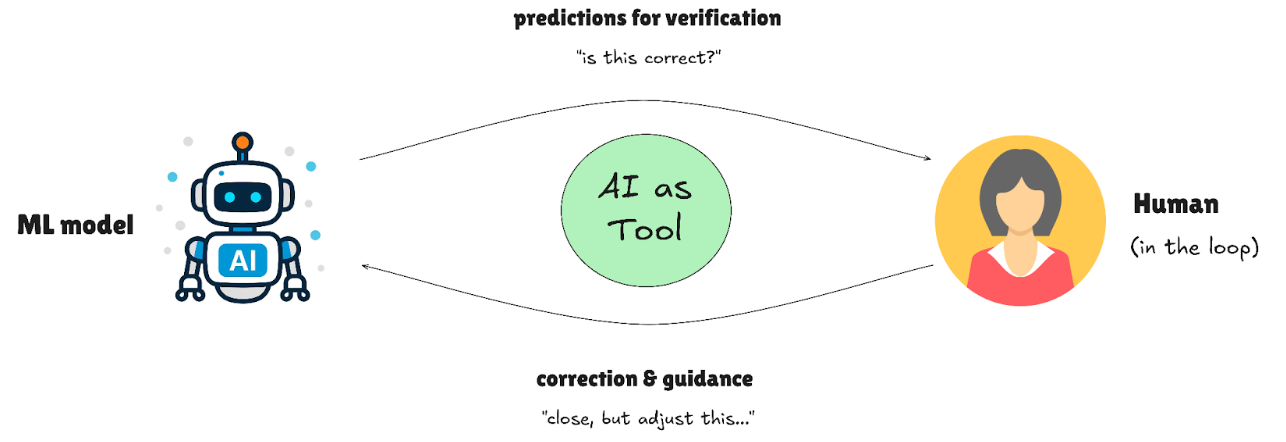
Human-in-the-Loop isn't quality assurance; it's a design pattern where humans and AI collaborate at critical decision points. Instead of waiting for the model to fail and then fixing it, HITL systems route uncertain predictions to human experts in real time, creating a partnership where each handles what they do best.
How HITL differs from traditional QA:
- Traditional QA: Humans check completed work after the fact (passive validation)
- HITL: Humans intervene when the AI encounters uncertainty (active collaboration)
- Key distinction: HITL systems detect their own uncertainty and escalate accordingly
Why it became essential:
HITL became essential when deployment stakes exceeded model reliability. In traffic accident detection, missing an emergency isn't acceptable, so operators review flagged incidents before dispatch. Infrastructure monitoring systems escalate uncertain damage detections to engineers rather than auto-triggering repairs. Security surveillance routes anomalous behavior to human guards instead of automatically sounding alarms.
The pattern emerged for three reasons: models aren’t perfect, regulations still require human responsibility, and the cost of a serious mistake is often higher than the cost of having a person double-check the decision. Adding human judgment at critical moments turns imperfect AI into something teams can actually deploy and trust.
Human-In-The-Loop Patterns That Scale in Production
The challenge with HITL isn't the concept. It's the execution. Production systems need patterns that embed human judgment efficiently, ensuring quality without creating review bottlenecks that slow down deployment. In this section, we'll explore the patterns successful teams use to make HITL work in production.
AI-First Labeling with Human Correction
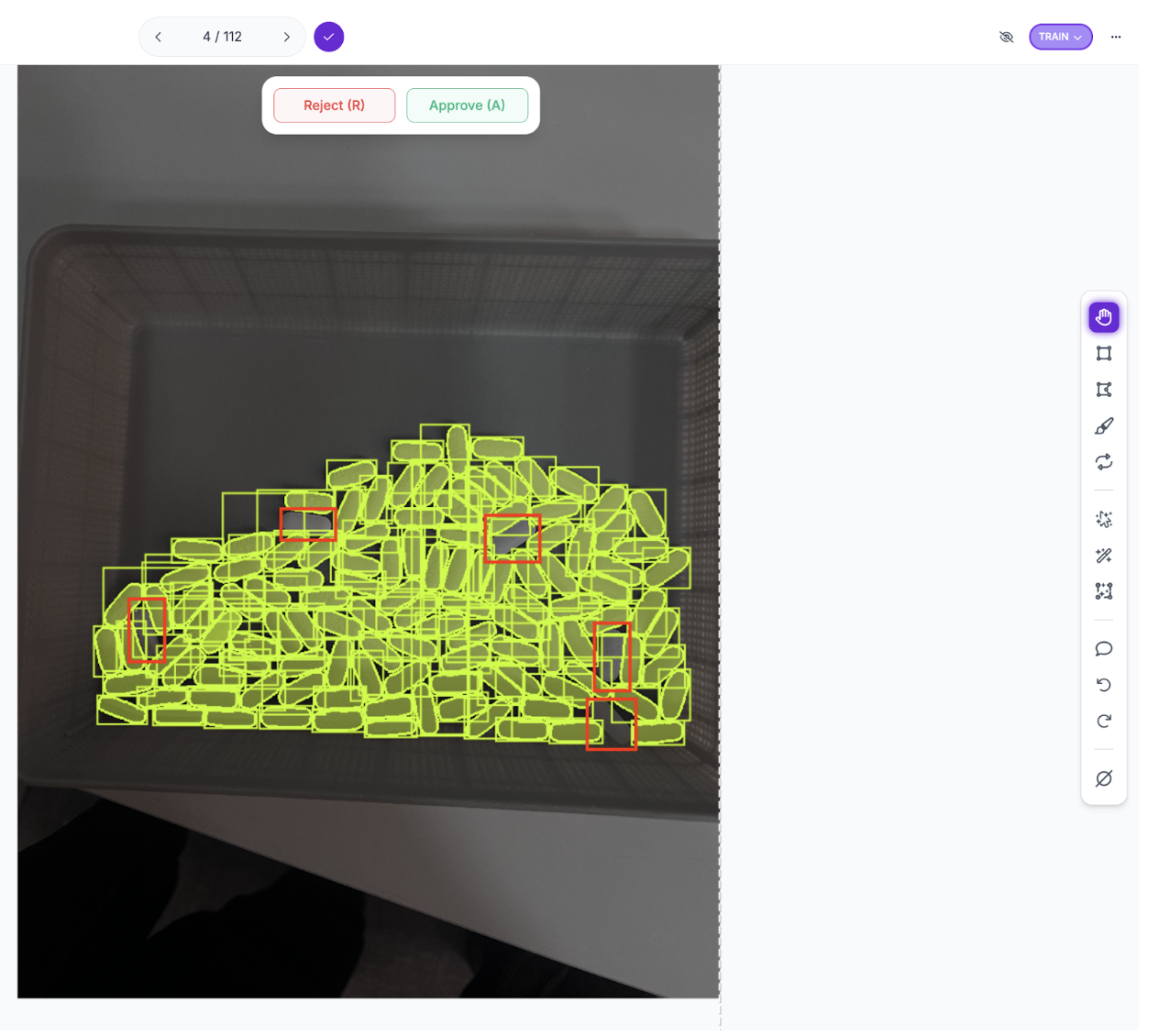
AI generates initial annotations, reducing human effort to review and fix mistakes rather than starting from scratch. Modern auto-labeling tools like SAM 3 can produce annotations in seconds; humans then refine edge cases, correct misclassifications, or add nuance the model missed. This cuts labeling time by 70-80% while maintaining annotation quality.
For example, in pharmaceutical pill counting, SAM 3 might detect most pills automatically but miss a few due to overlapping edges. The human reviewer adds the missed pills in seconds rather than annotating everything from scratch.
Confidence-Based Human Routing
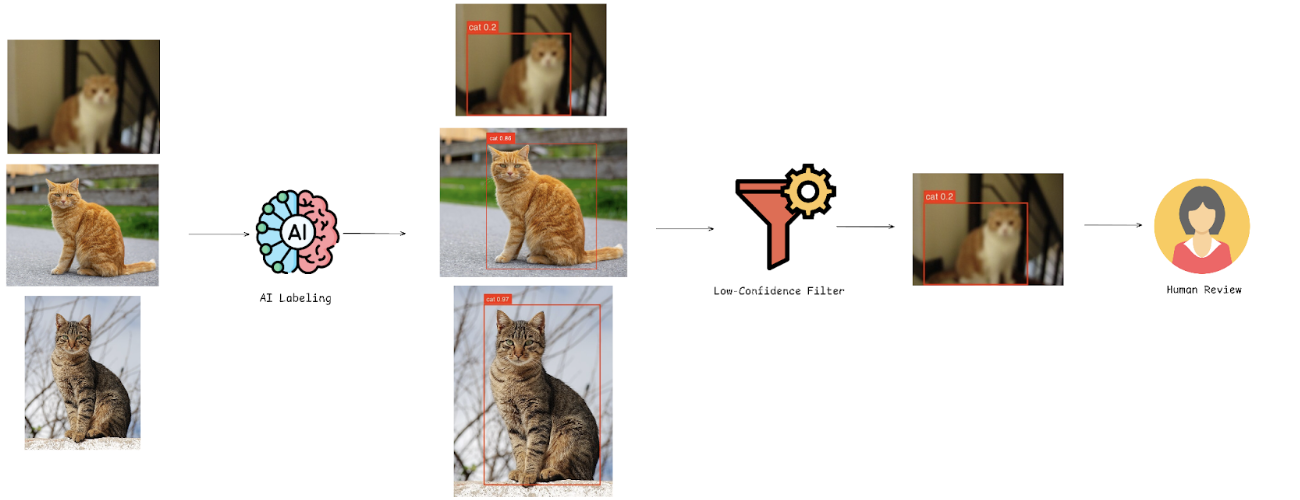
The most powerful HITL pattern isn't just using humans to correct predictions; it's using those corrections to make the model smarter. Active learning creates a systematic feedback loop where human judgment directly addresses model weaknesses.
Here's how it works:
1. Confidence-based routing during deployment
- Models flag predictions below a threshold (e.g., <70%) for human review
- Roboflow Workflows enables this with the Detections Filter block, which programmatically routes low-confidence predictions to the next step
- High-confidence predictions flow through production automatically
- Uncertain cases get routed to human experts
2. Human correction and data collection
- Reviewers correct flagged images
- Corrected annotations are saved back into the training dataset
- Human time is spent only on genuinely ambiguous predictions, not reviewing everything
- Platforms like Roboflow streamline this with the Roboflow Dataset Upload block in Workflows, which automatically captures flagged predictions and stores them in the dataset for human correction and retraining
3. Targeted model improvement
- The model retrains on cases where it struggled
- Performance improves on specific weaknesses (e.g., shadowed objects, occlusions)
This creates a cycle in which deployment reveals weaknesses, and human corrections eliminate them.
Decision Tracking and Version Control
High-stakes AI systems require traceability; you need to know which annotations were AI-generated versus human-created, who modified them, and when changes occurred. Roboflow provides several tracking features:
- Annotation History: tracks every change and allows reverting to previous versions
- Annotation Insights: records who modified annotations, rejection rates, time spent, and model-assist usage
- Dataset versioning: creates immutable snapshots like Git, proving exactly which data trained each model
For regulated sectors, Roboflow's SOC2 Type 2 compliance and these audit trails demonstrate regulatory compliance for FDA, ISO, and industry standards.
HITL in Practice: A Roboflow Workflow Example
Understanding HITL patterns is one thing; seeing them work together is another. This section builds a complete active learning workflow using aerial vehicle detection for traffic monitoring, demonstrating how SAM 3 auto-labeling reduces annotation time, confidence-based filtering routes uncertain predictions to human reviewers, and corrections feed back into training to improve model performance.
The dataset contains six classes: bicycle, bus, car, motorcycle, person, and truck. While it captures normal traffic patterns, the tutorial frames it around traffic accident detection, a high-stakes application where low-confidence detections could indicate vehicles in unusual positions or people on highways requiring immediate verification. Conservative confidence thresholds ensure nothing suspicious is missed, while human review teaches the model to recognize accident indicators more confidently.
Workflow Overview
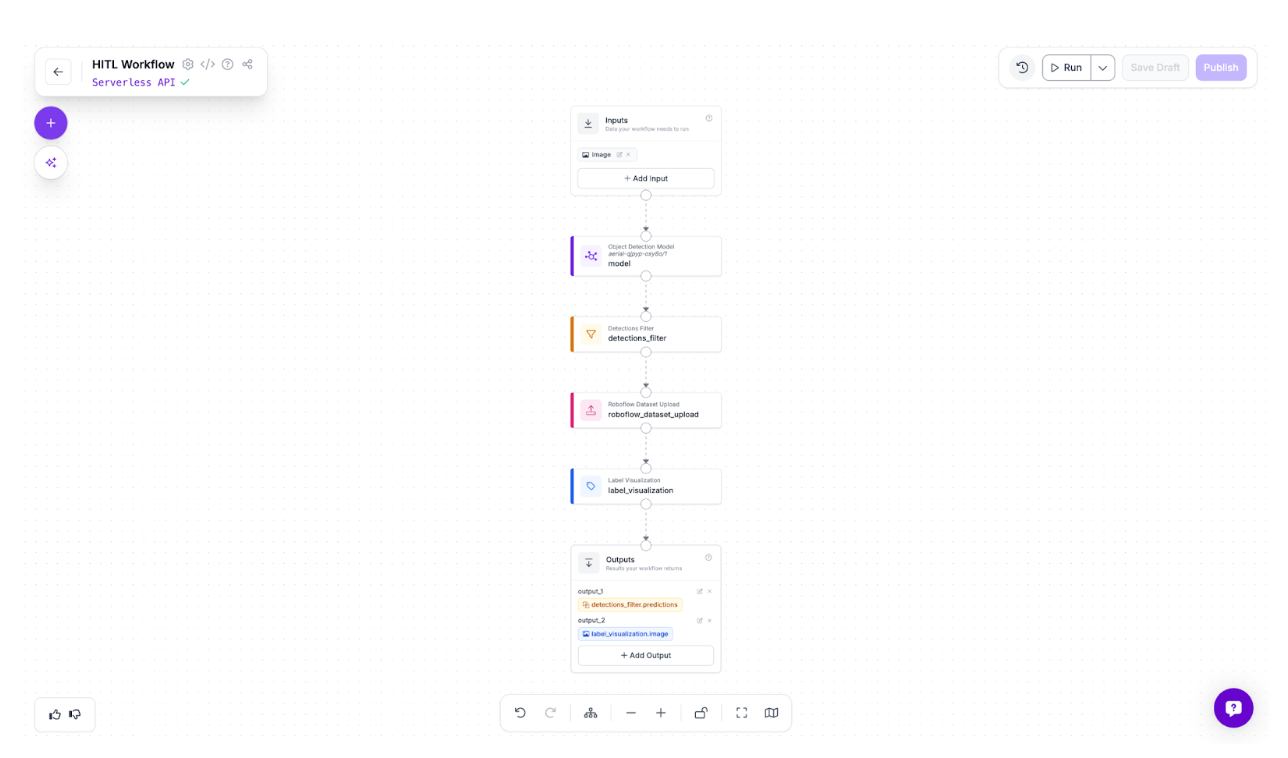
The workflow routes images through an object detection model, then uses a Detections Filter to separate predictions below 50% confidence. These uncertain detections, such as partially occluded vehicles, motion blur, and unusual positions, are automatically uploaded to a dataset for human review and correction. Label Visualization displays the flagged predictions. The loop is simple: the model identifies uncertainty, humans correct those cases, and corrections improve the next model version. Here is the workflow we will build.
Building the Initial Model
The first step is creating a baseline model that can detect vehicles and people in aerial footage, even if imperfectly.
Step 1: Fork the Dataset
Start by forking the aerial vehicle detection dataset from Roboflow Universe into your workspace.
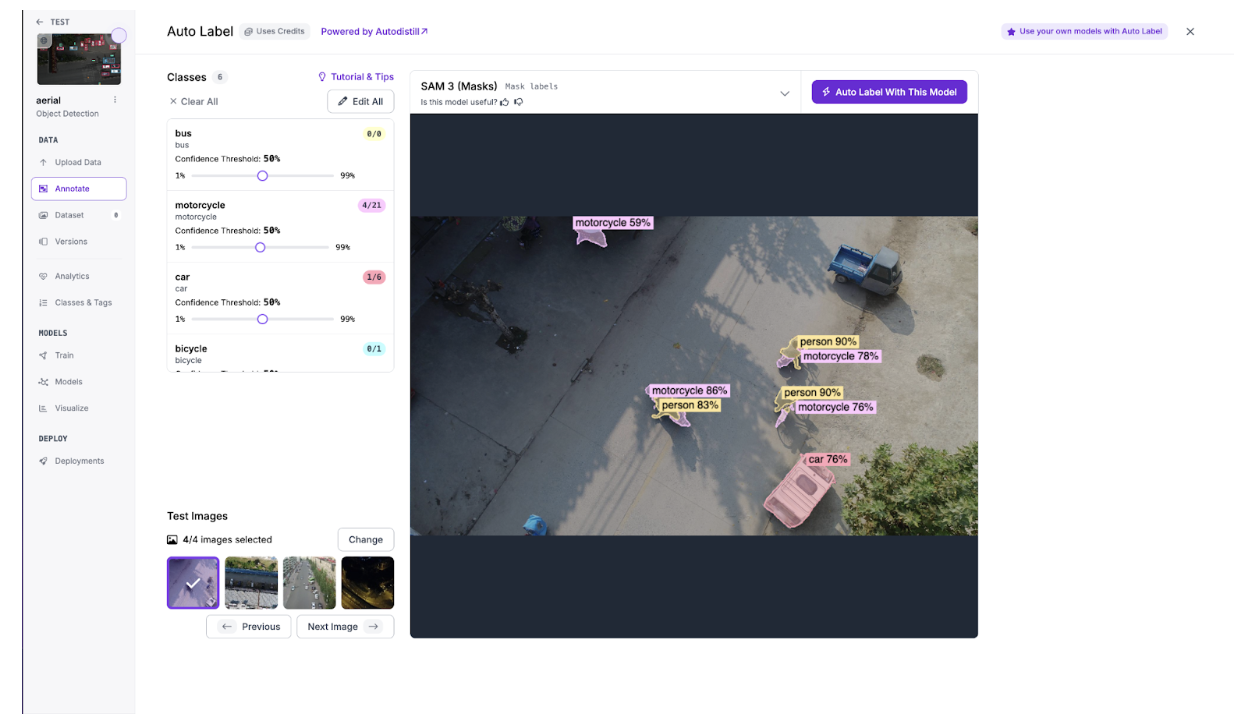
Step 2: Auto-label with SAM 3
Use SAM 3 to automatically generate initial annotations across a batch of images, reducing manual labeling time from hours to minutes.
Step 3: Review and Correct the Labels
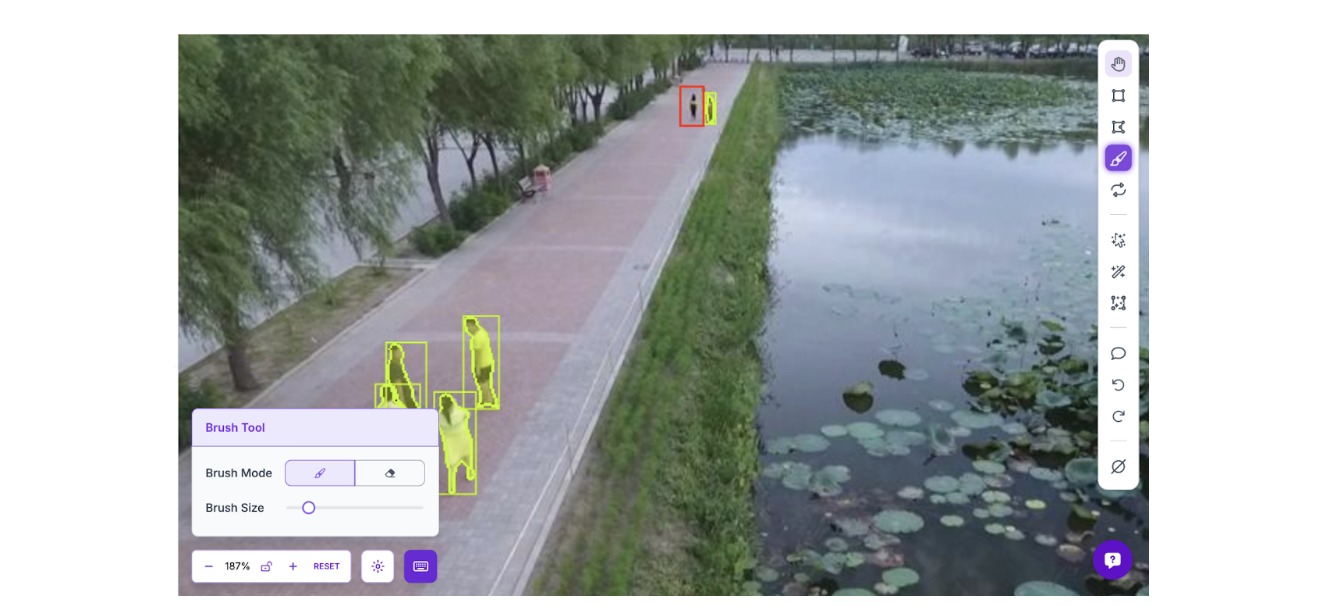
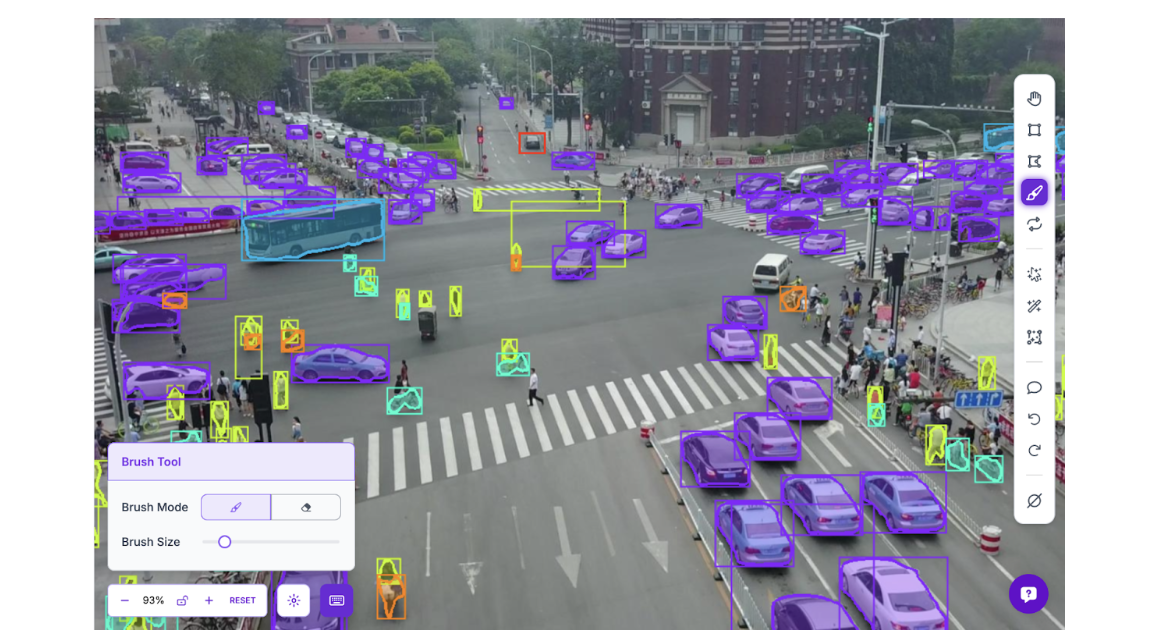
This is where the human-in-the-loop begins. SAM 3 generates solid baseline annotations, but misses edge cases that matter for accident detection. Review each image and correct mislabeled objects, add missed detections, and delete false positives. In aerial footage, the model commonly misses small or distant objects, exactly the detection failures that could mean missing a person in distress or a vehicle in an unusual position.
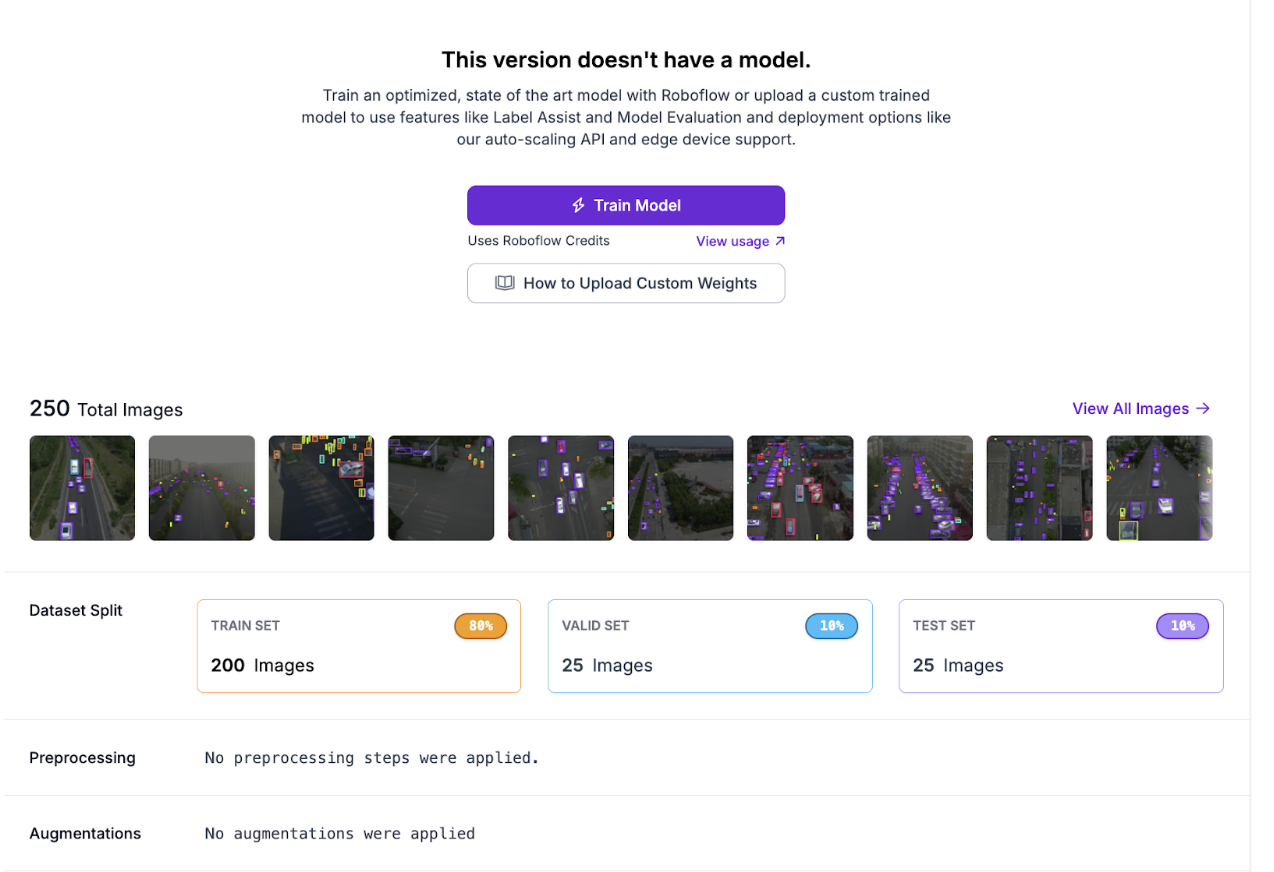
Step 4: Create a Dataset Version
Generate a dataset version from the corrected annotations:
Step 5: Train the Roboflow Model
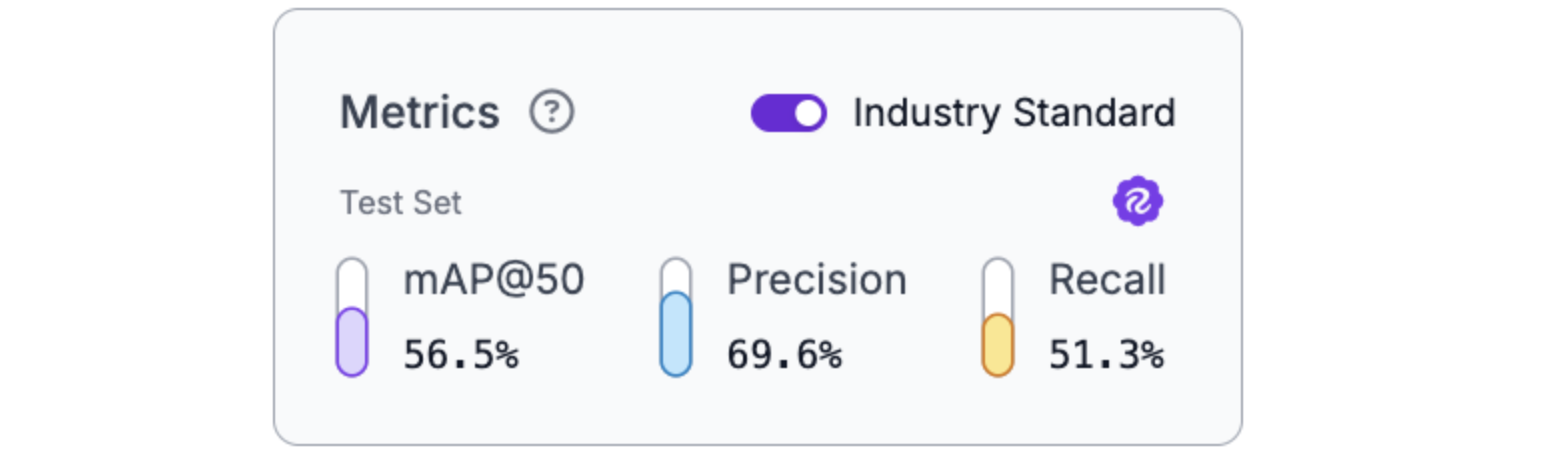
Train an object detection model on the annotated dataset using RF-DETR Small. The initial model establishes a baseline for measuring improvement after the active learning loop.
Deploying the Model on the HITL Workflow
With the initial model trained, the next step is building the active learning infrastructure that automatically identifies and collects edge cases for human review.
Step 1: Configure the Object Detection Model Block
Add your trained model to the workflow. This block runs inference on incoming images and outputs predictions with confidence scores.
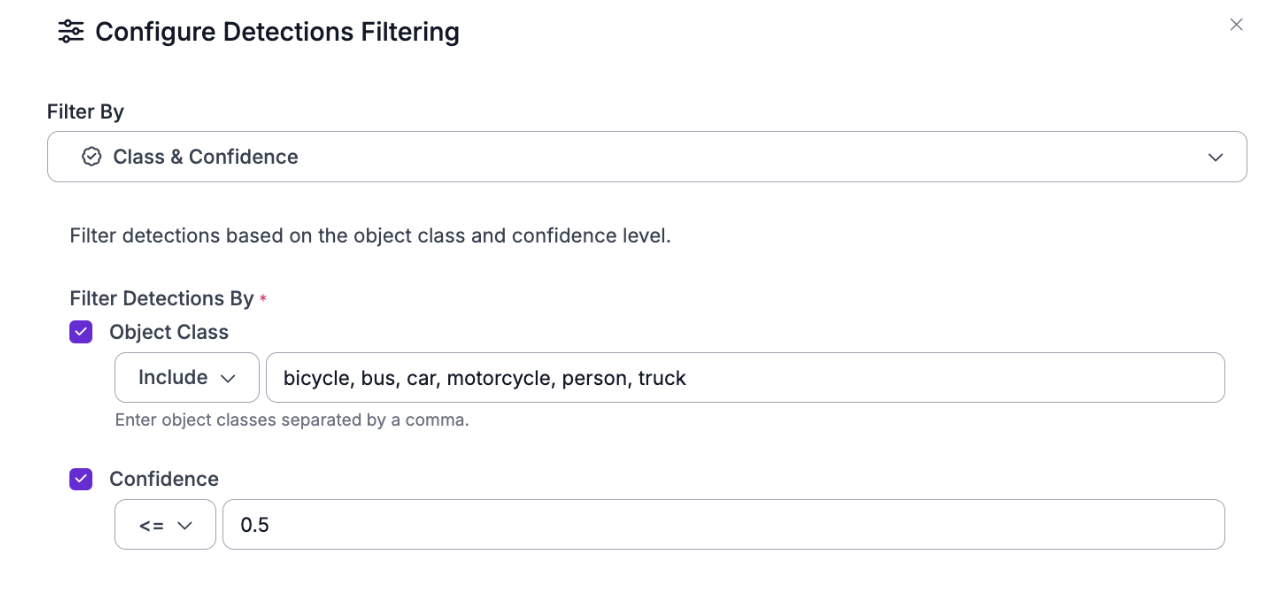
Step 2: Add the Detections Filter Block
Connect this to the Object Detection Model output. Configure it to keep only predictions with confidence ≤0.5 (50%). This threshold ensures that uncertain detections, such as partially occluded vehicles, distant objects, and challenging lighting, get flagged for human review.
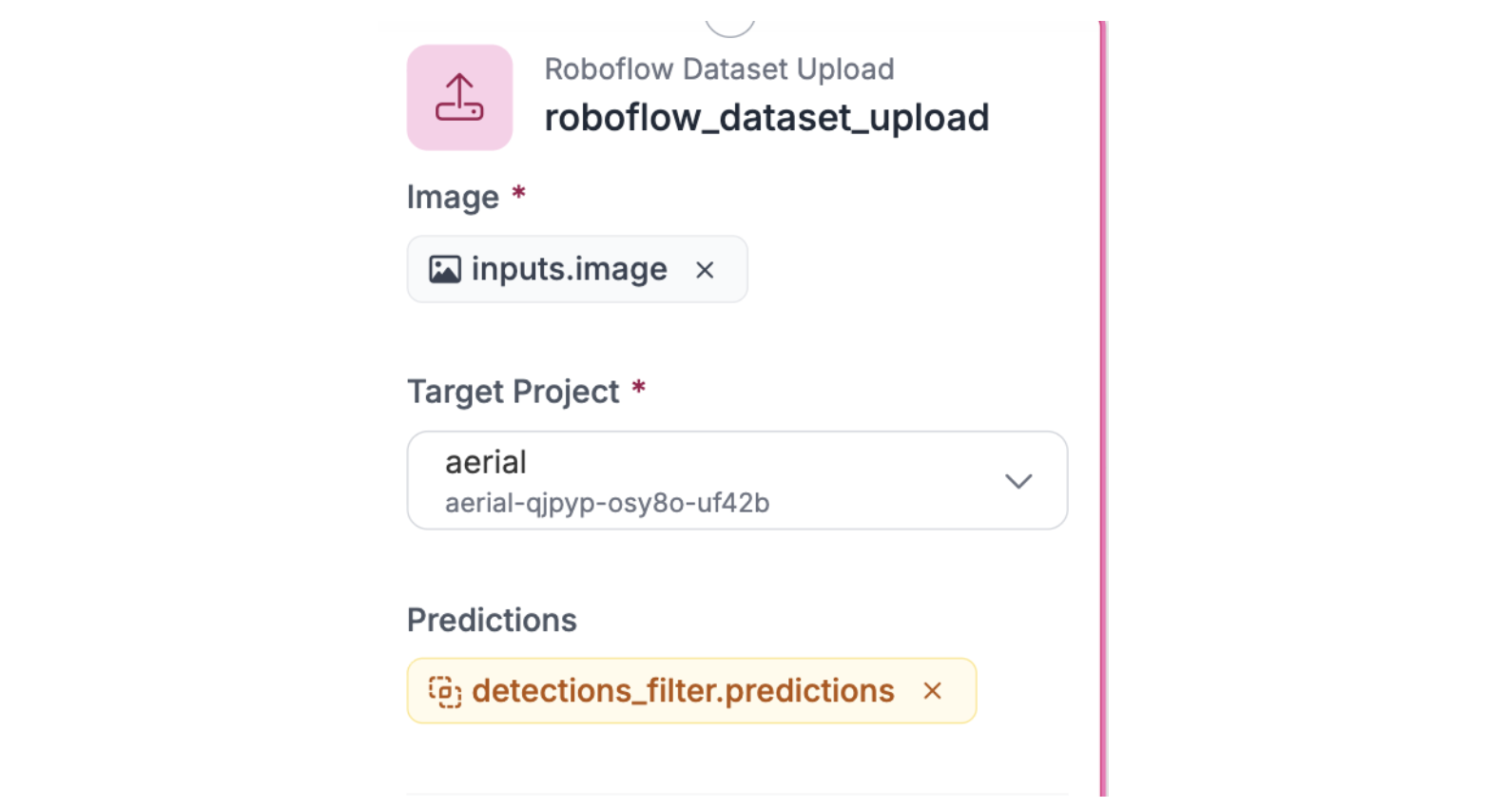
Step 3: Set Up Roboflow Dataset Upload
Connect this block to receive the filtered low-confidence predictions. Configure it to upload flagged images and their predictions to your dataset. These become the edge cases humans will review and correct.
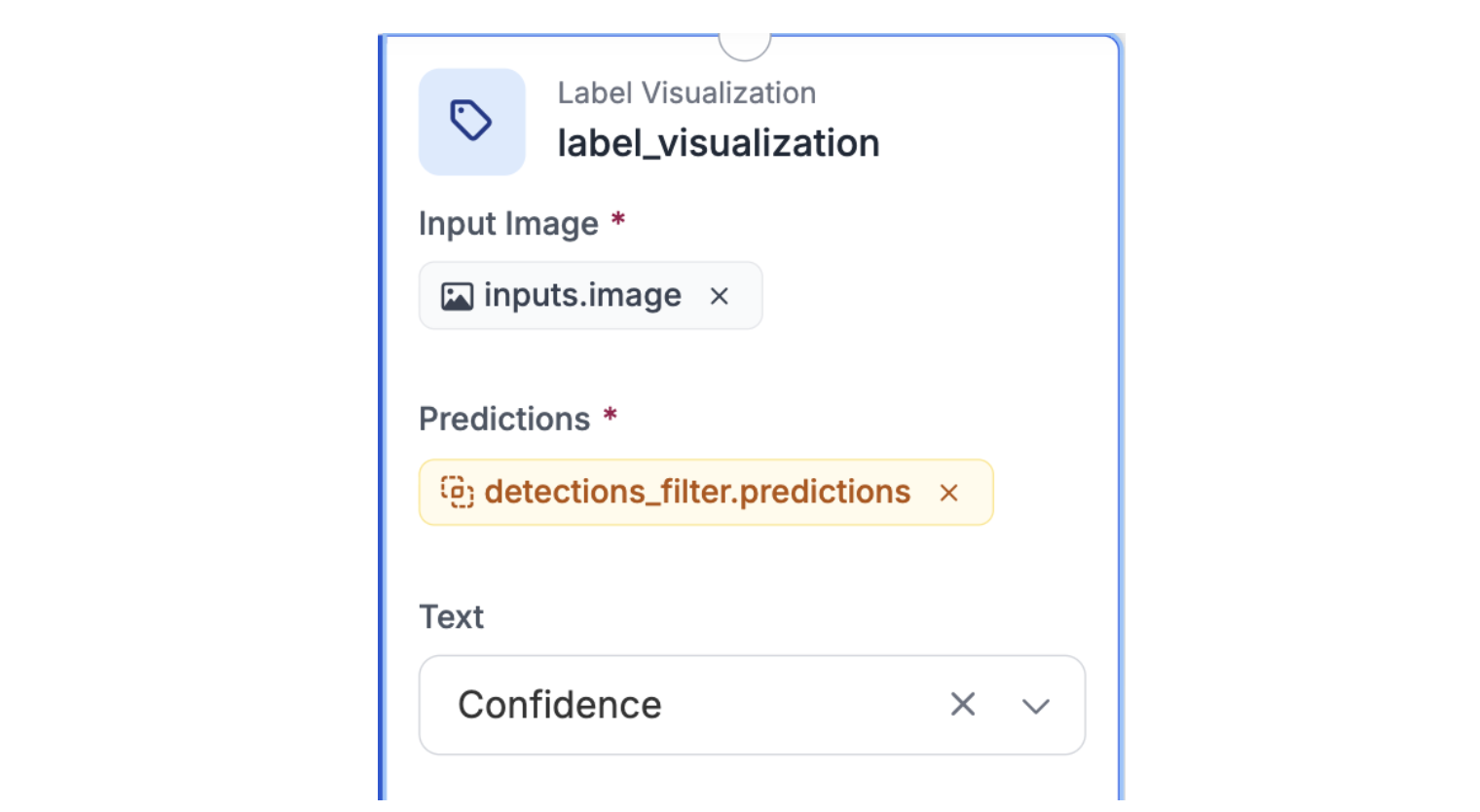
Step 4: Add Label Visualization
Connect this to the Detections Filter output to visualize which predictions were flagged as low-confidence. This lets you monitor what the workflow is collecting.
Step 5: Configure Outputs
Set the workflow outputs to expose both the filtered detections and the visualized image for monitoring.
Collecting and Learning from Edge Cases
With the workflow deployed, run batch processing to collect low-confidence predictions that represent the model's weaknesses.
Step 1: Run Batch Processing
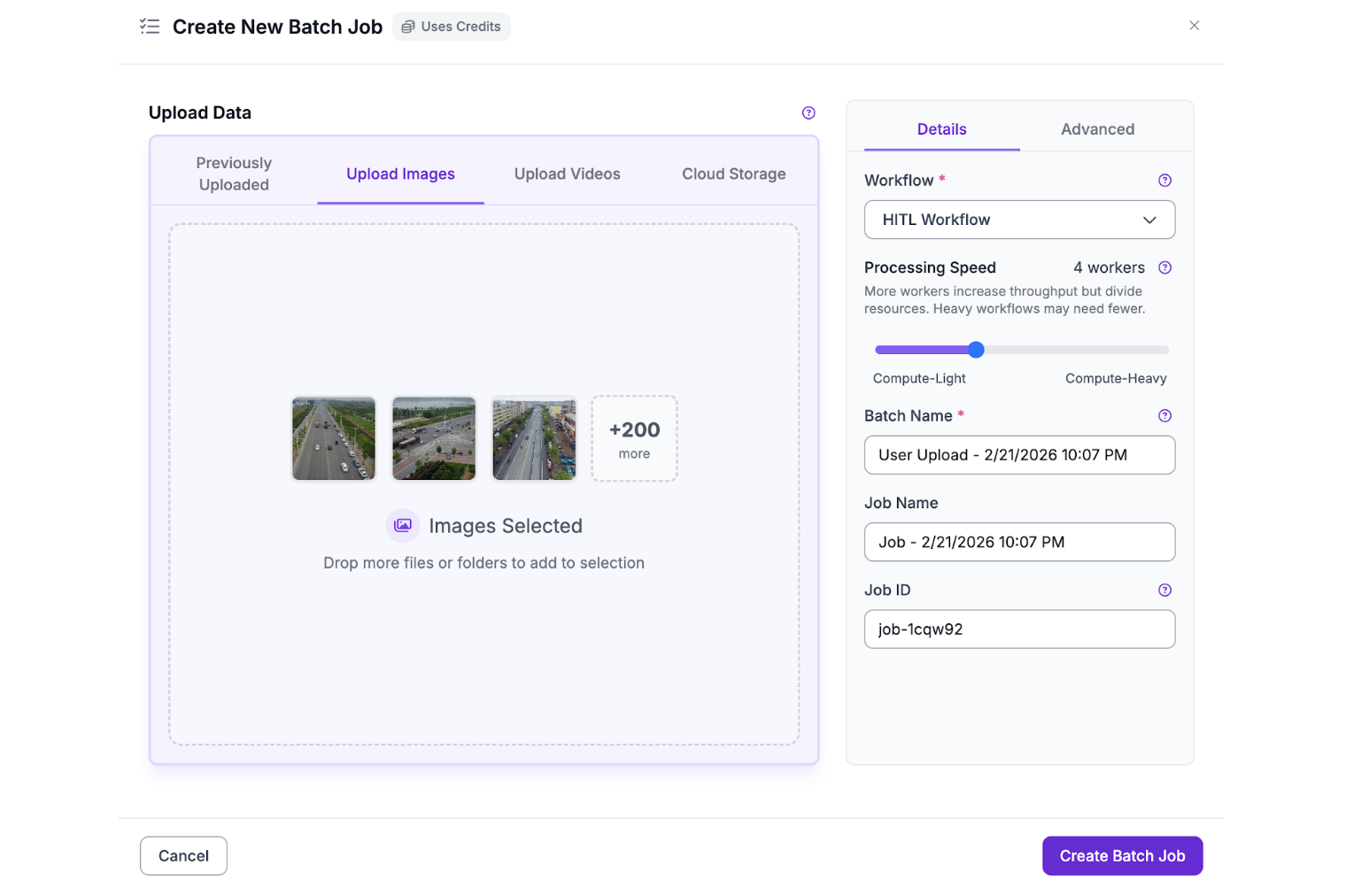
Process a batch of images through the workflow. The Detections Filter automatically routes predictions below 50% confidence to the Dataset Upload block, building a collection of edge cases without manual sorting.
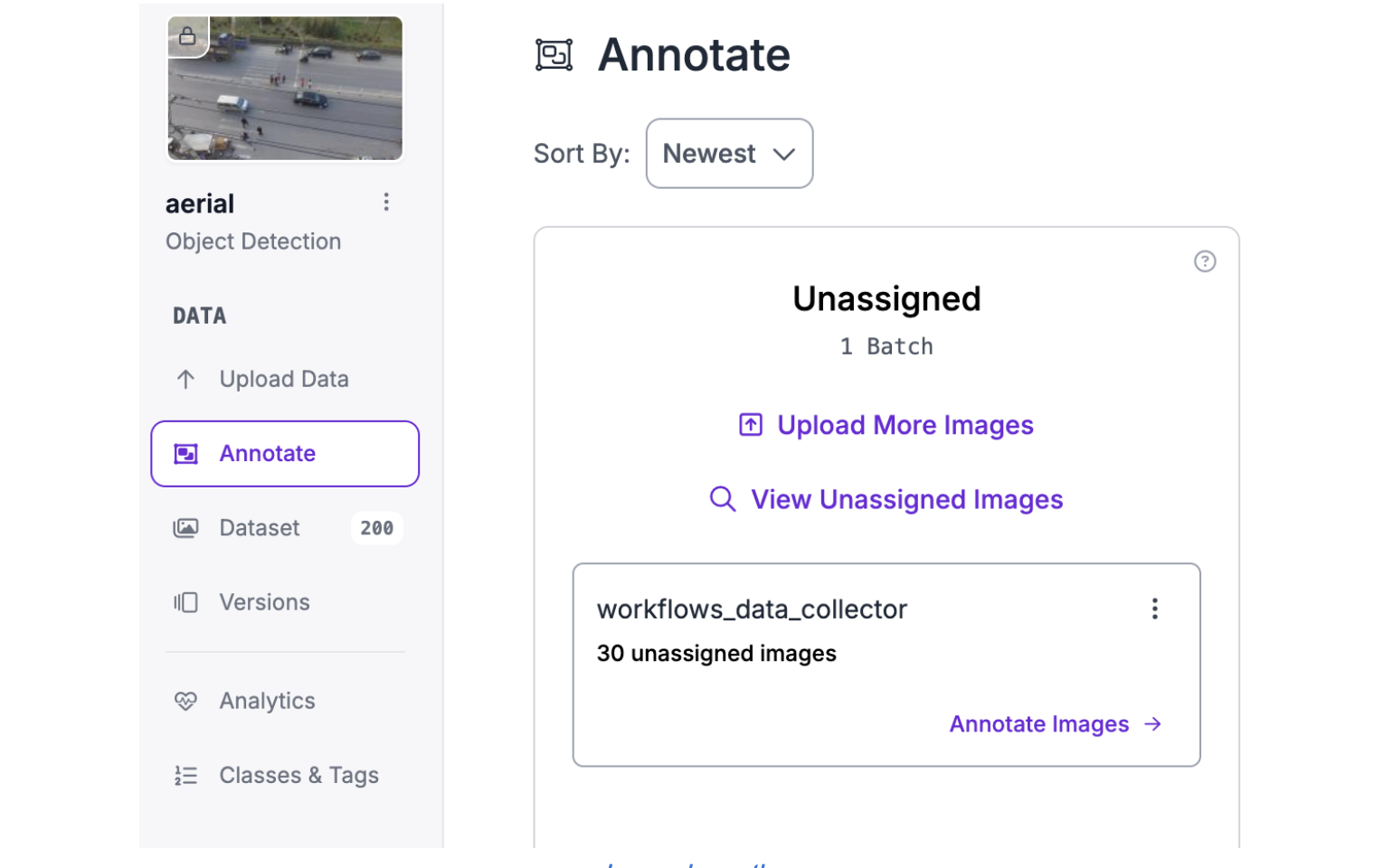
After the processing is complete, you should get a new batch of images in the unassigned column of the annotate tab:
Step 2: Review the Collected Edge Cases
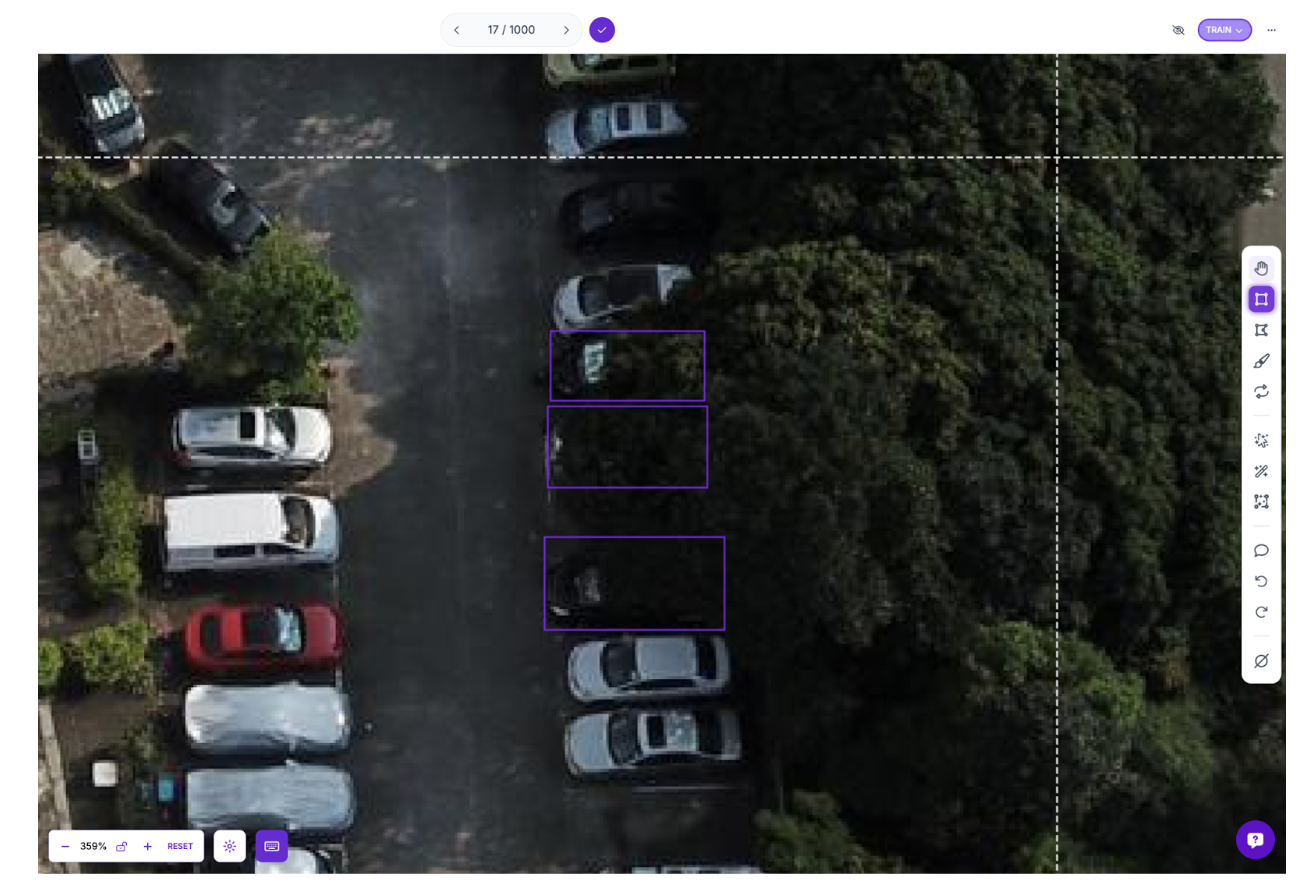
Open the dataset where flagged predictions were uploaded. These images represent exactly what the model struggles with: distant objects, occlusions, motion blur, and unusual positions. Review each flagged image, correct mislabeled objects, add missed detections, and verify the annotations are accurate.
Step 3: Create a New Dataset Version and Retrain
After reviewing and correcting the edge cases, create a new dataset version that combines the original training data with the corrected edge cases.
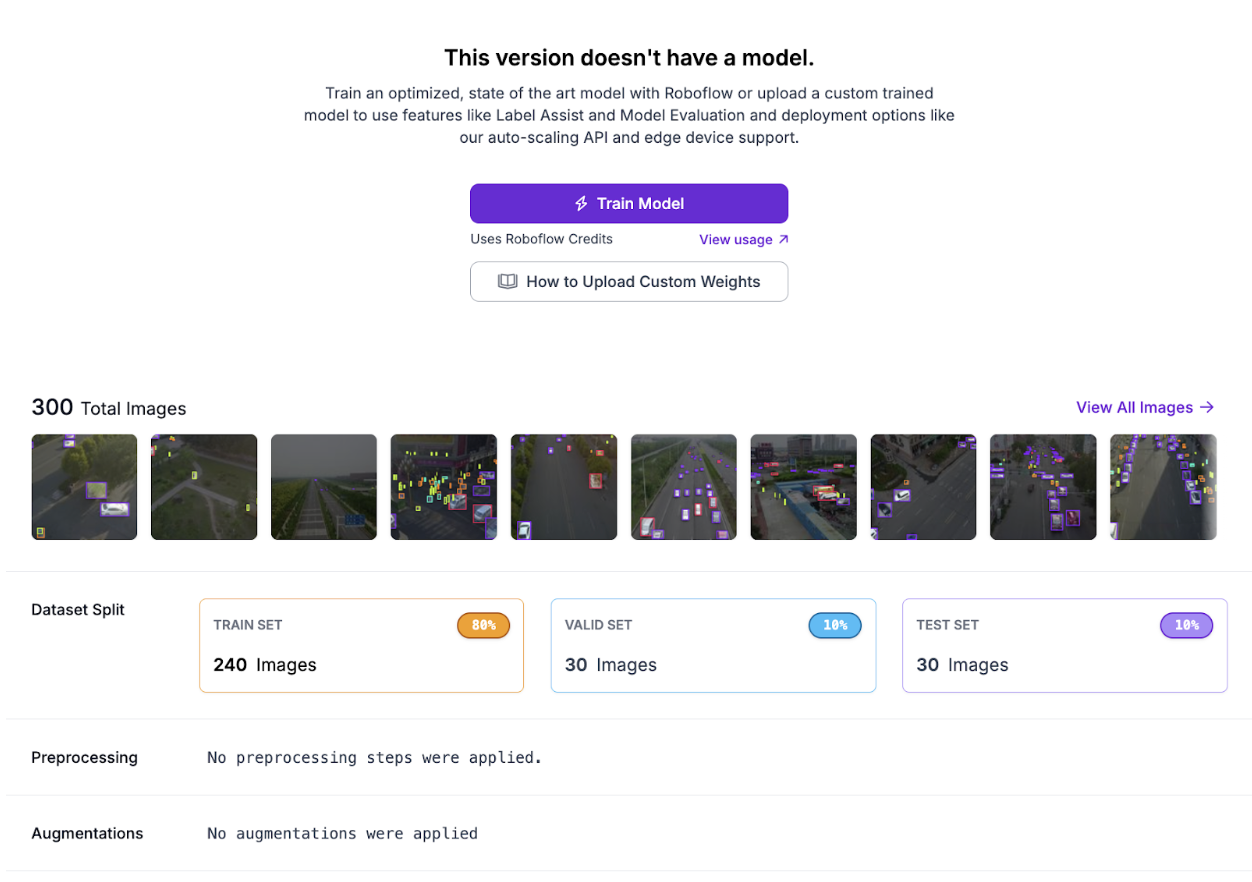
Train a new RF-DETR Small model on this expanded dataset. You should get improved metrics, such as the following:
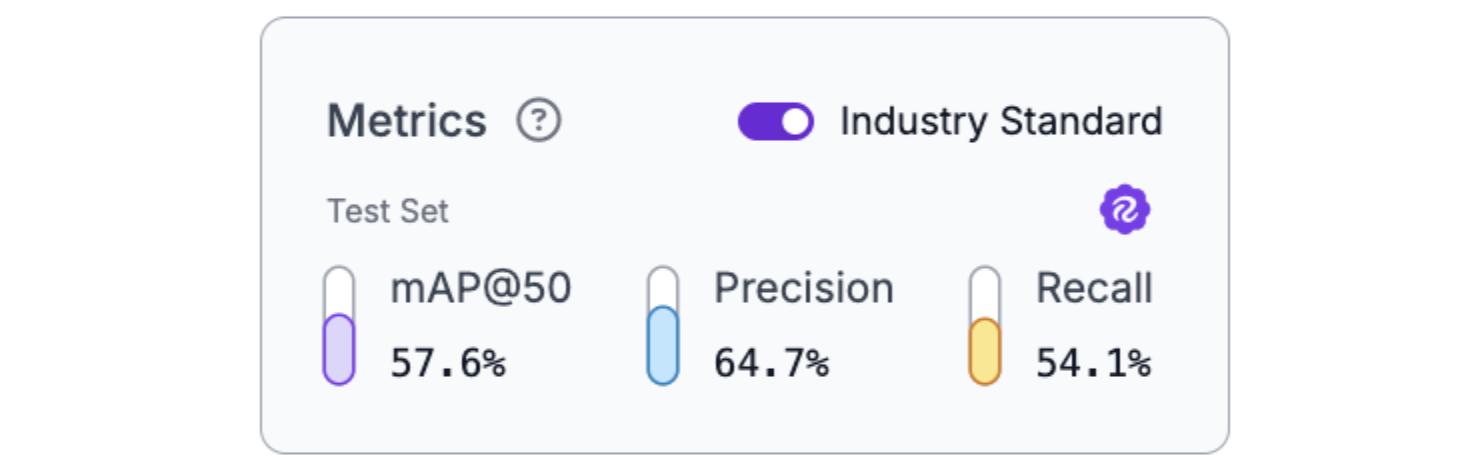
The results show the impact of targeted data collection: the model improved specifically on the types of predictions it previously struggled with, demonstrating how HITL systematically addresses model weaknesses.
Human-In-the-Loop AI Conclusion
Human-in-the-loop AI isn't a compromise between automation and manual work; it's the architecture that makes high-stakes computer vision deployable. The patterns demonstrated here (confidence-based routing, platform-enabled correction workflows, active learning loops, and audit trails) form the foundation of production systems where errors have consequences.
Roboflow Workflows provides the infrastructure to implement these patterns without building everything from scratch: models that flag uncertainty, automatic data collection, human review interfaces, and continuous improvement through retraining. When deploying AI in domains where mistakes matter, HITL transforms imperfect models into trustworthy systems by design.
Further Reading
Below are a few related topics you might be interested in:
Cite this Post
Use the following entry to cite this post in your research:
Contributing Writer. (Feb 24, 2026). Human-In-The-Loop for High-Stakes AI. Roboflow Blog: https://blog.roboflow.com/human-in-the-loop-ai/