

We have just launched Workflows Builder 2.0! Roboflow Workflows let you build complex vision pipelines with a visual workflow builder.
What's different?
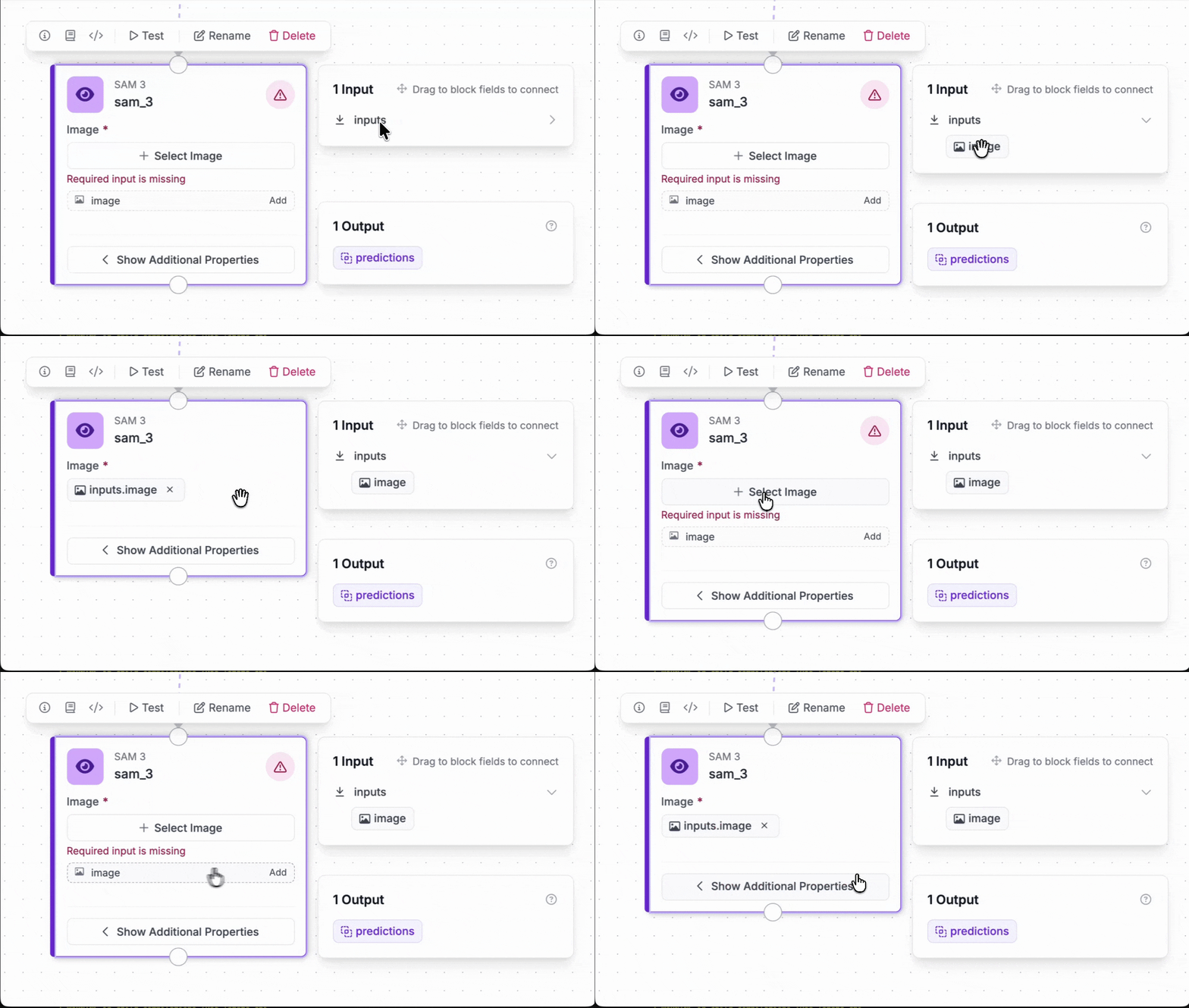
Our previous workflow builder was powerful, but understanding block connections and available inputs often required trial and error. The new Workflows Builder has a Drag-to-Connect interface that makes data flow explicit, so you can see how blocks interact and what data moves between them at a glance.
Instead of searching through drop downs to find available outputs, you drag a connection from one block to another, making the data flow through your workflow instantly clear.
Additional resources
If you're interested in learning more about Workflows, we wrote several guides that walk through specific Workflows step-by-step, including:
- How to Build an Automated Multimodal Data Labeling Pipeline
- How to Create a Retail Planogram using Computer Vision
- How to Build a Computer Vision Active Learning Workflow
- Monitor Assembly Line Throughput with Computer Vision
- Identify Solar Panel Locations with Computer Vision
- How to Build a CPG Inventory Cataloging System
- How to Build an Automated License Plate Reading Application
Missing the old interface?
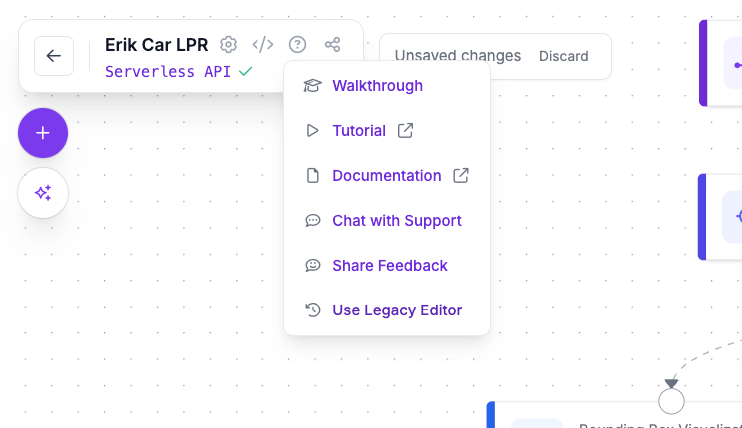
If you got used to the old interface and don't want to switch just yet, you can still use the Legacy Editor by clicking the [?] button and selecting the "Use Legacy Editor".
If you have any feedback, please submit it by clicking on the "How's your experience?" widget at the bottom-right of the Workflow Builder.
Cite this Post
Use the following entry to cite this post in your research:
Erik Kokalj. (Jan 28, 2026). Launch: Workflows Builder 2.0. Roboflow Blog: https://blog.roboflow.com/launch-workflows-builder-2-0/