

Flip augmentation creates horizontally or vertically reflected copies of training images alongside their remapped bounding box annotations, giving the model more orientation variety without collecting new data. Roboflow applies flip augmentation automatically when enabled, handling both the image transform and the coordinate recalculation for annotations.
Flipping an image - and its annotations - is a deceivingly simple technique that can improve model performance in substantial ways.
Our models are learning what collection of pixels and the relationship between those collections of pixels denote an object is in-frame. But machine learning models (like convolutional neural networks) have a tendency to be quite brittle: they might memorize a specific ordering of pixels describes an object, but if that same object is mirrored across the image, our models may struggle to recognize it.
Consider the orientation of your face when you are taking a selfie versus using the backwards lens on your camera: one interpretation may be mirrored while the other is not, yet they are still both your face. This mirroring of orientation is what we call flipping an image.
This guide covers what flip augmentation does, when horizontal and vertical flips help, the cases where flipping hurts, and how to apply it in Roboflow.
What Is Flip Augmentation?
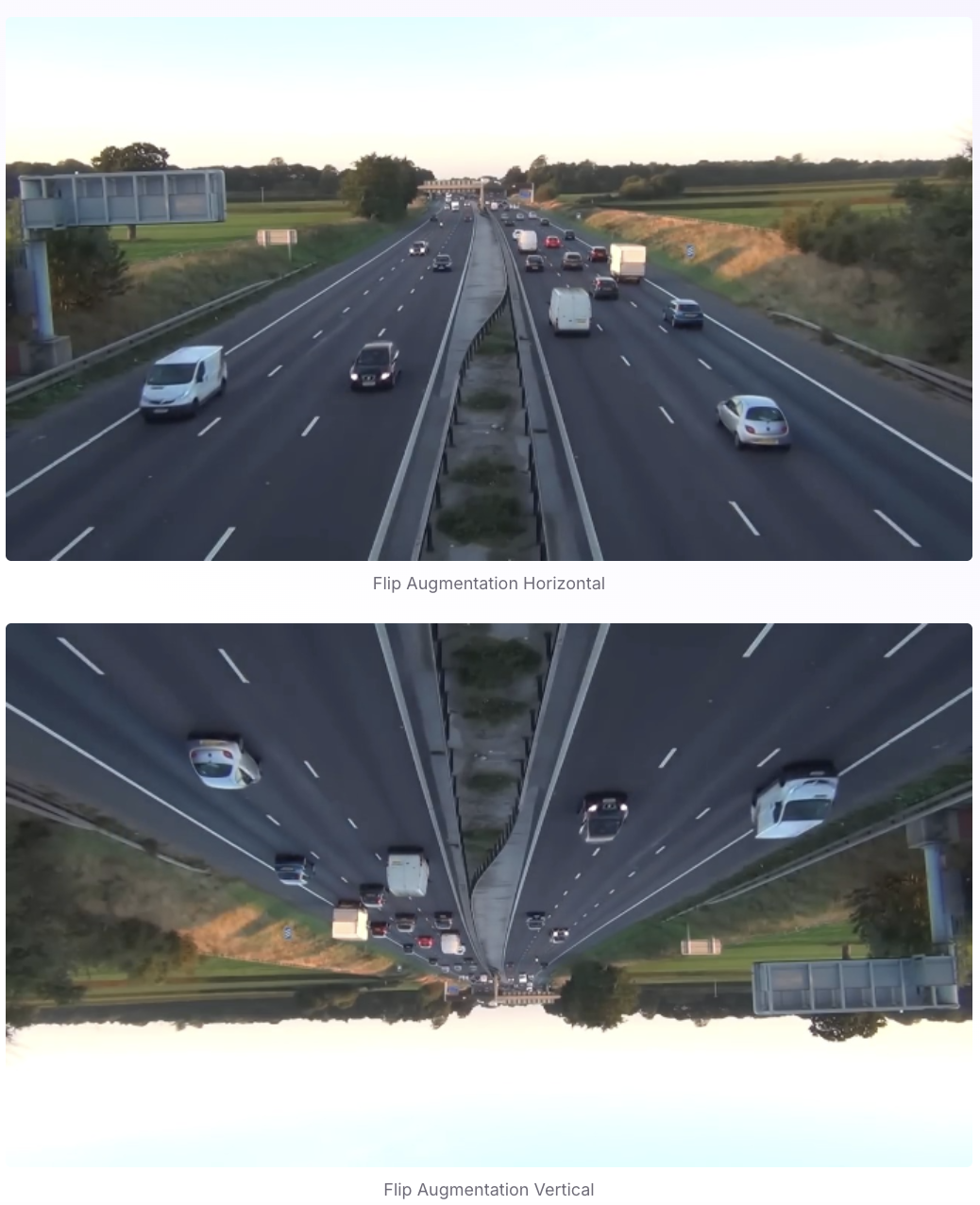
Flip augmentation creates mirrored copies of your training images. There are two kinds:
- Horizontal flip mirrors left to right, as if reflected in a vertical mirror. This is the common one, because most objects are just as valid facing either way.
- Vertical flip mirrors top to bottom. This one is situational, because for most ground-level photography up and down are not interchangeable.
When you flip an image, the bounding boxes or masks have to move with it. Roboflow handles that transformation for you, so the labels stay aligned to the objects.
When to Use Flip
Reach for flip when an object is equally valid mirrored, which is true surprisingly often. A product on a conveyor can sit either way around. A car can face left or right. A person can be photographed from either side. Horizontal flip roughly doubles the orientations the model sees for these cases.
Vertical flip makes sense when up and down are arbitrary, which mostly happens in top-down imagery: aerial and satellite views, microscopy, or anything shot looking straight down where there is no natural top of the frame.
When Not to Flip
Flip is the augmentation most likely to quietly corrupt your data, because mirroring can change what an object means. Skip or limit it when orientation carries information:
- Text and OCR. Flipping turns readable text into mirror writing the model will never see in production.
- Left versus right. Traffic signs, arrows, turn signals, left and right hands, and road lanes all depend on direction. A horizontal flip turns a left-turn sign into a right-turn sign while keeping the label unchanged, which teaches the model something false.
- Asymmetric objects and laterality. Logos, certain defects, and medical laterality (left lung versus right) lose meaning when mirrored.
- A fixed up direction. For ground-level scenes, a vertical flip puts the sky on the floor, which the model will never encounter.
The test is simple: if a flipped image with its original label would still be a correct example in the real world, the flip is safe. If it would not, leave that flip off.
How to Add Flip in Roboflow
You can add flip to a whole dataset without writing code:
- Open your project and create a dataset version under the Versions tab.
- Add the flip augmentation and choose horizontal, vertical, or both based on the guidance above.
- Generate the version. Roboflow mirrors each training image and adjusts its bounding boxes and masks automatically.
Augmentations apply only to the training set, so your validation and test sets stay representative of real, un-flipped images. Roboflow applies augmentation at version-generation time, which keeps training reproducible and faster.
Best Practices
- Default to horizontal flip, and add vertical only for top-down imagery.
- Check that a flip preserves meaning for your task before turning it on, using the test above.
- Keep validation and test sets un-flipped so evaluation reflects reality.
- Combine flip with other augmentations like brightness or crop, but do not stack so many that the data drifts away from production conditions.
What is flip augmentation?
It is a data augmentation that mirrors training images, horizontally or vertically, along with their annotations, so a model learns to recognize objects regardless of orientation without new data collection.
What is the difference between horizontal and vertical flip?
Horizontal flip mirrors left to right and suits most objects. Vertical flip mirrors top to bottom and is mainly useful for top-down imagery like aerial or microscopy, where there is no natural up direction.
Does flip augmentation improve accuracy?
It often does when your objects can appear in either orientation, because the model becomes invariant to that. Validate the change against a clean test set rather than assuming it helps.
Does flipping change my annotations?
Yes. Bounding boxes and masks are mirrored to match the flipped image. Roboflow does this automatically when you generate a version.
Get Started
Add flip and other augmentations to your dataset in Roboflow, generate a version, and train a model such as RF-DETR on the result. For the full menu of options, see our guide to data augmentation, and for augmentations that pair well with flip, see random crop, adding noise, and blur.


Cite this Post
Use the following entry to cite this post in your research:
Contributing Writer. (Mar 20, 2026). How Flip Augmentation Improves Model Performance. Roboflow Blog: https://blog.roboflow.com/how-flip-augmentation-improves-model-performance/