

An annotation group is the top-level category that describes what kinds of objects are labeled in a dataset, sitting above individual class names. The concept matters because the same image can be labeled multiple ways for different models, and Roboflow uses annotation groups to merge datasets, share images across projects without double-counting them, and let teams correct annotations in one place. Choosing the right name means picking the most specific term that covers all classes in the dataset.
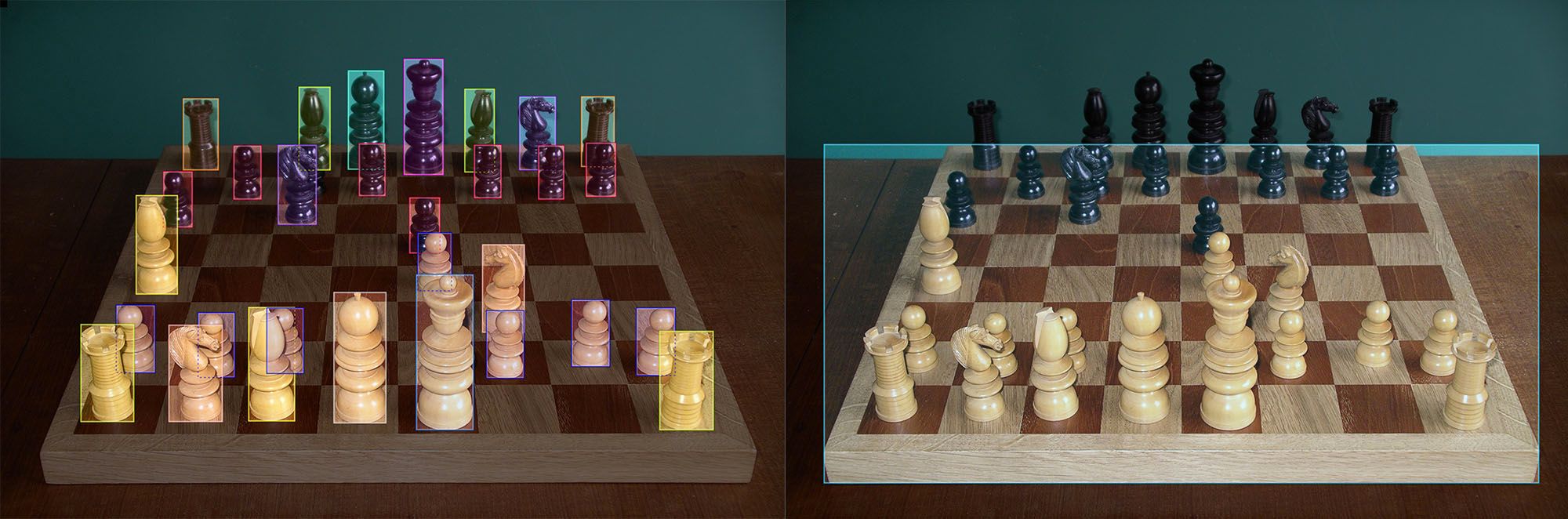
An annotation group is the top-level category that describes what kinds of objects are labeled in a dataset. It sits above your individual class names and answers one question: what kind of things are labeled in this dataset? If your classes are pawn, knight, bishop, rook, queen, and king, your annotation group is pieces. If your classes are chess, checkers, and backgammon, your annotation group is board games.
In Roboflow, the annotation group is more than a naming convention. It is the mechanism that lets multiple projects share labeled images and annotations without duplicating work, which is why choosing a sensible one at project creation pays off as your dataset library grows.
Why Do You Need an Annotation Group?
It is not immediately obvious why you need a category above the image and the annotations themselves. The short answer is that the same image can be labeled in multiple ways depending on what you are training your model to detect.
Take a photo of a chess board. One model needs to recognize which game is on the table, so its labels are game-level: chess, checkers, backgammon. Another model needs to identify the pieces, so its labels are piece-level: pawn, knight, bishop. Same image, two valid and completely different sets of labels. The annotation group is what keeps those two labeling schemes distinct: one project labels board games, the other labels pieces, and neither interferes with the other.
This pattern shows up in production settings constantly. A manufacturing image might be labeled for product types in one project and defect types in another. A retail shelf photo might be labeled for brands in one project and stock levels in another.
How Annotation Groups Work in Roboflow
Every Roboflow project has an annotation group. If you do nothing, each new project gets a unique one automatically and behaves like a standalone dataset.
The power shows up when projects share a group. When you create a project, you can choose to share image annotations with other projects and either pick an existing annotation group from the suggestions or type a new name to create one. Projects that share an annotation group share their class list and their annotations: the same image can live in multiple projects while counting against your usage once, labels made in one project appear in the others, and a correction fixes the label everywhere at the same time.
That sharing enables a few practical workflows. You can have annotators focus on one class at a time in separate projects and merge the results, following labeling best practices without coordination overhead. You can build specialized datasets from one common pool of labeled images. And when a label error surfaces months later, you correct it once instead of hunting it down across every dataset that reused the image.
Sharing cuts both ways, so Roboflow makes it visible. Editing or deleting an annotation in one project changes it in every project that shares the group, which is exactly what you want for corrections and exactly what you do not want from an annotator who thinks they are working in isolation. Shared images are marked with a chain-link icon in the annotation tool, the asset library, and the project list, and hovering over it lists the other projects that share the image, so you can see the blast radius of an edit before making it.
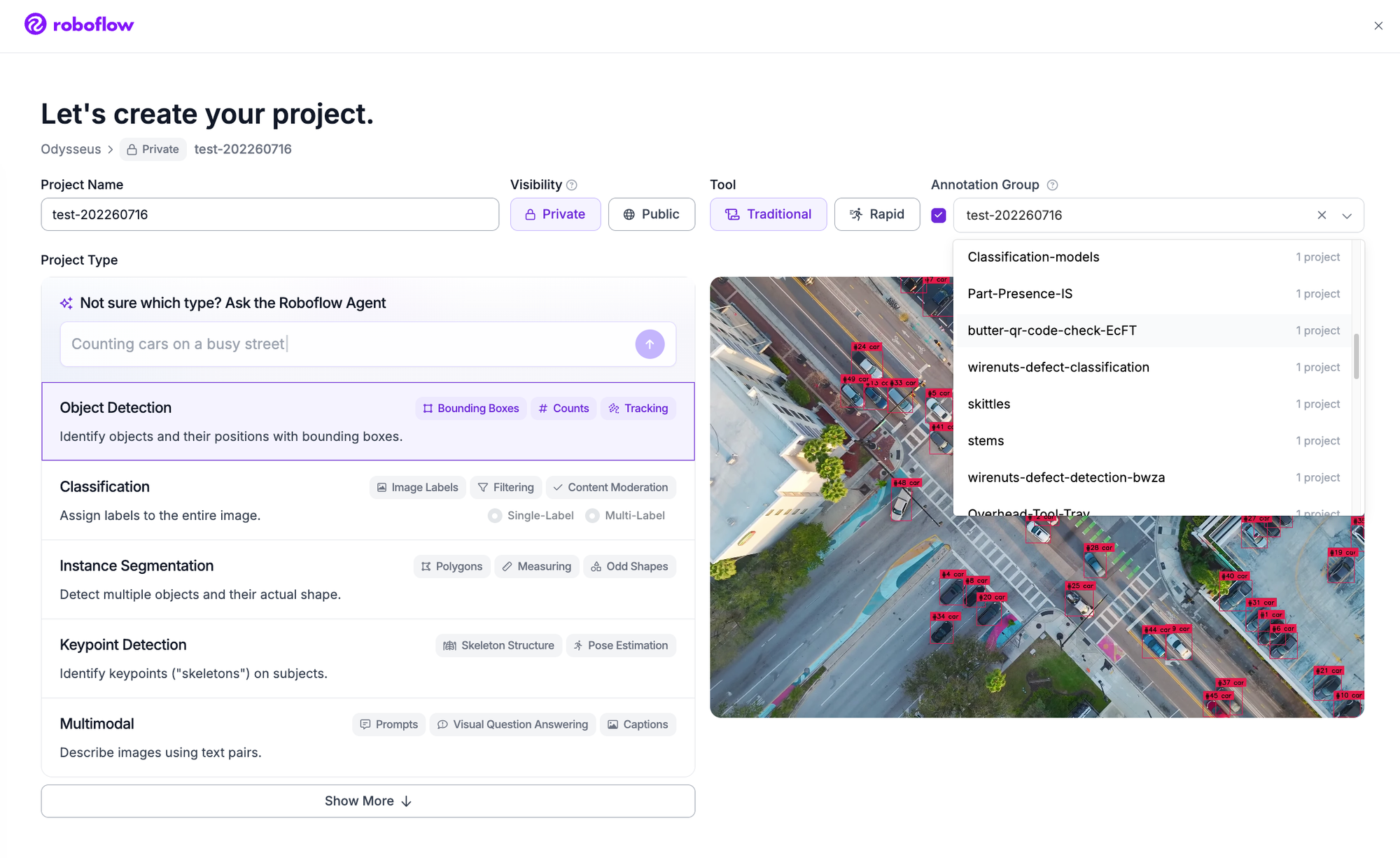
How Do I Choose An Annotation group?
The easiest way is to fill in the blank: "I labeled all of the _____ in this image."
You want to pick the most specific name that encompasses all of the classes of your dataset. For example, if I'm labeling the different types of chess pieces (eg pawn, knight, bishop, rook, queen, king) I would choose "pieces" as my annotation group. If I was labeling game boards (eg chess, boggle, scrabble, monopoly, sudoku) I would choose "games" as my annotation group.
Note: if your dataset only has a single class, the annotation group may be the same as the class. For example, in a model finding tennis balls you may label each "ball" and your annotation group could simply be called "balls". A second dataset with the same image may have annotation group "rackets". And if you then merged them you might select "equipment" as the annotation group of the combined dataset.
Technically you could choose something generic like "object" or "thing" as your annotation group and everything would work fine. And if you're creating a similar dataset to COCO or ImageNet this may be Ok. But as your dataset library grows you'll be kicking yourself later for not choosing a scalable ontology.
What is the difference between an annotation group and a class?
Classes are the individual labels your model predicts (pawn, knight, bishop). The annotation group is the category that contains them all (pieces). One annotation group, many classes.
Do projects with the same annotation group share labels?
Yes. Projects that share an annotation group share their class list and annotations. An image labeled in one project carries its labels into the others, and corrections propagate everywhere the image appears.
Can I change a project's annotation group after creating it?
Yes. You can change a project's annotation group later from the project settings. Keep in mind that moving a project into an existing shared group connects its images to the annotations in that group, and moving it out ends the sharing.
What should the annotation group be for a single-class dataset?
Usually the plural of the class itself. A model detecting forklifts labels each forklift, and the annotation group is forklifts. If you expect to merge it with related datasets later, choose the name with that merge in mind.
Get Started with Annotation Groups
The annotation group is a thirty-second decision at project creation that keeps a growing dataset library organized. Create a free Roboflow account, start a project in Roboflow Annotate, and name yours by filling in the blank.
Already have annotation groups in Roboflow? Learn how to identify shared annotations.


Cite this Post
Use the following entry to cite this post in your research:
Brad Dwyer. (Apr 3, 2026). What Is An Annotation Group?. Roboflow Blog: https://blog.roboflow.com/annotation-group/