

GPU compute is essential for training modern computer vision models, but platforms differ widely in how they provide access and manage infrastructure. This guide compares managed cloud, developer sandbox, and hybrid local platforms to help you choose the right balance of model flexibility, cost, and engineering overhead for your team. Roboflow combines an end-to-end serverless workflow with unmatched model flexibility, allowing teams to seamlessly annotate, train, and deploy a wide range of cutting-edge architectures like RF-DETR, YOLO, and SAM 3, without the burden of managing GPU infrastructure.
GPU compute now accounts for 40 to 50% of the cost of training many AI models, and computer vision workloads reach that point faster than most. Training detection or segmentation models on a CPU is simply too slow for production use. The vision platform you choose impacts how quickly you can iterate, how much you spend, and how much time your team spends building models instead of managing infrastructure.
Today, some computer vision training platforms provide GPUs and an end-to-end workflow out of the box, while others offer direct access to powerful hardware and leave the rest to you. There are also hybrid setups that combine local resources with cloud compute. Each option comes with tradeoffs in cost, flexibility, and ease of use.
Today I'll compare four visual AI training platforms with GPU support across three categories: managed cloud platforms, developer sandboxes, and hybrid local setups. Rather than listing features, I'll provide a practical framework for choosing the right platform for your workflow.
What to Look for in a Computer Vision Training Platform
Not every platform with GPU support offers the same experience. Before comparing them, here are the factors that matter most in production.
- GPU access model: Some platforms automatically provision GPUs when you start a training job, while others give you direct access to GPU hardware and leave setup to you. Hybrid platforms let you connect your own machines to a cloud-based workflow.
- Model flexibility: Some platforms support only a single model family, while others let you train a range of detection, segmentation, and keypoint models. If your projects evolve over time, this flexibility becomes important.
- End-to-end workflow: Platforms that combine annotation, training, and deployment reduce the need to manage multiple tools. For many teams, this is one of the biggest productivity gains.
- Coding requirements: No-code platforms are designed for non-engineers. Low-code options provide SDKs or CLIs while managing the infrastructure. DIY platforms require you to configure and maintain everything yourself.
- Pricing and scalability: Pay-as-you-go pricing is ideal for experimentation, while dedicated infrastructure and enterprise plans become more cost-effective as workloads grow.
Computer Vision Model Training Platforms with GPU Support
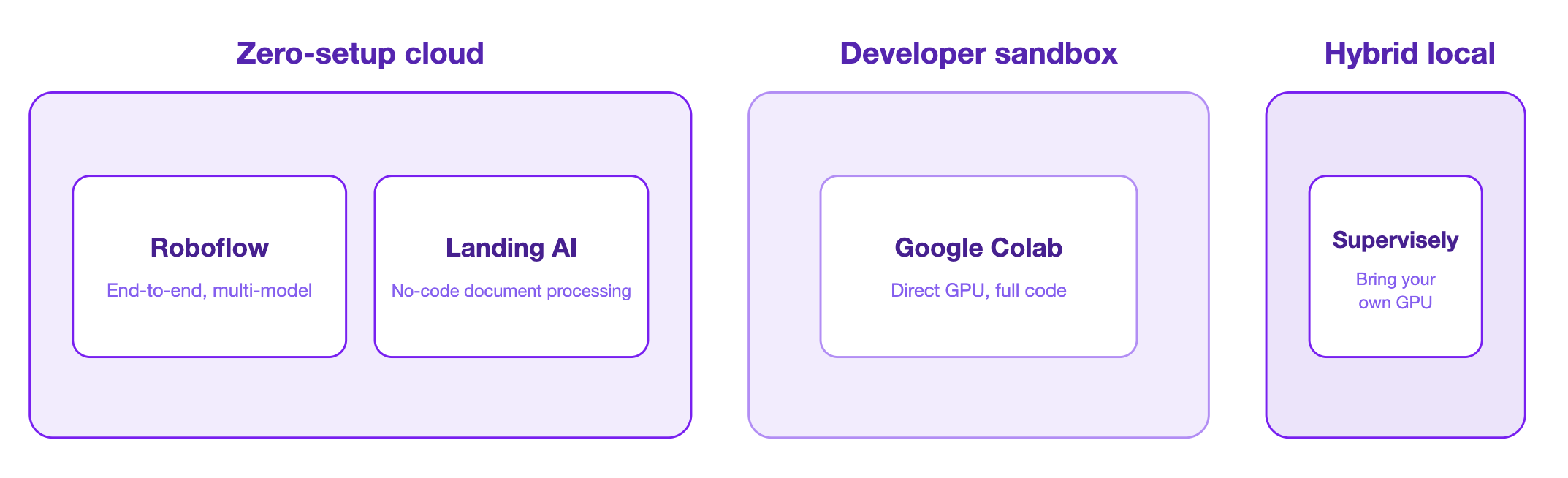
Computer vision training platforms generally fall into three categories based on how they provide GPU access. The best choice depends on whether your team wants a fully managed experience, direct access to cloud GPUs, or the flexibility to use its own hardware.
Group 1: Zero-Setup Cloud Platforms
These platforms automatically provision GPUs for training. You upload your data, start a training job, and the platform takes care of the rest. There's no need to configure drivers, install frameworks, or manage infrastructure.
Roboflow
End-to-end CV platform covering annotation, training, and deployment with managed GPU compute.
- Supports RF-DETR, YOLO26, and SAM3 across detection, segmentation, and keypoints
- AI-assisted annotation with SAM and CLIP
- Roboflow Universe with over 1 billion labeled images and 250,000 fine-tuned models
- Serverless API and edge deployment to NVIDIA Jetson and custom hardware
- Free public tier; Core from $79/month
Unlike other platforms in this group, Roboflow is not locked to a single model family, making it the more flexible option as project requirements evolve.
Landing AI
No-code document processing platform that automatically provisions cloud GPUs and trains models on small datasets.
- Purpose-built for processing documents
- Data-centric workflow focused on label quality
- Edge deployment via LandingEdge with NVIDIA GPU support
The tradeoff is scope. Landing AI is purpose-built for document use cases and is not designed as a general-purpose CV platform.
Group 2: Developer Sandbox
These platforms provide direct access to GPUs with full control over your training code and model architecture. They do not include built-in workflows, annotation tools, or deployment features.
Google Colab
Cloud-hosted Jupyter Notebook environment with on-demand NVIDIA GPU access.
- Free T4 access; Colab Pro adds V100 and A100
- Pre-installed PyTorch, TensorFlow, and CUDA
- Session timeouts are a real constraint at the free tier
Colab is a prototyping environment, not a production platform. Teams that outgrow it typically migrate to a managed platform or a dedicated GPU cloud.
Group 3: Hybrid Local Platform
Connects a cloud dashboard to your own GPU hardware via a software agent. Data stays on your servers, compliance requirements are met locally, and workflows are managed through a web interface.
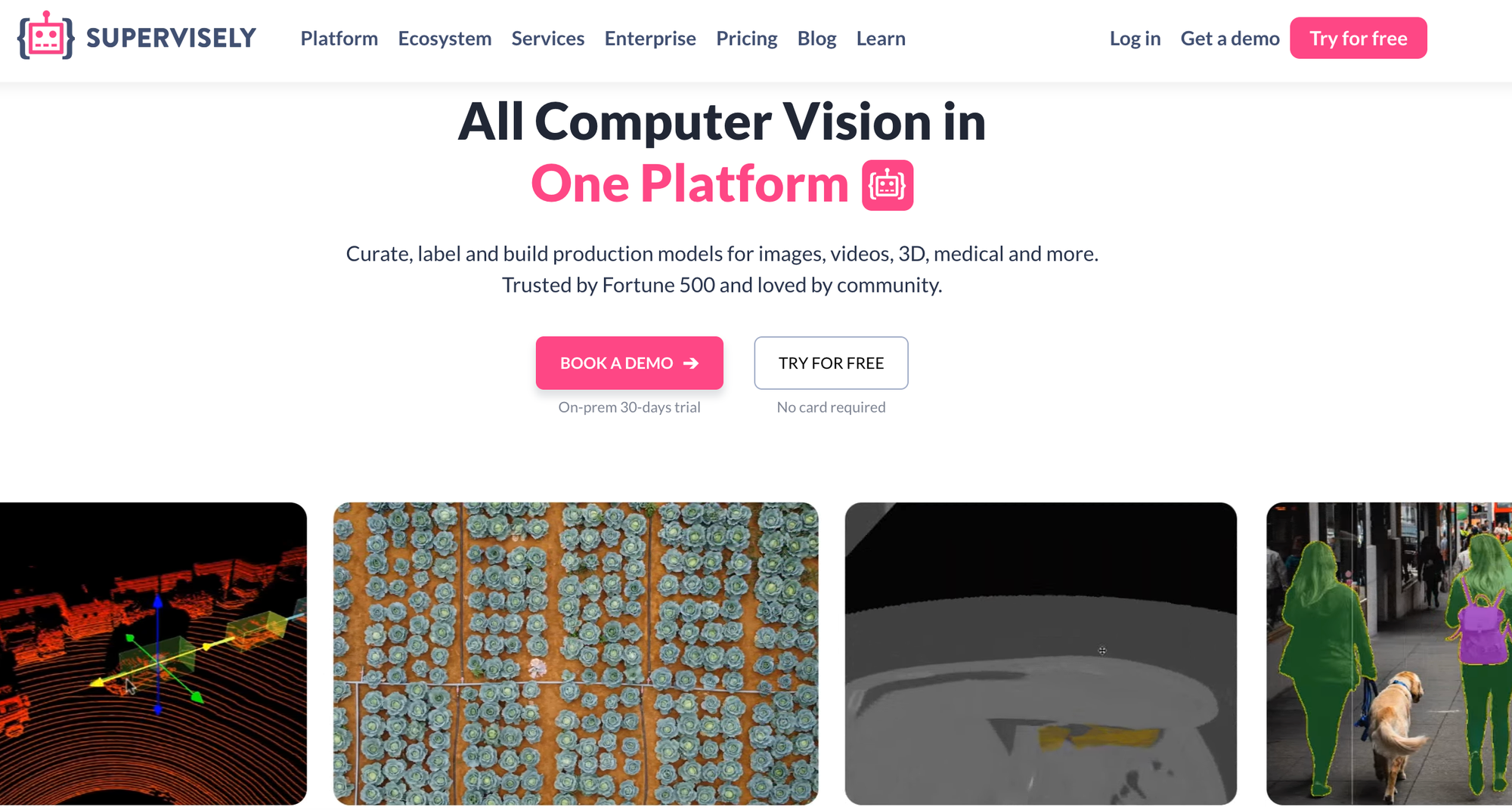
Supervisely
Modular CV platform that connects to your own GPU hardware via a downloadable agent.
- Supports 3D point clouds, LiDAR, DICOM, and geospatial data
- Modular app ecosystem for custom annotation and training workflows
- Free online tier; Pro from 199 EUR/month
The agent model makes Supervisely an option for regulated industries and teams that cannot move data to a third-party cloud.
Computer Vision Model Training Platforms with GPU Support Comparison Table
The table below summarizes how each platform compares across the five factors that matter most in production. Use it as a quick reference after reading the platform descriptions, or as a starting point if you already know what you're looking for.
| Factor | Zero-setup cloud Roboflow Most flexible | Zero-setup cloud Landing AI | Developer sandbox Google Colab | Hybrid local Supervisely |
|---|---|---|---|---|
| GPU access model | Auto-provisioned, fully managed GPU compute | Auto-provisions cloud GPUs on training start | Direct, on-demand NVIDIA GPU access | Connects to your own GPU hardware via an agent |
| Model flexibility | Widest range: RF-DETR, YOLO26, SAM3 across detection, segmentation & keypoints | Document processing only | Any architecture; bring your own code | Modular; supports 3D point clouds, LiDAR, DICOM & geospatial |
| End-to-end workflow | Full annotation, training & deployment in one platform | Data-centric, document-focused workflow | None; no annotation or deployment tooling | Modular app ecosystem for custom workflows |
| Coding requirements | No-code to low-code | No-code | Full code (DIY) | Low-code / modular apps |
| Pricing & scalability | Free public tier; Core from $79/mo | Custom; edge via LandingEdge (NVIDIA GPU) | Free T4; Colab Pro adds V100 & A100 | Free online tier; Pro from €199/mo |
| Best for | Teams that want managed infrastructure without locking into one model family | No-code teams focused on document use cases | Researchers who need full control over code | Regulated teams with existing GPU clusters |
Most teams will find that model flexibility and workflow coverage matter more than raw infrastructure control. Roboflow covers both without forcing a choice between them.
How to Choose the Best Computer Vision Platform with GPU Support
Choosing the right platform comes down to three questions.
Do you want to manage infrastructure? If not, Roboflow and Landing AI automatically provision GPUs for training. If you want full control over the hardware and training code, Google Colab provides direct GPU access. If you already have your own GPU servers, Supervisely lets you connect them to a managed workflow.
How flexible are your model requirements? Landing AI is designed for document processing. Roboflow supports the widest range of architectures, including RF-DETR, YOLO, SAM3, making it a good choice for teams working across different projects.
What does your team look like? Landing AI and Roboflow are well-suited for teams without dedicated ML engineers. Roboflow works well for ML engineers who want a structured workflow without managing infrastructure. Google Colab is best for researchers who need full control over code, while Supervisely is a strong fit for organizations with existing GPU clusters and compliance requirements.
Computer Vision Model Training Platforms with GPU Support Conclusion
GPU support is now a baseline expectation for CV model training, not a differentiator. What actually differentiates platforms is how they handle everything around the GPU: the annotation tooling, the model flexibility, the deployment options, and how much infrastructure you have to manage yourself.
Further Reading


Cite this Post
Use the following entry to cite this post in your research:
Mostafa Ibrahim. (Apr 23, 2026). Computer Vision Model Training Platforms with GPU Support. Roboflow Blog: https://blog.roboflow.com/computer-vision-model-training-platforms-with-gpu-support/