

This tutorial builds a rental-car walkaround inspector. You upload a video of the car, and the system timestamps it before it even finishes uploading, runs an RF-DETR damage model inside a Roboflow Workflow with ByteTrack tracking, rejects reflections with a custom Python block that tests how each detection physically moves, has Gemini assess or veto every surviving finding, and hands back a digitally signed PDF report that anyone can verify in their browser.
If you've ever rented a car, you've probably done your best to document everything about it when you received it. You walked all the way around it, photographing every issue you could find. But maybe three weeks later an email shows up claiming you dented the door, with a repair bill attached.
Did you even photograph that panel at all? A folder of camera-roll photos proves much less than it feels like it does.
I wanted to fix that with computer vision. My idea was that a user could upload one slow walkaround video of a car, and get back a report that contains when the video was uploaded and descriptions of every scratch and dent.
In my app, the detection and tracking run in a Roboflow Workflow on a trained RF-DETR model. While damage assessment and vehicle identification run in two more workflows on hosted Gemini blocks.
I'll show you how you can build it, too. Follow along with this GitHub repository.
Building an AI Video Car Damage Inspector
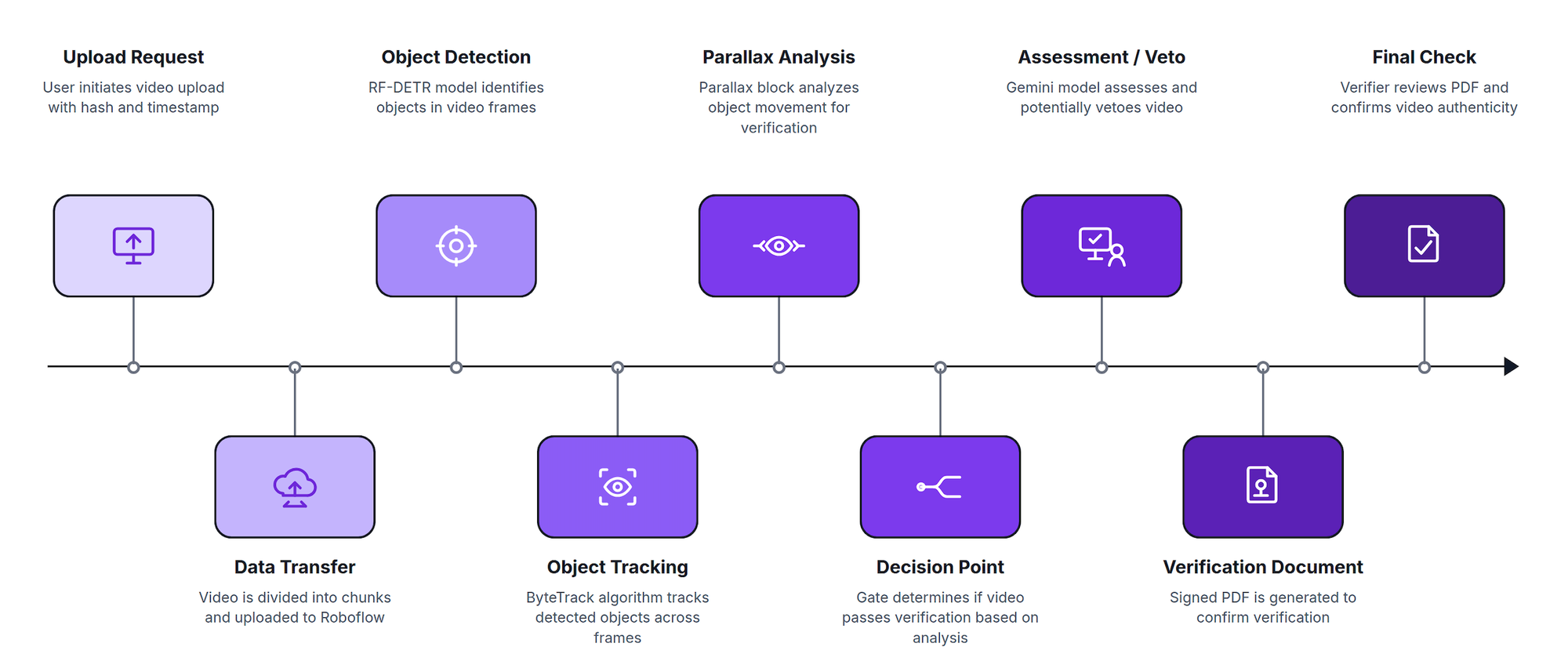
- When you pick a video, the app computes its fingerprint and sends only that, about a hundred bytes, to be certified by an independent timestamp authority. This happens before the multi-megabyte upload starts. The video then uploads in resumable chunks, and the server checks that the file it received matches the certified fingerprint exactly.
- Next, the Roboflow workflow runs the damage detector on every sampled frame, tracks detections across frames with ByteTrack, and hands each tracked box to a custom Python block for the physics test below.
- Real damage is part of the car's surface, so it moves with the body panel as the camera walks past. A reflection glides across the panel. That takes care of killing most false positives.
- What's left after that gets a structured assessment by Gemini covering type, severity, approximate size, and affected part, and Gemini can veto a finding as a false positive. The language model can describe or reject findings, but it can never add one, so nothing hallucinated ends up in the signed document.
Train the Model
I trained RF-DETR-small entirely in the Roboflow UI. Start by forking a car damage dataset on Universe with part-specific damage classes like fender-dent, doorouter-dent, and sidemirror-damage, then kick off training from the dataset page; you never leave the browser. My model achieved a 69.8 mAP50 with 65.5 recall.
Since Gemini only ever sees crops of what the detector proposed, a dent the model never detects is invisible to the whole pipeline. But a video recording can make up for this because a dent missed in one frame is usually caught in another and the tracker stitches those into one finding. The best fix is usually to label them newer images, and retrain the model if the pipeline doesn’t work.
Get the Code
Everything lives in one repository:
git clone https://github.com/aarnavshah12/walkaround-inspector.git

cd walkaround-inspector/web && npm install

cd ../pipeline && python3.12 -m venv .venv && .venv/bin/pip install -r requirements.txt
The repository contains:
- web/ — the Next.js PWA: upload flow, report page, verifier page, and the thin API (timestamping, chunked uploads, PDF signing)
- pipeline/ — the analysis runner and every tunable threshold in one config.py
- workflows/ — the three Roboflow Workflow definitions, mirrored from the editor
Your Roboflow API key and the report-signing key go in web/.env.local, which is gitignored. The signing key is one openssl command, documented in the repo.
Build the Workflow
My main pipeline is a workflow called walkaround-video-v, and it's three blocks.
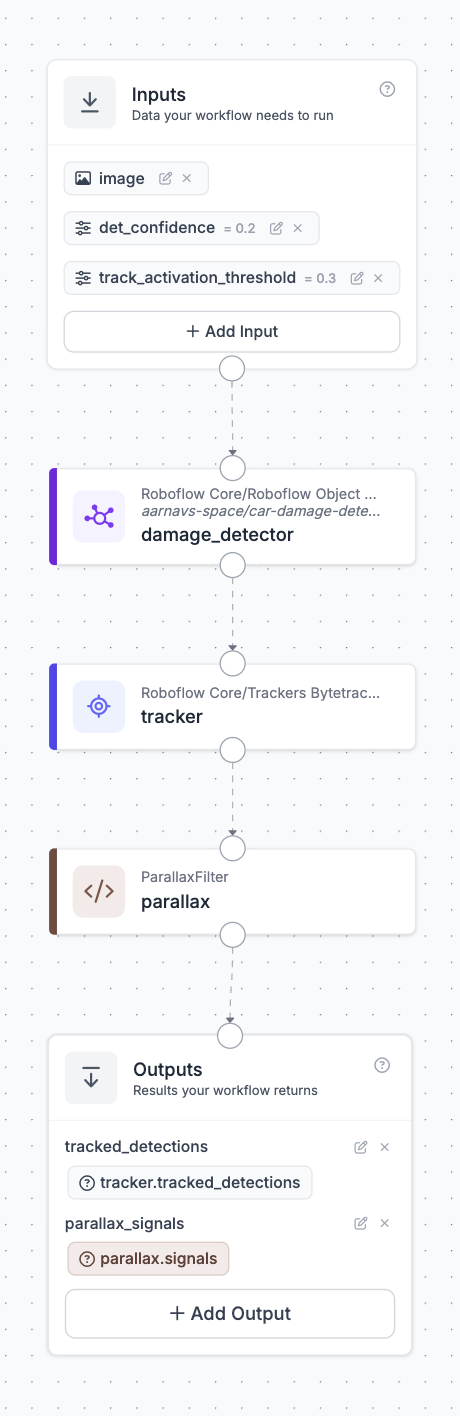
The object detection model block points at the trained damage model with a custom confidence of 0.2 - deliberately low. Here I optimized for recall since a weak hunch that persists across thirty frames is worth more than a strong hunch in one frame. This detect-low-then-filter-later pattern shows up across inspection pipelines too.
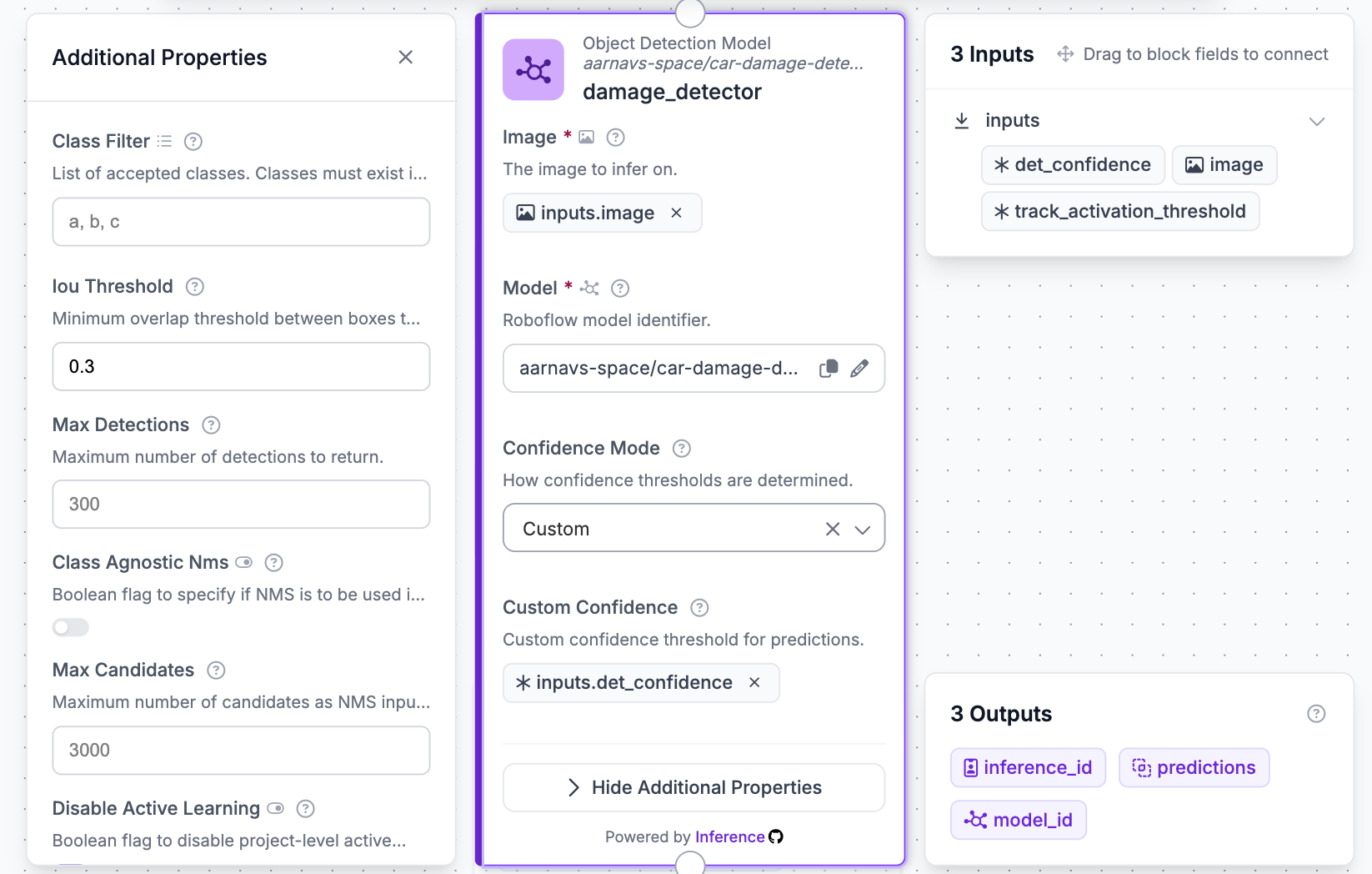
The ByteTrack block turns per-frame detections into tracklets. A one-frame glitch doesn't become a finding, because a one-frame glitch never becomes a track.
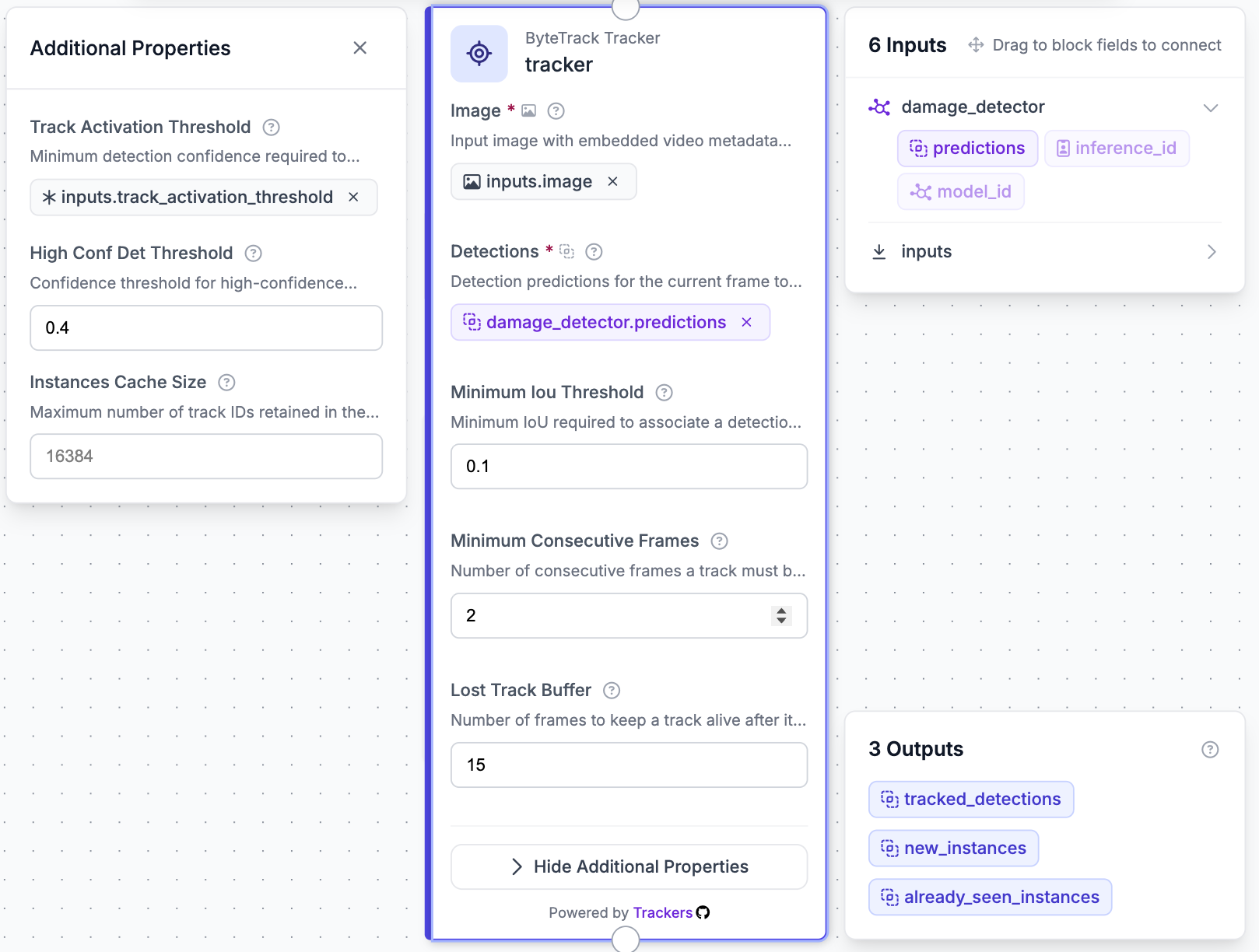
The parallax filter is a custom Python block. For each tracked box, it finds feature points in a ring around the box, which is the surrounding body panel, and measures how that patch moved between frames using optical flow and a homography. That predicts where the box should be if it were glued to the panel.
Then it compares the prediction against where the tracker actually put it. Damage stays put and leaves a tiny residual, while a reflection drifts and leaves a big one. On my test footage, real dents scored residuals of 0.002 to 0.005 of the frame diagonal against a reject line of 0.015.
Something I learned along the way was that Custom Python blocks don't run on the serverless API, since Roboflow understandably won't execute arbitrary code on its hosted infrastructure. Any workflow that contains one has to run through InferencePipeline instead, which executes the same workflow definition in-process over your video:
pipeline = InferencePipeline.init_with_workflow(
    video_reference=str(video),
    workflow_specification=spec,
    on_prediction=sink,
    workflows_parameters={"det_confidence": 0.2},
)
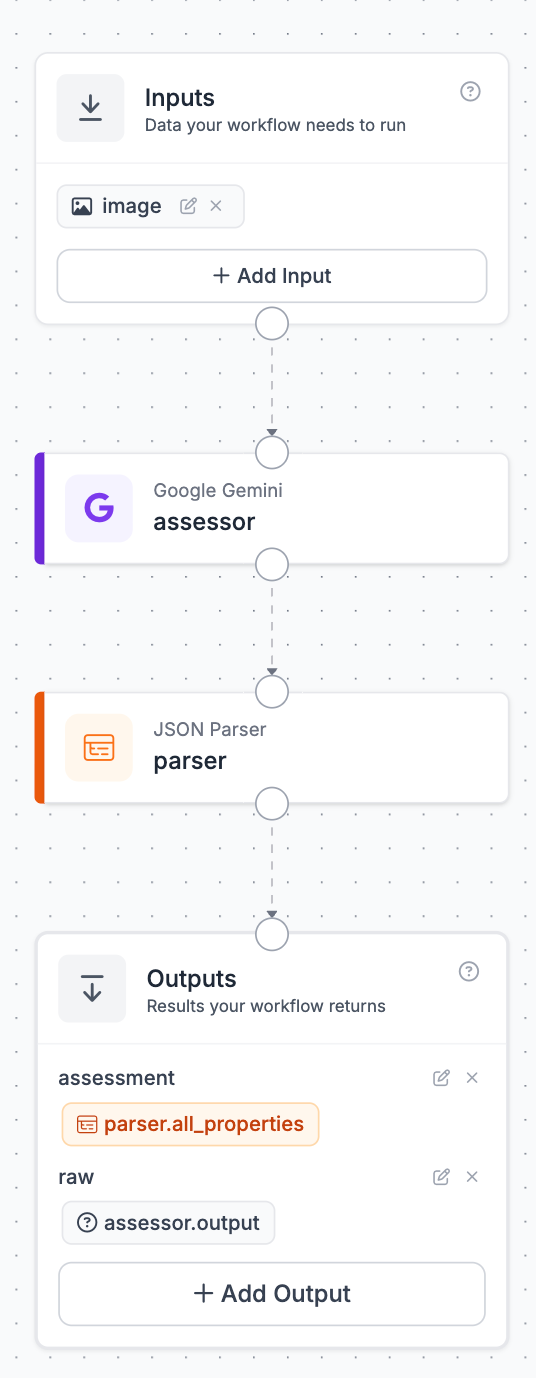
The two enrichment workflows have no custom code, so they deploy serverless. walkaround-enrich-a is a Gemini block in structured-answering mode, where the output schema is the prompt, with one field per fact I want: damage type, severity, size in cm, affected part, pre-existing indicators, and an is_false_positive verdict, feeding a JSON parser block.
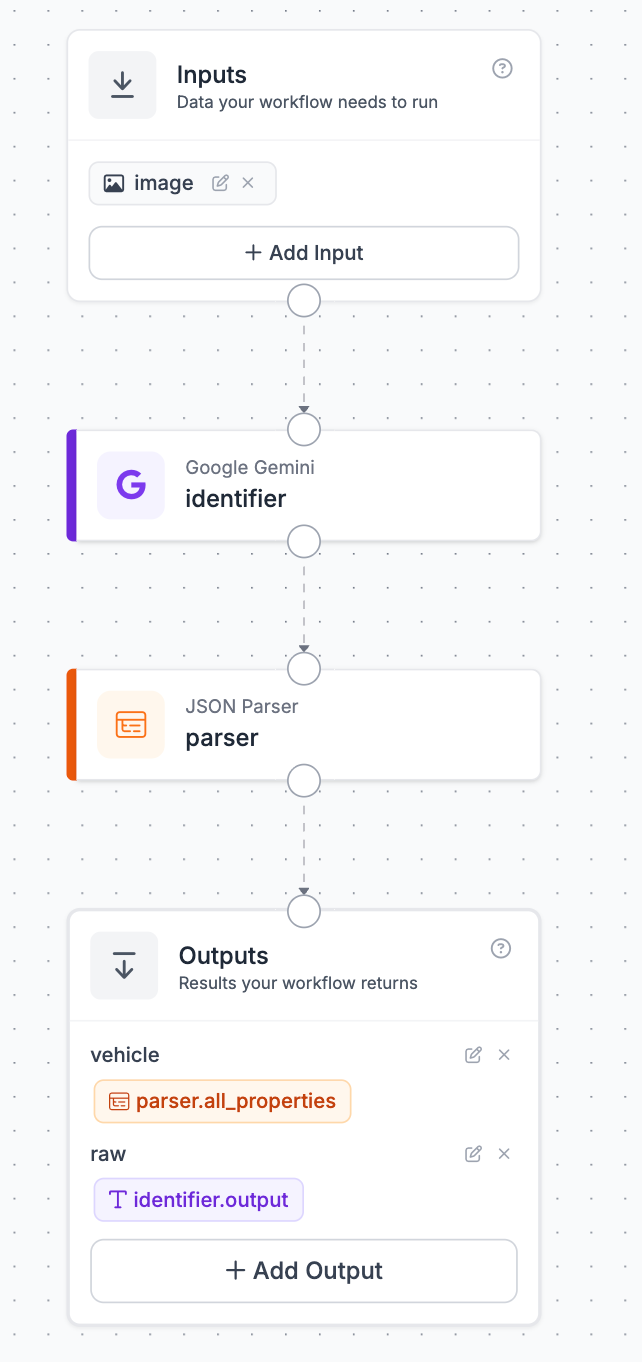
walkaround-vehicle-b is the same pattern for make, model, color, and plate. Both use rf_key:account as the API key, which routes Gemini calls through Roboflow's managed key: no Google account, no separate billing, just workspace credits.
Seal the Report
The finished report is a PDF signed with ECDSA P-256 and has a second timestamp token of its own, so the evidence chain says the video existed at time A and the report about it existed at time B. A public verifier page re-checks everything in the browser, and the PDF stays on the reader's machine.
What It Costs to Run
Analysis runs locally and free, at about two minutes per ten seconds of 1080p footage on an M-series laptop, GPU-accelerated. The Gemini assessments cost a few Roboflow credits per video through the managed key. The timestamp authority is free, the model trains on the free tier, and the signing key is an openssl one-liner. There's no per-video cloud bill unless you want one because the same workflow JSON can run on a hosted GPU when it's time to scale.
Build Your Own
- Fork a car damage dataset on Universe and train RF-DETR-small on it, entirely in the UI.
- Clone the repo, install the web and pipeline dependencies, drop your API key and a signing key in .env.local.
- Import the three workflow definitions from workflows/ into your workspace, or rebuild them block by block in the editor.
- Run the web app, upload a ten-second clip of any parked car, and watch the report assemble itself.
- Check the vetoes against the crops, tune the gate in config.py against your own footage, and retrain on whatever the detector missed. Every video after that gets better.
The next time you get a damage-claim email you'll be ready with your report, a certified timestamp, and a verifier page that settles it in one drop of a file!
Further reading:


Cite this Post
Use the following entry to cite this post in your research:
Aarnav Shah. (Aug 7, 2026). How to Build an AI Video Car Damage Inspector. Roboflow Blog: https://blog.roboflow.com/build-an-ai-video-damage-inspector/