

The Roboflow MCP Server connects AI coding agents like Claude and Codex to Roboflow through a single URL (mcp.roboflow.com), giving them the ability to create projects, auto-label images, pull datasets from Roboflow Universe, train models, and build deployable Workflows without any SDK to install or version to pin. Because the tools are discovered at runtime, every MCP-compatible agent picks up new capabilities the moment they are added. The result is a working session where an agent can take a problem description and produce a running inference endpoint, end to end.
AI agents like Claude or Codex are remarkably good at writing code and pulling context from across your stack. What they need are more efficient tools and skills to label visual data, train custom models, and deploy pipelines that meet real-world latency constraints or run on the edge.
The new Roboflow MCP Server fills that gap. By connecting your AI agent to Roboflow, it gives your agent the ability to build and deploy vision models, working alongside you to solve problems neither of you could have solved alone.
Whether you're using Claude Code, Codex, Cursor, or any other MCP-compatible assistant, your agent can now build production-ready vision AI pipelines with Roboflow. It can create projects, upload images, auto-label visual data, pull datasets from Roboflow Universe, train and evaluate models, and stand up deployable Workflows.
Build computer vision apps via MCP
The Model Context Protocol (MCP) is an open standard that lets AI agents call external tools the same way developers call APIs. Tools register a set of capabilities, agents discover and use them, and a conversation becomes a working session across whatever services your agent is connected to.
The Roboflow MCP Server makes Roboflow one of those services. Most operations you'd normally perform in the Roboflow app, like creating a project, labeling images, training a model, or building a Workflow, are available tools your agent can call. Because the tools live at a single URL (mcp.roboflow.com), every agent in the world picks up the latest capabilities the moment it connects. There's no SDK to update and no version to pin.
This is what makes the MCP Server feel different. With access to Roboflow, your agent can suggest approaches you might not have considered, execute them end to end, and help you build the kind of vision application you couldn't easily have built on your own.
"We're not only building for the human, we are building for the combined entity of the human plus their agent," said Tony França, engineer at Roboflow and lead on the MCP Server. "You can leverage the power of your coding agent that knows your world, your context, and give it computer vision powers."
How agents can work in Roboflow
The Roboflow MCP Server exposes dozens of tools that cover the entire computer vision life cycle, from labeling data to deploying models in the cloud or edge. A few of the most useful:
Deploy models to the cloud or the edge
Your agent can run hosted inference, provision new edge devices through Roboflow Deployment Manager, configure streams, and pull telemetry and logs from devices already in production. The same conversation that builds a model can stand it up on the right hardware and tell you how it's performing in the field.
Build, validate, and run Workflows
Trained models are usually just one piece of a vision application. Your agent can browse available Workflow blocks, draft a pipeline definition, validate it before running, and execute it on real images, turning a high-level prompt like "detect defects, crop them, and read the serial number" into a saved, deployable Workflow.
Manage projects, label data, and train models
Your agent can create new projects in Roboflow, upload images, organize them into batches, kick off auto-labeling, and start a training run. That includes Roboflow's full training menu, from standard RF-DETR to complete Neural Architecture Search jobs.
How to get started
Below are instructions to connect coding agents to Roboflow MCP Server and have the client receive a scoped access token tied to your workspace.
Claude Connector (recommended)
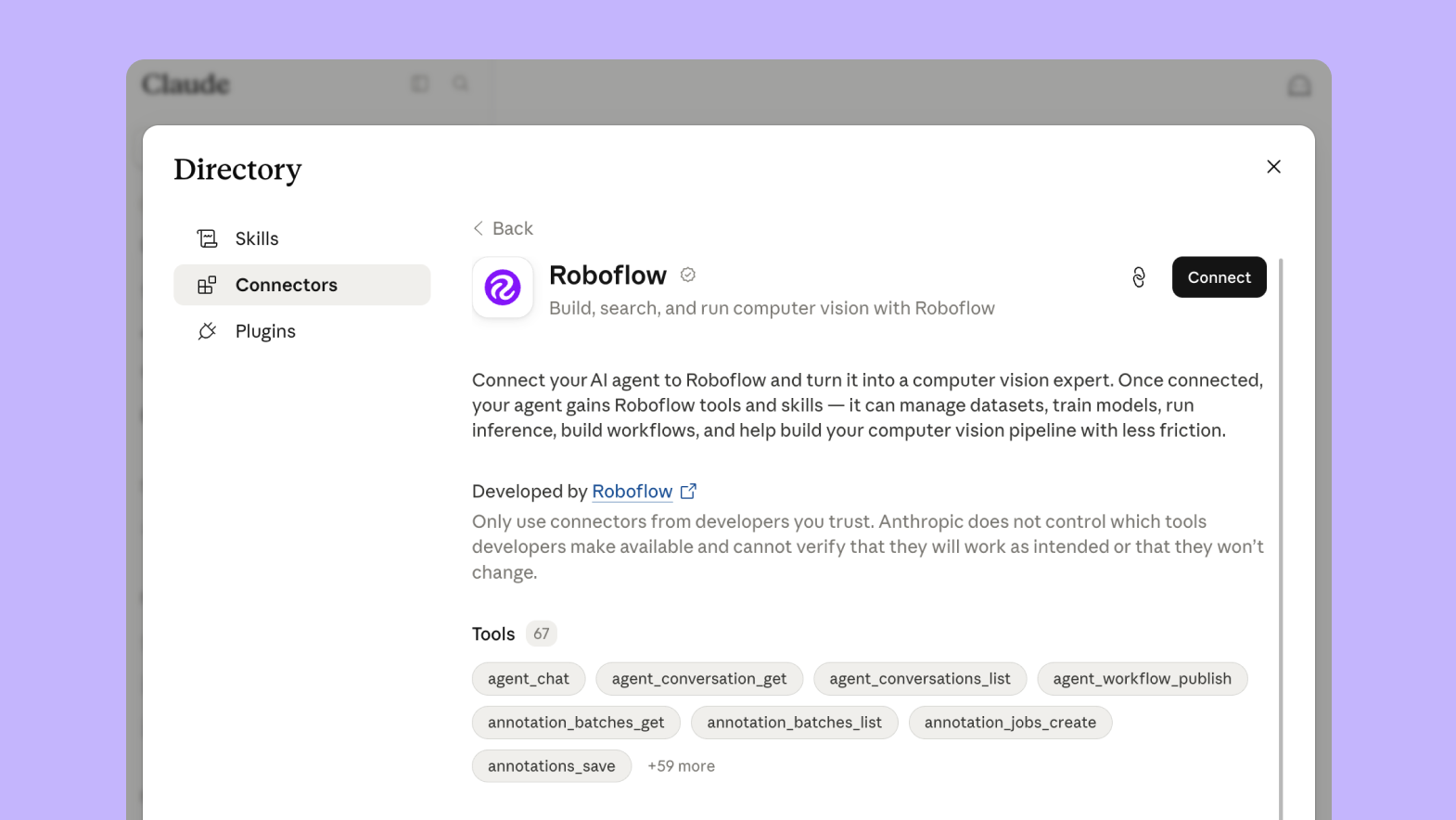
Roboflow is listed in the Claude connector directory, so connecting takes one click. Open the Roboflow connector, click Connect, and sign in to Roboflow. From there, you choose the Workspace and permissions. Once connected, it works everywhere: Claude.ai, Claude Desktop, and Claude Code.
Claude Code
If you prefer the terminal:
claude mcp add -s user roboflow \
  --transport http https://mcp.roboflow.com/mcp
Codex
Add the following entry to your Codex MCP configuration file:
[mcp_servers.roboflow]
url = "https://mcp.roboflow.com/mcp"
For more information, see the full installation instructions at mcp.roboflow.com.
Cursor
Roboflow is available as a one-click plugin in the Cursor Marketplace. It bundles the MCP Server together with a set of Roboflow skills, so your agent gets both the tools and the expert knowledge to use them well.
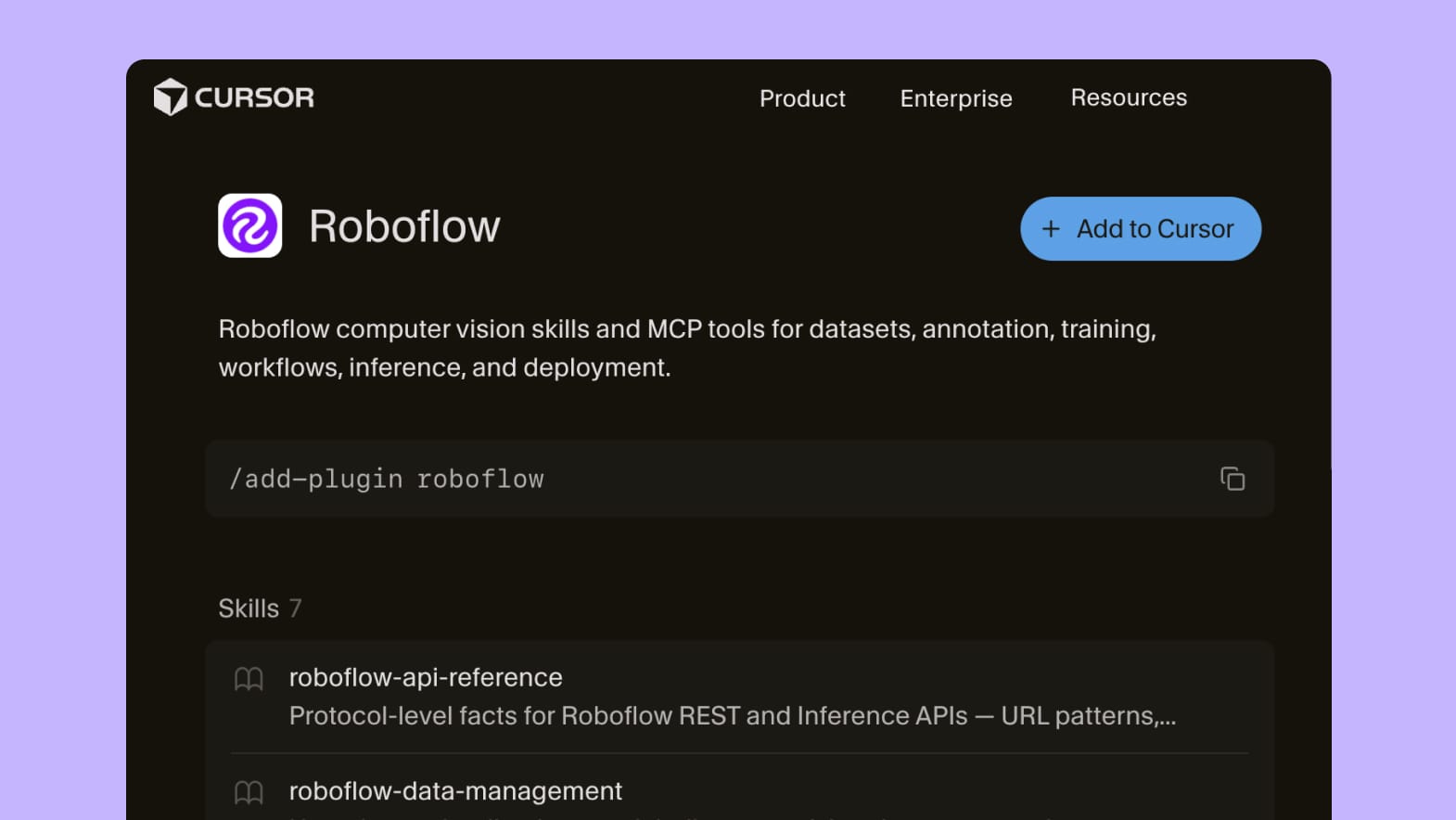
To get started, go to the Roboflow plugin and click Add to Cursor, or run /add-plugin roboflow from inside Cursor. You'll be prompted for your Roboflow API key the first time your agent reaches for a tool.
Start building with your AI agent today
With the Roboflow MCP Server, any visual problem you can describe is now a problem your agent can help you solve. The distance between "I wonder if a model could detect this" and a running inference endpoint collapses into a single conversation. The defect on the assembly line, the wildlife in the backyard camera, the safety hazard on the job site, and the inventory on the shelf can be built with your preferred coding agent.
The Roboflow MCP Server makes your AI agent a capable collaborator for building visual AI products. Start building today at mcp.roboflow.com.


Cite this Post
Use the following entry to cite this post in your research:
Patrick Deschere. (May 20, 2026). Roboflow MCP: Build Vision Apps with Claude, Codex, and More. Roboflow Blog: https://blog.roboflow.com/mcp-server/