

Automate transmission line inspection by training a Roboflow RF-DETR model to detect foreign objects like kites and damaged cables. Wire it into a Roboflow Workflow that returns a PASS or FAIL verdict, a fault count, and a JSON report for every image, then run it on drone footage or fixed camera feeds and log each run with Vision Events.
The world's transmission network spans 7 million kilometers of high-voltage lines. Inspecting it is slow, expensive, and dangerous. Helicopter patrols cost between $1,200 and $1,600 per mile, manual tower inspections run around $5,000 per structure, and manual inspection carries a 17% error rate that leaves real hazards undetected. Foreign objects like kites and damaged cables are two of the most common causes of line faults, yet both are easy to miss on a fast aerial pass.
In this tutorial, you will train an RF-DETR model to detect foreign objects and damaged cables on transmission lines, then connect it to a Roboflow Workflow that automatically flags every detection and routes each image to a PASS or FAIL verdict. By the end, you will have a working inspection pipeline you can run against drone footage or fixed camera feeds.
Transmission Line Inspection AI with Roboflow
Here's the workflow we'll build.
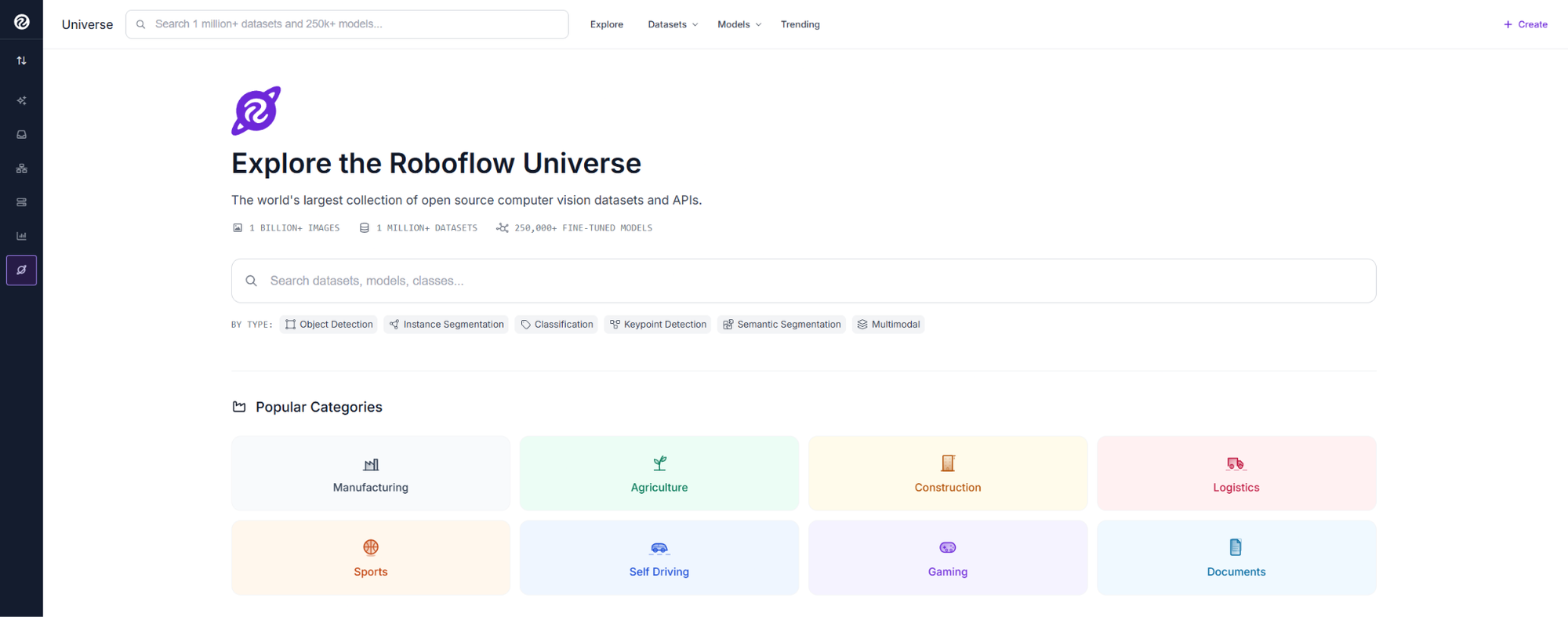
This tutorial uses the Transmission Detection dataset from Roboflow Universe.
The dataset contains 1,393 images across two classes: rubbish, which covers foreign objects like kites, plastic sheeting, and fabric entangled on lines, and cable_defectueux, which covers damaged cables with broken or fraying strands. All images are real field captures taken from aerial and ground-level positions along active transmission corridors.
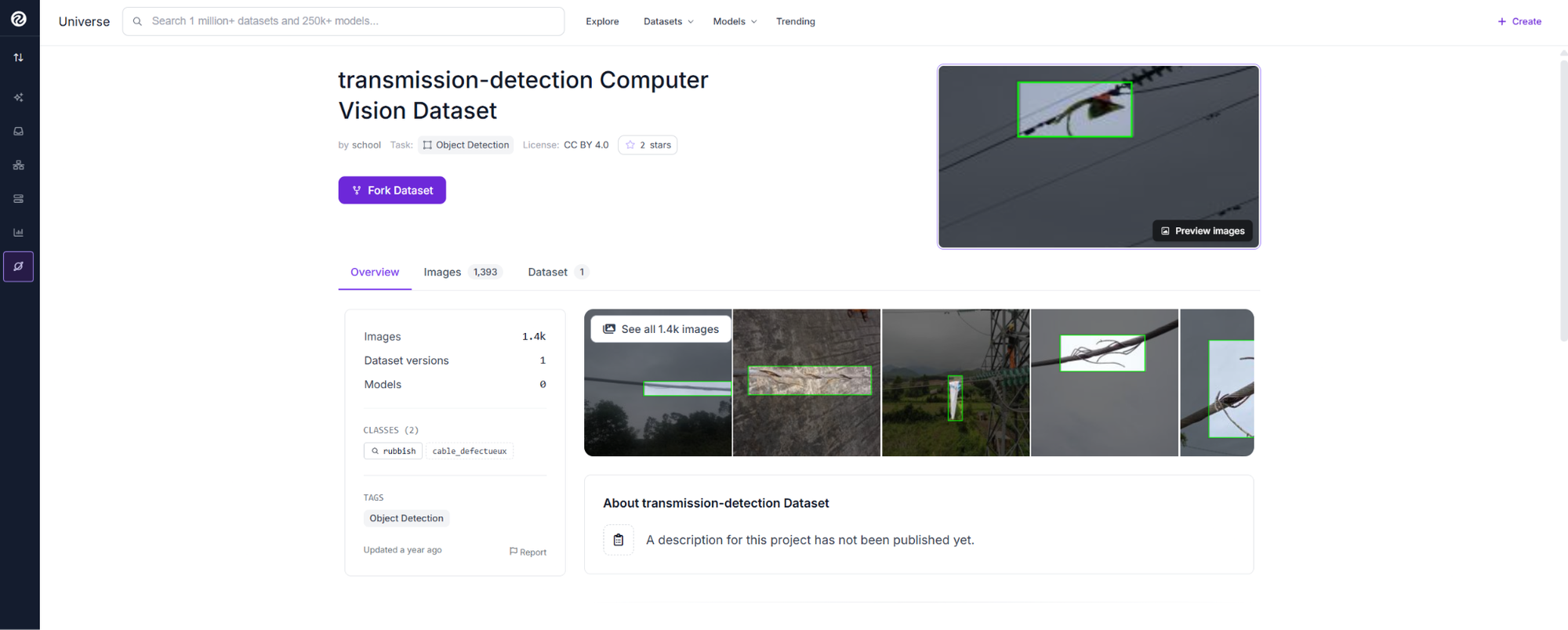
Open the dataset page and click Fork Dataset. This copies the dataset into your workspace with annotations included.
Train the Model
From your dataset version, click Train Model. Select Custom Training, then choose RF-DETR as the architecture. RF-DETR is Roboflow's transformer-based detection model that delivers high accuracy with fast convergence.
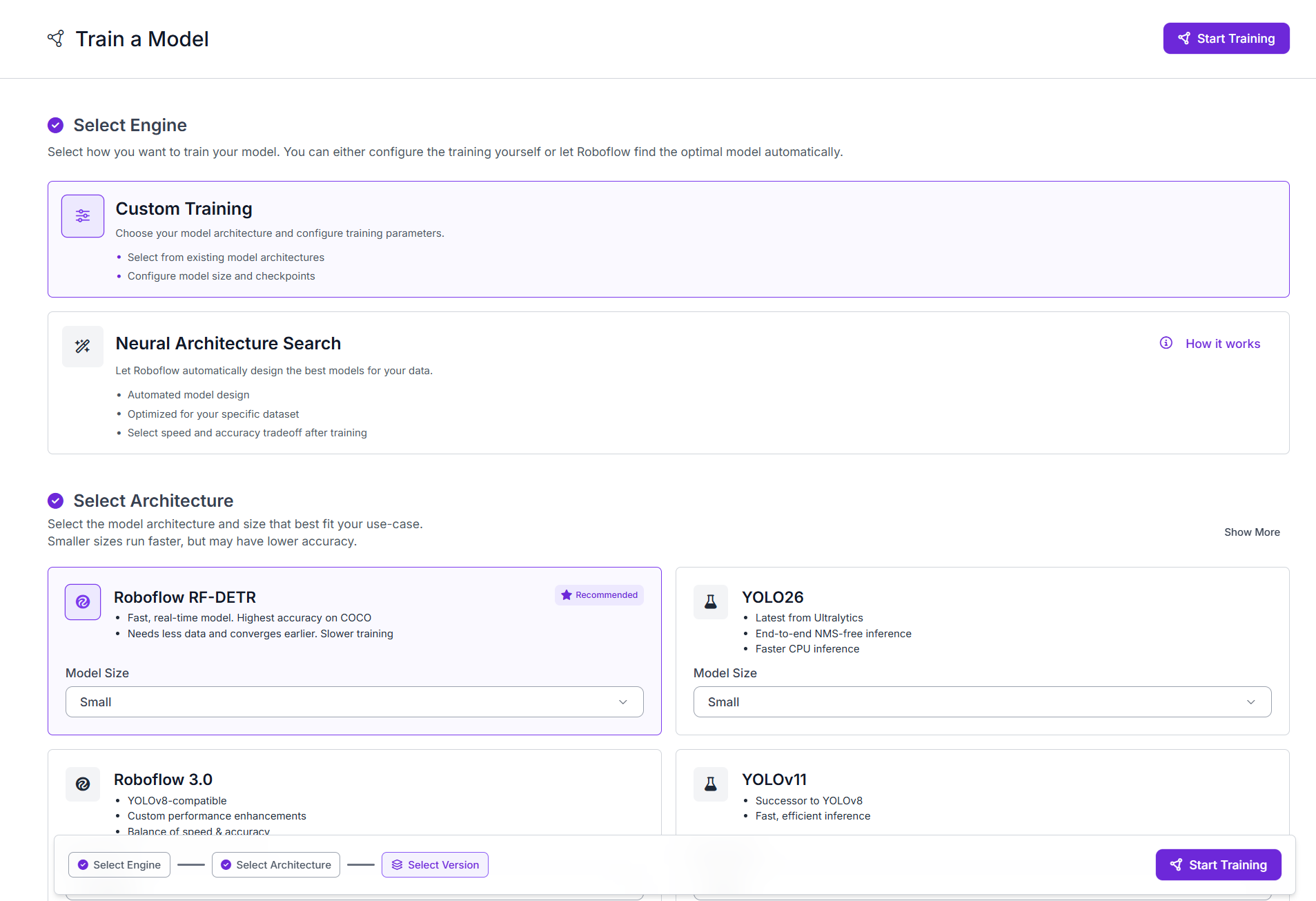
Click Start Training. Roboflow trains the model in the cloud. For this dataset you can expect training to complete in 30 to 60 minutes depending on early stopping.
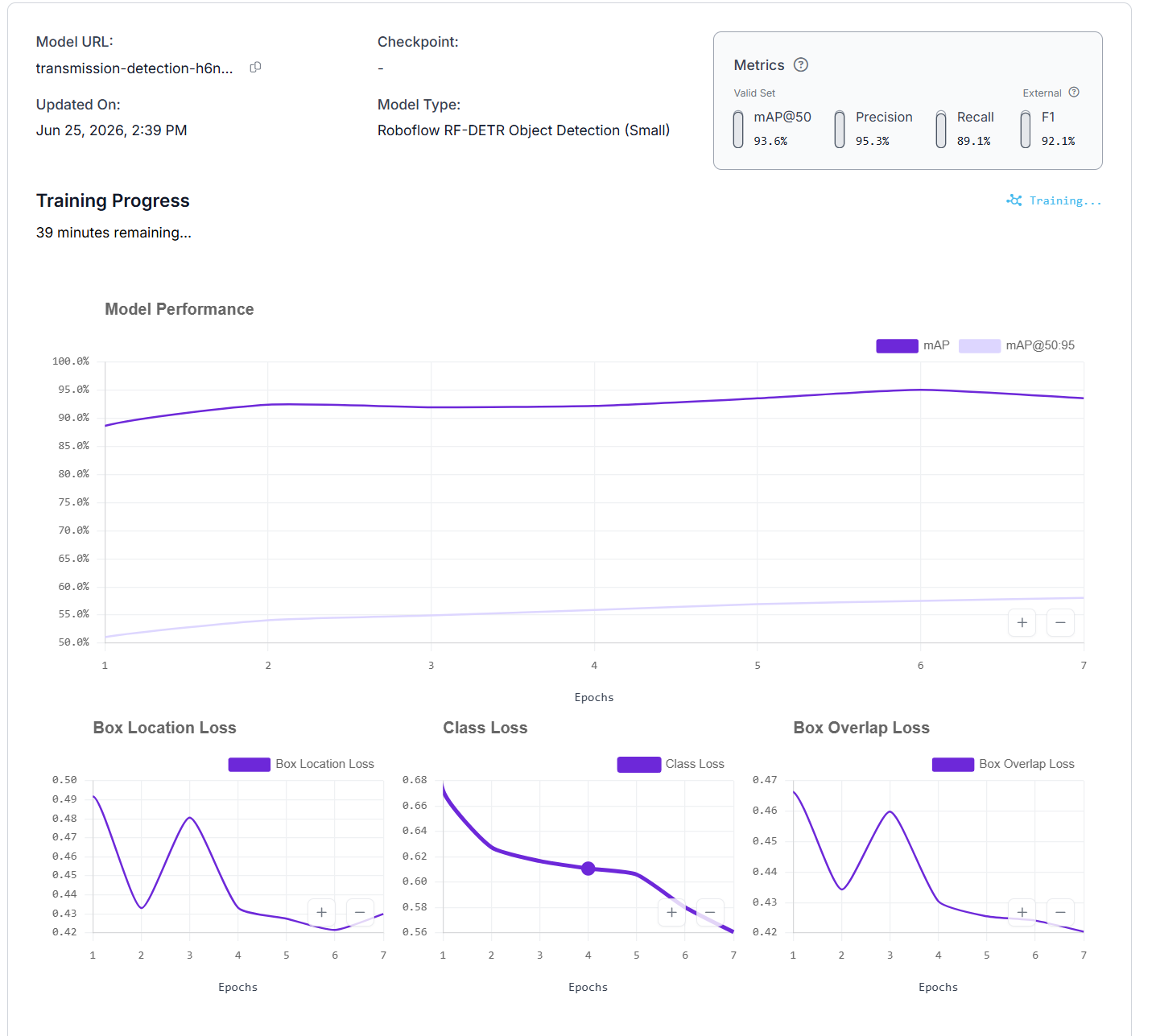
Once training completes, the model is evaluated against the held-out test set of 278 images. The results:
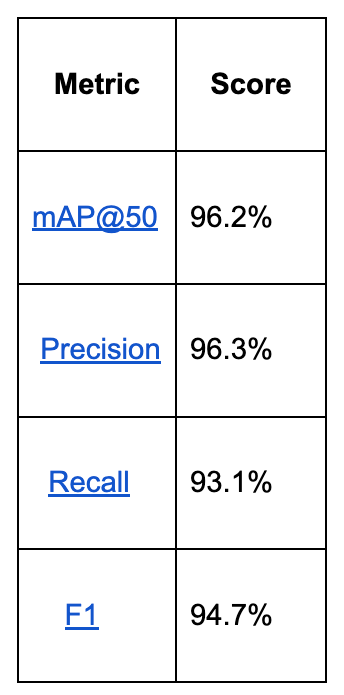

Precision of 96.3% means almost every detected hazard is real. Recall of 93.1% means the model finds most hazards in the frame. In a safety-critical inspection pipeline, both are essential because a missed detection is a missed fault.
Build the Workflow
The workflow connects your trained model to a series of processing blocks that annotate each image and return a verdict.
The blocks in order:
- Object Detection Model: detects foreign objects and damaged cables
- Class Name Remapping: renames the original dataset class names
- Bounding Box Visualization: draws detection boxes on the image
- Label Visualization: writes the class name and confidence on each box
- Detection Summary: counts detections and determines the verdict
- Text Display: overlays the verdict on the output image
- Roboflow Vision Events: logs every inspection run
- Outputs: returns the annotated image and JSON report

Step 1: Add the transmission line detector as an Object Detection block
Open the Workflows tab and create a new Workflow. Roboflow automatically adds an Image Input and Outputs block.
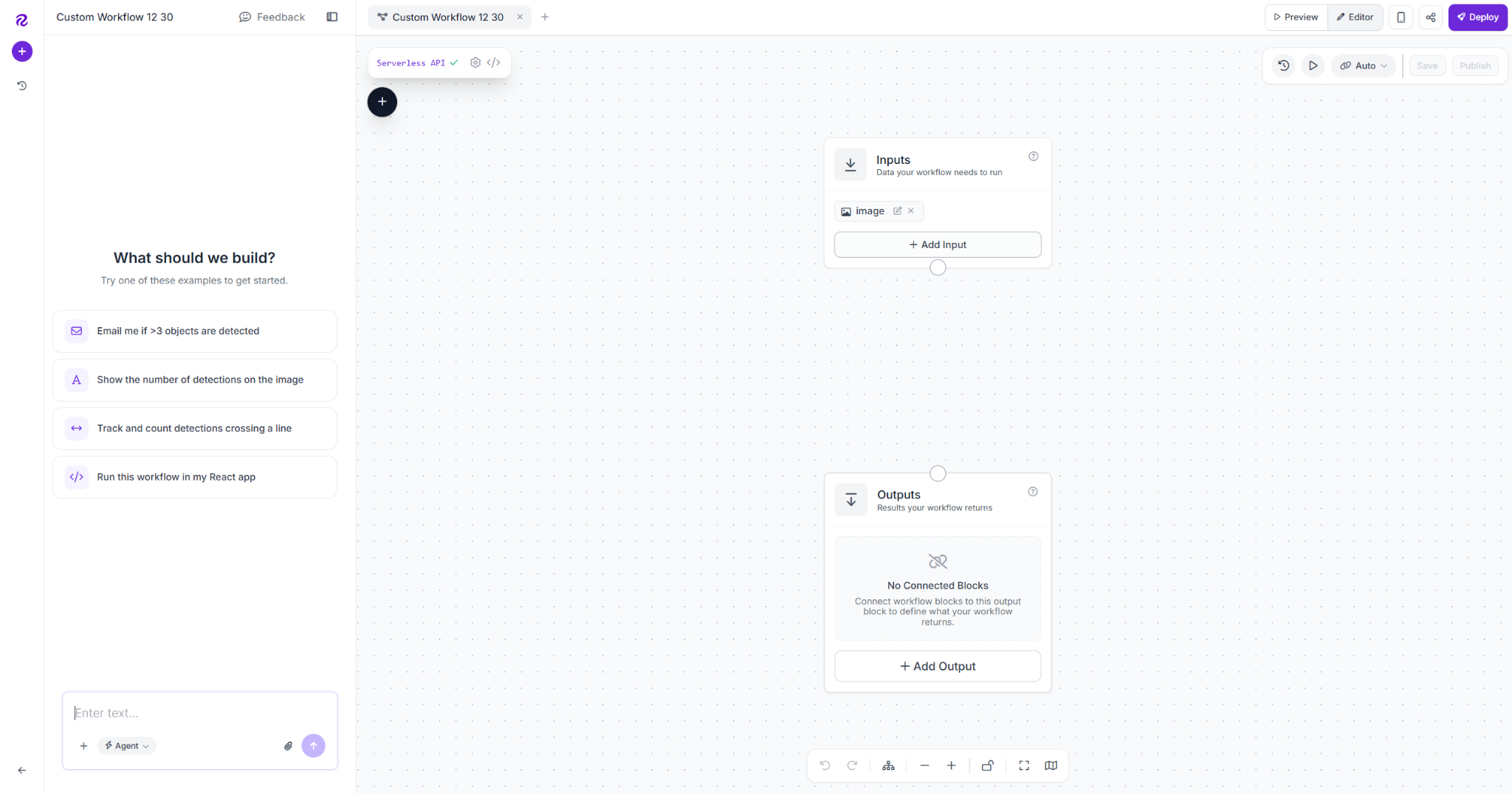
Click the plus icon, add an Object Detection Model block, and name it object_detection_model. Connect Image to inputs.image, then paste your trained model's URL into the Model field.
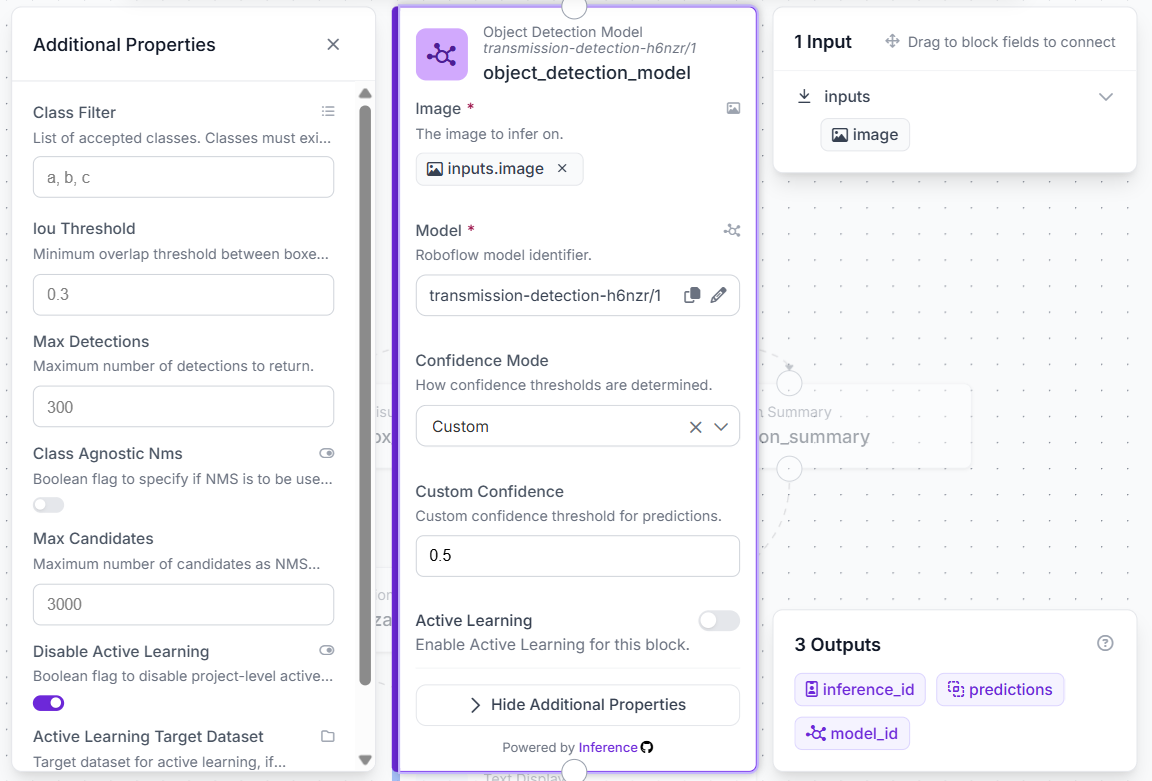
Set the confidence threshold to 0.5. Only detections above this threshold are reported as hazards.
Step 2: Remap class names with a Detections Transformation block
Add a Detections Transformation block and name it class_name_remapping. Connect Predictions to object_detection_model.predictions.
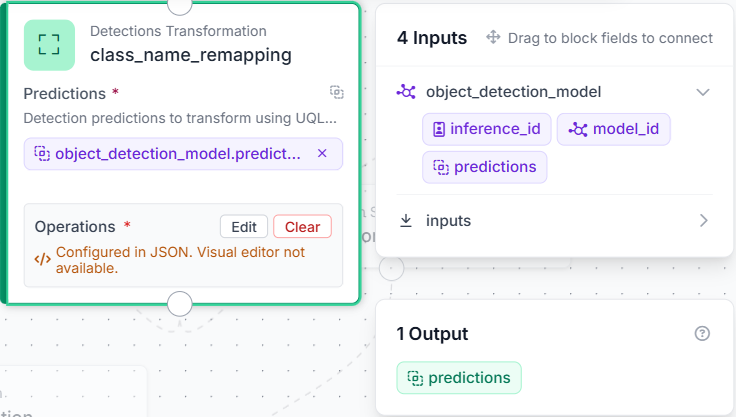
Click Edit under Operations and paste the following:
{
  "type": "roboflow_core/detections_transformation@v1",
  "name": "class_name_remapping",
  "predictions": "$steps.object_detection_model.predictions",
  "operations": [
    {
      "type": "DetectionsRename",
      "class_map": {
        "cable_defectueux": "damaged_cable",
        "rubbish": "foreign_object"
      },
      "strict": false
    }
  ],
  "operations_parameters": {}
}
This remaps the original dataset class names before they are passed to any visualization or output block.
Step 3: Draw detections with a Bounding Box Visualization block
Add a Bounding Box Visualization block. Connect Input Image to inputs.image and Predictions to class_name_remapping.predictions.
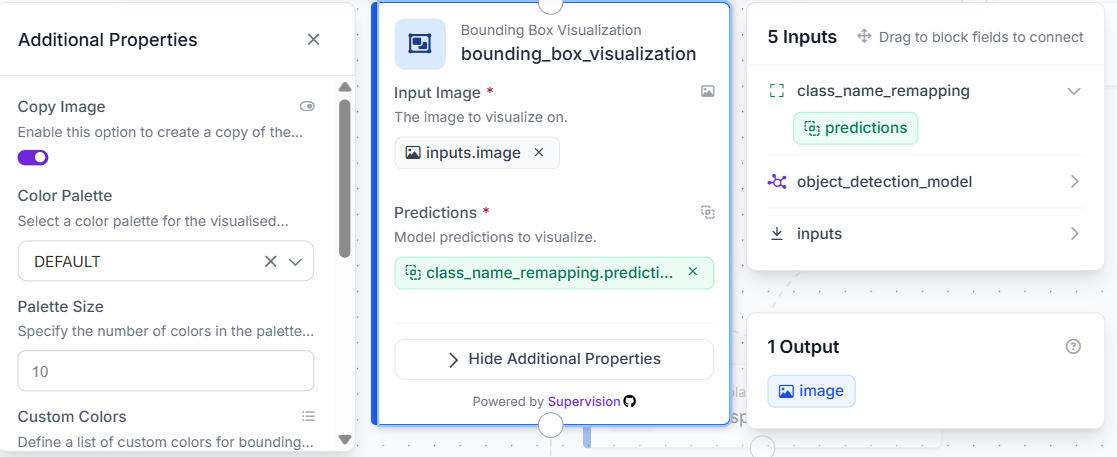
This draws a box around every detection on the output image.
Step 4: Add a Label Visualization block
Add a Label Visualization block. Connect Input Image to bounding_box_visualization.image and Predictions to class_name_remapping.predictions. Set Text to Class and Confidence.
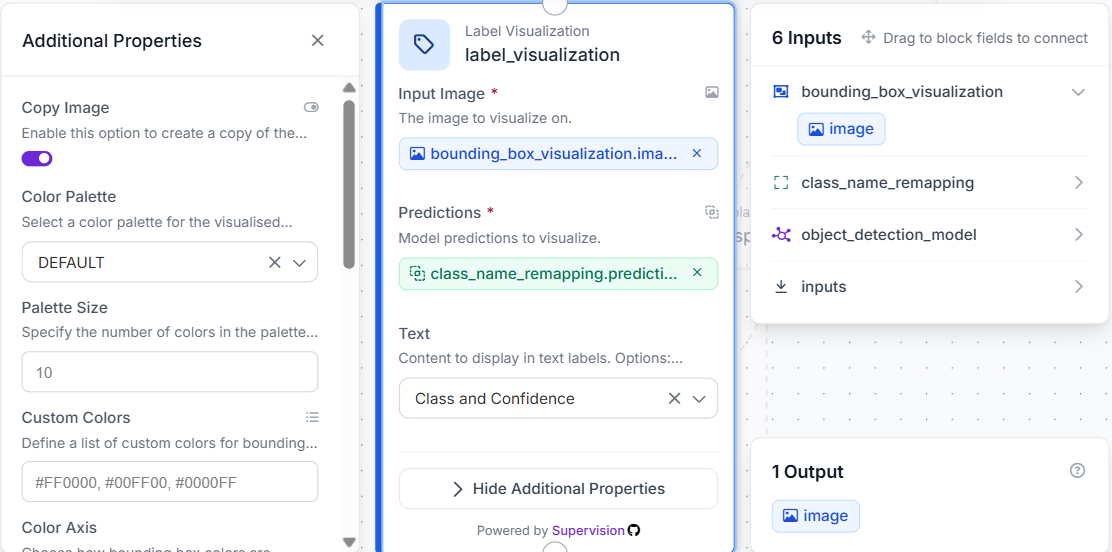
This renders the remapped class name and confidence score on each bounding box.
Step 5: Add a Detection Summary block
Add a Custom Python Block and name it detection_summary. Connect Predictions to class_name_remapping.predictions. Add three outputs: verdict as string, detection_count as integer, and fail_type as list of values.
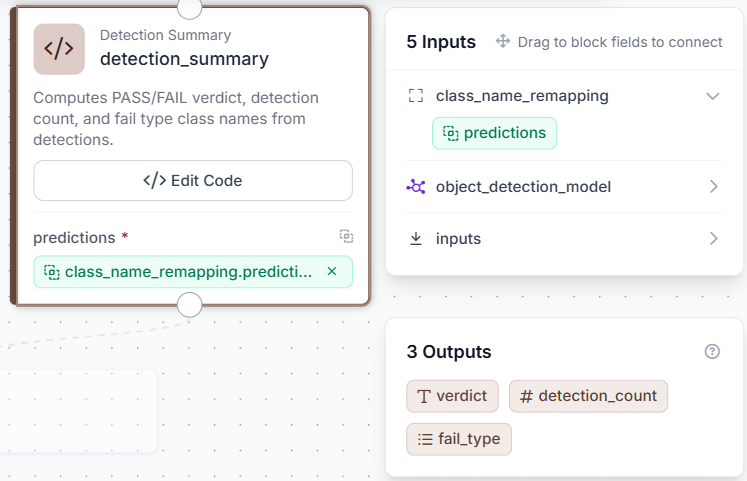
Click Edit Code and paste the following:
def run(self, predictions):
    class_names = []
    try:
        if hasattr(predictions, 'data'):
            names = predictions.data.get('class_name', [])
            class_names = [str(name) for name in names]
        elif isinstance(predictions, dict):
            raw = predictions.get('predictions', predictions.get('class_name', []))
            if isinstance(raw, list):
                for item in raw:
                    if isinstance(item, dict) and 'class' in item:
                        class_names.append(str(item['class']))
                    elif isinstance(item, dict) and 'class_name' in item:
                        class_names.append(str(item['class_name']))
                    else:
                        class_names.append(str(item))
    except Exception:
        class_names = []
    count = len(class_names)
    verdict = 'FAIL' if count > 0 else 'PASS'
    return {'verdict': verdict, 'detection_count': count, 'fail_type': class_names}
The block returns three values: a PASS or FAIL verdict, the total number of detections, and a list of the detected class names.
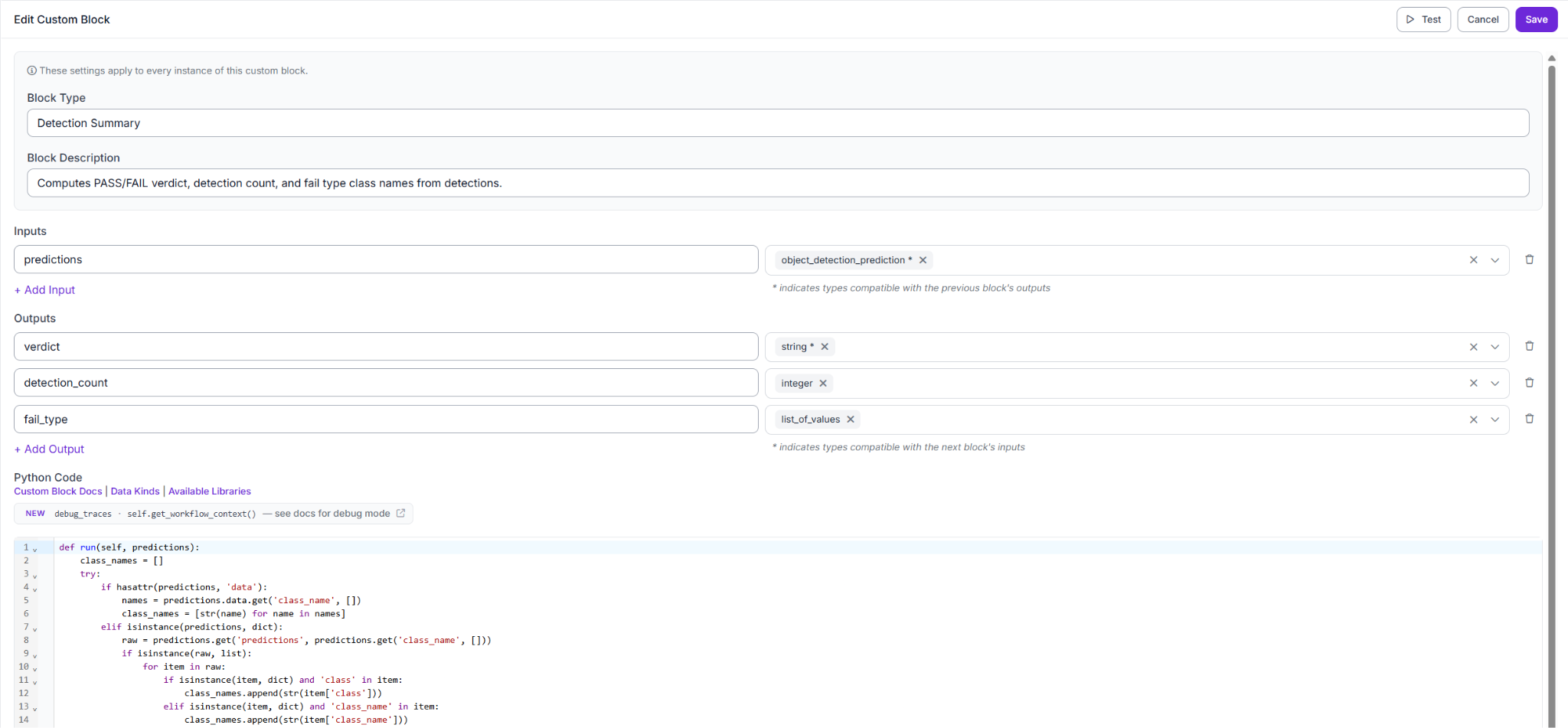
This replaces the need for separate verdict and detection count blocks, keeping the pipeline clean and the output structured.
Step 6: Add a Text Display block
Add a Text Display block. Connect Input Image to label_visualization.image. Set the Text field to:
Verdict: {{ $parameters.verdict }}
Detections: {{ $parameters.count }}
Add two Text Parameters: verdict from $steps.detection_summary.verdict and count from $steps.detection_summary.detection_count. Set Text Color to WHITE, Background Color to BLACK, and Background Opacity to 0.75.
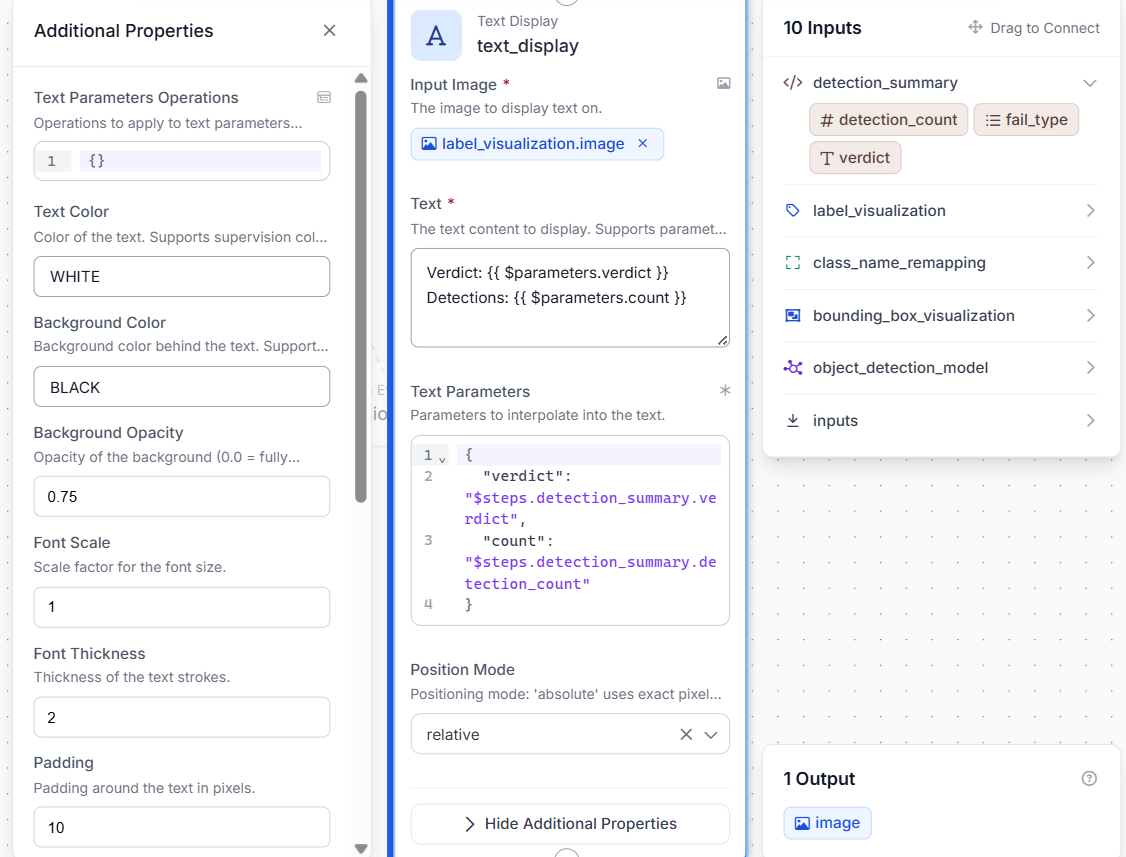
The verdict and detection count are written directly onto the output image on every run.
Step 7: Add a Roboflow Vision Events block
Add a Roboflow Vision Events block. Connect Input Image to inputs.image, Output Image to text_display.image, and Predictions to class_name_remapping.predictions. Set Event Type to Quality Check, Use Case to Transmission Line Inspection, and Result to fail.
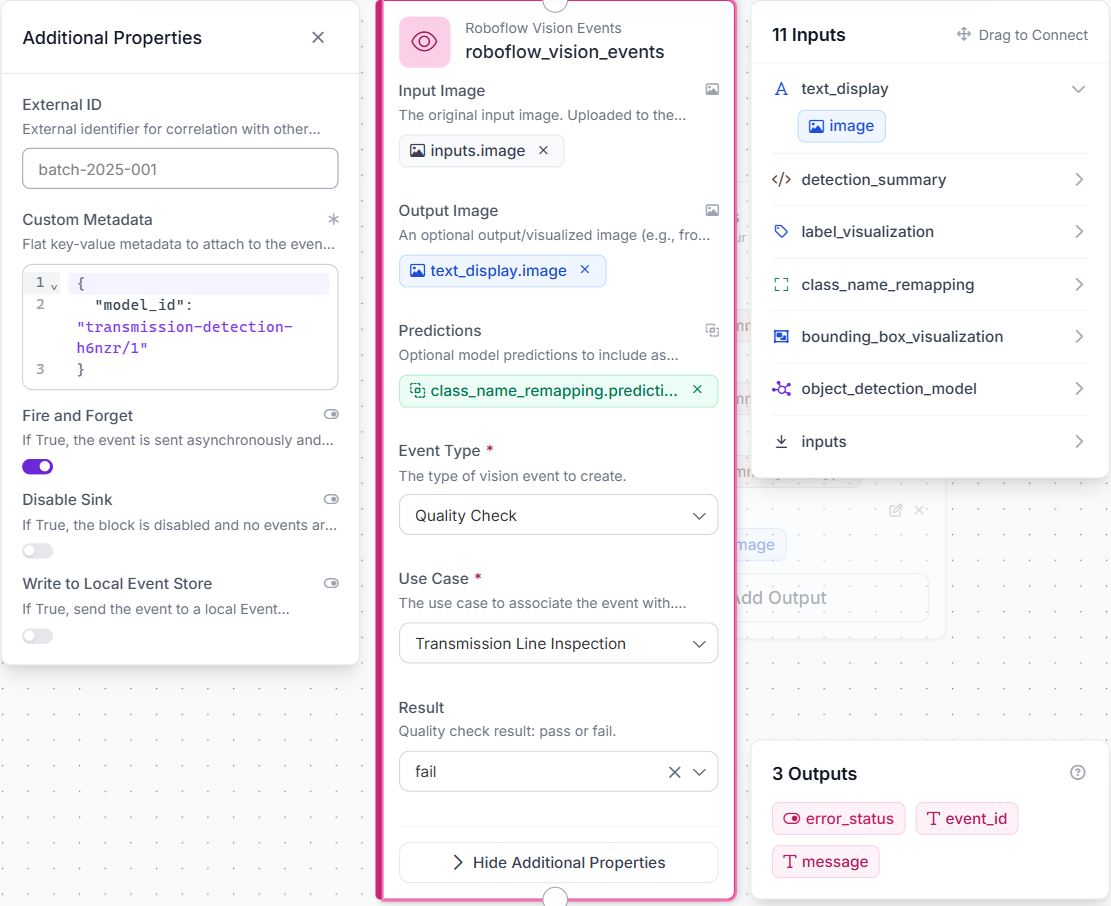
This block records each inspection by saving the original image, annotated output, detected hazards, and final verdict. It does not affect the workflow output.
Step 8: Configure Outputs
Add four outputs: verdict from detection_summary.verdict, detection_count from detection_summary.detection_count, fail_type from detection_summary.fail_type, and output_image from text_display.image.
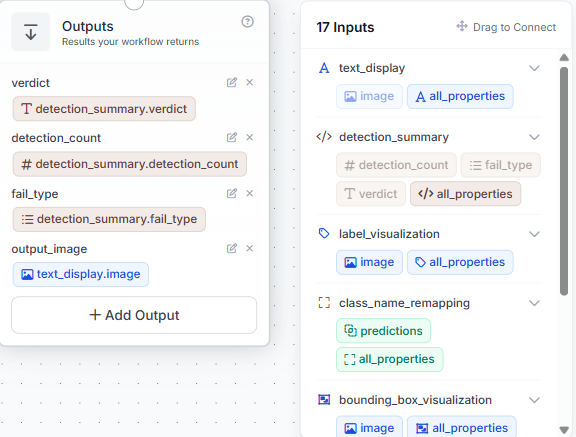
Once all blocks are connected, each incoming image is processed into an annotated result, a final verdict, a detection count, and a list of detected fault types.
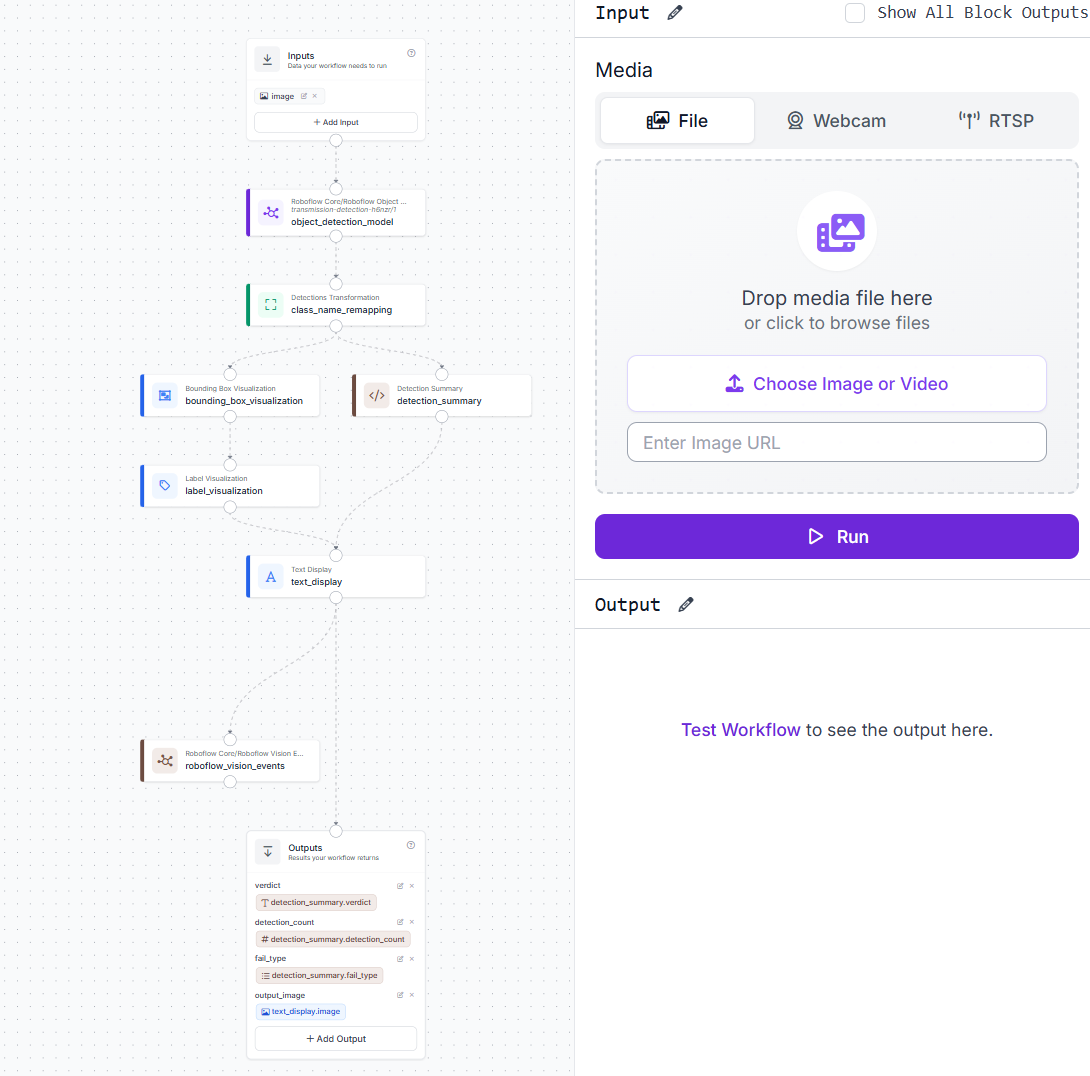
From this point, each image processed by the workflow produces both an annotated output and a structured JSON report. The next section demonstrates the workflow on real transmission line images.
Transmission Line Inspection AI Results
Test case 1: Clean line, status PASS
An aerial shot of a transmission tower with no foreign objects or cable damage. The model finds nothing above the confidence threshold and returns PASS.
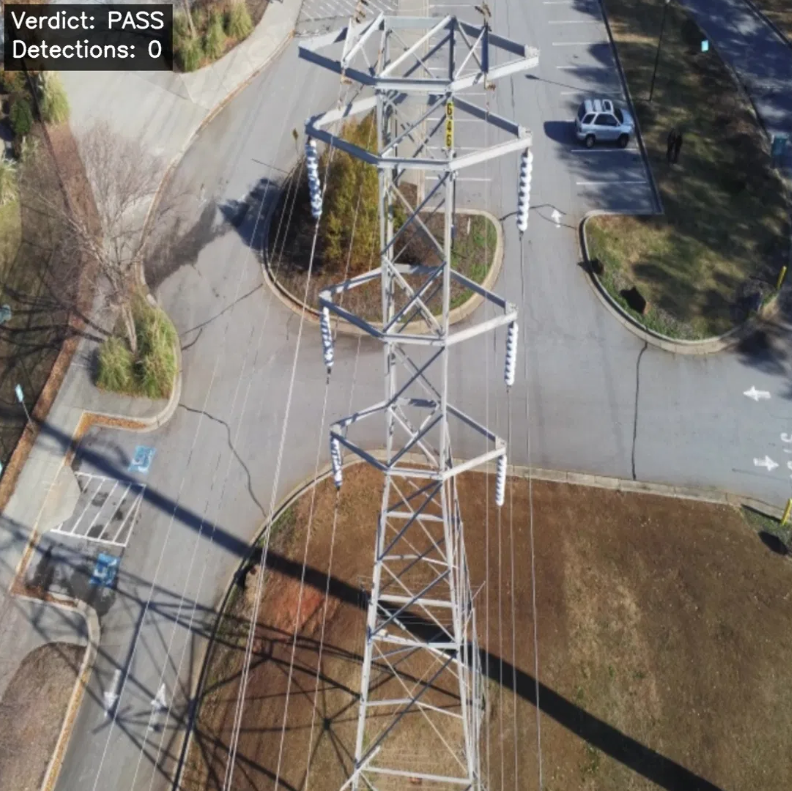
The detector scanned the full frame and found nothing worth flagging.
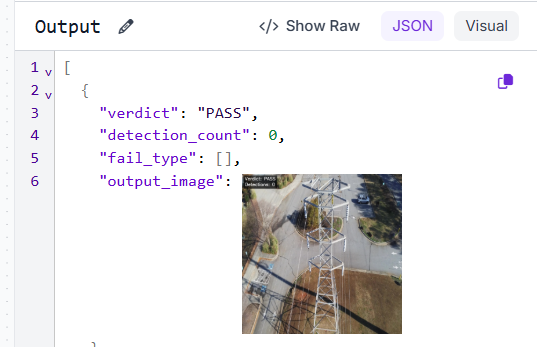
The JSON confirms verdict: PASS and detection_count: 0. No crew dispatch needed.
Test case 2: Foreign object detected, status FAIL
A kite tangled on transmission tower hardware. The model detects it at 0.88 confidence and returns FAIL.
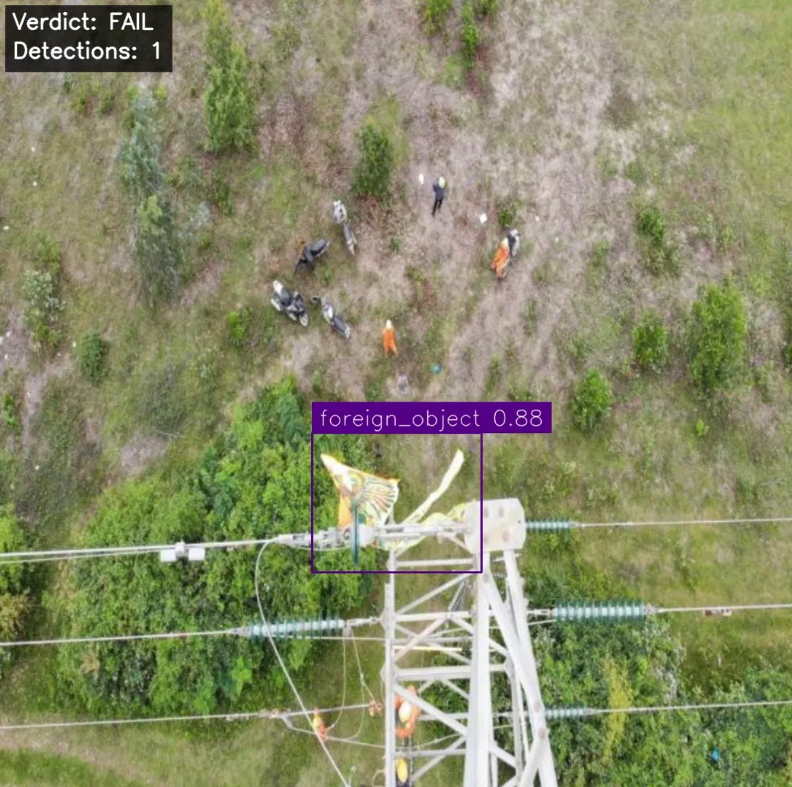
The detection is tight around the kite with the remapped class name foreign_object showing correctly in the label.
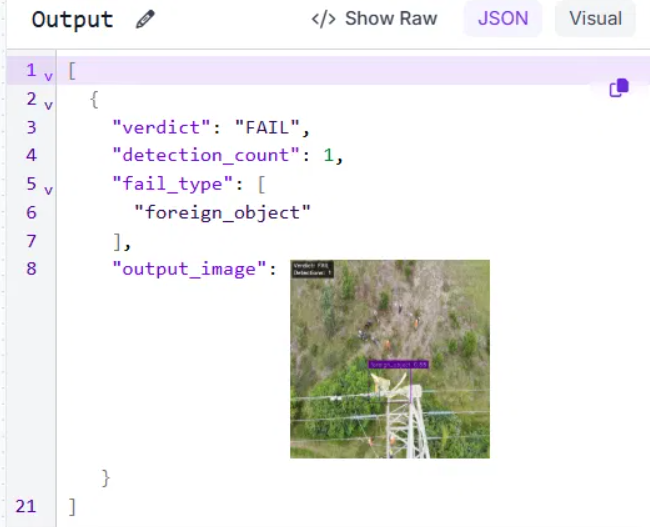
The JSON returns verdict: FAIL, detection_count: 1, and fail_type: ["foreign_object"]. A crew can be dispatched to the exact tower location.
Test case 3: Damaged cable detected, status FAIL
A transmission line with visible broken strands. The model detects the cable damage at 0.84 confidence and returns FAIL.
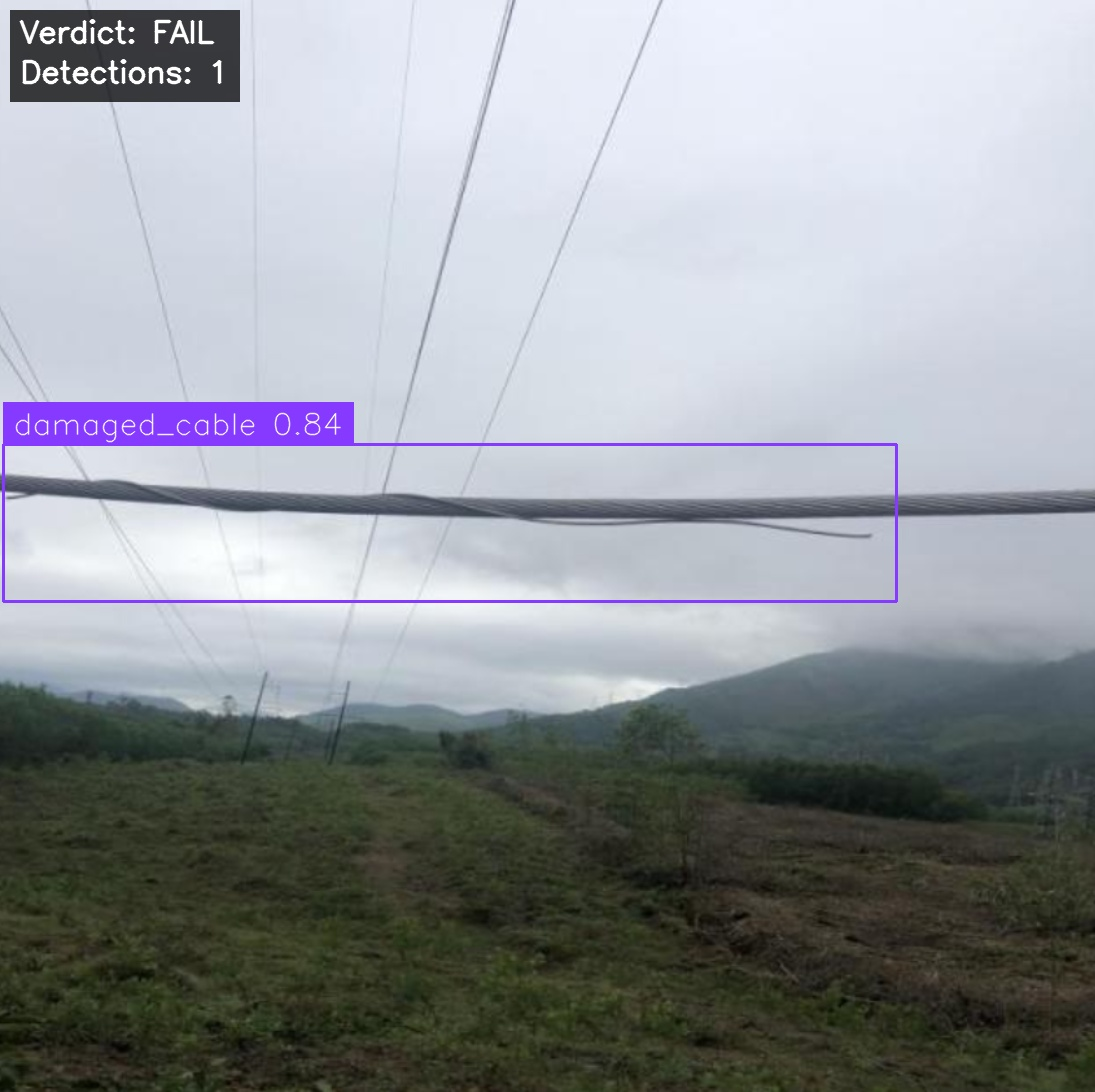
The bounding box spans the full length of the damaged section with the remapped class name damaged_cable showing correctly in the label.
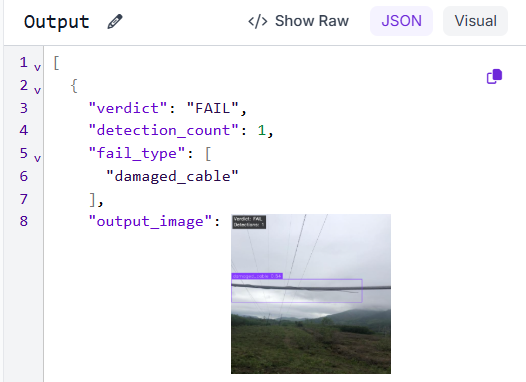
The JSON returns verdict: FAIL, detection_count: 1, and fail_type: ["damaged_cable"]. The fault type in the output tells the maintenance team exactly what they are dealing with before they reach the site
Transmission Line Inspection AI Production Deployment
Deploy the workflow via Roboflow Inference to run it against live drone footage or fixed camera feeds. Roboflow Inference supports deployment on edge devices, cloud servers, and local machines.
Every inspection run logged by Vision Events becomes a structured data point: fault type, detection count, timestamp, and image. Over time, these records reveal clear patterns. A spike in foreign_object detections along a corridor can indicate a recurring hazard zone. A cluster of damaged_cable flags after a storm can highlight spans that need priority inspection.
As Vision Events continues collecting labeled data, the dataset grows automatically. Once enough examples exist across fault classes, the model can be retrained on real field detections, improving performance on edge cases that were not covered in the original dataset.
Scaling from one camera to many requires only adding more inputs. The workflow itself remains unchanged.
Transmission Line AI with Roboflow Agent
If you'd rather not add each block by hand, use Roboflow Agent. Instead of configuring blocks one at a time, you describe the pipeline you want in plain text and the Agent builds it for you. Here's an example:
Transmission Line Inspection AI Conclusion
This workflow takes a transmission line image, runs it through a trained RF-DETR model to detect foreign objects and damaged cables, remaps the class names, annotates the output, and returns a structured verdict.
The pipeline handles both fault types without any changes to the workflow structure. Adding coverage for new hazard types means collecting labeled examples and retraining. The workflow stays the same.
Roboflow Workflows, RF-DETR, and Roboflow Inference provide everything needed to take this from a tutorial to a production inspection system.
Further Reading


Cite this Post
Use the following entry to cite this post in your research:
Mostafa Ibrahim. (Jun 29, 2026). Transmission Line Inspection AI. Roboflow Blog: https://blog.roboflow.com/transmission-line-inspection-ai/