

Anchor boxes are predefined reference boxes, in fixed sizes and aspect ratios, that a detector tiles across an image and refines by predicting a small offset and a class for each one, rather than predicting boxes from scratch.
Object detection models utilize anchor boxes to make bounding box predictions. In this post, we dive into the concept of anchor boxes and why they are so pivotal for modeling object detection tasks. Understanding and carefully tuning your model's anchor boxes can be a very important lever to improve your object detection model's performance, especially if you have irregularly shaped objects.
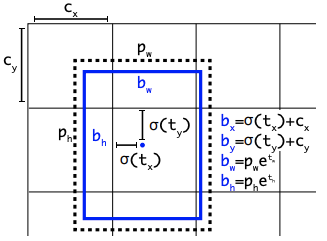
This post explains what anchor boxes are, how they work, how to tune them, and why many current detectors, including RF-DETR, drop them entirely.
Anchor Boxes and Object Detection Tasks
In object detection, we are seeking to identify and localize objects as they appear in an image. Object detection differs from image classification because there may be multiple objects of the same or different classes present in the image, and object detection seeks to accurately predict all of these objects.
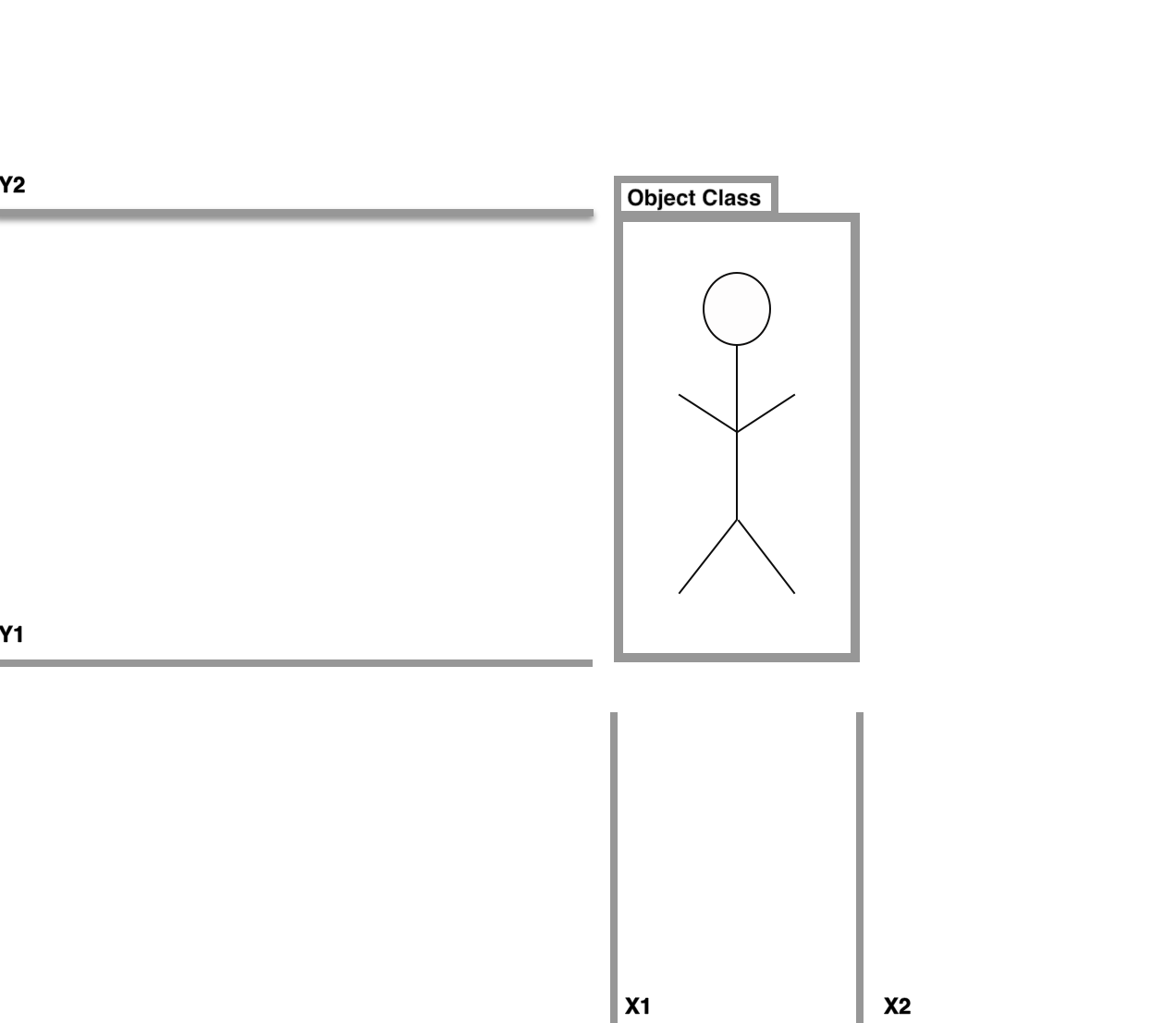
Object detection models tackle this task by breaking the prediction step into two pieces - first they predict a bounding box through regression and second by predicting a class label through classification.
What Are Anchor Boxes?
In order to predict and localize many different objects in an image, many object detection models such as EfficientDet and the YOLO models start with anchor boxes as a prior, and adjust from there.
State of the art models generally use bounding boxes in the following order:
- Form thousands of candidate anchor boxes around the image
- For each anchor box predict some offset from that box as a candidate box
- Calculate a loss function based on the ground truth example
- Calculate a probability that a given offset box overlaps with a real object
- If that probability is greater than 0.5, factor the prediction into the loss function
- By rewarding and penalizing predicted boxes slowly pull the model towards only localizing true objects
This is why when you have only lightly trained a model, you will see predicted boxes showing up all over the place.
Anchor box predictions that have not yet converged
After training has completed, your model will only make high probability bets based on the anchor box offsets that it finds most likely to be real.
After training, the model will predict boxes more reliably
How to Custom Tune Anchor Boxes
In an anchor-based model, the anchor sizes and aspect ratios are a setting you can change. The default anchors are usually tuned to the box distribution in a general dataset like COCO, so they work well for common objects but can misfit unusual shapes. If you are detecting tall, skinny objects like giraffes or flat, wide objects like manta rays, anchors shaped for COCO will start far from your objects and localization suffers.
In an anchor-based model, anchors are declared in the model configuration file. In a YOLOv5 config, for example, the anchors are listed per detection scale as width and height pairs:
# parameters
nc: 80  # number of classes
depth_multiple: 0.33  # model depth multiple
width_multiple: 0.50  # layer channel multiple

# anchors
anchors:
  - [116,90, 156,198, 373,326]  # P5/32
  - [30,61, 62,45, 59,119]  # P4/16
  - [10,13, 16,30, 33,23]  # P3/8

# YOLOv5 backbone
Each row is a feature-map scale, and each pair is one anchor's width and height in pixels, so smaller anchors detect small objects and larger anchors detect large ones.
Two approaches help you set them. You can hand-tune anchor dimensions to match the aspect ratios in your data, or you can let the model learn anchors from your training set, which anchor-based detectors commonly do by clustering the ground-truth boxes with k-means. Auto-learned anchors adapt to a custom dataset whose objects look nothing like the COCO distribution, which removes most of the manual guesswork.
Anchor-Free Detection and Why It Matters
Anchor boxes come with real overhead: you have to choose or learn their sizes, they add hyperparameters, and a mismatch between your anchors and your objects quietly caps accuracy. Many current detectors avoid all of that by being anchor-free.
RF-DETR, Roboflow's real-time detection transformer, is one of them. As a DETR-style model, it predicts a fixed set of objects directly through learned object queries and set prediction, with no anchor boxes to design or tune and no non-maximum suppression step to clean up overlapping anchors. That means one fewer thing to get wrong on a custom dataset: you do not tune anchors, you just label your data and fine-tune. RF-DETR reaches state-of-the-art accuracy, runs in real time, and ships under a permissive Apache 2.0 license.
Train an Object Detector Without Tuning Anchor Boxes
You can skip anchor tuning entirely: label your images and fine-tune a detector that predicts boxes directly. Create a free Roboflow account and follow the RF-DETR training guide to build a model on your own data.
Related reading:
Cite this Post
Use the following entry to cite this post in your research:
Erik Kokalj. (Mar 19, 2026). What Are Anchor Boxes in Object Detection?. Roboflow Blog: https://blog.roboflow.com/what-is-an-anchor-box/