

Designing an automated computer vision solution for court sports requires processing velocity and precision. When monitoring a volleyball, the system must continuously pinpoint a fast-moving ball across rallies to produce clean coordinates. Dropping a single prediction during a rapid spike, setter dump, or net block breaks the continuous path, rendering the tracking dataset incomplete for tactical coaches and analysts.
Historically, capturing athletic metrics required manual video clipping and notation, which demands significant time and human labor. Transitioning to automated vision pipelines lets sports facilities deploy computer vision models that extract telemetry data with consistency.
This guide details how to build an end-to-end tracking pipeline that converts raw match video into structured trajectory metadata using the Roboflow Platform.
How to Automate Volleyball Tracking with AI
Step 1: Initialize Your Workspace
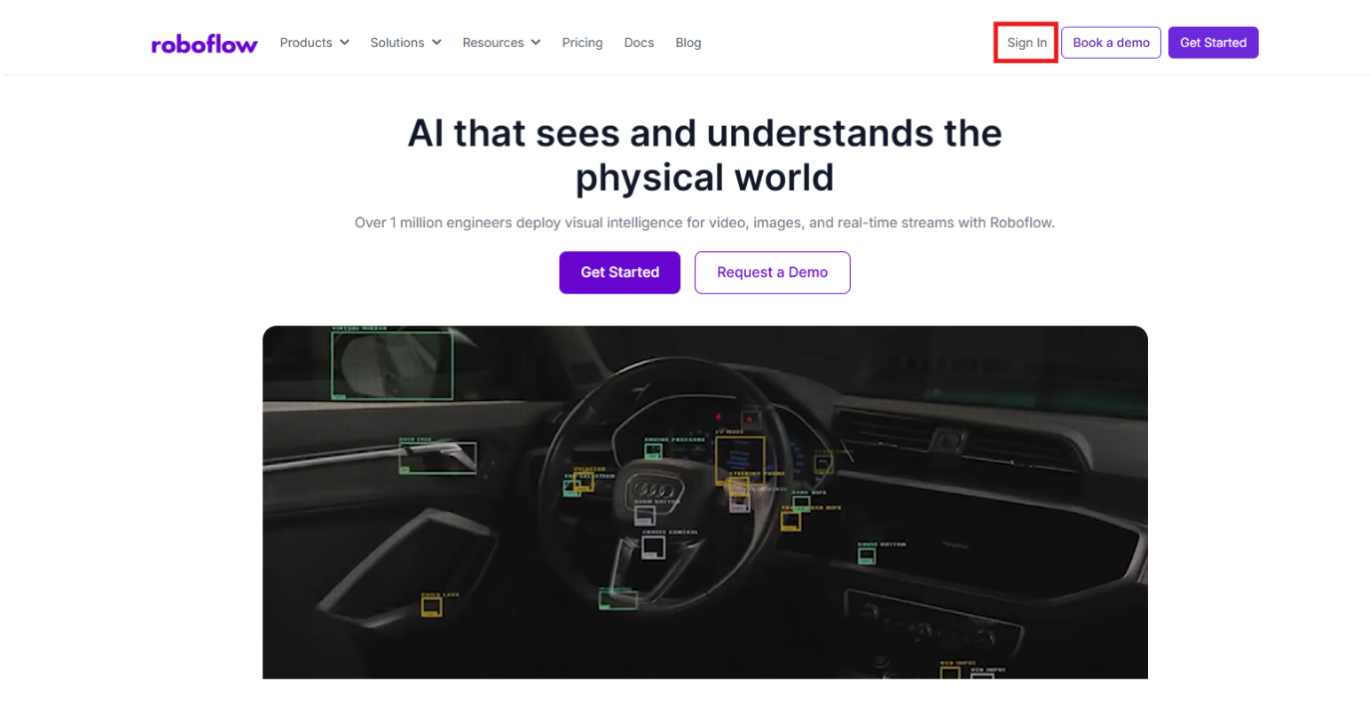
Begin by logging into the Roboflow Dashboard. New users can set up a free account to structure vision datasets, host custom neural networks, and manage project versions from a single interface.
Step 2: Acquire the Volleyball Dataset
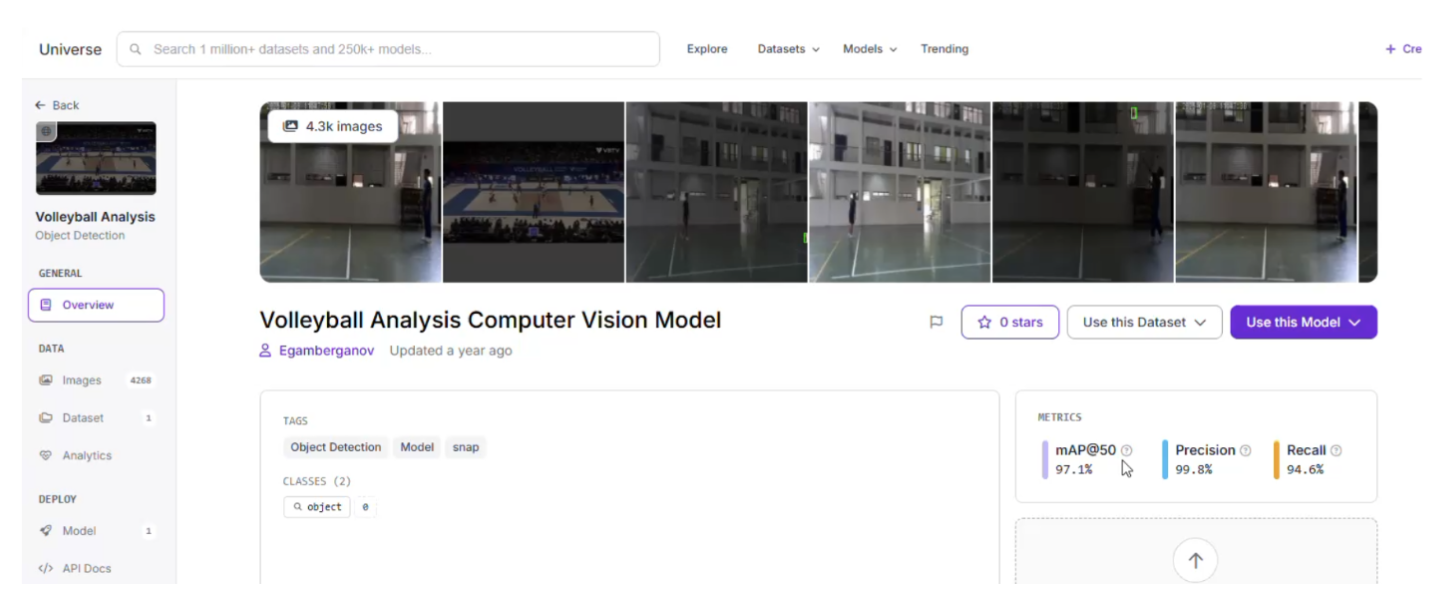
Effective machine learning models rely heavily on training data that mirrors the target operational deployment. For court sports, you can explore public repositories on Roboflow Universe to locate imagery that captures diverse indoor gym environments, floor finishes, and lighting setups.
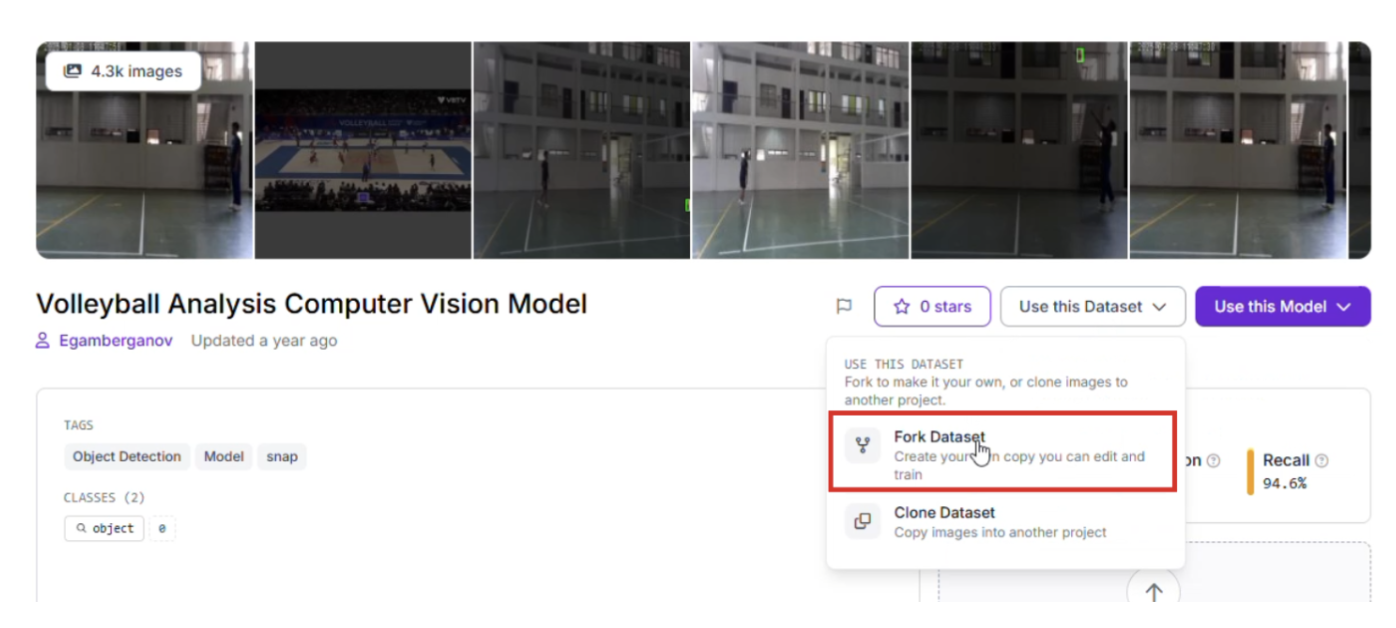
Once you discover a suitable baseline dataset, select the "Fork Project" feature to copy the imagery directly into your personal workspace for custom model training.
Step 3: Annotation and Dataset Labeling
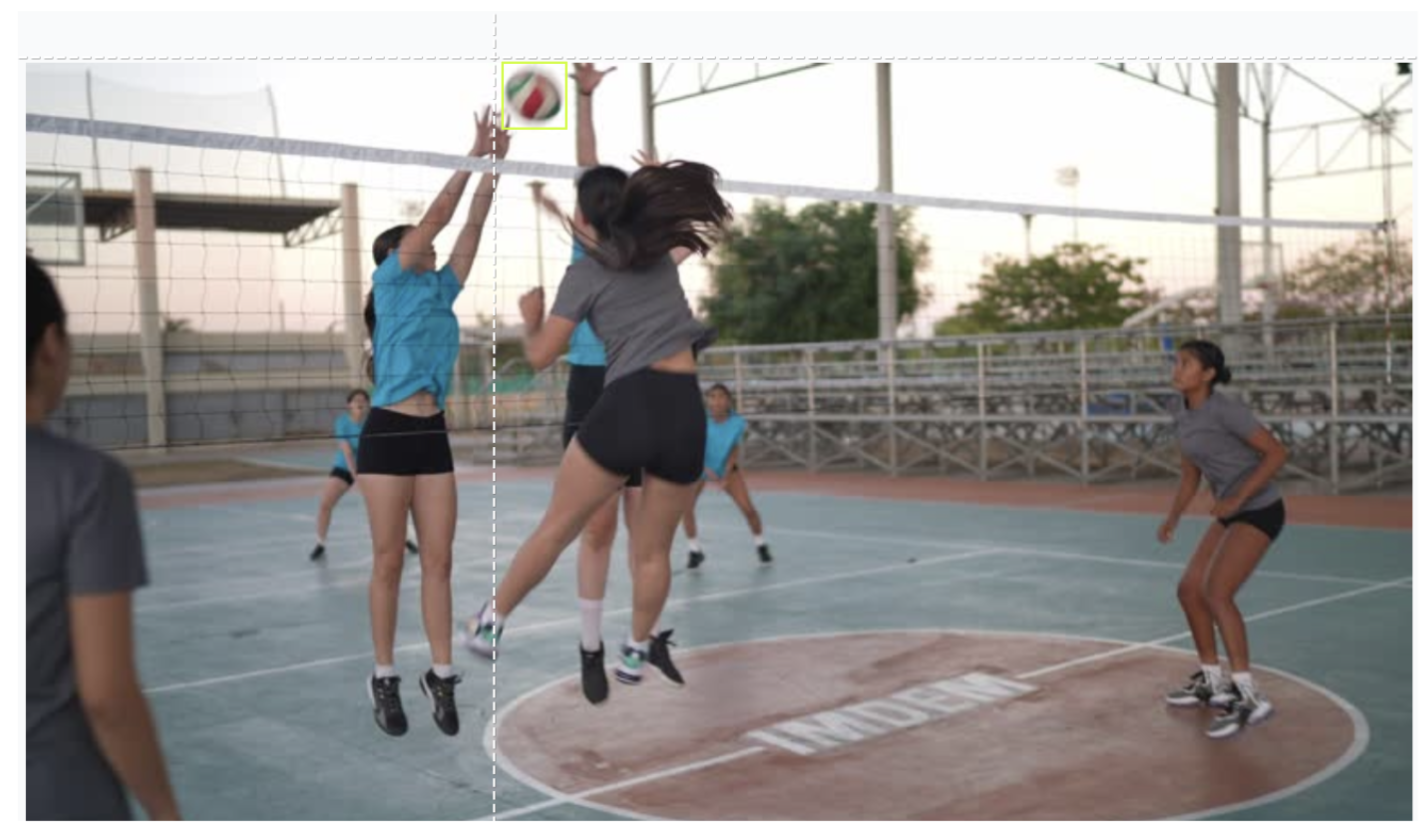
When preparing custom video streams from your own facility, use the native Roboflow Annotate tools to isolate your target object. Drawing tight bounding boxes specifically around the volleyball ensures that the model learns the exact sphere patterns, colors, and motion blur signatures needed for reliable extraction.
Step 4: Execute the Roboflow RF-DETR Model Training
This implementation leverages Roboflow's RF-DETR architecture to handle object localization. As a transformer-based model engineered specifically for low latency, it provides the rapid execution speeds necessary for fluid video processing.
To kick off training:
- Open your project panel and select the Train tab.
- Choose the Roboflow RF-DETR Object Detection (Small) model type.
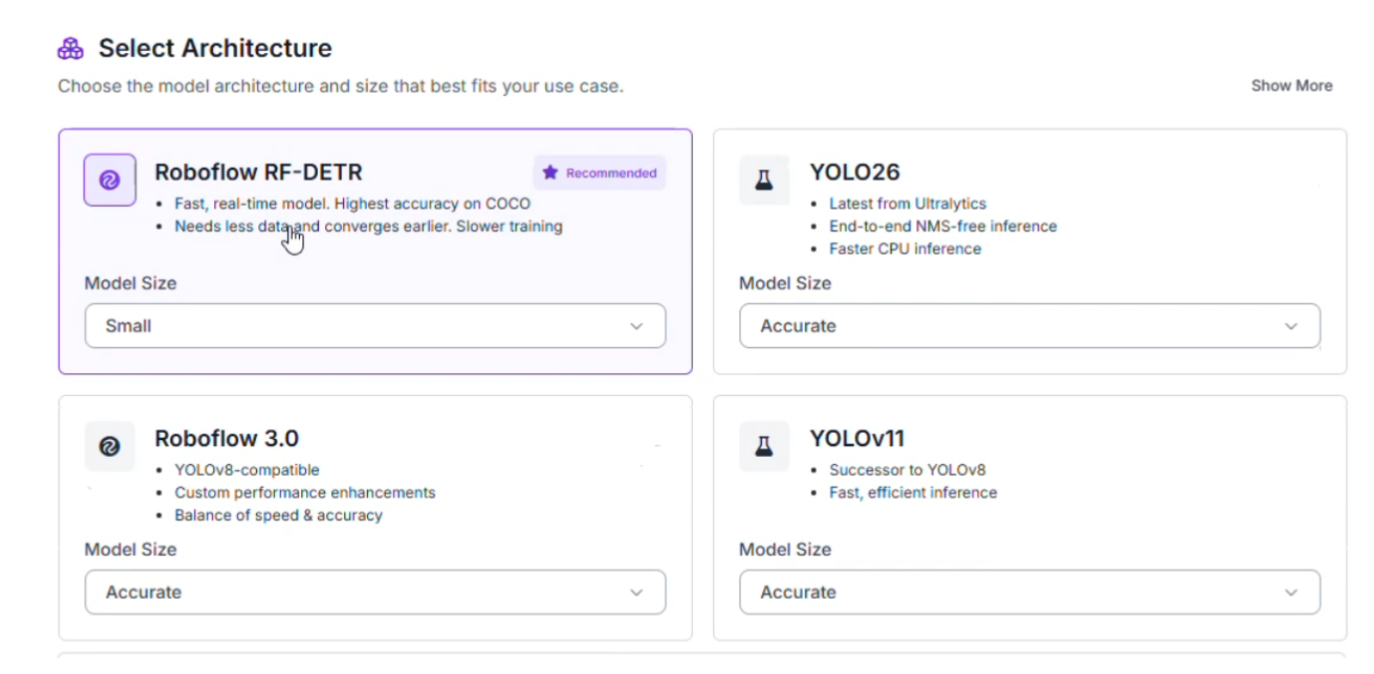
Advantages of RF-DETR Small:
- High Frame-Rate Inference: Fast-moving sports require instant per-frame calculations. This model processes incoming video sequences rapidly enough to sustain real-time performance.
- Hardware Efficiency: The lightweight footprint of this variant allows it to run smoothly on edge computing appliances, keeping your infrastructure local to the court deck.
Step 5: Configure the Data Split
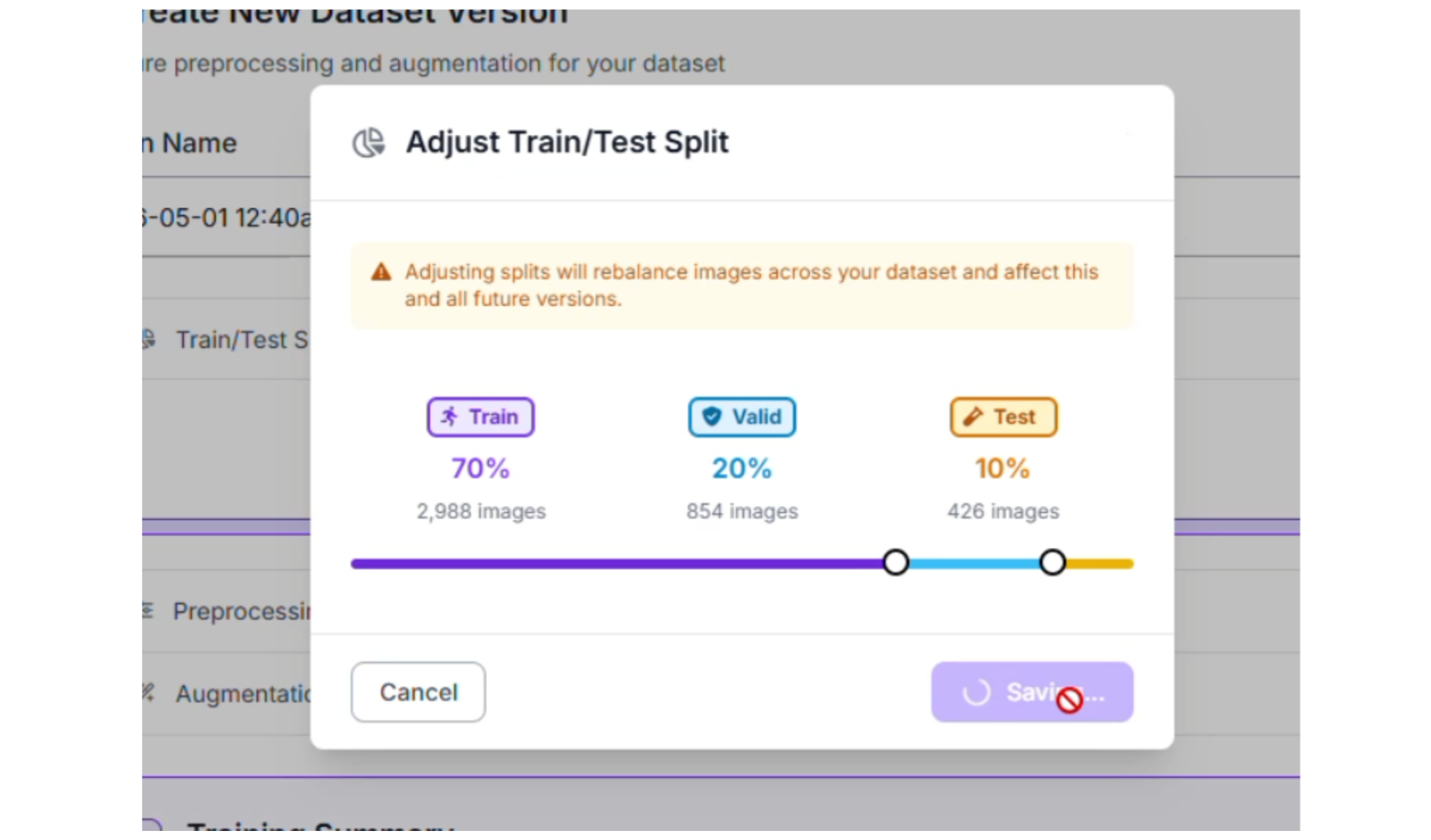
To guarantee that the neural network generalizes effectively across shifting court backdrops, the image distribution was partitioned using a standard division:
- Training Set (70%): Instructs the model on ball patterns, orientation changes, and typical flight angles.
- Validation Set (20%): Benchmarks performance during the active training process to safeguard against overfitting.
- Testing Set (10%): Functions as an independent evaluation metric using entirely unseen match frames.
Step 6: Implementing Preprocessing and Augmentations
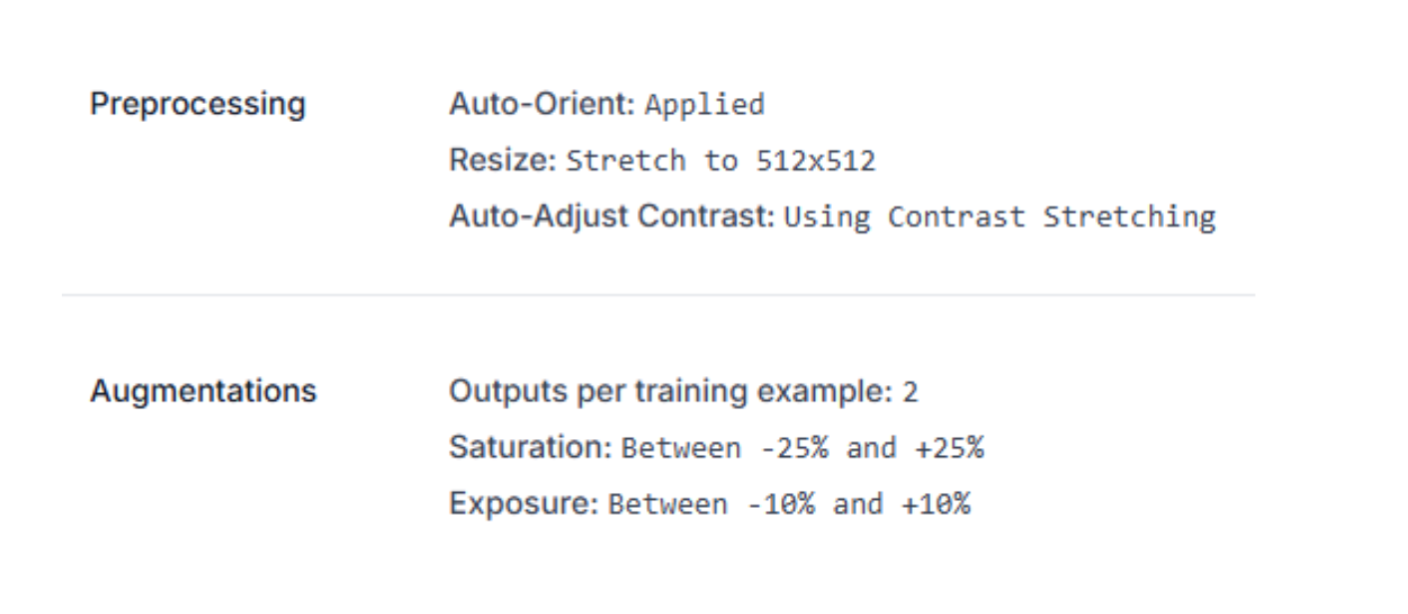
To preserve stable tracking despite high-velocity motion and intense overhead stadium lighting, the following image configurations were applied:
- Auto-Orient & Standardization: Normalizes all input dimensions to a uniform 512x512 resolution for predictable processing.
- Dataset Generation Multiplier: Set to create 2 outputs per training example to expand the dataset size.
- Saturation Fluctuations (between -25% and +25%): Trains the network to recognize the ball under shifting gym floor reflections and leather discoloration.
- Brightness (between -15% and +15%) & Exposure (between -10% and +10%): Protects the system against harsh glare from indoor spotlights or windows.
Step 7: Evaluating Training Performance Metrics
Following completion of the training cycle, the model's performance was reviewed using the Production Metrics Explorer. Operating at an optimal confidence threshold of 59%, the specialized volleyball detector achieved the following test results:
- mAP@50: 99.0%
- Precision: 100.0%
- Recall: 97.8%
- F1-Score: 98.9%
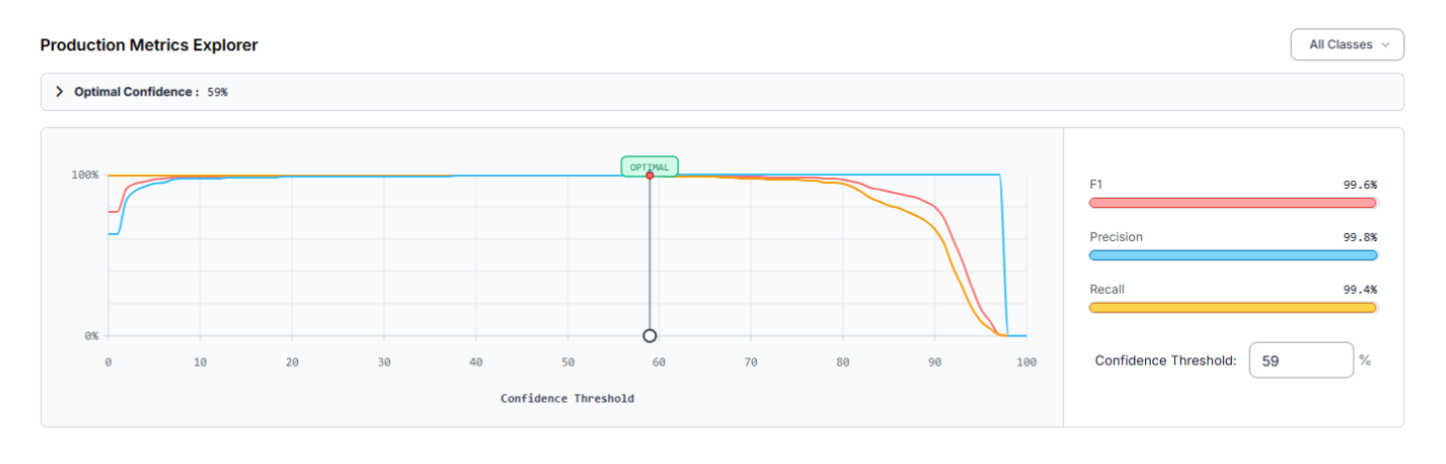
A precision score of 100.0% confirms that every single detection made by the model was an actual volleyball, preventing false positives from background distractions like shoes or jerseys. The 97.8% recall score demonstrates that the network successfully catches almost every instance of the ball in flight.
However, the evaluation logs indicate that the volleyball class missed 3 total objects (false negatives) during the test evaluation. Some ways can be implemented to create perfect training performance metrics:
- Introduce more training samples, capturing the ball at extreme distances or when partially blocked by the net.
- For cameras mounted high in the stadium rafters, where the ball looks tiny, incorporate a tiling preprocessing configuration or utilize a Slicing Aided Hyper Inference (SAHI) pipeline.
Assembling the Tracking Pipeline inside Workflows
With your specialized detection model deployed at the URL “volleyball-analysis-4ib8q-qv5e7/1”, you can assemble the tracking logic. This architecture is constructed using Roboflow Workflows, a visual canvas for linking computer vision blocks together. This is the workflow created in this article.
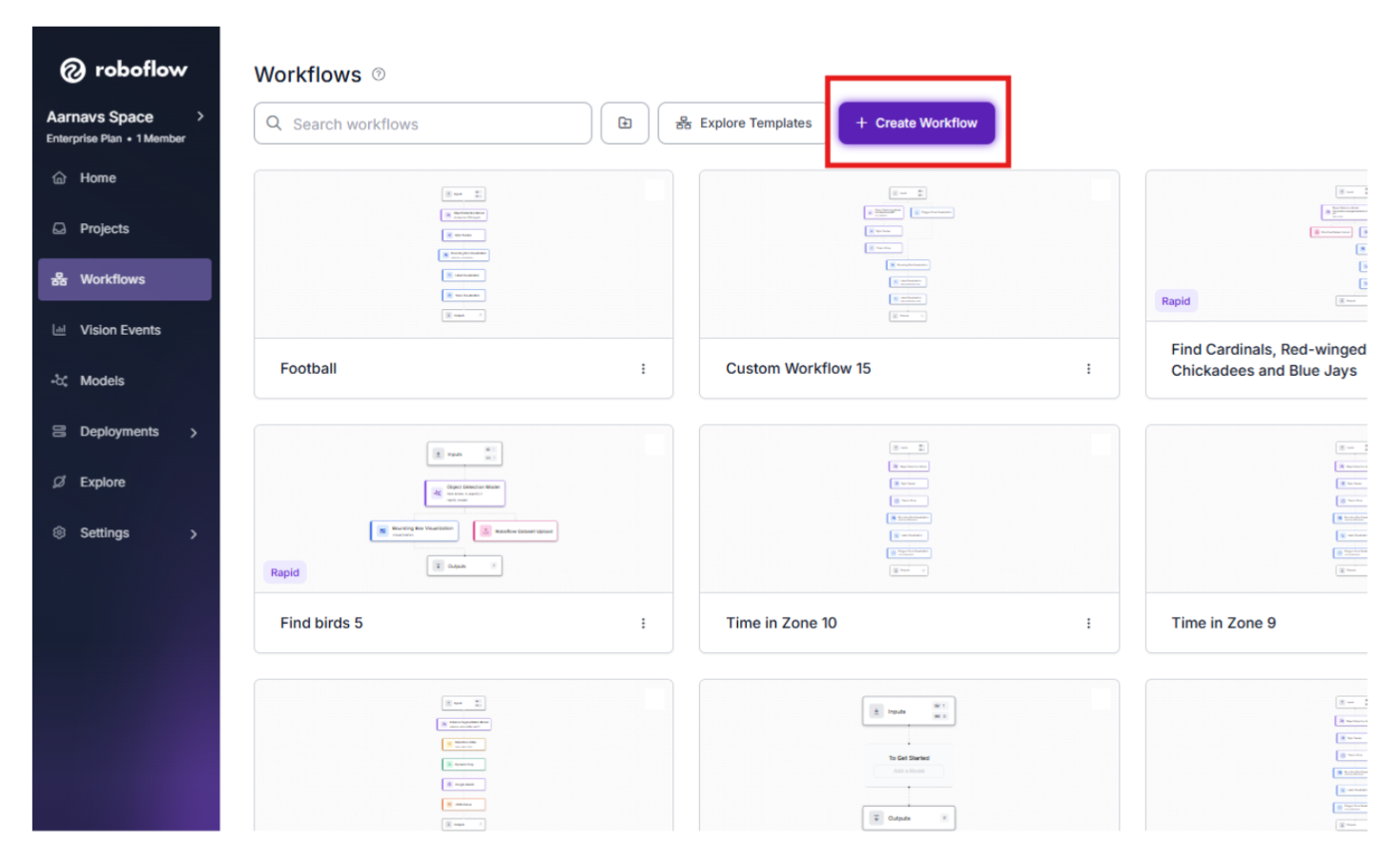
1. Create the workflow
Navigate to the Workflows tab in the sidebar.
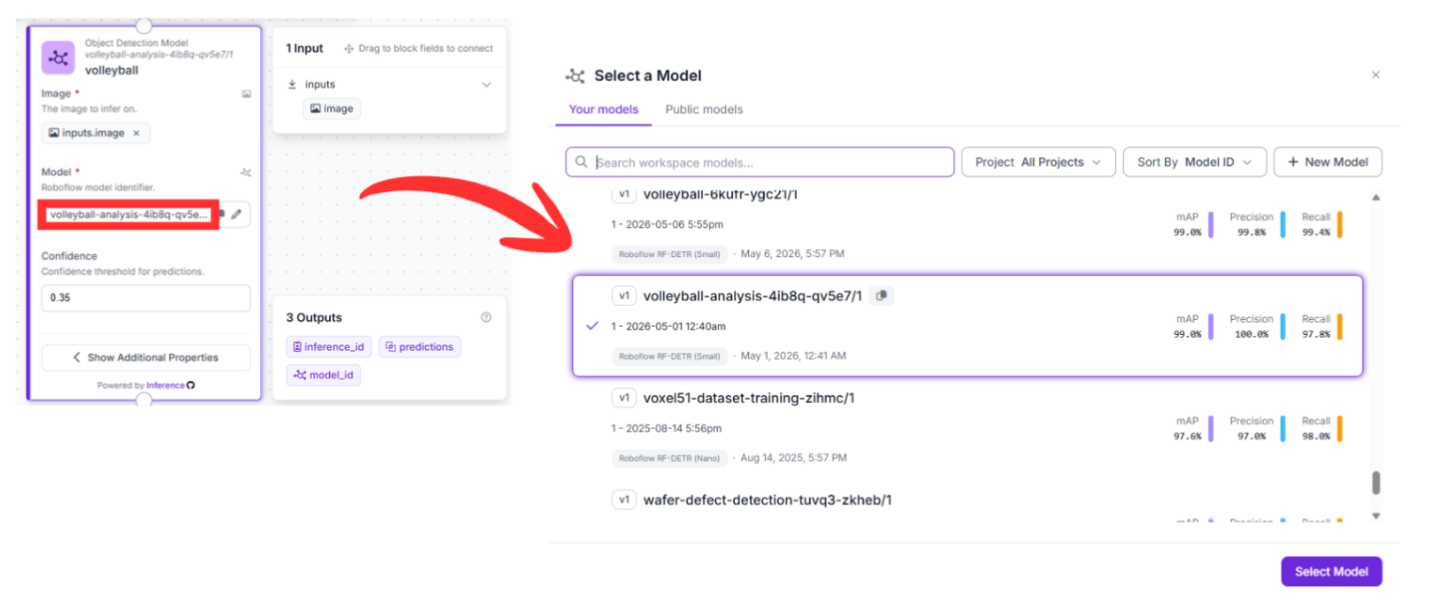
2. Detection Block (RF-DETR)
- Upstream Connection: Receives data directly from the image property of the Input block.
- Configuration: Pointed directly to your custom model version: volleyball-analysis-4ib8q-qv5e7/1.
- Function: This block processes each incoming frame to identify the volleyball, producing structured coordinates for its location.
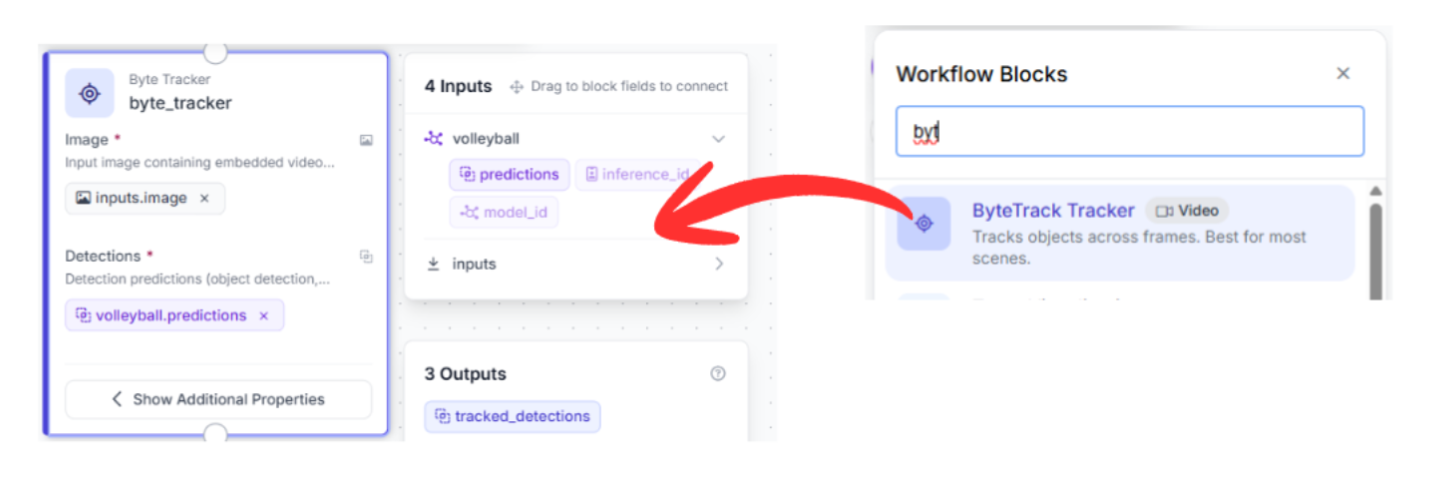
3. Tracking Block (byte_tracker)
- Upstream Connection: Plugs directly into the prediction array output by the volleyball detection block.
- Why it matters: Object detectors treat every image as an isolated event. To maintain a consistent identity for the volleyball across an entire rally, a dedicated tracker is required.
- Function: This node utilizes ByteTracker to calculate motion vectors. If the ball passes behind a player's hands during a block, the tracker predicts its spatial path to preserve its identity the moment it reappears.
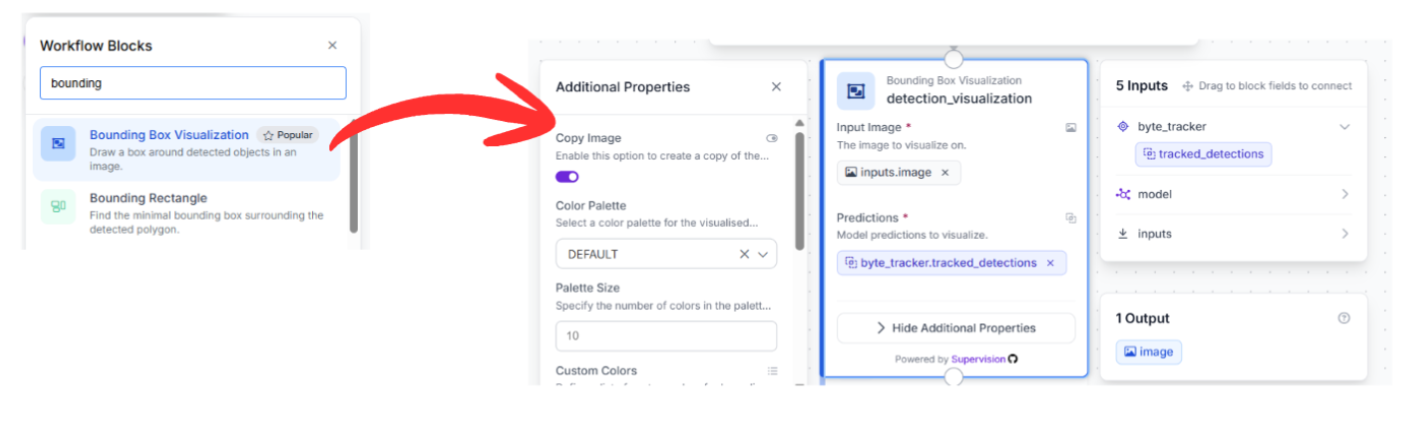
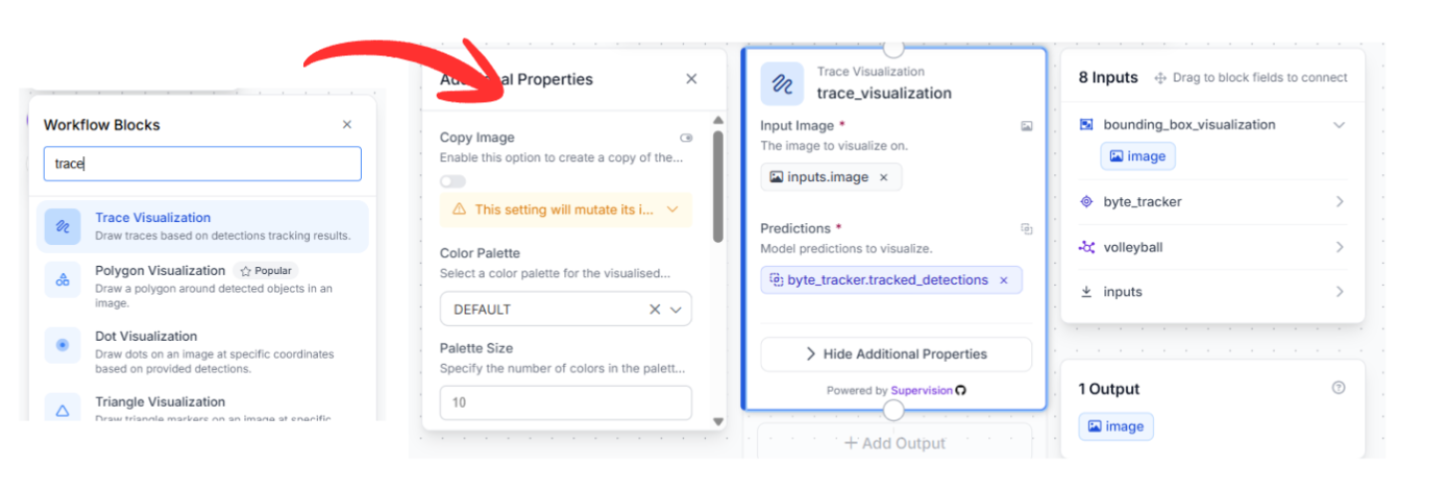
4. Visualization Chaining
To view the output telemetry visually, two visualization blocks are linked together in a serial chain:
Bounding Box Visualization: Connects to the tracking node to draw crisp rectangles around the tracked ball using the coordinates verified by ByteTracker.
Trace Visualization: Chained directly to the output of the bounding box visualizer. This block records historical coordinate histories to paint a continuous motion trail, mapping out the precise arc and trajectory of the ball over time.
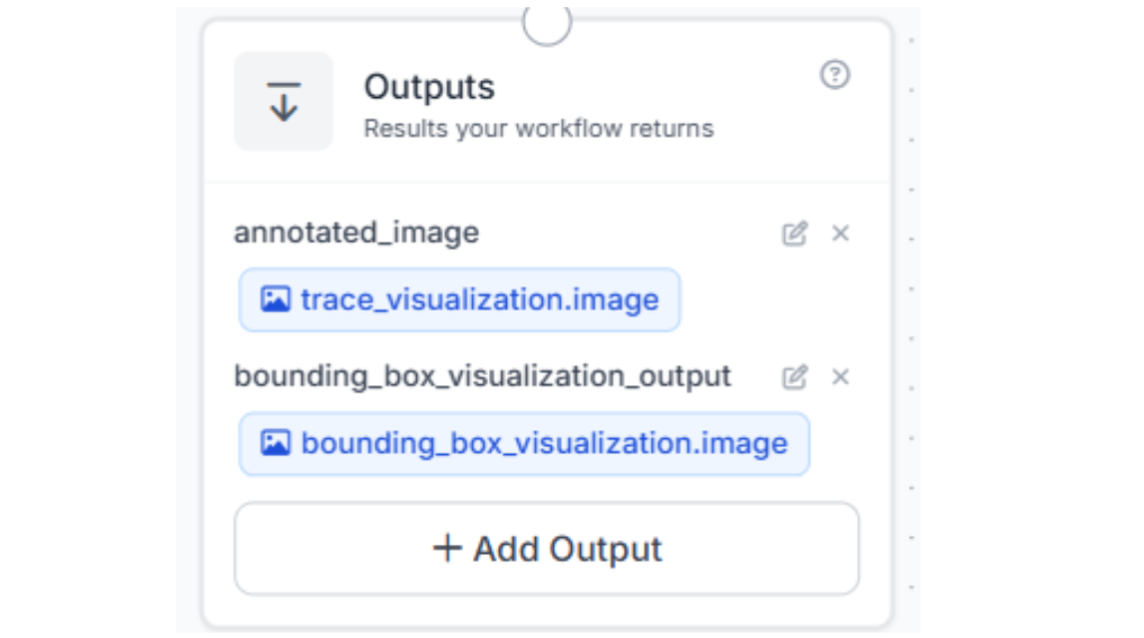
5. Final Output Assembly
The visualization chain terminates at the Output block. This node returns the final compiled video feed containing the bounding boxes and persistent flight paths directly to your application or dashboard.
Alternative Deployment: Utilizing Roboflow Agent
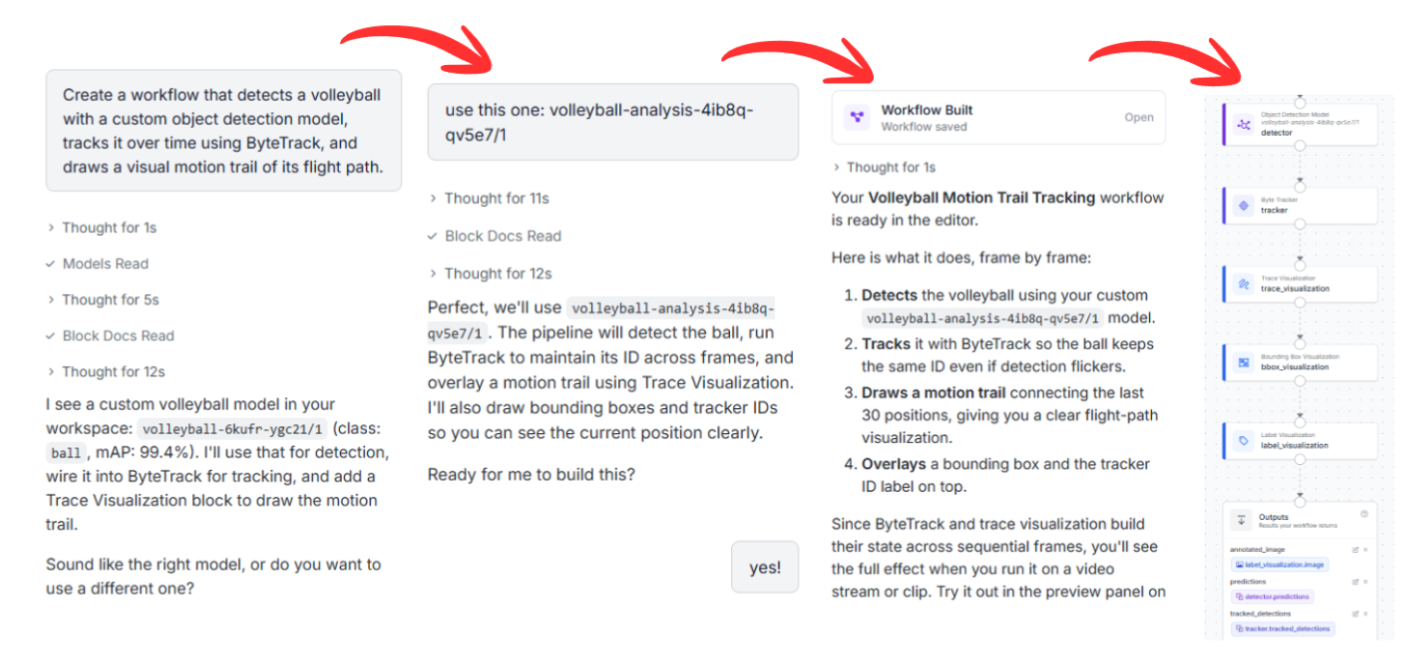
If you want to bypass manual node placement, you can employ the automated Roboflow Agent. By entering a natural language prompt, the agent constructs the underlying block structure automatically:
Example Prompt: "Create a workflow that detects a volleyball with a custom object detection model, tracks it over time using ByteTrack, and draws a visual motion trail of its flight path."
The assistant will verify a few details about your deployment environment and then assemble the complete functional workspace graph for you.
Automate Volleyball Tracking Conclusion
Ready to build your own court-side analytics system? Register for a free Roboflow Account and explore the sports datasets available on Universe today.
Written by Aarnav Shah


Cite this Post
Use the following entry to cite this post in your research:
Contributing Writer. (May 7, 2026). Automated Volleyball Tracking with RF-DETR and ByteTracker. Roboflow Blog: https://blog.roboflow.com/automate-volleyball-tracking/