

Build automated foreign object debris detection by training an RF-DETR model to localize debris and pavement holes on runways. Deploy it in a Roboflow Workflow where Gemini 2.5 Pro classifies each detected object and writes a runway inspection summary.
Foreign object debris (FOD) is a persistent safety concern at airports. Small objects such as bolts, tools, loose hardware, plastic fragments, or stones left on runways and taxiways can damage aircraft, delay flights, and increase maintenance costs. According to the Federal Aviation Administration (FAA), the global economic impact of FOD is estimated to reach $22.7 billion annually, highlighting the importance of timely detection and removal before aircraft operations.
Traditionally, airports rely on scheduled runway inspections and dedicated personnel to identify debris. While these inspections remain essential, manually scanning large pavement areas is time-consuming and can make detecting small or partially obscured objects difficult. Computer vision provides an opportunity to automate part of this process by continuously analyzing camera imagery and identifying potential hazards in real time.
In this tutorial, we will build an automated FOD detection system using Roboflow. We will train an RF-DETR model on a public foreign object debris dataset to demonstrate the complete workflow, from dataset preparation to deployment. Although this tutorial uses a general FOD dataset, the same pipeline can be applied to airport-specific runway or taxiway datasets with minimal changes.
The system can help identify:
- Foreign objects on paved surfaces
- The location of detected debris
- The type of detected object using Gemini 2.5 Pro
- Inspection summaries that assist runway maintenance and safety personnel
The final output is an annotated image highlighting detected foreign objects alongside AI-generated inspection observations.
Tarmac Safety AI with Roboflow
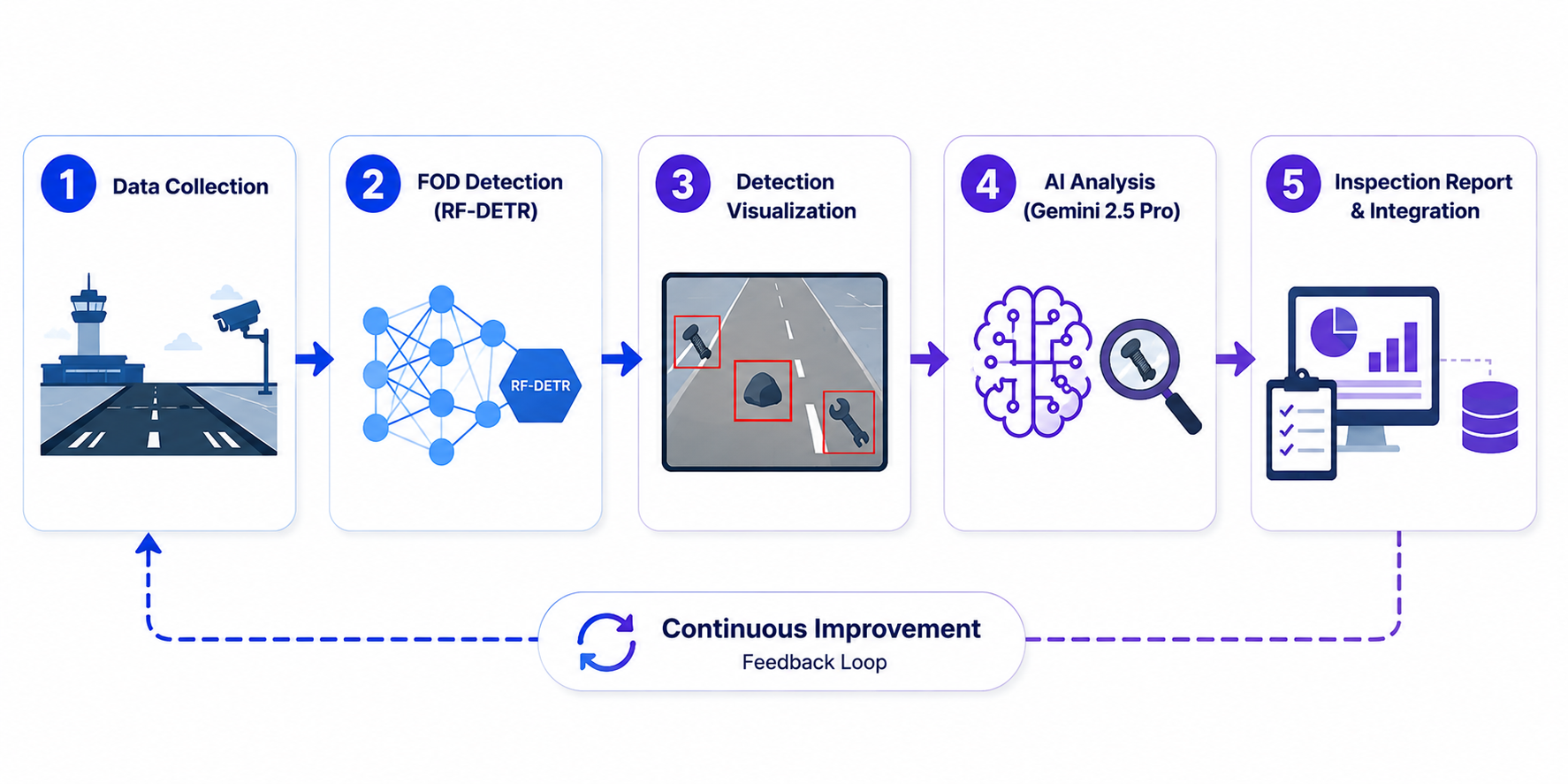
Here's the workflow we'll build.
Step 1: Prepare the Dataset
We use the Foreign Object Debris Computer Vision Model dataset from Roboflow Universe. The dataset contains 4,307 annotated images with two classes:
- FOD
- Hole
The FOD class identifies foreign objects that could pose a hazard on paved surfaces, while the Hole class marks pavement defects that may also require maintenance attention. Together, these classes allow the model to detect both loose debris and surface anomalies from a single image.
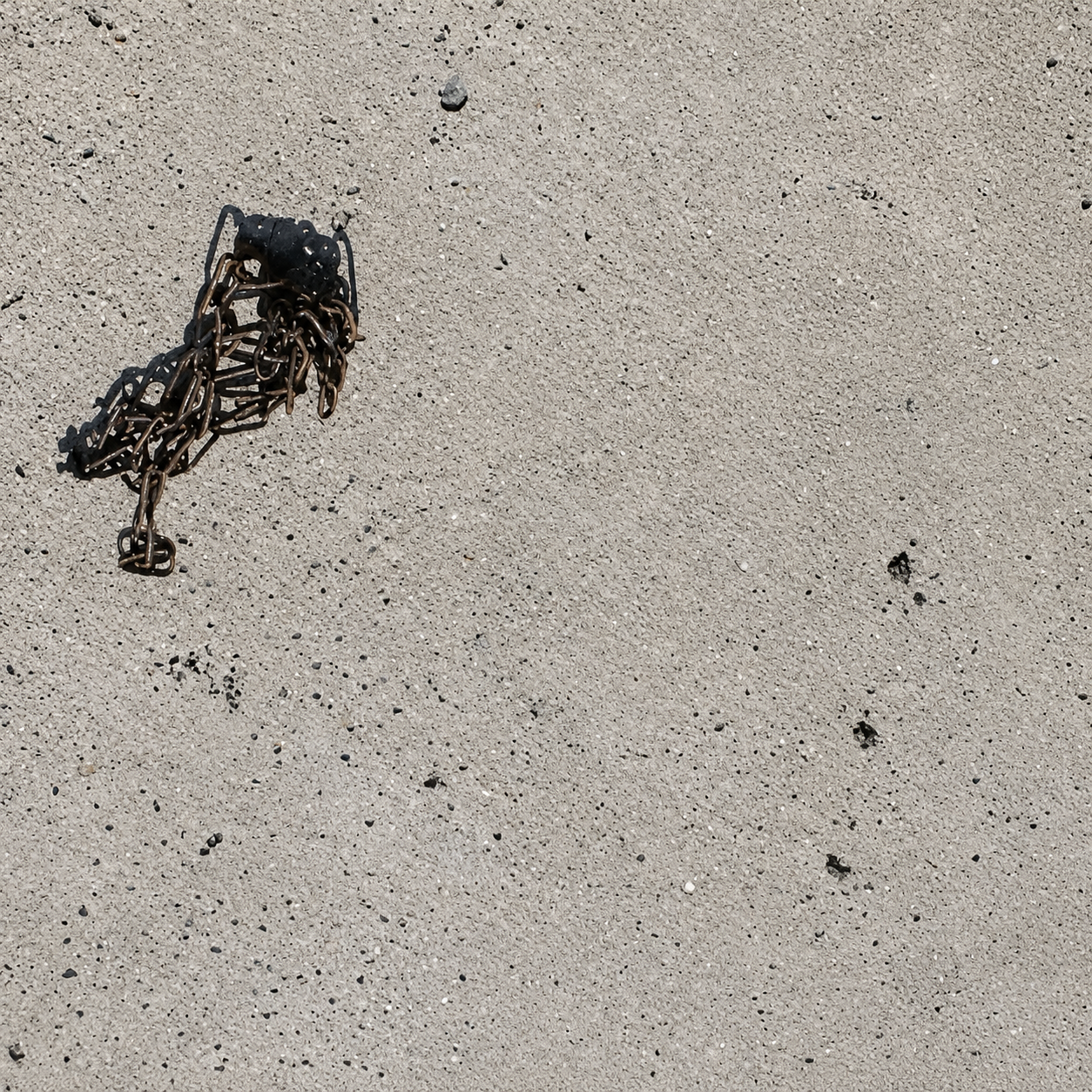
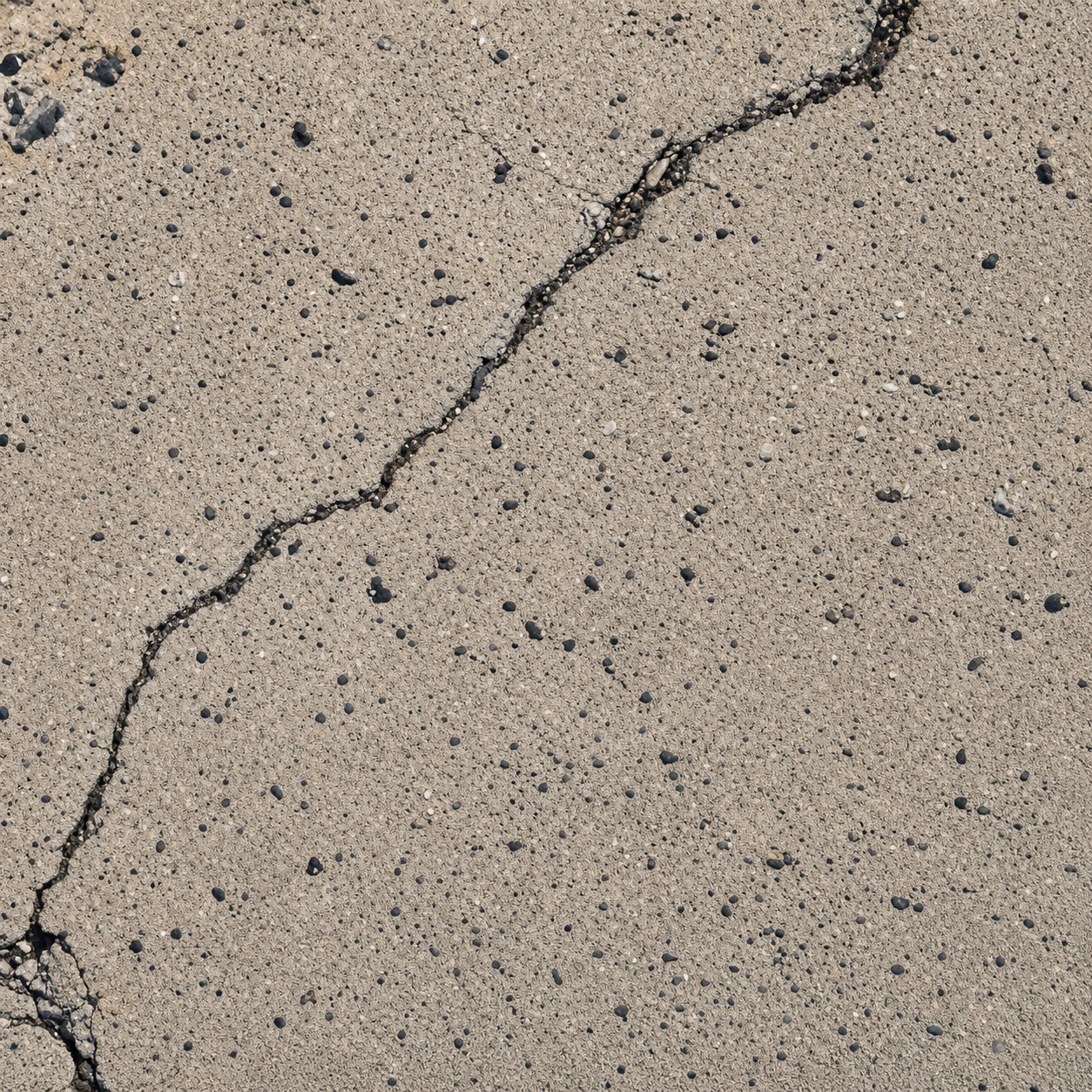
The dataset includes images captured under different lighting conditions and viewing angles. Objects also vary in size, shape, and appearance, helping the model learn to recognize a wide range of debris types.
Examples from the dataset:
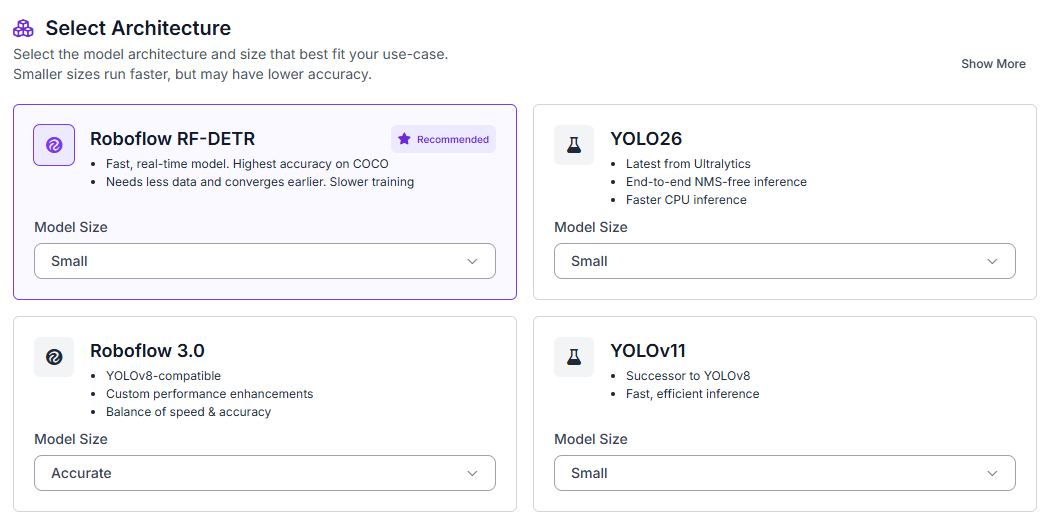
To begin, fork the dataset into your Roboflow workspace. Next, open the Train tab and select Custom Training. From the available architectures, choose RF-DETR and set the model size to Small.
After selecting the model architecture, generate a new dataset version before starting training. Configure a 70/15/15 split for the training, validation, and test sets.
Enable the following preprocessing steps:
- Auto-orientation
- Resize (512 × 512)
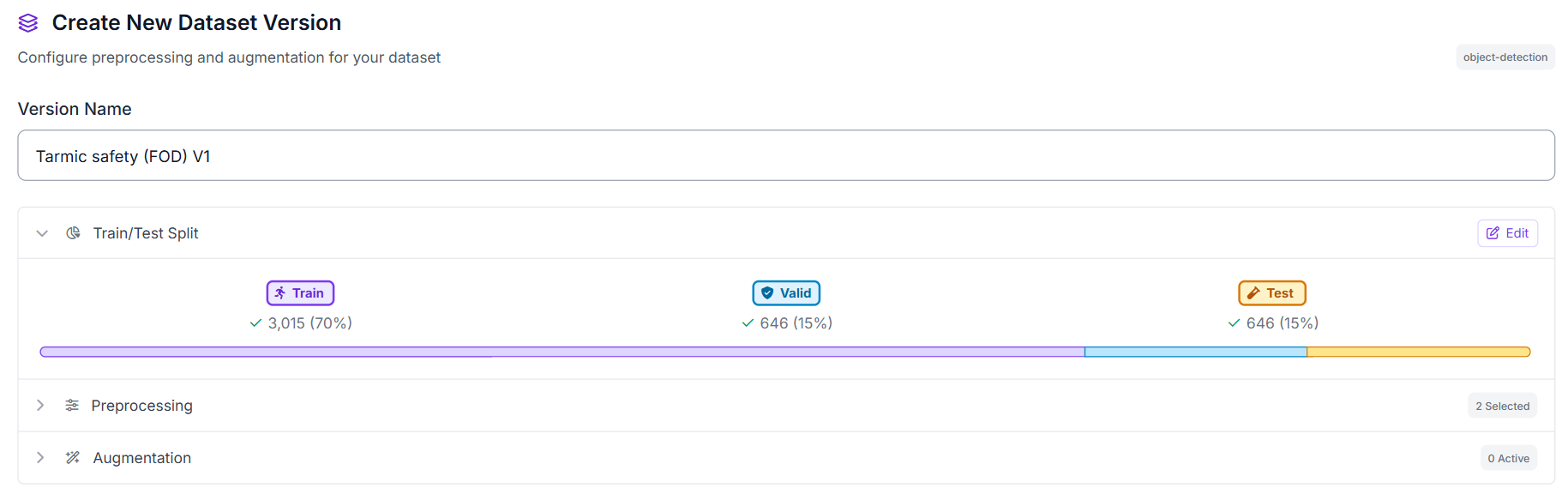
These preprocessing steps ensure that all images have a consistent orientation and resolution, providing standardized inputs for RF-DETR training.
Step 2: Train the RF-DETR Model
Once training begins, RF-DETR learns to localize foreign objects and pavement defects directly from the annotated images. Unlike an image classification model that only determines whether an image contains debris, RF-DETR predicts the location of each detected object using bounding boxes.
This localization capability is essential for FOD inspection because it allows maintenance personnel to see exactly where potential hazards are located. Instead of producing a single FOD detected prediction, the model highlights each detected object or pavement defect for further inspection.
After training completes, Roboflow provides evaluation metrics that measure how accurately the model detects both FOD and Hole instances. These metrics help determine whether the model is ready for deployment in Roboflow Workflows, where we will integrate Gemini 2.5 Pro to classify detected objects and generate inspection summaries.
Step 3: Evaluate Model Performance
Our RF-DETR Small model achieved excellent results on the foreign object debris detection task.
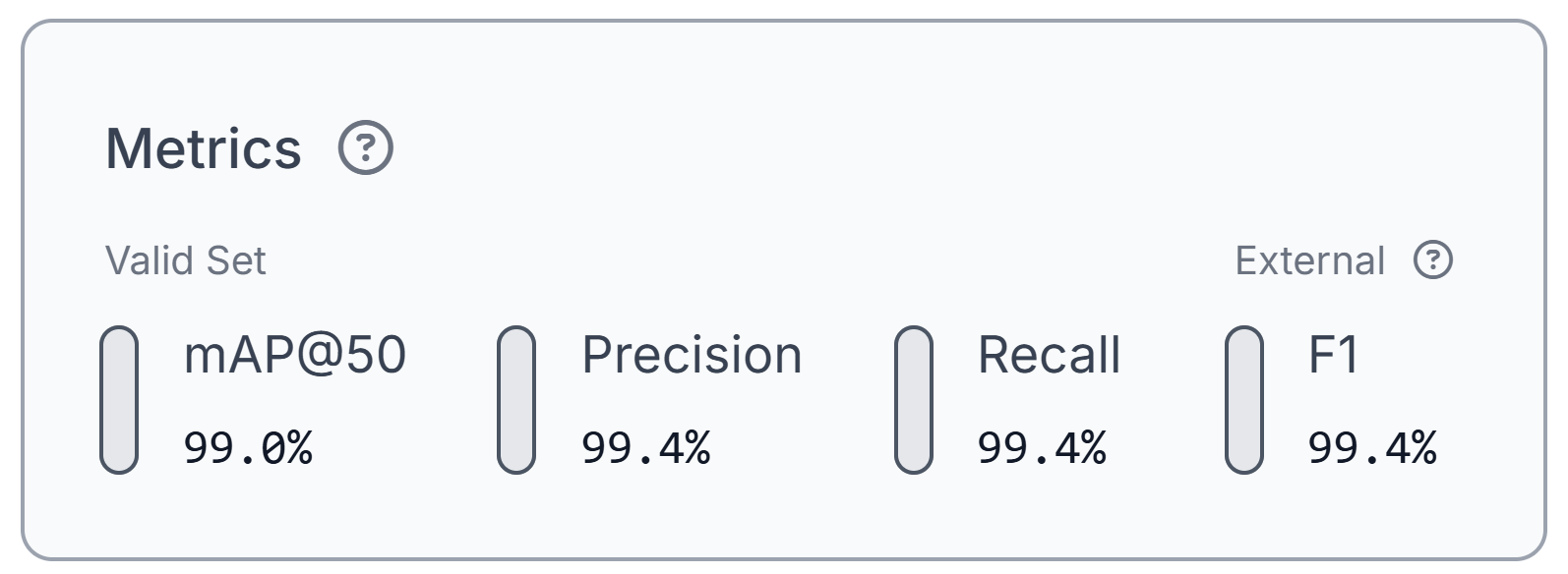
The model achieved 99.0% mAP@50, along with 99.4% precision, 99.4% recall, and a 99.4% F1 score. These results indicate that the model can accurately detect both FOD and Hole instances across the validation dataset.
The high precision score means that nearly every detected object corresponds to a real piece of debris or pavement defect, minimizing false positives. Equally high recall indicates that the model successfully identifies almost all annotated objects, reducing the likelihood that hazardous debris will be missed during inspection. Together, these metrics suggest that the model has learned the characteristics of the training dataset effectively.
Keep in mind that these metrics reflect performance on the public FOD dataset used in this tutorial. When deploying the workflow for airport operations, evaluating and, if necessary, fine-tuning the model on airport-specific imagery is recommended to account for differences in runway surfaces, lighting conditions, camera viewpoints, and the types of debris encountered.
These metrics evaluate the RF-DETR detection model only. In the next section, we will use Gemini 2.5 Pro to classify detected objects and generate inspection summaries based on the detection results.
Step 4: Deploy to Workflows
After validating the model, the next step is to deploy it using Roboflow workflow. Workflows provide a visual interface for combining object detection, visualization, multimodal reasoning, and image annotation into a single pipeline.
The workflow consists of the following stages:
- Input Image: The workflow accepts an image of a paved surface.
- RF-DETR Detection: The RF-DETR model detects the FOD and Hole classes.
- Bounding Box Visualization: Bounding boxes are drawn around every detected object.
- Label Visualization: Class names are added to each detection while confidence scores remain hidden for a cleaner output.
- Gemini 2.5 Pro: The annotated image is sent to Gemini, which identifies the type of each detected FOD object, generates a short runway safety summary, and recommends whether further inspection is required.
- JSON Parser: Gemini's structured response is parsed into individual fields.
- Text Display: The inspection summary and recommendation are overlaid onto the annotated image.
- Output: The workflow returns a single annotated image containing the RF-DETR detections and Gemini's inspection assessment.
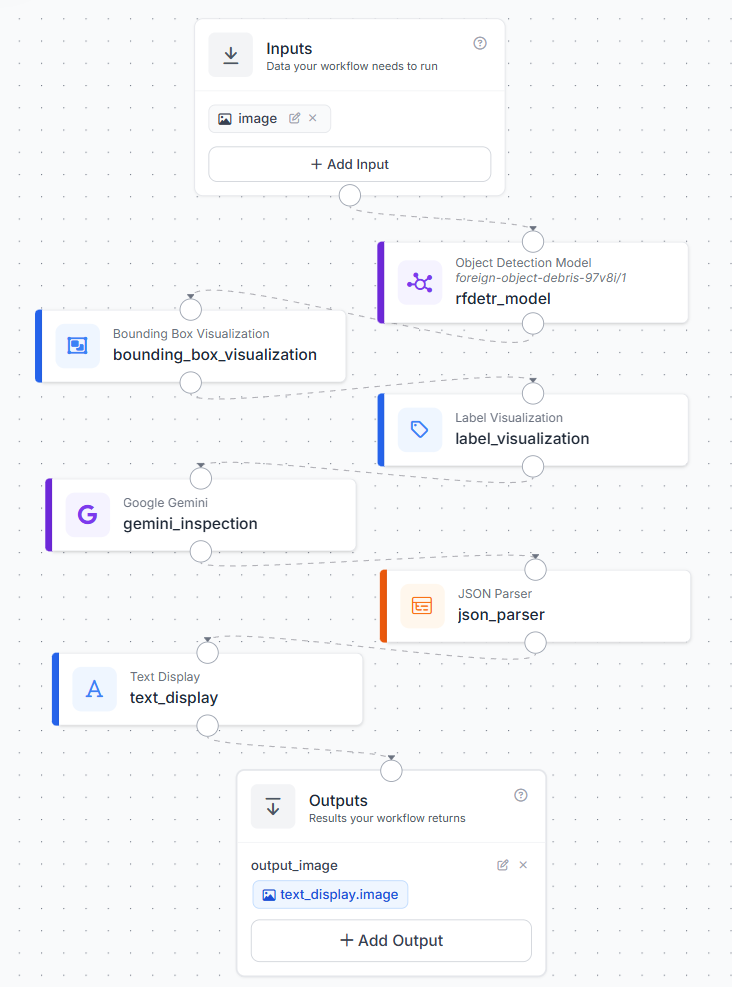
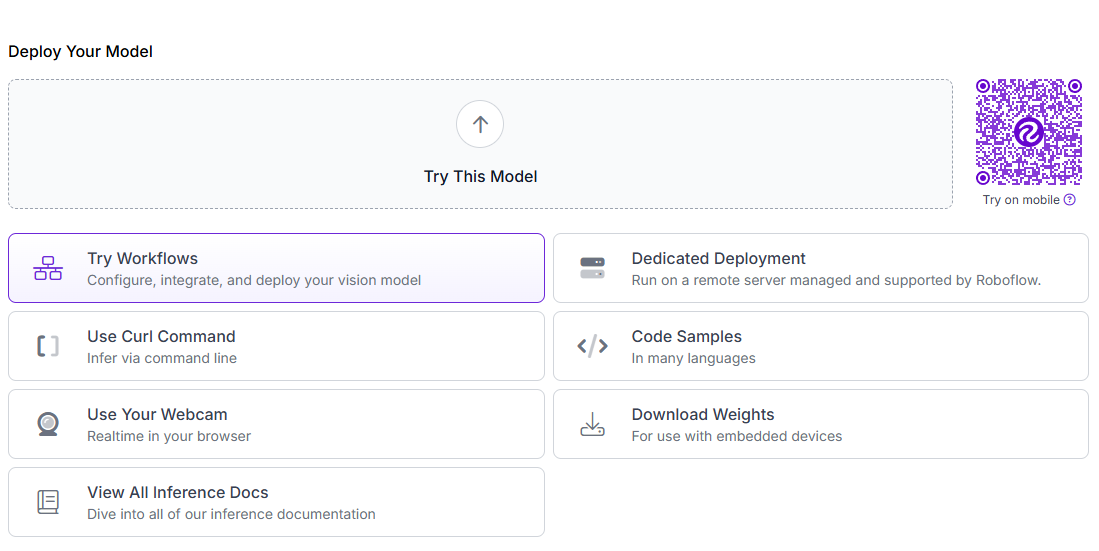
To create the workflow, click Try Workflows from your trained model's deployment page. From the available templates, select Detect and Visualize as the starting point.
Step 5: Configure the Gemini 2.5 Pro Block
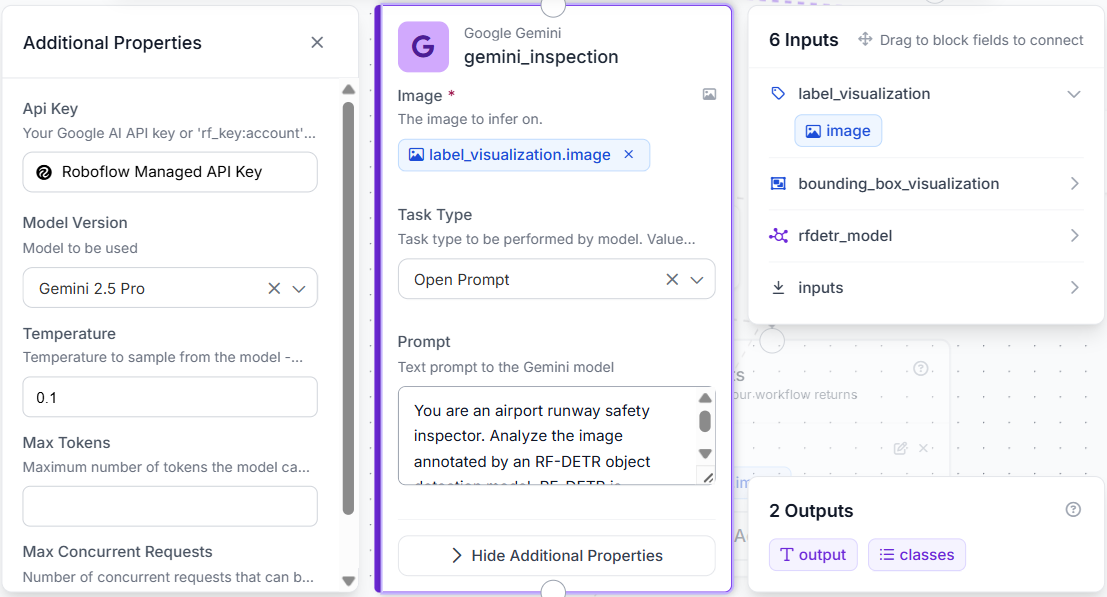
Add a Google Gemini block after the Label Visualization block. Configure it to receive the annotated image rather than the original input. This allows Gemini to analyze the same detections shown to the user.
Use the following settings:
- Image: $steps.label_visualization.image
- Model: Gemini 2.5 Pro
- Task Type: Open Prompt
Use the following prompt:
You are an airport runway safety inspector. Analyze only the objects detected by RF-DETR. RF-DETR provides object detection and bounding boxes. For each FOD detection, identify the object type. For Hole detections, set the object type to not_applicable_hole. Base all conclusions only on visible model detections. Return only valid JSON in this format:

{
  "detected_objects": [
    {
      "rf_detr_label": "",
      "object_type": "",
      "bounding_box": "",
      "notes": ""
    }
  ],
  "summary": "",
  "inspection_recommendation": "",
  "inspection_recommendation_reason": ""
}
Gemini receives the annotated image produced by RF-DETR and performs only visual reasoning. It does not detect new objects or modify the existing detections. Instead, it classifies each detected FOD object and generates a concise inspection summary.
Step 6: Parse and Overlay the Inspection Summary
Next, add a JSON Parser block after the Gemini block. Configure it to extract the following fields from Gemini's response:
- detected_objects
- summary
- inspection_recommendation
- inspection_recommendation_reason
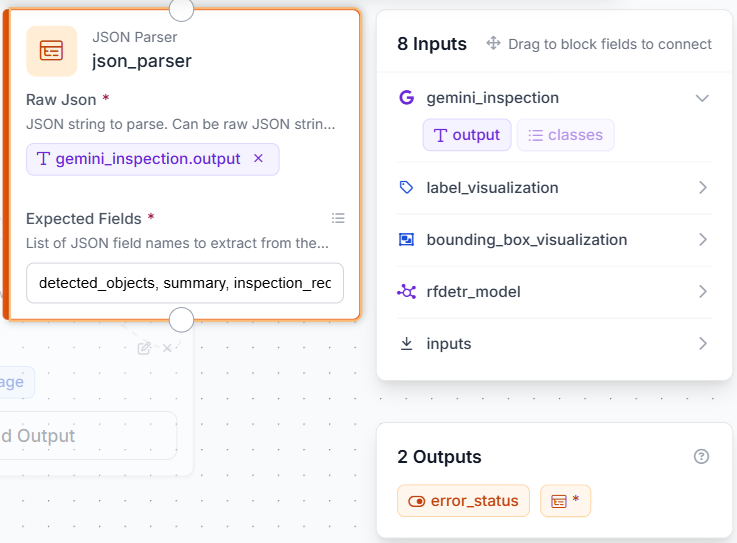
Then add a Text Display block, place the text in the bottom-left corner using white text on a semi-transparent black background.
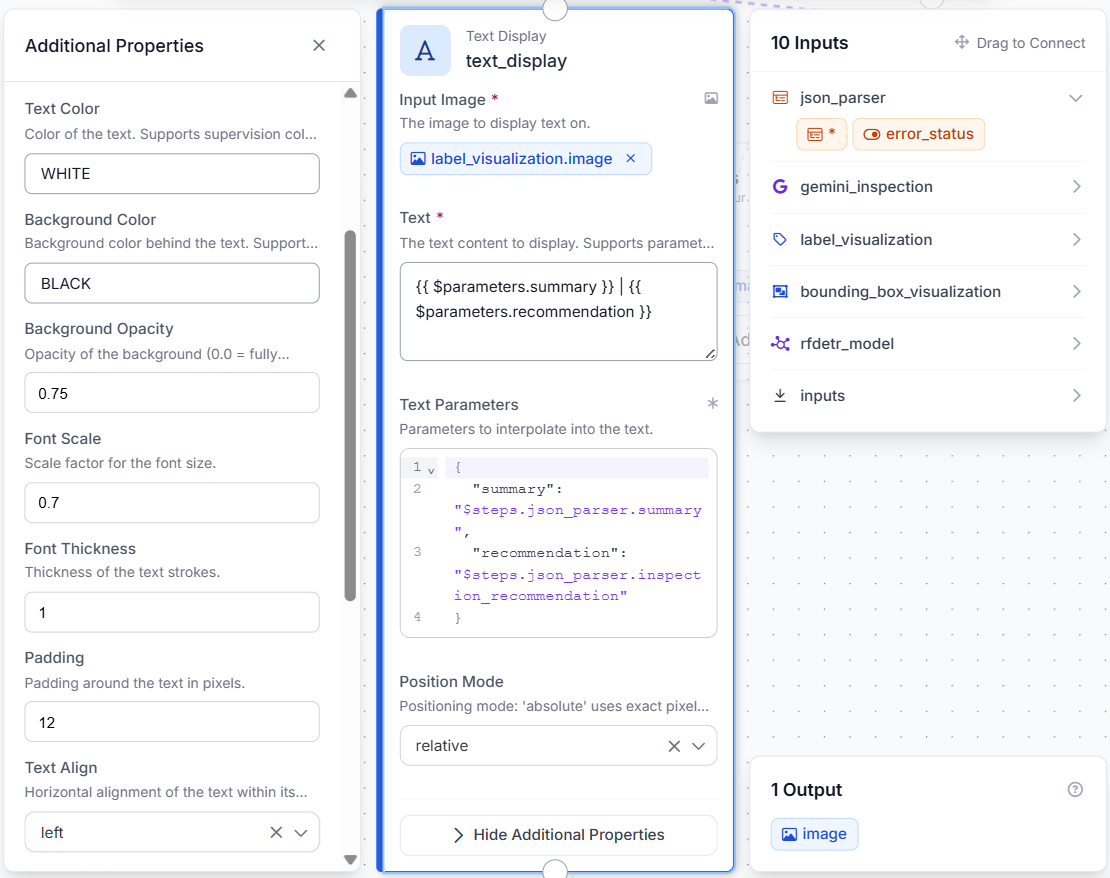
The final output is a single annotated image showing the detected foreign objects together with Gemini's inspection summary and recommendation.
Step 7: Test the Workflow
Click Run in the upper-right corner of the Workflows editor to test the pipeline. Upload an image containing one or more foreign objects or pavement defects.
The final output contains:
- RF-DETR detections for FOD and Hole
- Class labels without confidence scores
- Gemini-generated object identification
- A runway inspection summary
- An inspection recommendation displayed on the image
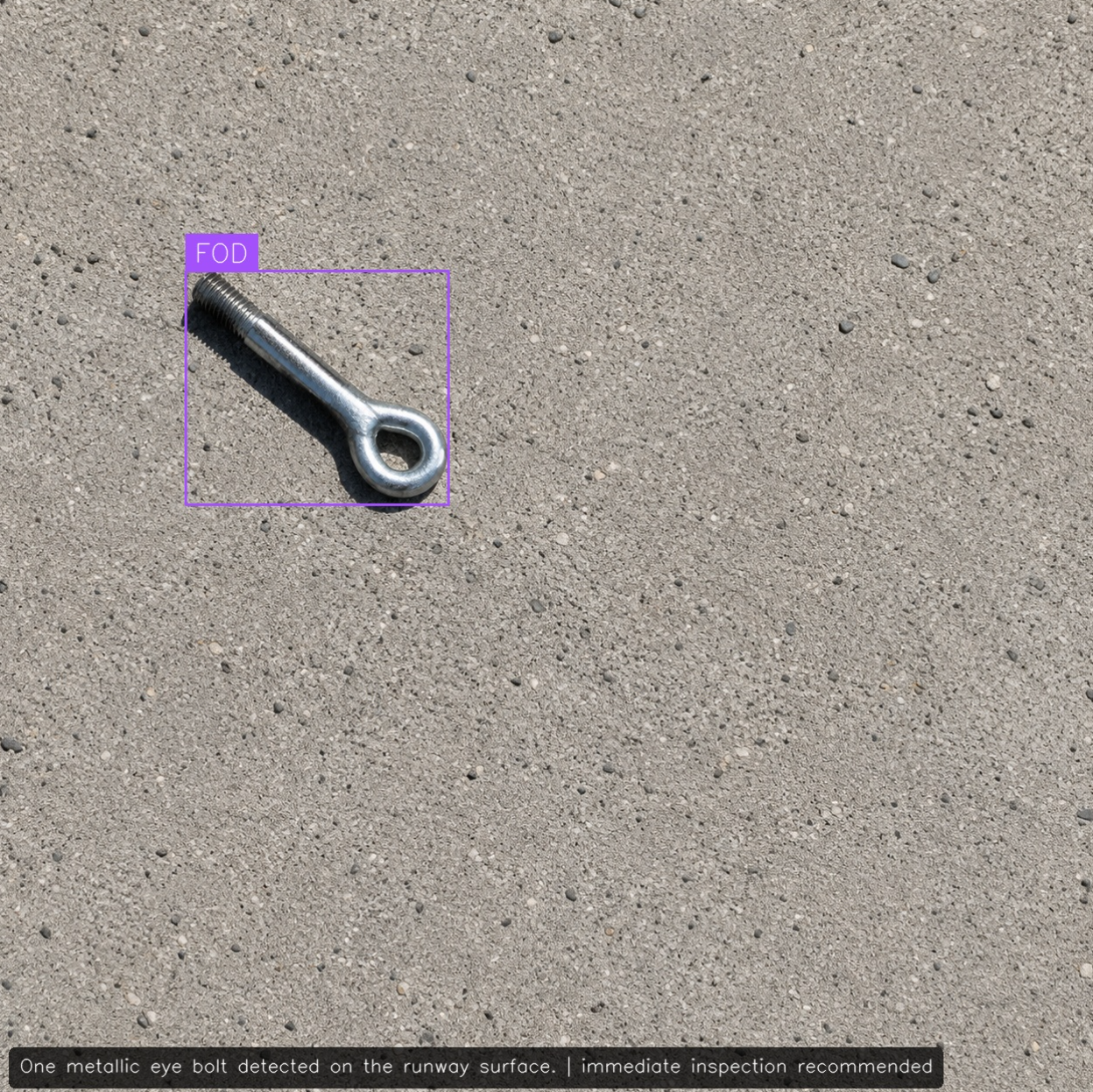
Since the workflow operates on a single image, the output should be treated as an inspection aid rather than a complete runway assessment. Images with good lighting, sharp focus, and clearly visible debris generally produce the most reliable results.
Production Considerations for Airport FOD Detection
This tutorial demonstrates the workflow using a public FOD dataset. For airport deployments, the same pipeline can be retrained using runway, taxiway, or apron imagery collected from the target airport.
Airport-specific datasets help the detector adapt to local pavement textures, lighting conditions, camera viewpoints, and the types of debris most commonly encountered during daily operations. The workflow can also be extended with fixed surveillance cameras, mobile inspection vehicles, or autonomous runway inspection systems.
Gemini serves as a second inspection layer by classifying detected objects and generating concise inspection reports. These reports can be integrated with airport maintenance systems or operational dashboards, allowing maintenance personnel to review potential hazards more efficiently while preserving RF-DETR as the primary detection model.
Tarmac Foreign Object Detection with Roboflow Agent
If you'd rather not add each block by hand, use Roboflow Agent. Instead of configuring blocks one at a time, you describe the pipeline you want in plain text and the Agent builds it for you. Here's an example:
Tarmac Safety AI Conclusion
In this tutorial, we built an automated FOD detection workflow using Roboflow. We trained an RF-DETR model to detect foreign objects, deployed it with Roboflow Workflows, and used Gemini 2.5 Pro to classify detected objects and generate inspection summaries. This same approach can be adapted to airport-specific datasets, making it a practical foundation for automated runway inspection.
Further reading


Cite this Post
Use the following entry to cite this post in your research:
Mostafa Ibrahim. (Jun 29, 2026). Tarmac Safety AI. Roboflow Blog: https://blog.roboflow.com/tarmac-safety-ai/