

Automate hog ring inspection in automotive seat assembly with a Roboflow Workflow: RF-DETR detects and counts visible rings, a Custom Python block compares the count against the expected number and returns a deterministic PASS or FAIL, and Gemini adds a one-sentence visual review flagging open rings, odd spacing, or poor visibility. Every check logs to Vision Events with counts and metadata, creating a traceable inspection history ready to feed MES integrations, Slack alerts, or a manual review queue.
The global industrial fasteners market was valued at USD 103.9 billion in 2025 and is projected to reach USD 153.7 billion by 2033, growing at 5.1% annually. This growth highlights reliable fastening systems across automotive, aerospace, construction, and industrial production.
In automotive seat assembly, hog rings secure upholstery, listing wires, and materials to the seat structure. A missing, open, or misplaced ring can cause loose fabric, uneven tension, poor appearance, and defects in later production stages. Early detection allows quality teams to correct the assembly before components are installed.
This project uses Roboflow Workflows to automate hog ring inspection. RF-DETR detects and counts visible rings, while a Custom Python block compares the detected count with the expected count. Gemini 2.5 Pro reviews the annotated image for visible installation issues and recommends manual inspection when needed.
Automate Hog Ring Detection with Vision AI
The system we'll build can report:
- Visible hog rings
- Expected and detected counts
- Possible missing or extra rings
- Open or incompletely closed rings
- Unusual spacing or poor visibility
- Whether manual inspection is required
The final output is an annotated hog ring inspection image with the result and a short Gemini review.
Step 1: Prepare the Dataset
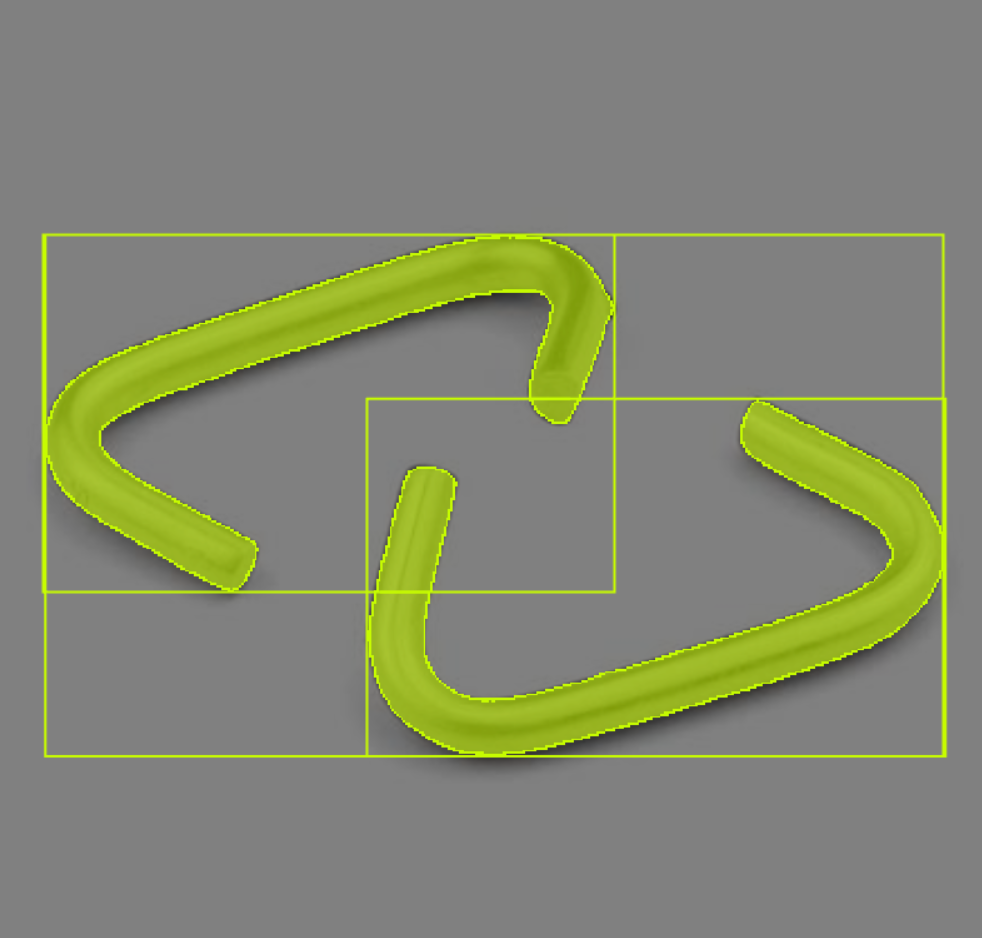
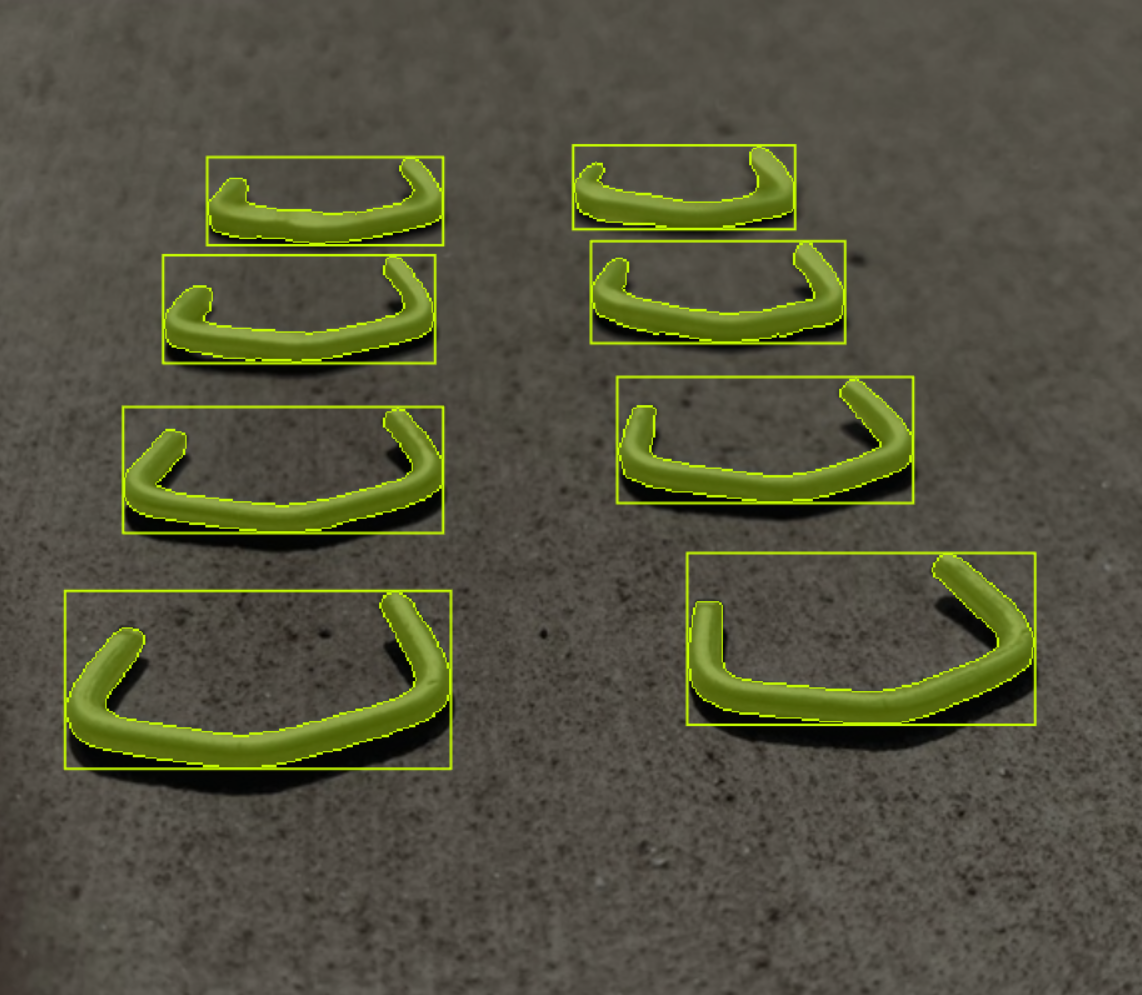
I'll use the Hog Rings Computer Vision Dataset from Roboflow Universe. The project contains images of metal hog rings annotated for object detection. The available classes include:
- Hog_ring
- null
The Hog_ring annotations allow the model to locate individual fasteners across open, closed, and differently oriented examples. This is important for the workflow because a generic metal-object detector could identify surrounding wires, clips, or tools, but it could not reliably isolate the fastening rings required for automotive seat inspection.
The dataset includes individual and grouped hog rings with differences in shape, orientation, scale, overlap, background, and closure. These examples provide a useful starting point for model development. However, production images from automotive seat assemblies should also be added because deployment scenes contain upholstery fabric, foam, support wires, shadows, reflections, and partially occluded rings.
Examples from the dataset:
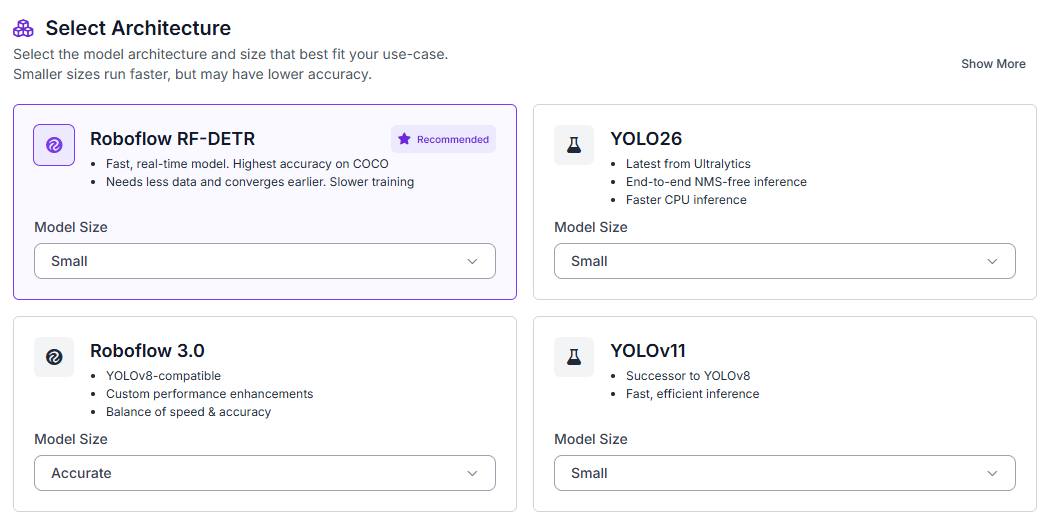
Fork the dataset into your Roboflow workspace. Open the Train tab, select Custom Training, choose RF-DETR, and set the model size to Small.
Generate a new dataset version and configure a 70/15/15 split for training, validation, and testing.
Enable:
- Auto-orientation
- Resize to 512 × 512
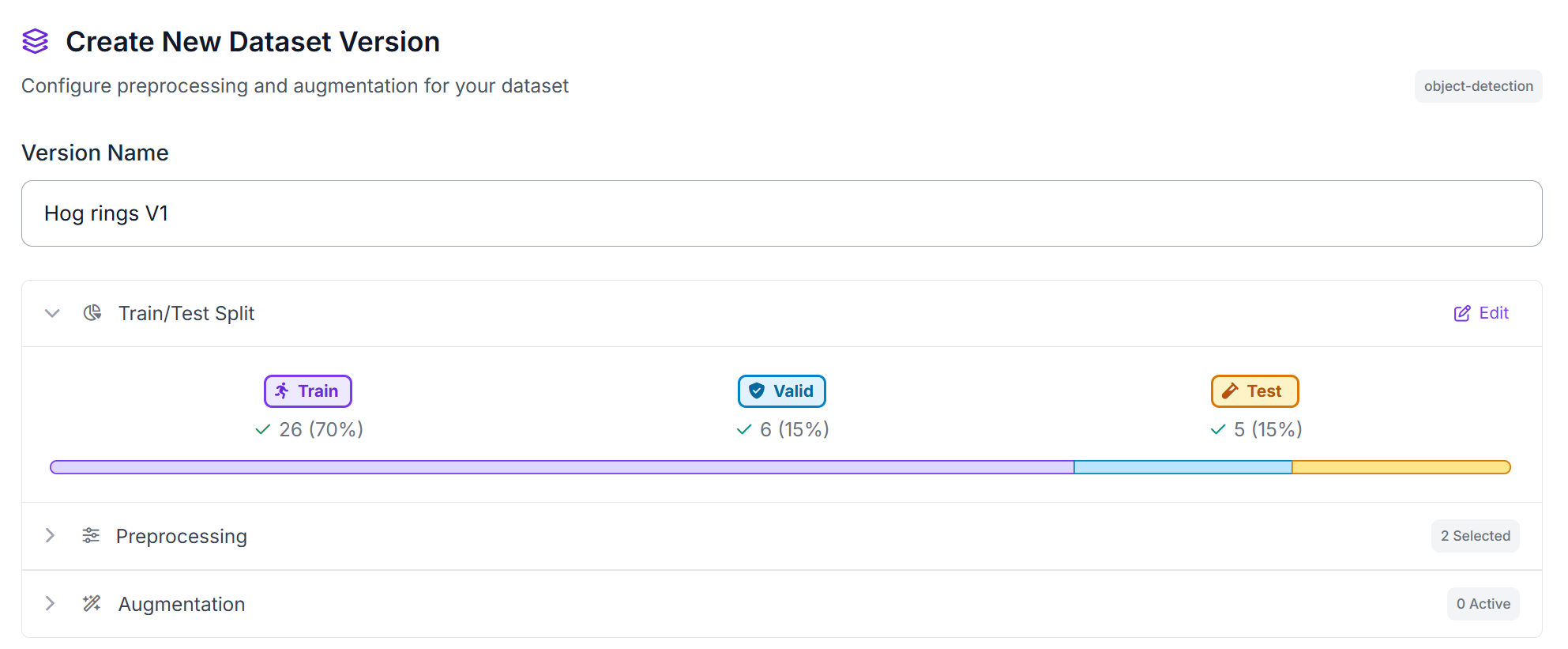
These preprocessing steps ensure that all images have a consistent orientation and resolution, providing standardized inputs for RF-DETR training.
Step 2: Train the RF-DETR Model
During training, RF-DETR learns to locate each visible hog ring using the annotated bounding boxes. For every detection, the model returns a class label, confidence score, and bounding box.
This instance-level detection is important because each detected ring can later be counted by the workflow. An image-classification model could indicate that hog rings are present, but it could not locate or count individual rings.
The model only detects rings visible in the inspected image. Hidden, off-camera, or heavily occluded rings may not be detected, so the results should support quality inspection rather than replace manufacturing controls.
Step 3: Deploy to Roboflow Workflows
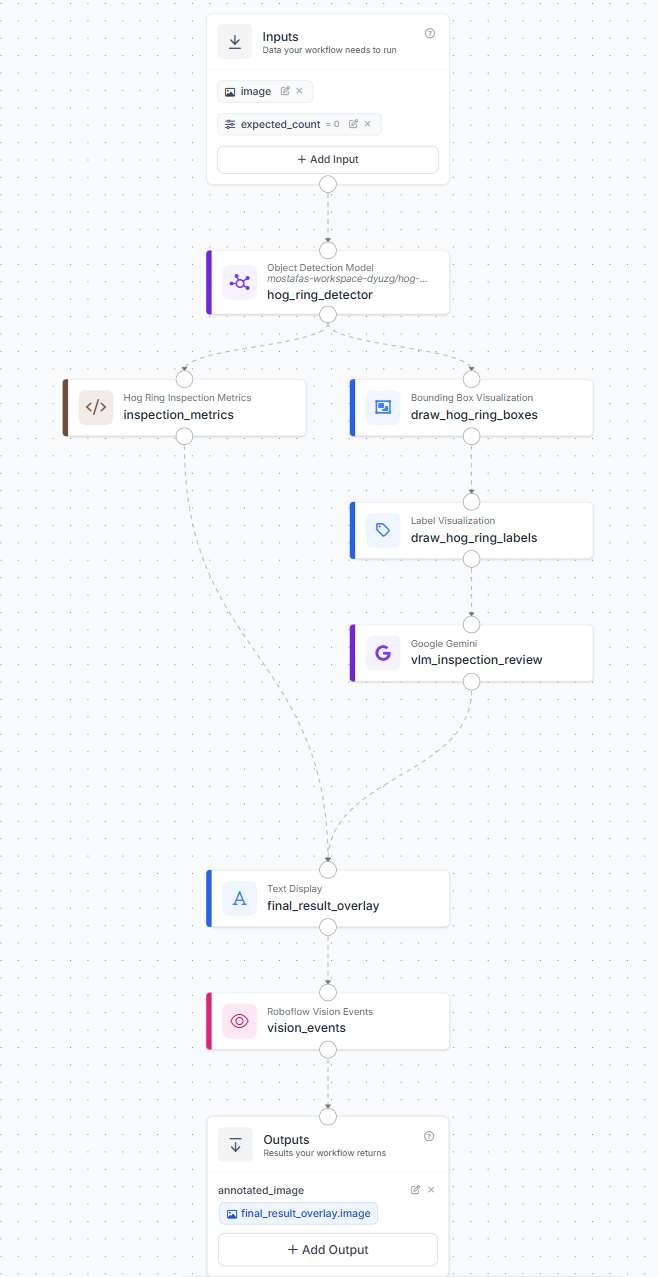
After evaluating the model, deploy it in Roboflow Workflows to build the hog ring inspection pipeline. The workflow runs RF-DETR on an input image, counts accepted Hog_ring detections, compares the detected count with a configurable expected count, and produces a deterministic pass-or-fail result. Gemini then reviews the annotated image for visible installation concerns and generates a short inspection observation.
The workflow uses two inputs:
- Assembly image
- Expected hog ring count
The expected count should match the number of rings required in the inspected area. For consistent results, the camera should remain in a fixed position and show the same section during each inspection.
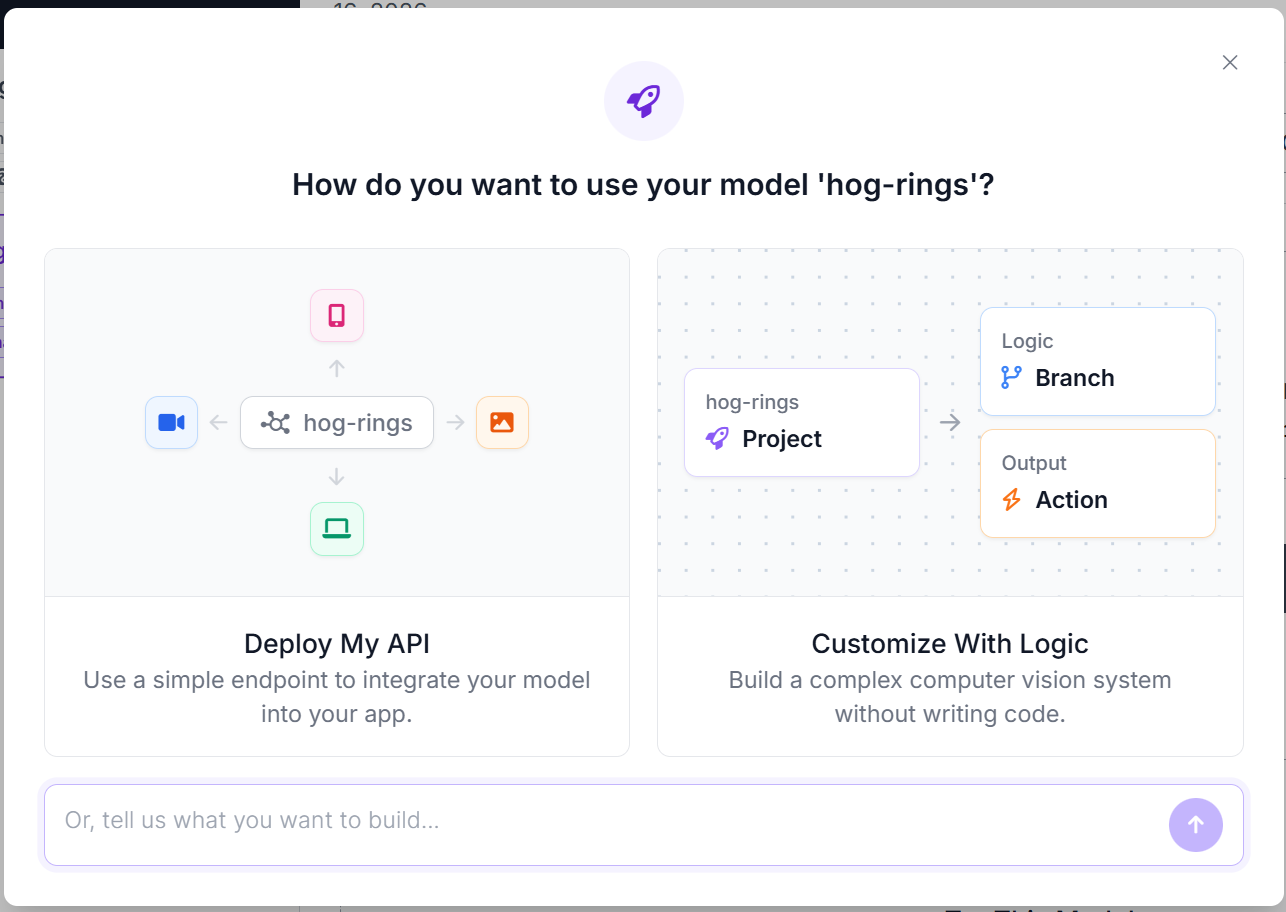
To create the workflow, open the trained model and click Deploy Model. Select Customize With Logic to open the Workflow editor with the RF-DETR model already connected. Here's the workflow we'll build.
The completed pipeline follows this structure:
Step 4: Configure the Hog Ring Count Logic
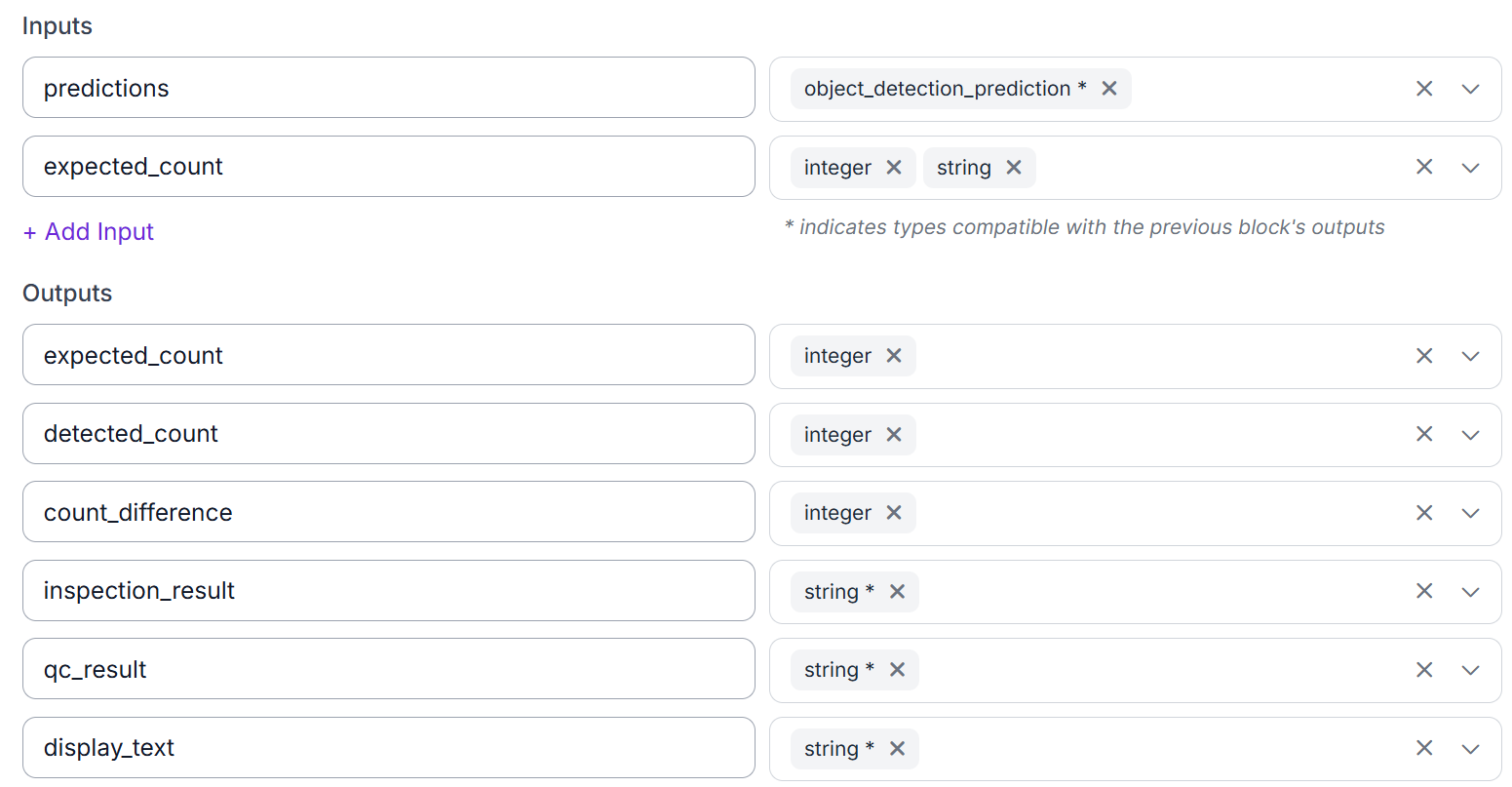
Add a Custom Python block after RF-DETR. Connect the model predictions and the expected_count workflow input to the block.
Use the following code:
def run(self, predictions, expected_count=0):
    try:
        expected = int(float(expected_count))
    except (TypeError, ValueError):
        expected = 0

    detected = int(len(predictions)) if predictions is not None else 0
    count_difference = detected - expected

    if detected == expected:
        inspection_result = "PASS"
        qc_result = "pass"
        display_text = f"Hog ring inspection: PASS. Expected {expected}, detected {detected}."
    elif detected < expected:
        inspection_result = "FAIL_POSSIBLE_MISSING_RING"
        qc_result = "fail"
        missing = expected - detected
        display_text = f"Hog ring inspection: FAIL, possible missing ring. Expected {expected}, detected {detected}, missing {missing}."
    else:
        inspection_result = "FAIL_POSSIBLE_EXTRA_RING"
        qc_result = "fail"
        extra = detected - expected
        display_text = f"Hog ring inspection: FAIL, possible extra ring. Expected {expected}, detected {detected}, extra {extra}."

    return {
        "expected_count": expected,
        "detected_count": detected,
        "count_difference": count_difference,
        "inspection_result": inspection_result,
        "qc_result": qc_result,
        "display_text": display_text,
    }
The block counts the RF-DETR predictions and compares the result with the expected number of rings.
When the counts match, the workflow returns PASS. A lower detected count produces FAIL_POSSIBLE_MISSING_RING, while a higher count produces FAIL_POSSIBLE_EXTRA_RING.
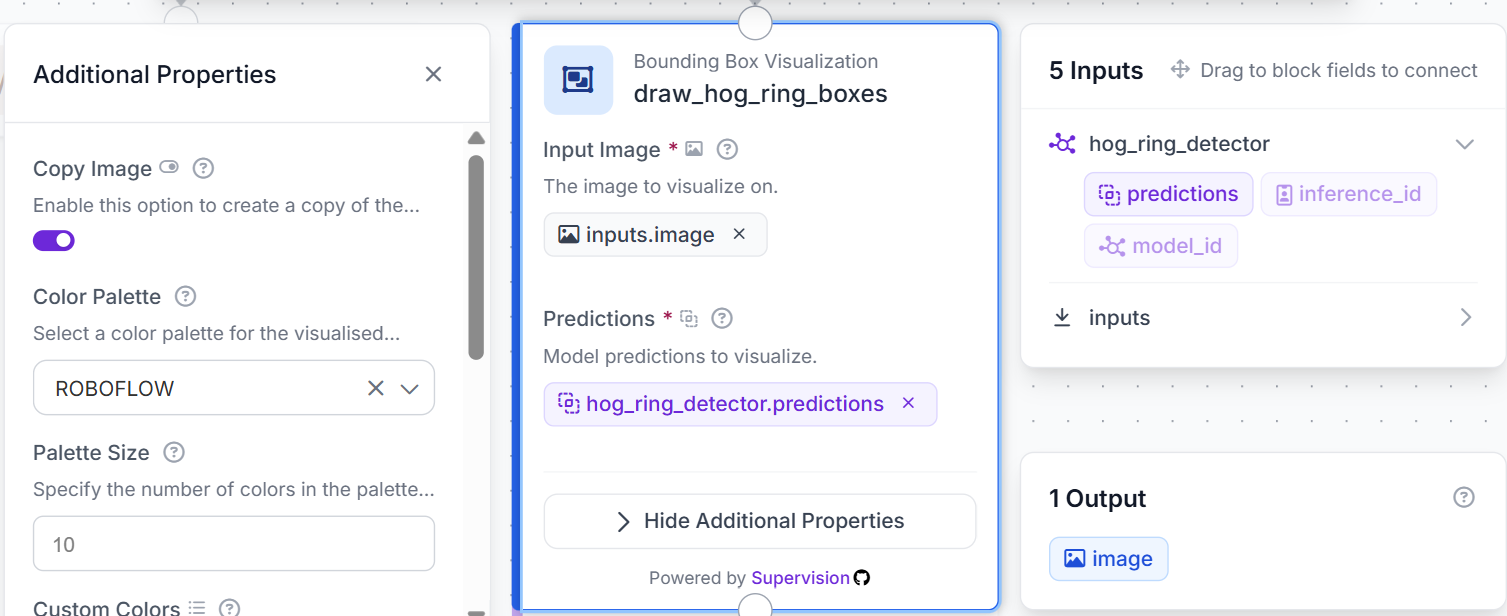
Add a Bounding Box Visualization block and connect it to the RF-DETR predictions.
Next, add a Label Visualization block.
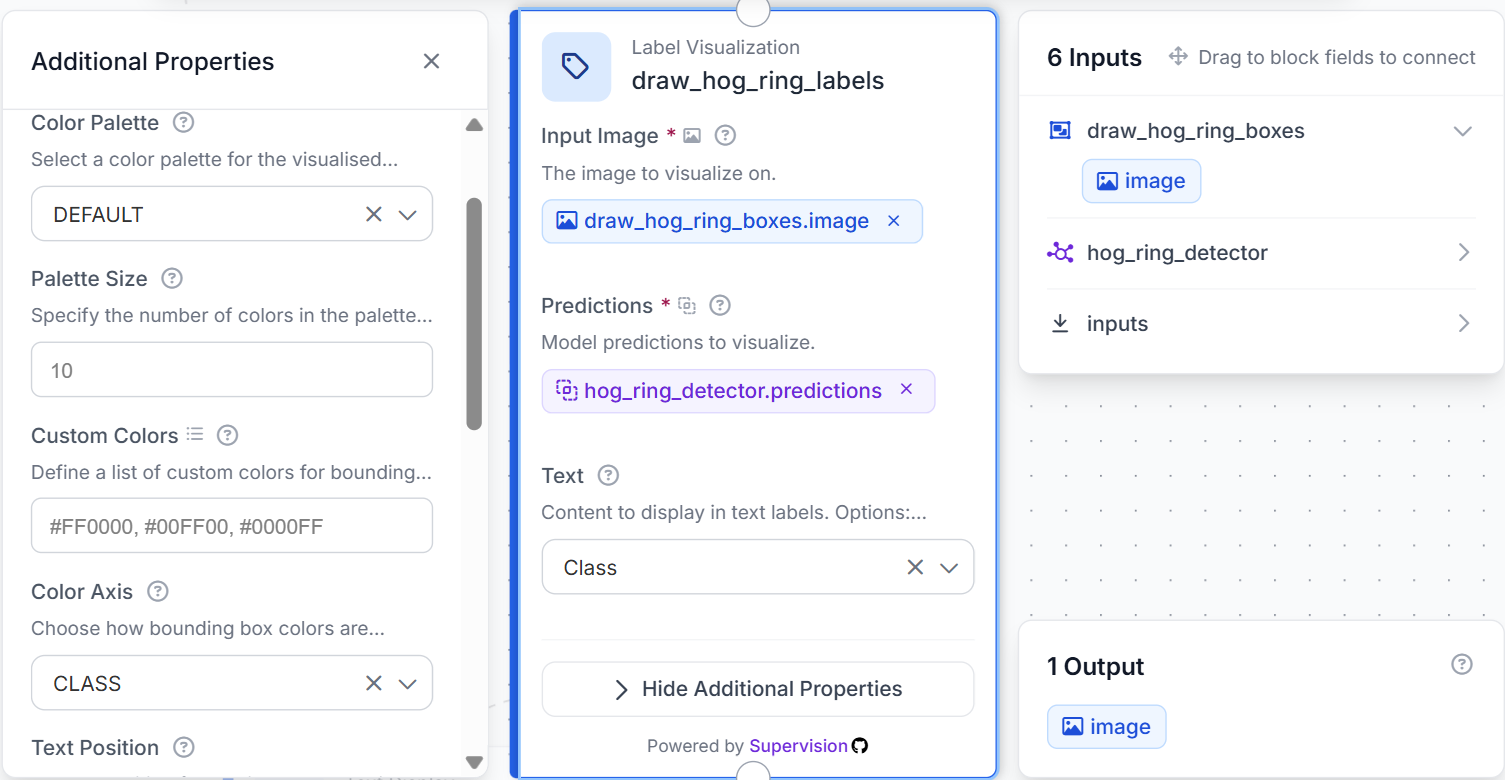
These blocks create the annotated image that is passed to Gemini and used in the final workflow output.
Step 5: Configure the Gemini Inspection Review
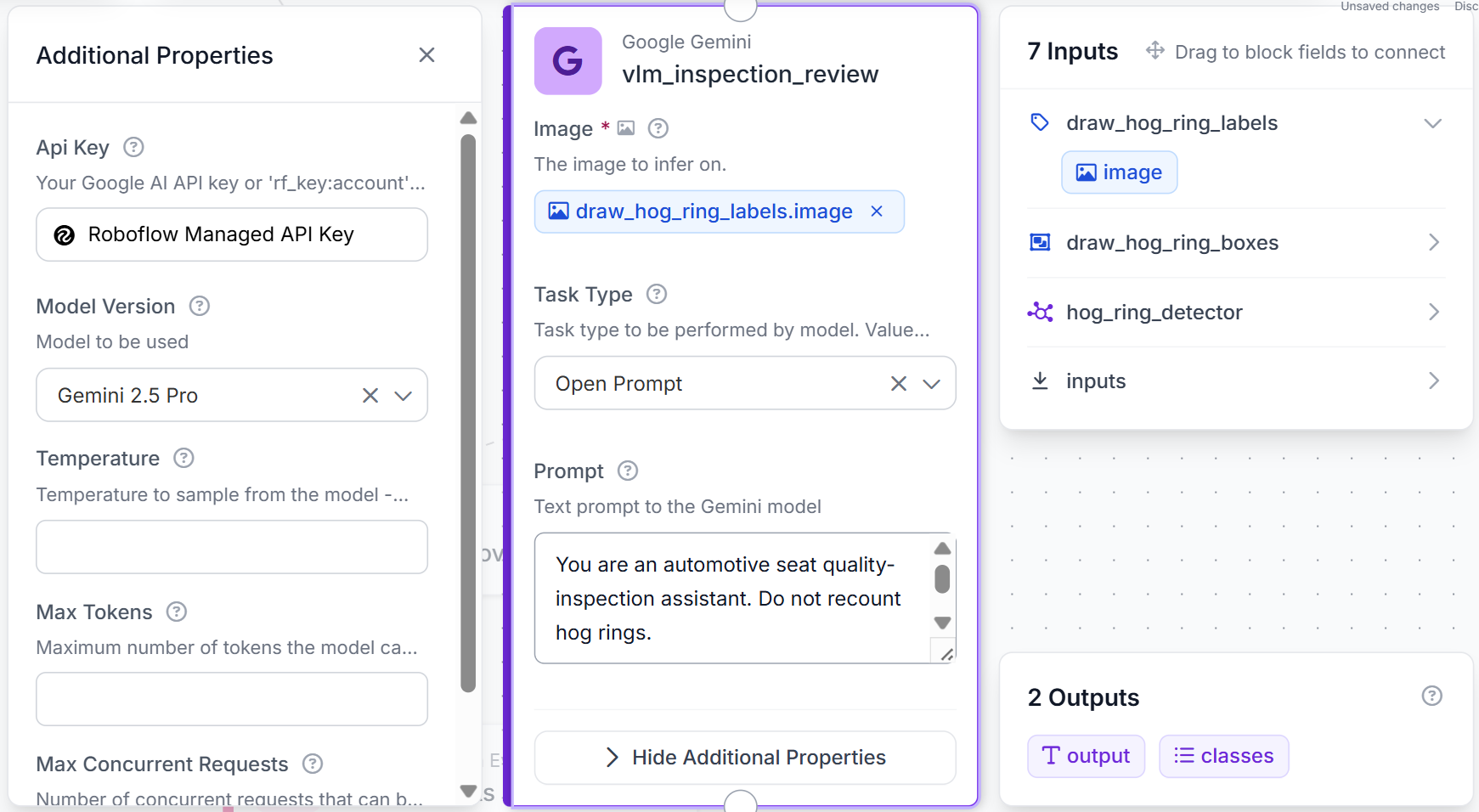
Connect the labeled image to a Google Gemini block.
Use these settings:
- Image: draw_hog_ring_labels.image
- Task type: Open Prompt
- Thinking level: Low
Use this prompt:
You are an automotive seat quality-inspection assistant. Do not recount hog rings.

Review the annotated image for:

Open or incompletely closed rings
Unusual spacing between rings
Blur, shadows, or occlusion
Need for manual inspection

Return one sentence only, maximum 14 words.
Gemini does not replace the RF-DETR count or change the Python inspection result. Its role is to provide a second visual review of the visible installation condition.
The current workflow sends the boxed and labeled image to Gemini and explicitly instructs the model not to recount the rings.
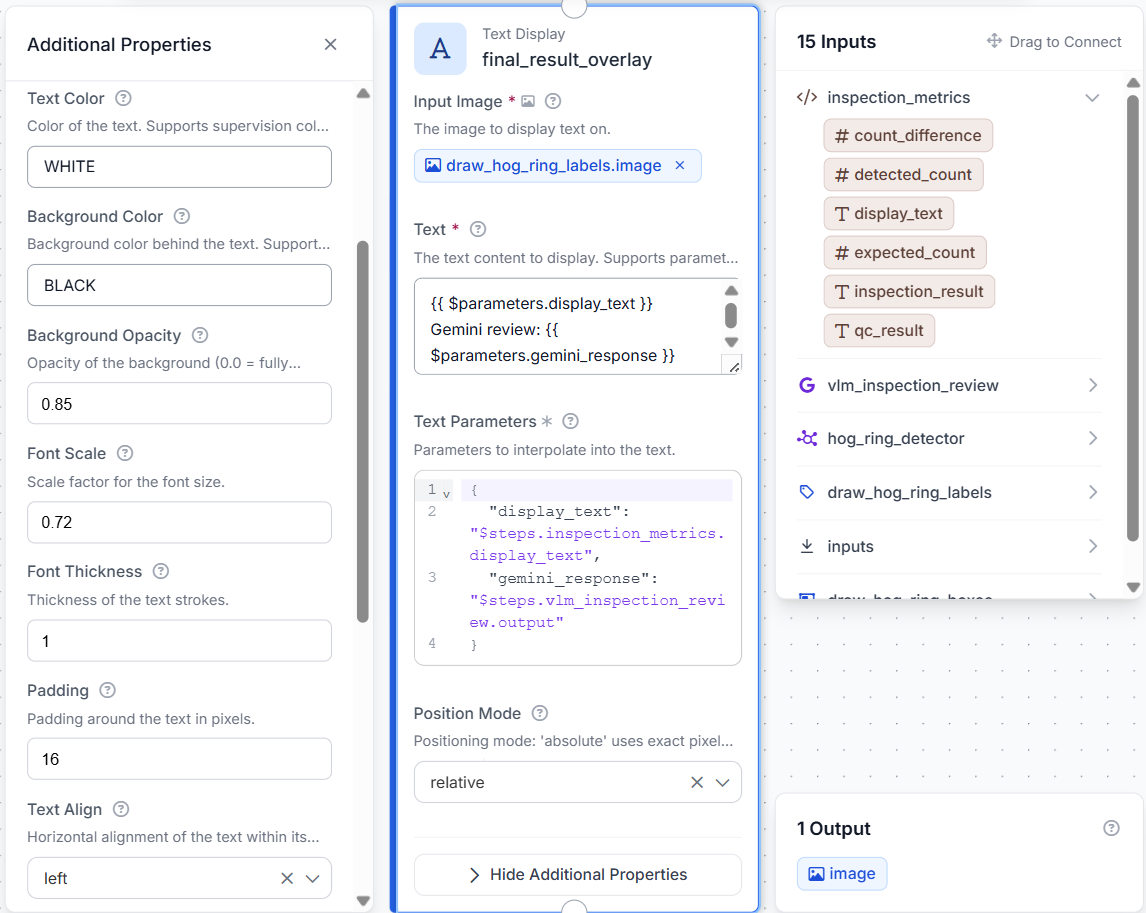
Add a Text Display block using the labeled image as its base. Overlay both the Python-generated inspection result and the Gemini review.
Use white text on a semi-transparent black background and place the overlay in the top-left corner.
Step 6: Log and Test the Workflow
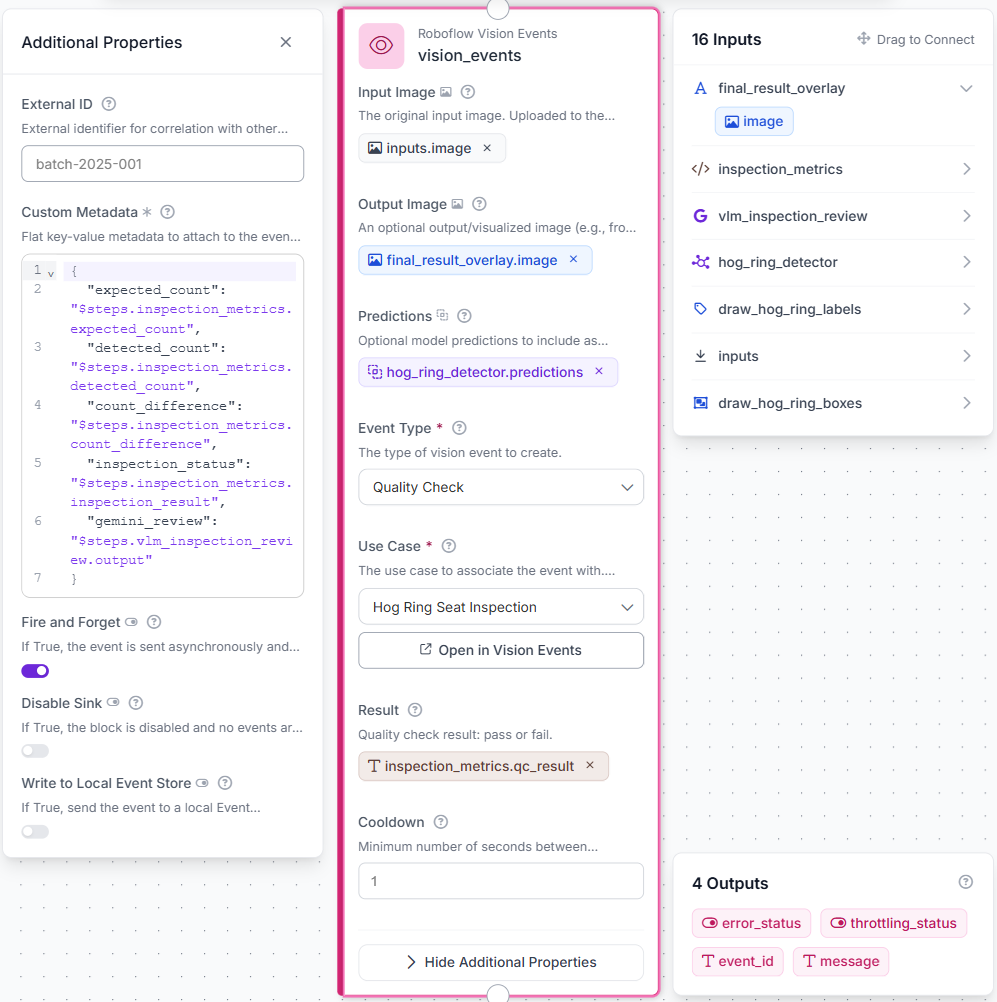
Add a Roboflow Vision Events block after the final text overlay. Configure the event type as quality_check.
Connect:
- Original image
- Final annotated image
- RF-DETR predictions
- Python-generated qc_result
Add the following custom metadata:
- Expected count
- Detected count
- Count difference
- Inspection result
- Gemini review
Vision Events creates a reviewable history of inspections containing the original image, annotated result, predictions, count comparison, and pass-or-fail result. The current workflow logs the detector predictions and the final annotated image as a quality-check event.
To test the workflow, click Run, upload a hog ring inspection image, and enter the expected number of visible rings.
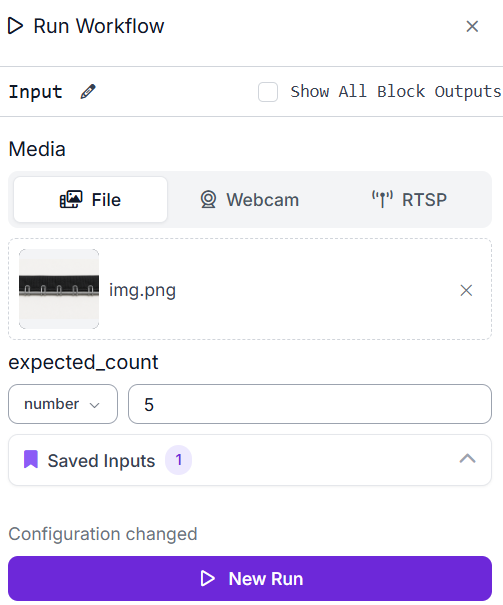
The final image should contain:
- Detected hog rings
- Hog_ring labels
- Expected count
- Detected count
- PASS or FAIL status
- Gemini inspection sentence
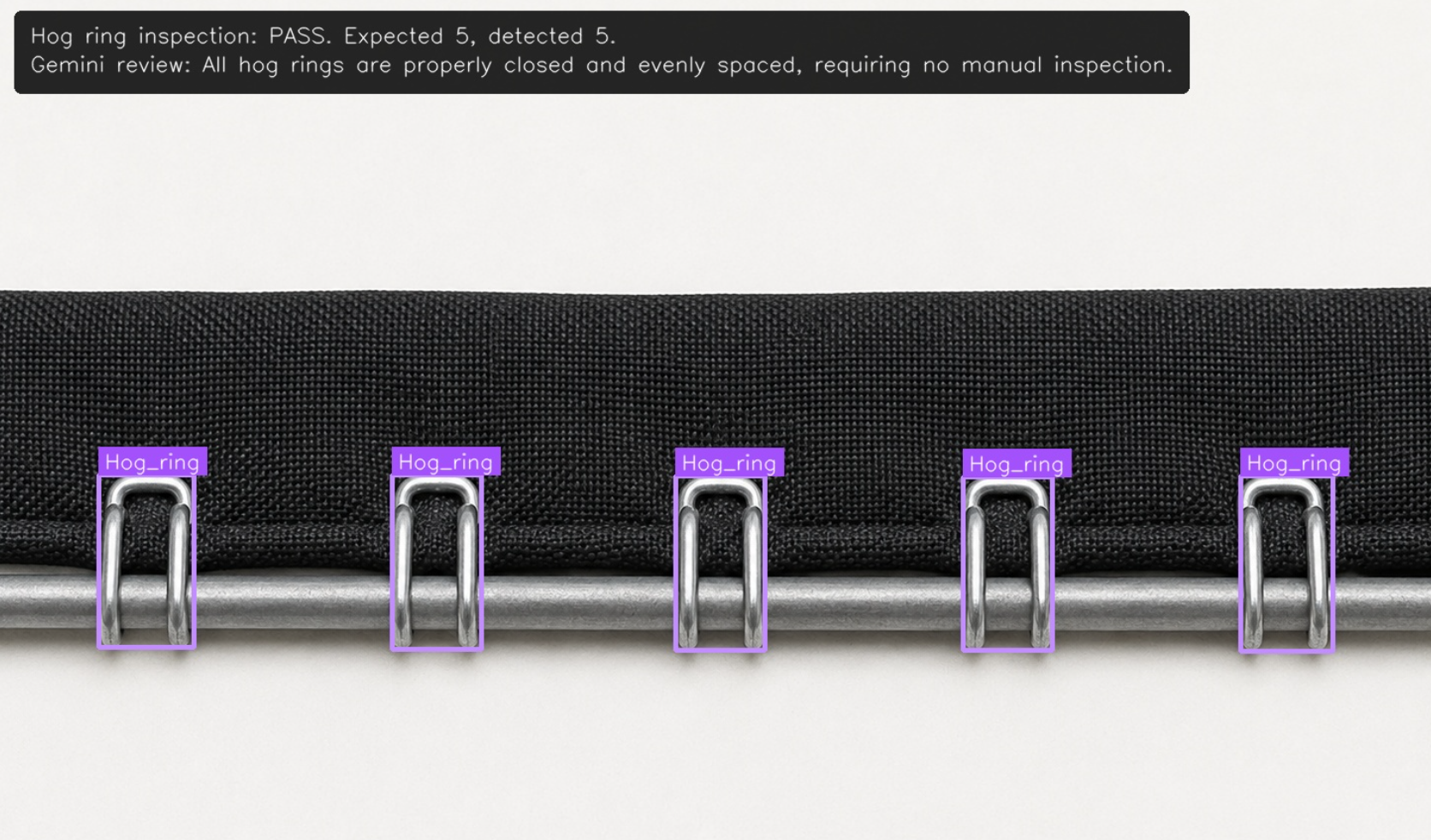
The workflow should return PASS only when the detected and expected counts match. Gemini may still recommend manual inspection when the image shows a possible installation concern or poor visibility.
Extending the Workflow
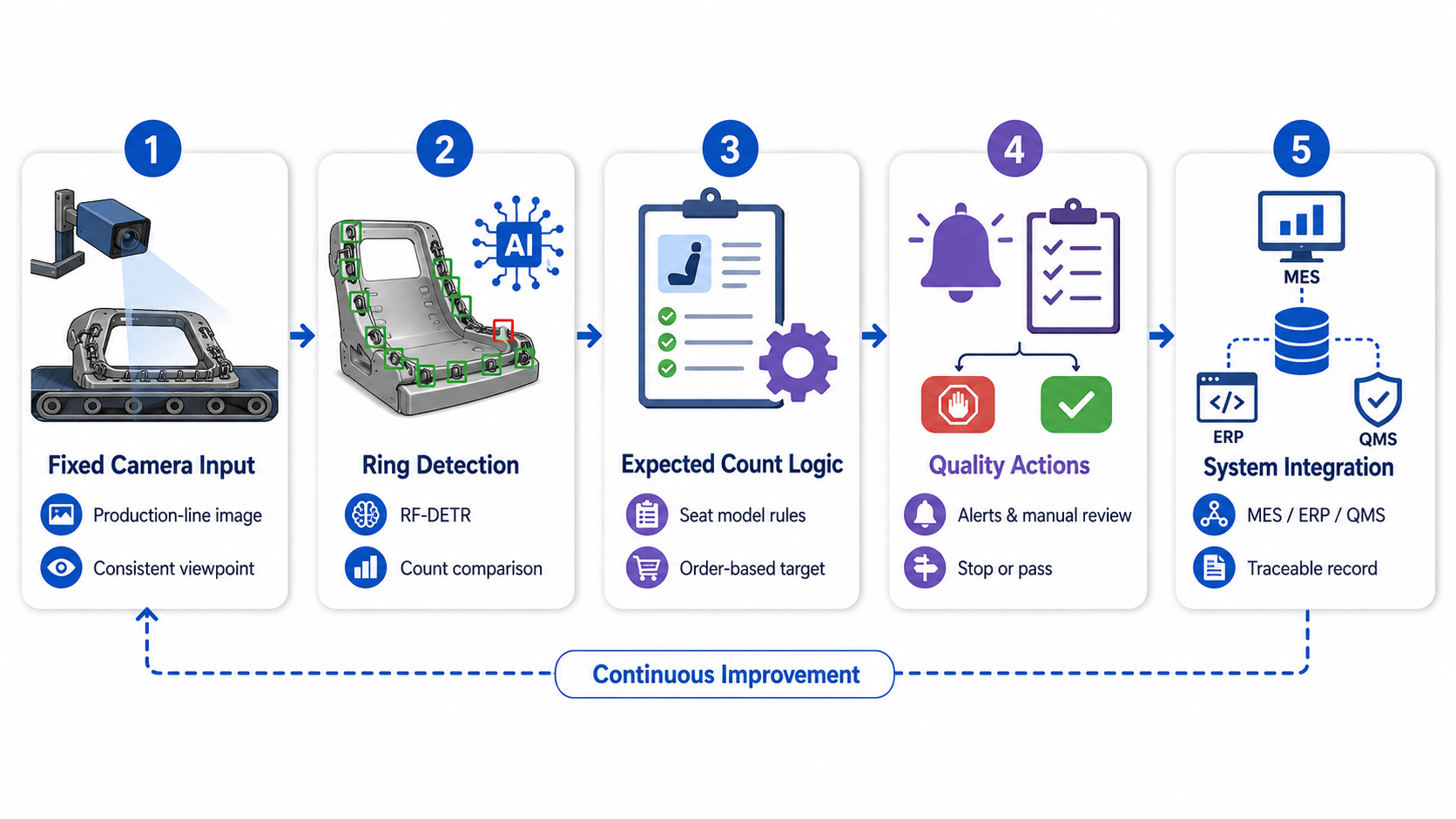
The workflow can be extended to process images from a fixed production-line camera. Each seat assembly would pass through the same detector and count-comparison logic, allowing quality teams to identify possible missing or extra rings before the seat advances to the next production stage.
Different seat models may require different expected counts. The expected value could be selected manually, retrieved from a production order, or mapped from a seat-model identifier.
For broader deployment, failed inspections could trigger a Slack notification, create a quality-control task, stop the assembly from advancing, or send the result to a Manufacturing Execution System (MES). The MES integration could associate each inspection with a production order, seat model, workstation, timestamp, and operator, creating a traceable quality record. Results could also be connected to ERP, quality management, maintenance, or internal production systems. A manual-review queue could handle images affected by blur, shadows, occlusion, or uncertain ring conditions.
A future version could use additional classes, such as:
- closed_ring
- open_ring
- deformed_ring
- loose_ring
This would allow RF-DETR to classify installation conditions directly instead of relying only on Gemini’s visual observation.
How to Detect Hog Rings with Roboflow Agent
If you would rather describe the inspection than build it block by block, Roboflow Agent can assemble this pipeline from a plain-text prompt. For example:
Fork a hog ring detection dataset from Universe, train an RF-DETR Small
model on it, and build a Workflow that takes an image and an expected ring
count as inputs, counts detected rings, returns PASS when the counts match
and FAIL with missing or extra ring details when they do not, adds a Gemini
review of the annotated image, and logs every inspection to Vision Events.
The Agent forks the dataset, starts training, and wires the Workflow with the detection, counting, visualization, Gemini, and logging blocks connected, including the expected_count input parameter that makes the same pipeline work across seat models. You review each step in the chat, and iterating stays cheap: when production images surface conditions the dataset lacks, telling the Agent to add them and retrain is one instruction. The video below shows the Agent building the hog ring inspection pipeline.
Conclusion
This system is built to earn trust incrementally. Vision Events gives quality teams a searchable record of every check, complete with counts, images, and metadata, so the first weeks of deployment can run alongside manual inspection rather than replacing it outright. Each disagreement between the model and an operator becomes training data, and each retrain shrinks the gap.
From there, the same pipeline extends in whichever direction your line needs: expected counts pulled from production orders, failed checks routed to PLC, MES, or Slack, or additional classes (open_ring, deformed_ring) that move installation-condition checks from Gemini's observation into the detector itself.
Swap the dataset and the expected-count logic, and this same structure inspects clips, clamps, welds, or any fastener a camera can see.
Further reading:


Cite this Post
Use the following entry to cite this post in your research:
Mostafa Ibrahim. (Jul 22, 2026). Hog Ring Detection with Computer Vision. Roboflow Blog: https://blog.roboflow.com/hog-ring-detection-with-computer-vision/