

Roboflow Vision Events is a centralized hub that stores model predictions, input and output images, and custom metadata from all your computer vision deployments in one searchable place. Instead of building a custom data pipeline to co-locate tabular results with production images, you get a single view across cameras, facilities, and geographic regions with built-in filtering, configurable properties like shift times and lot numbers, and a path to pull flagged images directly into training datasets. It closes the loop between a deployed vision application and the operational questions teams actually need to answer.
Today we are announcing Roboflow Vision Events, a centralized view into what’s happening across your vision deployments. By storing model predictions, images, and relevant metadata in one place, Vision Events transforms the output of your computer vision applications into searchable, historical business insights that drive better operational decisions.
A secure, searchable record of your vision deployments
When deploying a computer vision application, you need a reliable place to store model outputs and connect them to your broader goals. For example, if your vision application monitors manufacturing processes across various facilities, your team might want to answer operational questions like, "How many quality issues did our vision app catch today?", "Which facility experienced the most downtime this month?", or "How can we verify compliance issues detected on a specific assembly line?”
Traditionally, answering those questions meant building a custom solution to store model predictions alongside the associated image files and relevant metadata. Standard tools often make it challenging to co-locate tabular data with the actual production images from your vision model.
That is why we built Vision Events. Now you can aggregate data from all your vision applications running across different cameras or geographic regions into a single, centralized hub. It gives you one place to store model predictions, associated input and output images, device info, and custom metadata. Vision Events closes the loop, connecting the initial problem you set out to solve directly to high-level operational visibility.
See all events, images, and metadata in one place
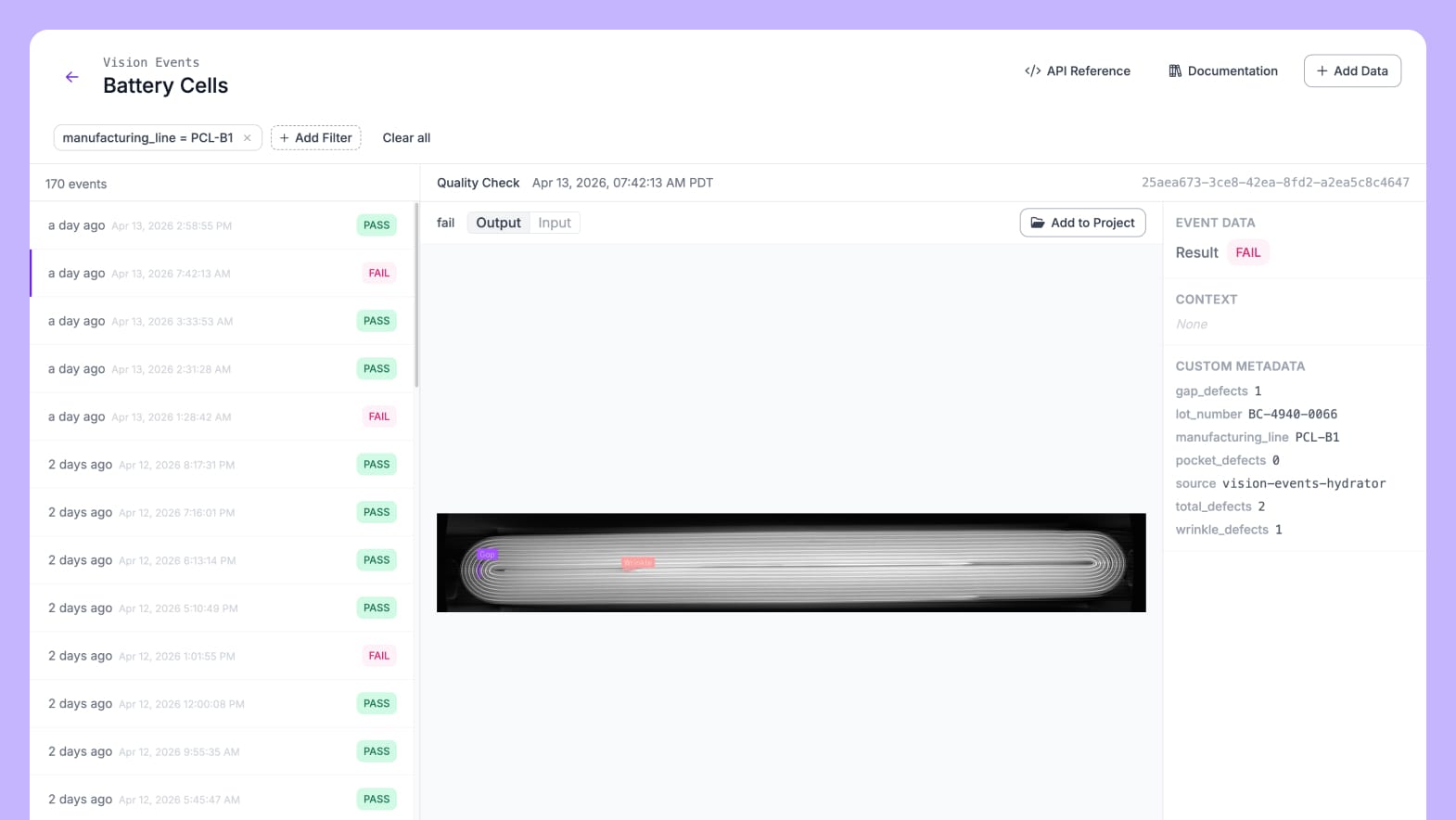
If you have similar data coming from multiple deployments, Vision Events lets you group that information into specific views. These views consolidate the results of your vision model, related images, and additional contextual details. You can easily track standard information like the date, time, and device that captured the imagery, as well as customizable properties like shift times, lot numbers, or manufacturing lines.
Filter and find specific events
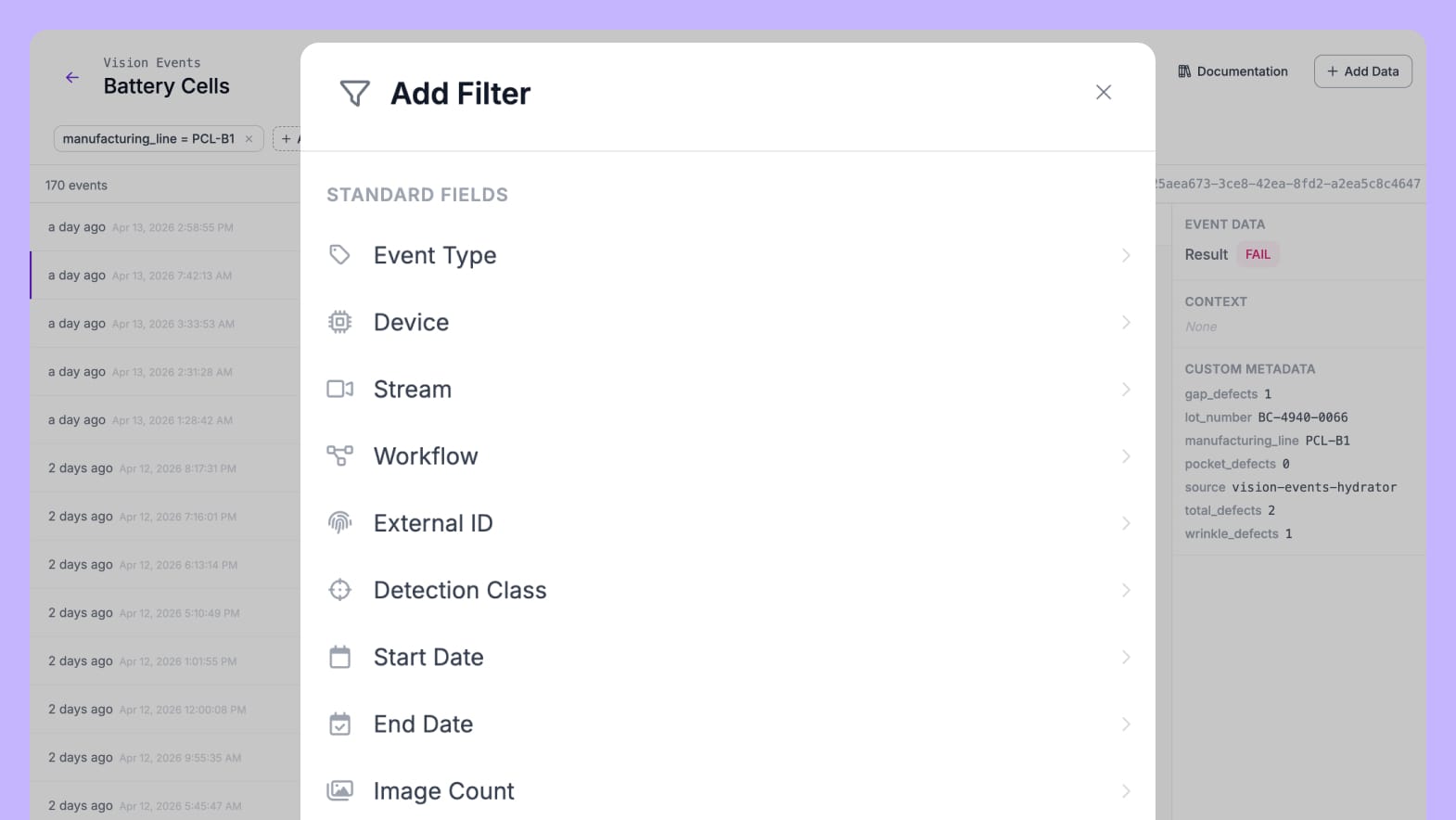
If you need to review specific information, you can filter your data by a wide range of properties, view the results, and save those filters for easy access later. This makes it easy to not only review the overall performance of your model, but also pinpoint specific events when necessary. For example, if you are tracking quality issues in a battery manufacturing facility and need to review images from a specific time, assembly line, or range of serial numbers, you can filter by the relevant metadata to quickly locate the exact information you need.
Review and add images to training datasets
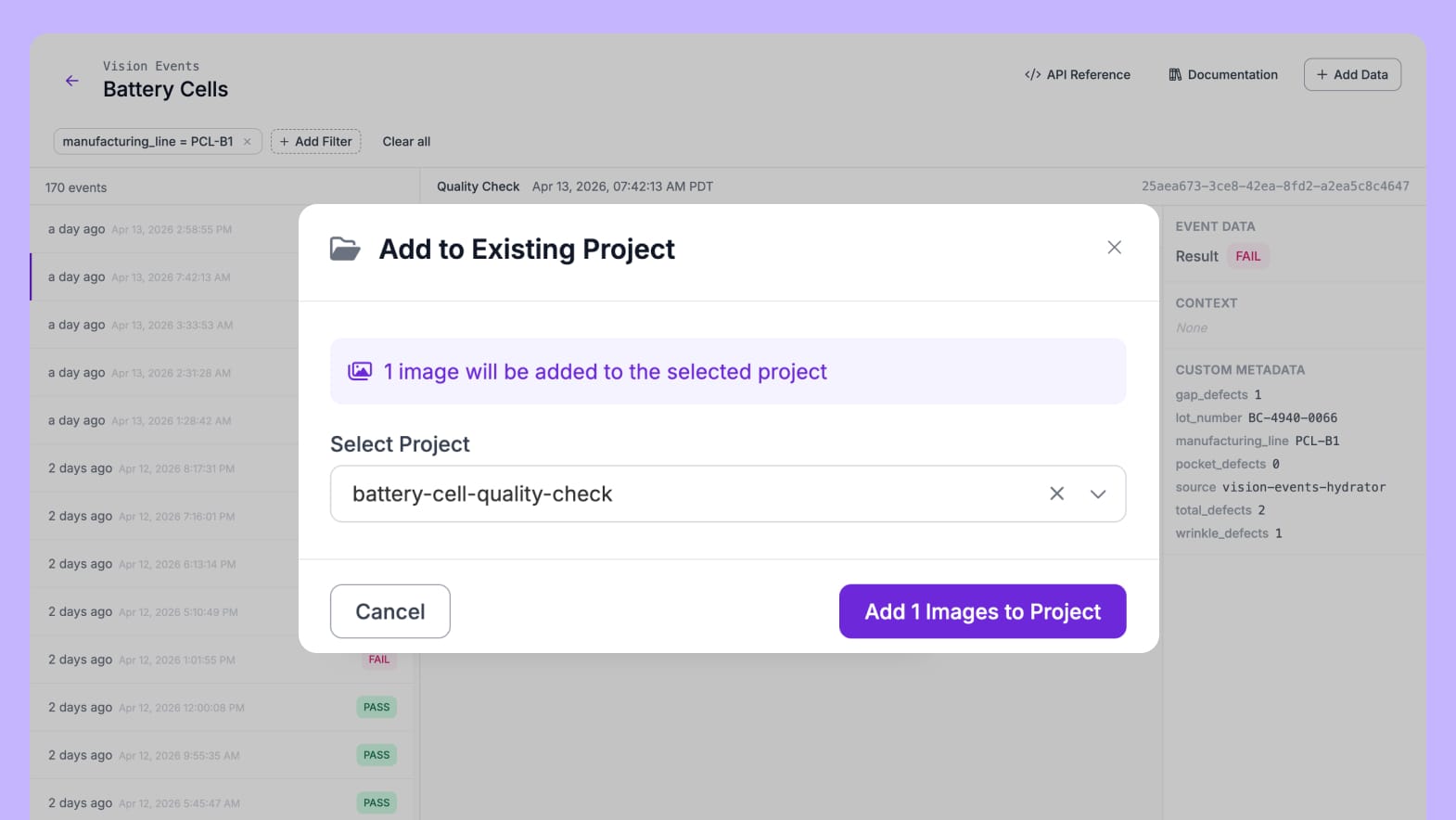
While reviewing data in Vision Events, if you notice false positives or negatives, you can select images and add them directly to a training dataset. This allows you to simplify the process of continuously improving your vision model.
How to bring data into Vision Events
Depending on how your vision application is deployed, there are several options for feeding data into the system.
- Workflows: For applications built in the drag-and-drop Workflows editor, you can use the Vision Events Workflow block.
- Developer Tools: For more customizable integrations, you can use the REST API and Python SDK to bring data into Vision Events.
- Edge Device Backup: For applications running on edge hardware, you can automatically synchronize events from each device using the Edge Device Backup option.
Start turning images into insights today
Vision Events is available to all Roboflow users. If you want to get started, log into Roboflow and head to the Vision Events tab. Additional information is available in documentation and pricing. To discuss customizable enterprise deployments, feel free to contact us.


Cite this Post
Use the following entry to cite this post in your research:
Patrick Deschere. (Apr 20, 2026). Vision Events: Turning Images into Insights. Roboflow Blog: https://blog.roboflow.com/vision-events/