

Roboflow Playground lets you run the same image and prompt across up to five zero-shot computer vision models side by side, covering more than 130 models from Anthropic, OpenAI, Meta, Google, and open-source providers. Supported tasks include object detection, image classification, OCR, segmentation, captioning, and open-prompt visual question answering. It removes the setup cost of provisioning APIs or infrastructure individually, so you can compare model outputs directly before committing to one for your project.
Comparing zero-shot computer vision models can be daunting. Researching the latest models to try, writing the code to call cloud APIs, provisioning infrastructure for open weight models – all of this takes time. Before you know it, a new model is out, ready for use.
With that in mind, we are excited to announce a tool to help you try, compare, and evaluate over 130 popular frontier vision models: Roboflow Playground.
In this blog post, we are going to walk through what Roboflow Playground is, and how to use it to test new vision models.
What is Roboflow Playground?
Roboflow Playground is a free evaluation environment to test and compare models on your own images. You upload an image, pick a vision task, and run up to five models at once. You see exactly how each handles your lighting, your objects, and your edge cases.
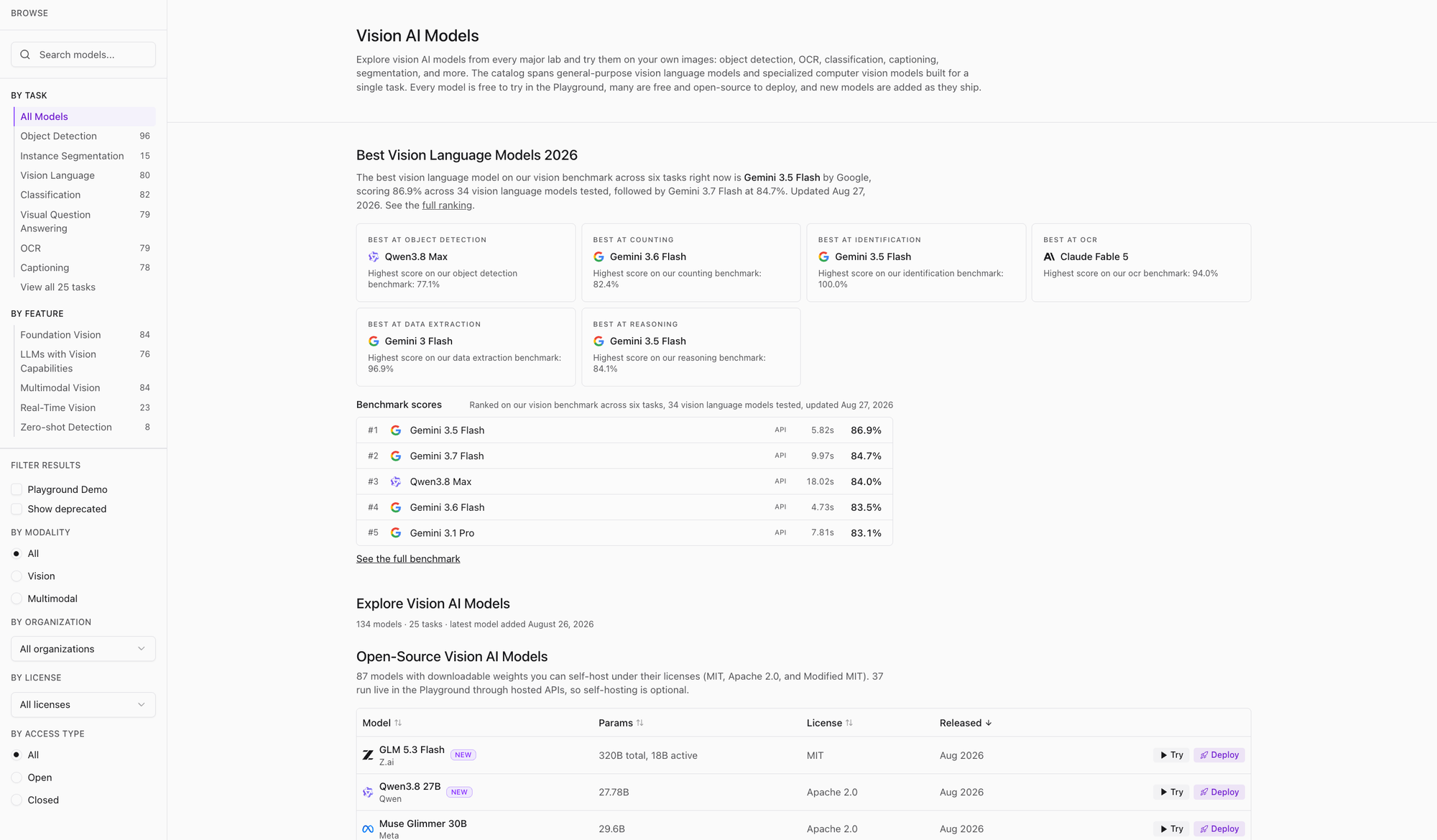
Playground hosts 134 models from Google, OpenAI, Anthropic, Meta, and Qwen. You test 25 vision tasks across proprietary APIs and open-source models. The tasks range from specialized object detection and pixel-perfect segmentation to open-prompt visual question answering.
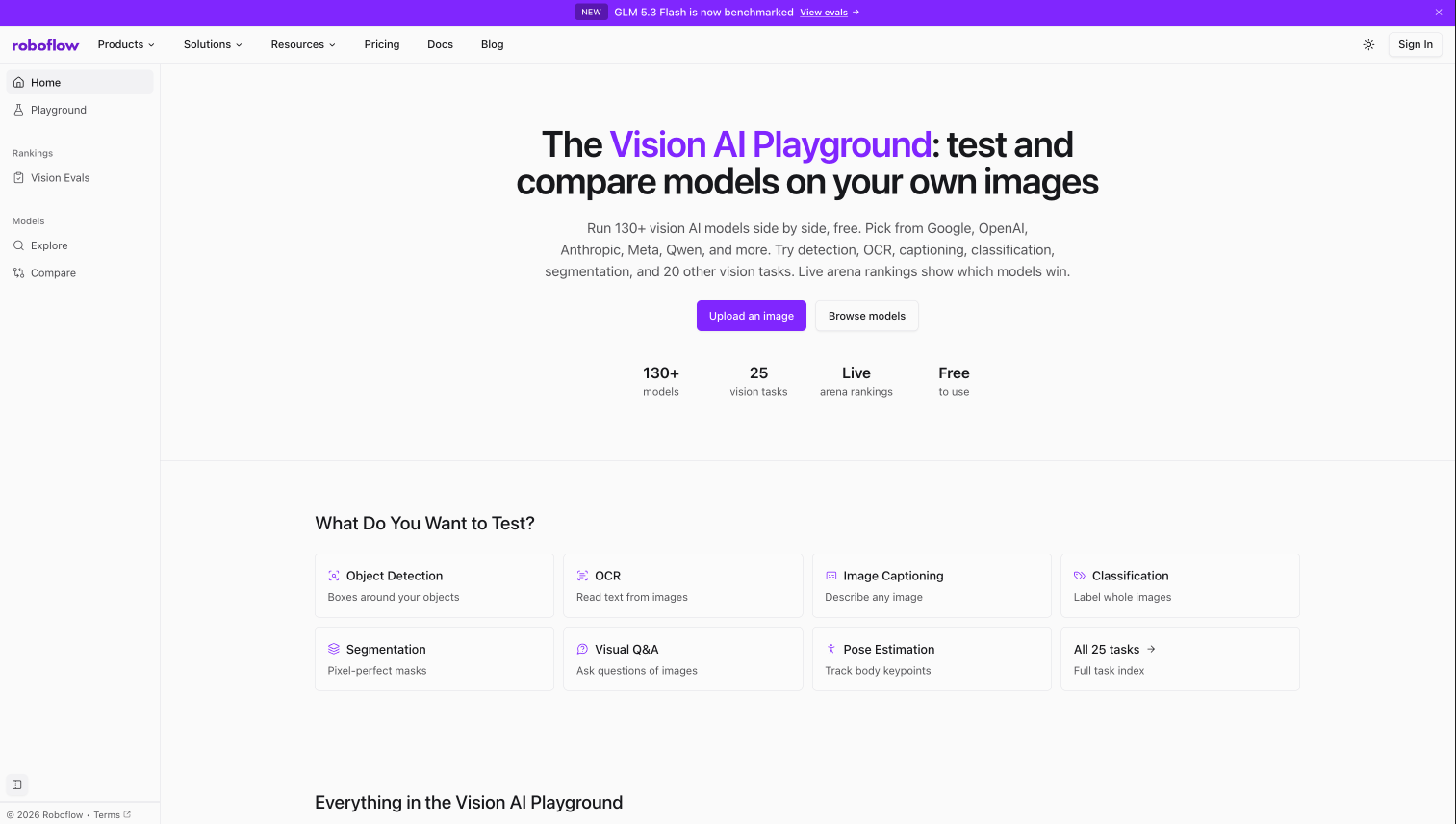
To get started, go to the Roboflow Playground website. You will then be able to choose what vision task you want to run. As of today, Playground supports:
- Object detection
- Segmentation
- Captioning
- Classification
- OCR
- Open prompt
You can then choose up to five models to compare. Once you have chosen a task and a model, you can upload an image and set prompts.
The models available depend on the chosen task type. For example, you can use Gemini 3.6 Flash and SAM 3 for object detection because both models support object detection, but you can't use SAM 3 models for VQA because they don't support this task.
Using Playground to Compare Object Detection Models
Let’s try object detection on Roboflow Playground.
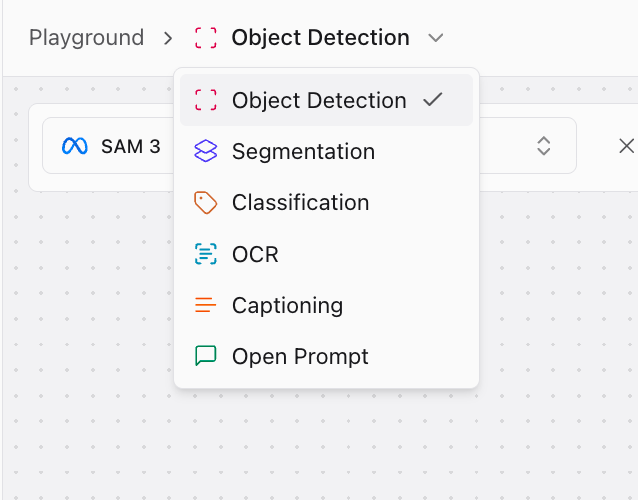
To choose a task, click “Object detection” from the list of tasks dropdown and select your chosen task:
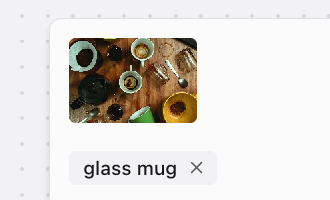
We can then upload an image of a book and coffee and set the prompt "glass mug":
We are now ready to run our image and prompt through vision models to see the results. For object detection, Playground automatically plots the bounding boxes returned by each model.
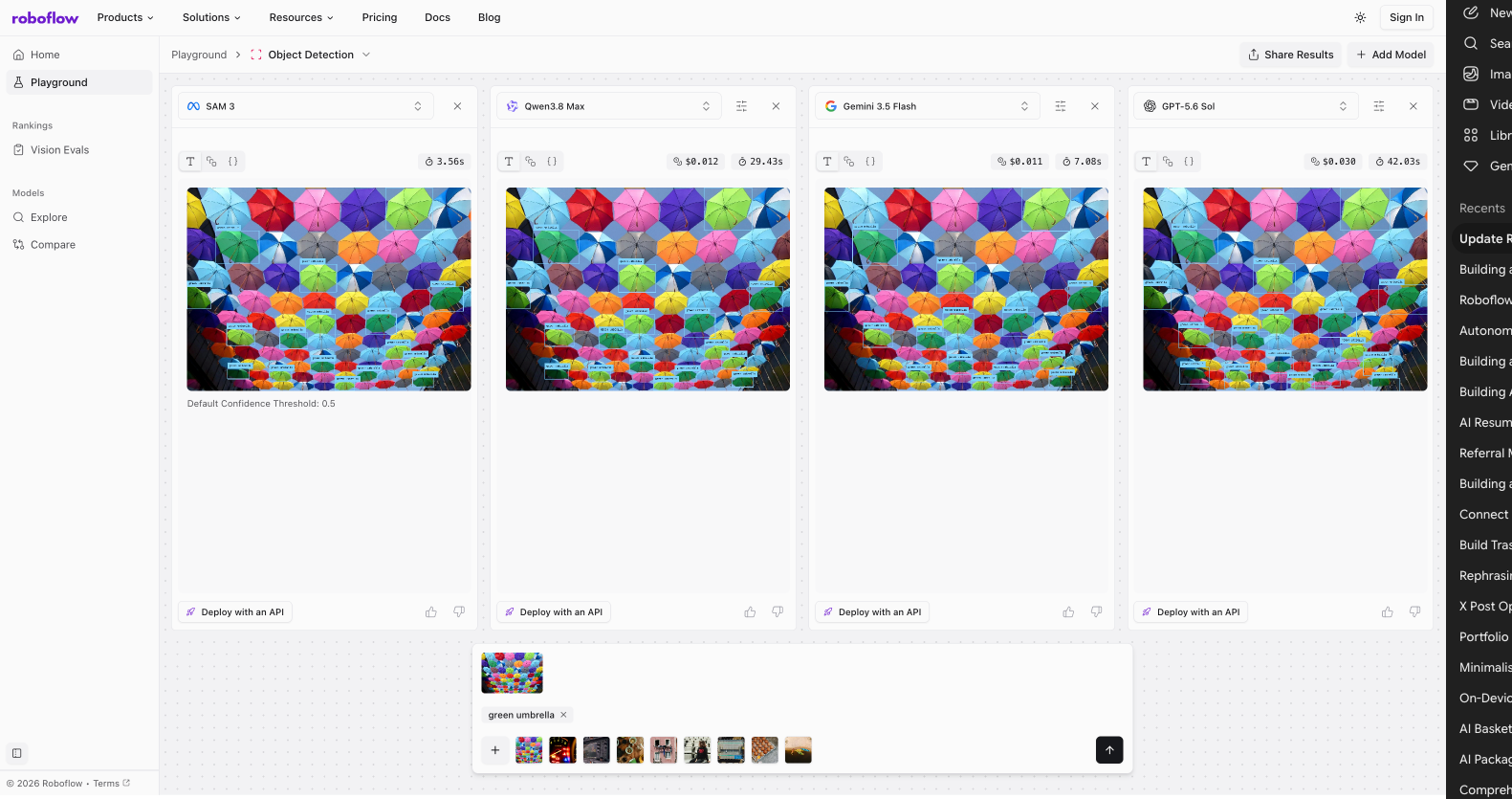
Here is an example of the results for our prompt:
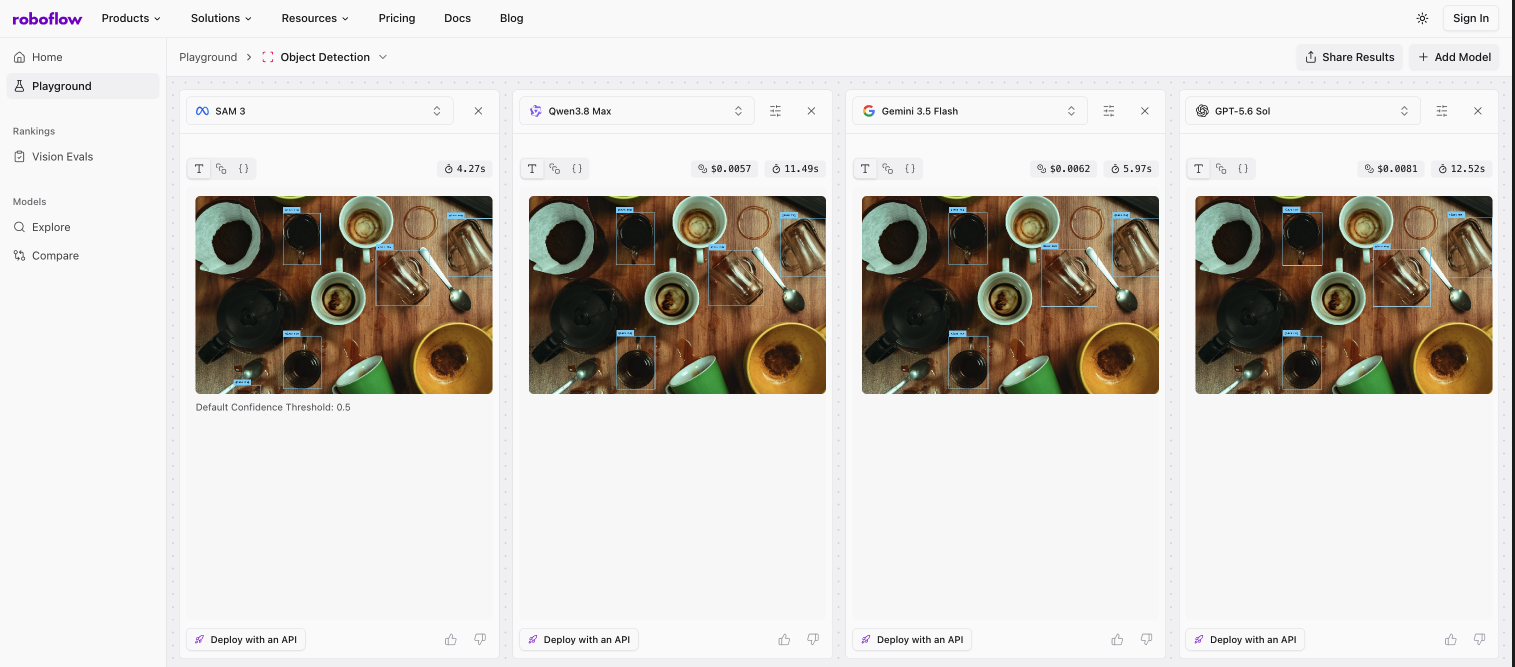
Playground overlays bounding boxes and labels directly on your image.
If you need to inspect the details, choose the raw JSON option to check exact coordinates.
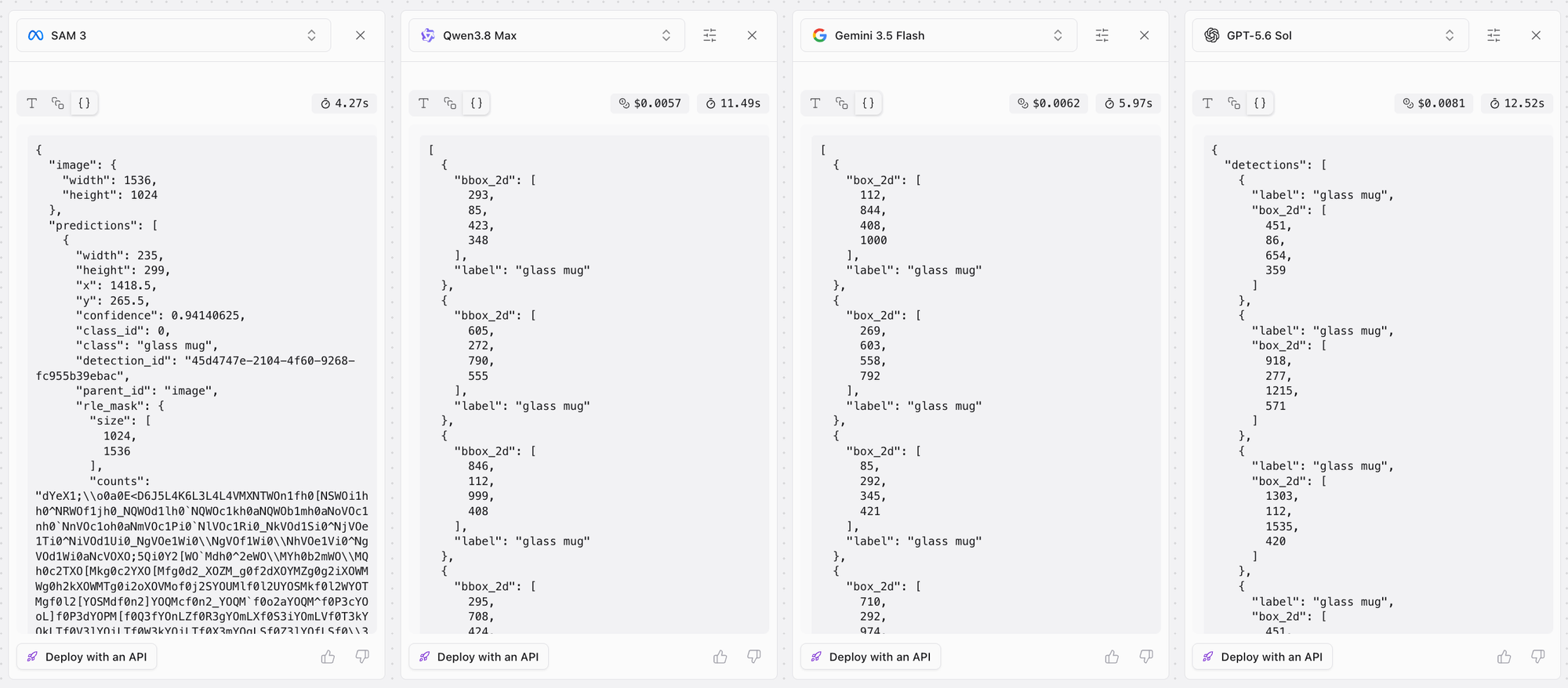
Real-time speed and cost metrics update with every run, making it easy to weigh paid options (like Qwen3.8 Max) against free open models (like SAM 3).

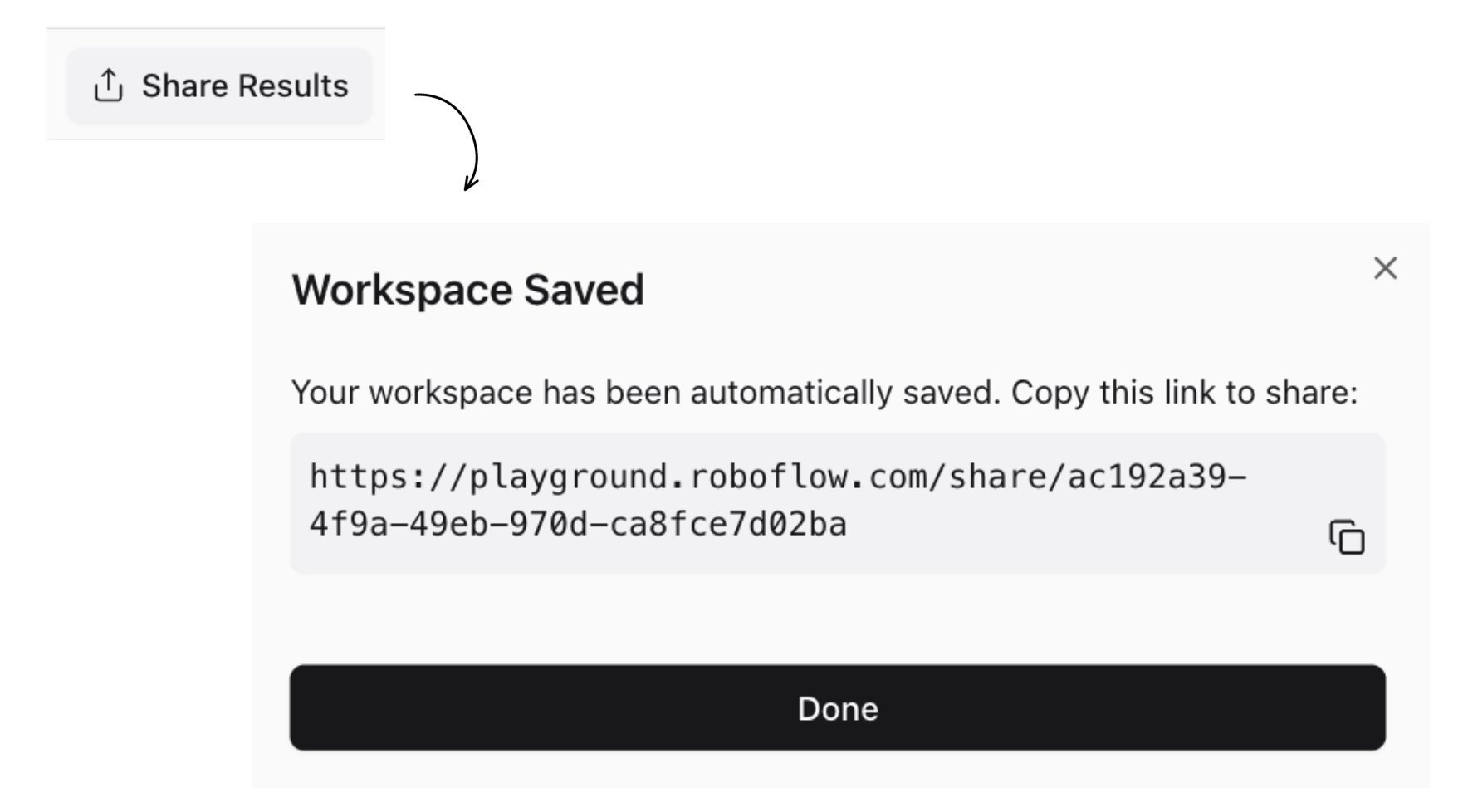
When you're ready to collaborate, just copy the shareable URL. It saves your exact setup, classes, and results so anyone can jump right in.
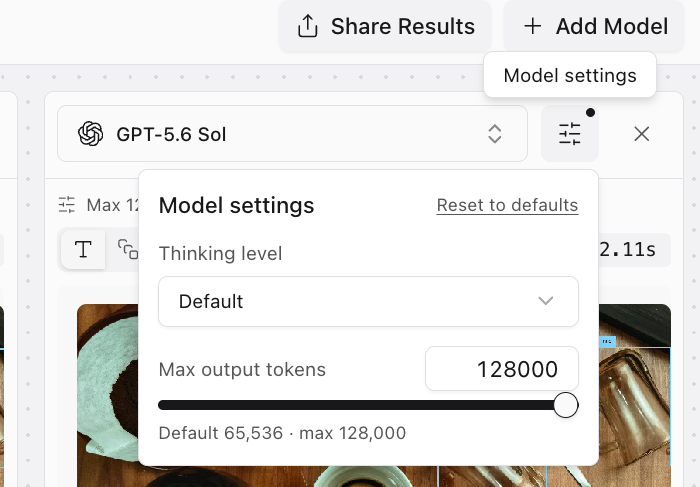
You can also open the settings popover on vision-language models to adjust the thinking level and maximum output tokens. If you need GPT-5.6 Sol to use its full 128,000 token output window, you move the slider.
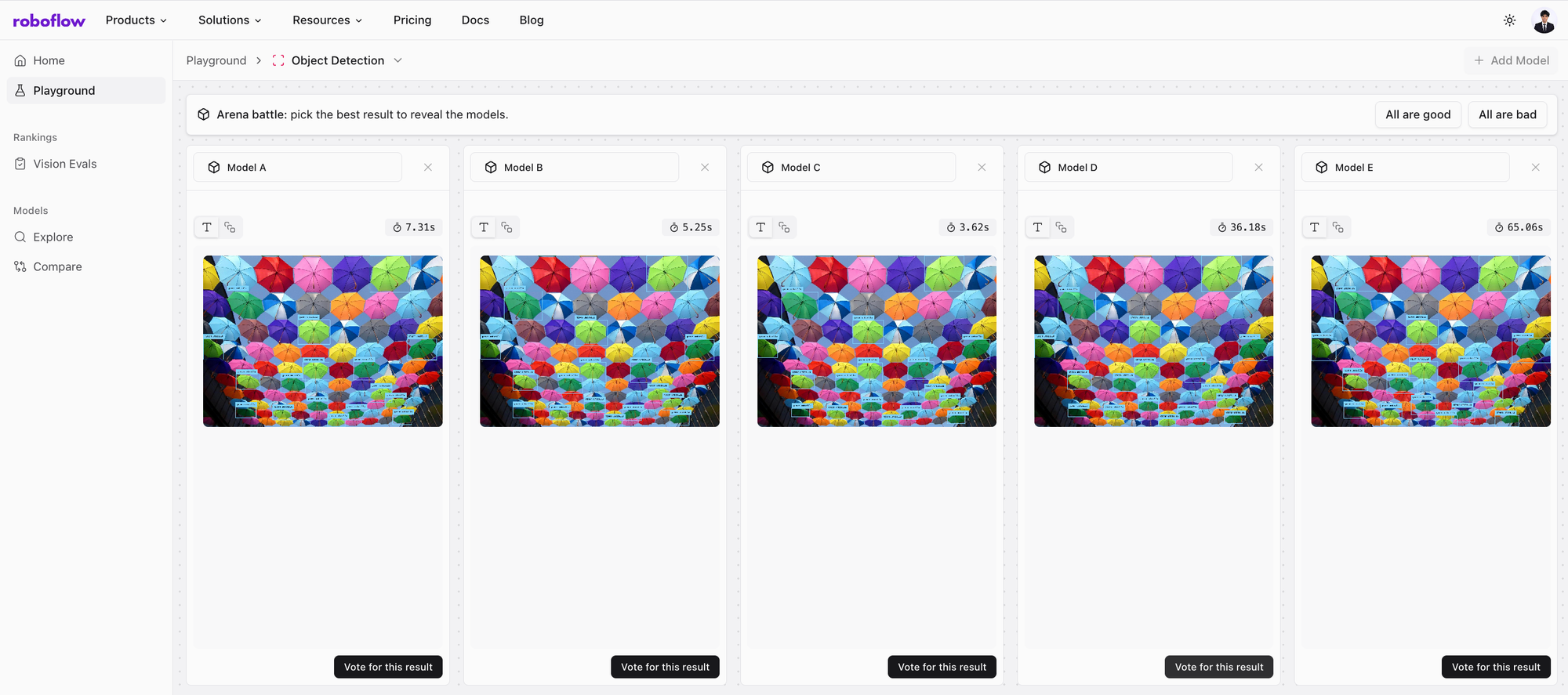
To keep the leaderboard real-time, we integrated arena mode within playground. Arena mode allows the user to vote on the best performing model without knowing its identity to remove all bias. Every fifth query in Playground runs a blind comparison to gather human preference data. This feeds directly into our live arena rankings.
Ground truth benchmarking with Vision Evals
Human votes provide a useful signal, but production requires objective truth and certainty. Which model misses the fewest frames? Which one reads precise container IDs without hallucinating?
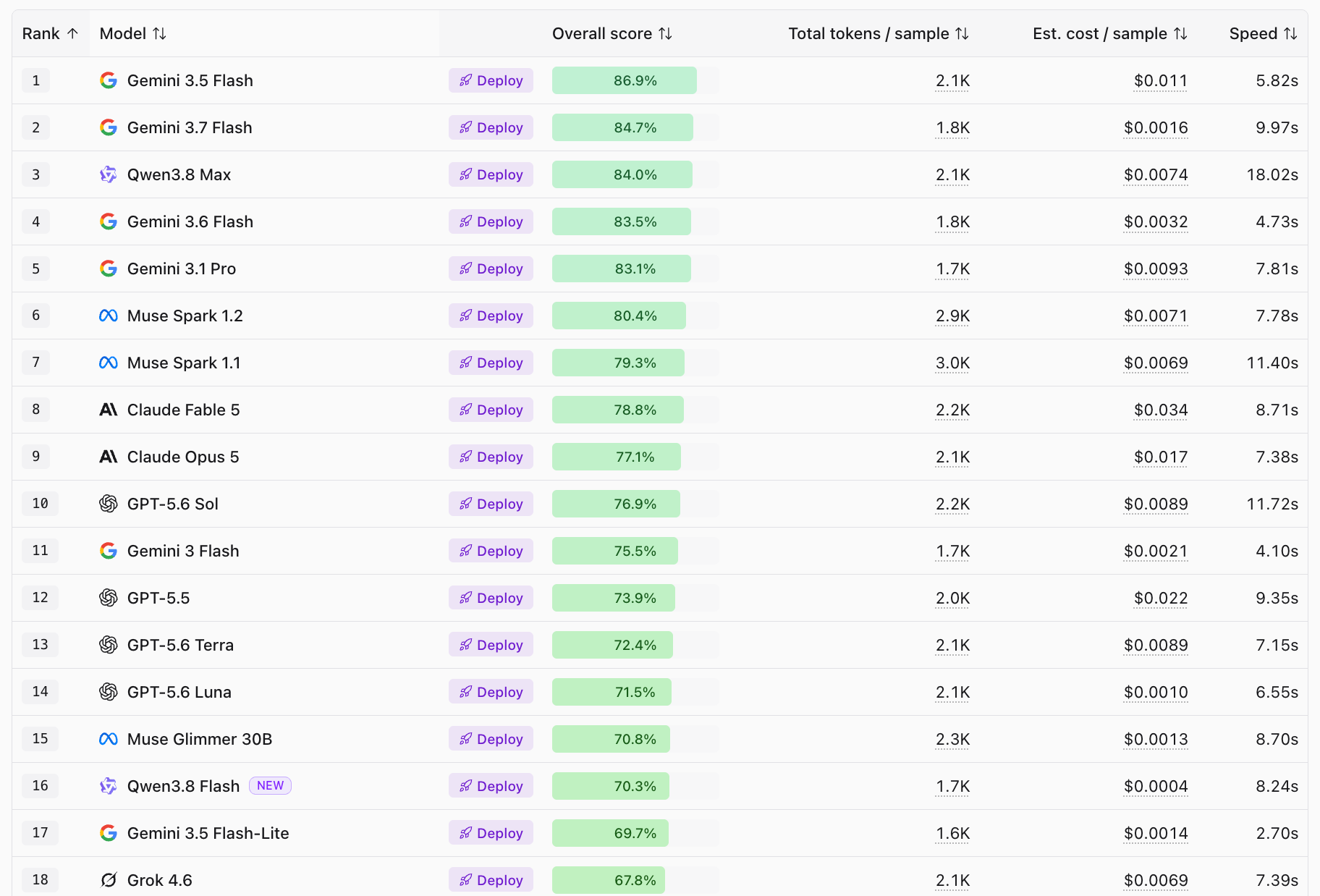
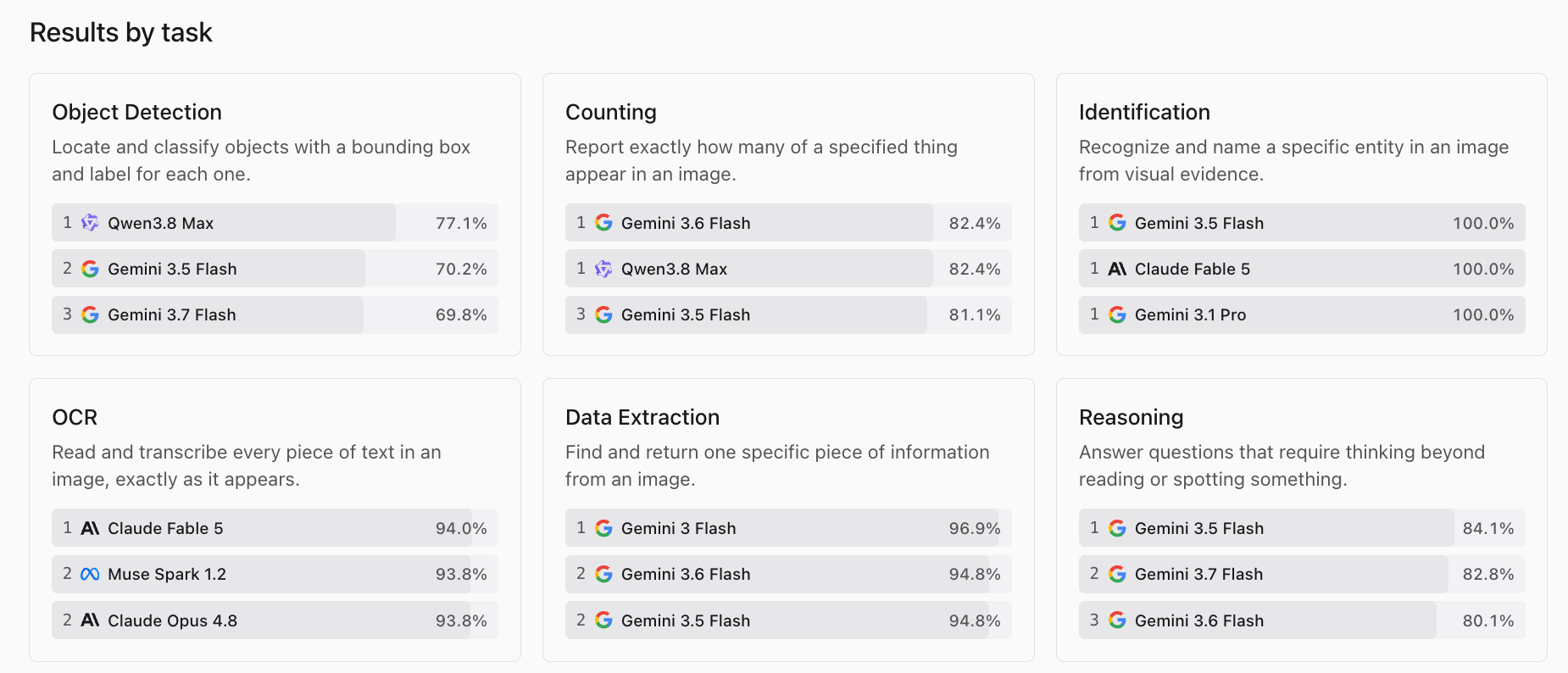
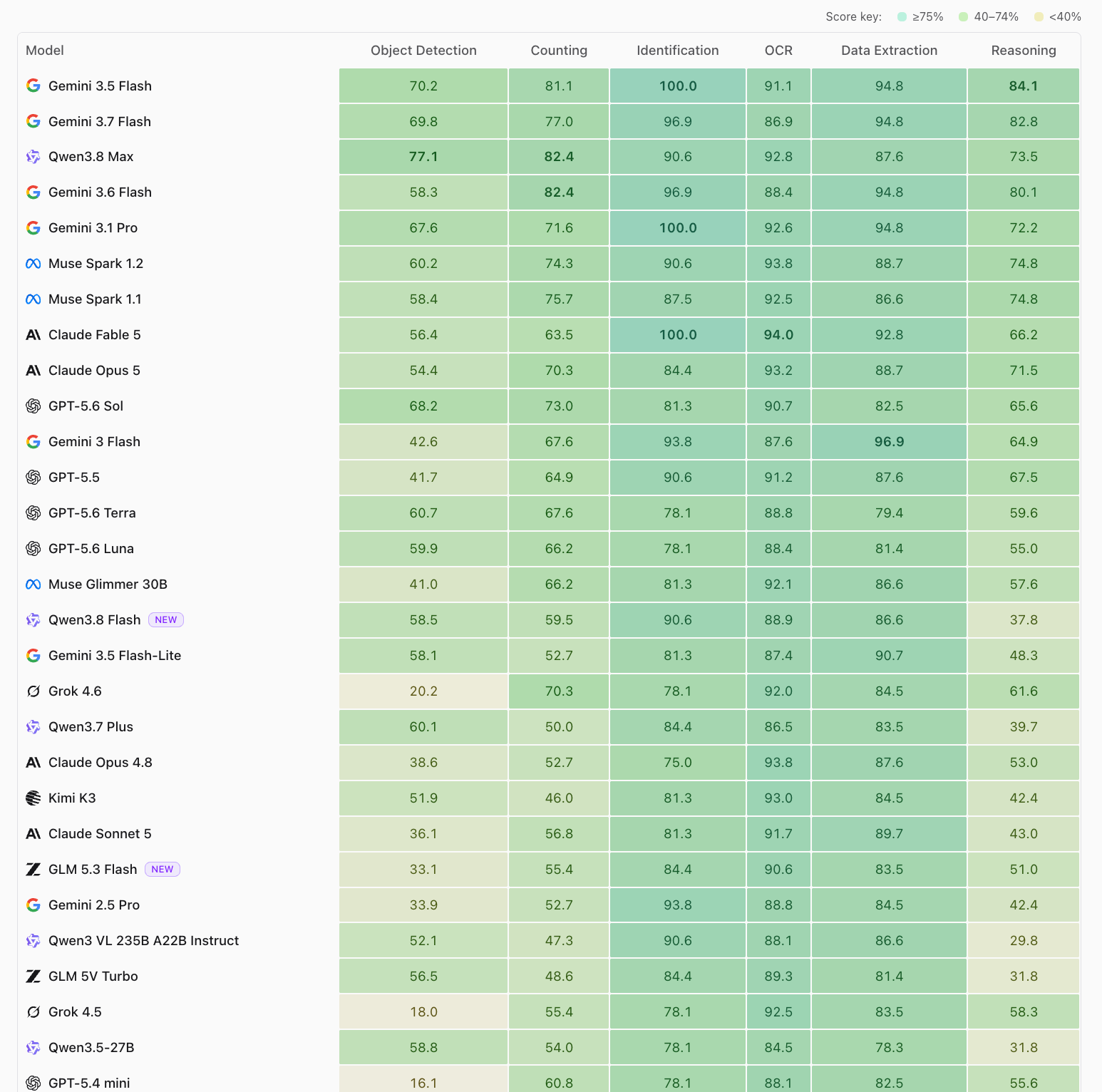
Roboflow Vision Evals evaluates 34 frontier vision-language models across six standardized ground-truth tasks: Object Detection, Counting, Identification, OCR, Data Extraction, and Visual Reasoning. Ground-truth benchmark scores update automatically as providers release new model weights.
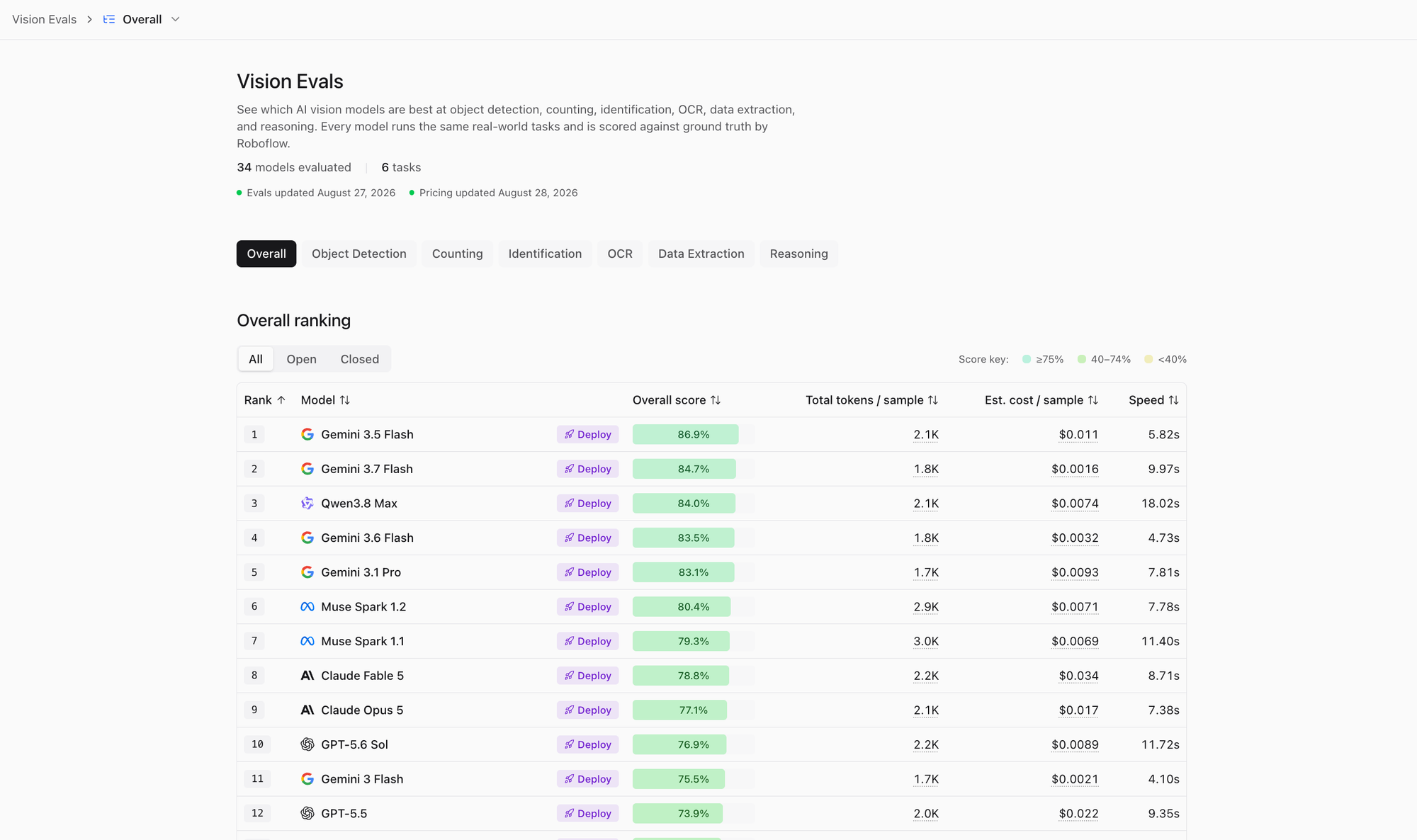
We score each task against ground truth: object detection uses mAP@50, OCR uses text similarity, and the other four tasks use exact match. Every model runs at low reasoning effort so scores stay comparable, with reasoning additionally tested at high effort side by side. Token counts come straight from API responses, and costs multiply measured usage by current per-million pricing.
The Vision Evals interface breaks down model performance across four main sections:
- Leaderboard table: The top section ranks all 34 benchmarked models by overall score. Each row details average accuracy, total tokens consumed per sample, estimated cost per sample, and average inference speed.
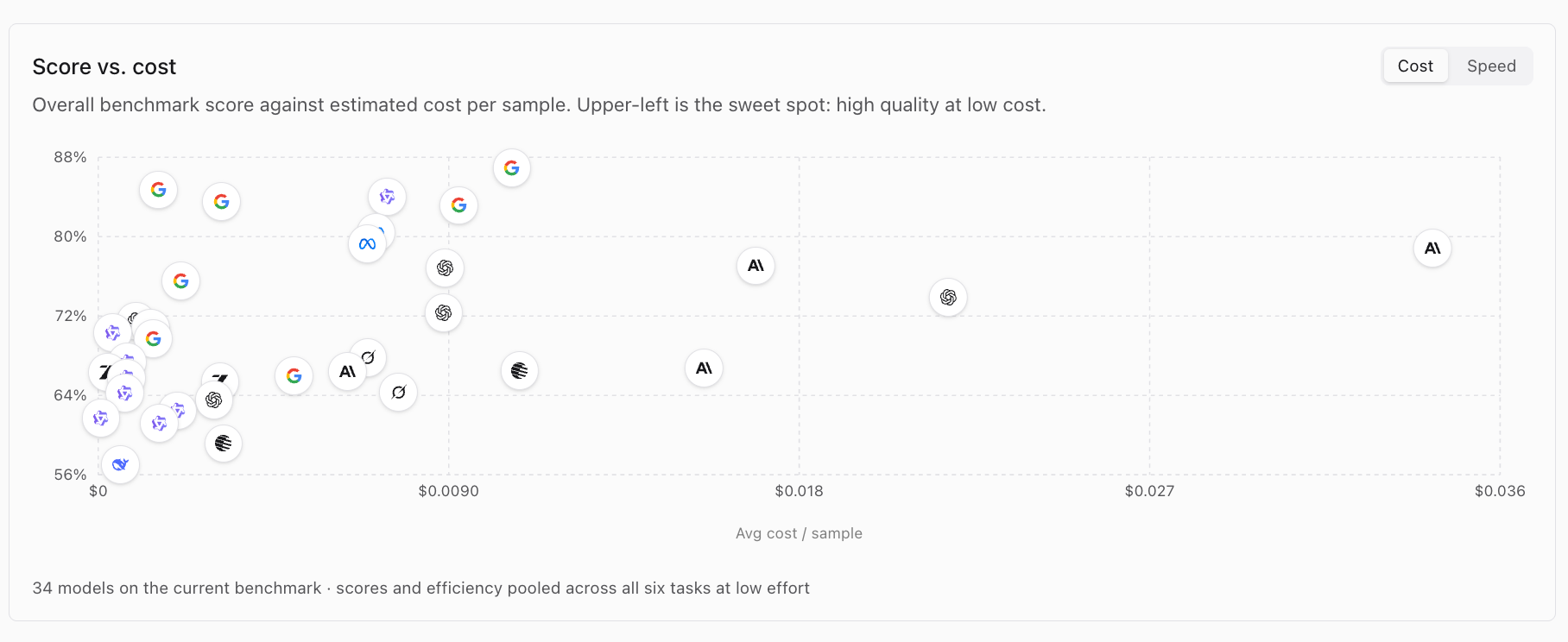
- Score vs. cost scatter plot: The middle graph plots overall benchmark accuracy against estimated sample cost. You switch toggles between cost and speed to see efficiency curves. Models landing in the upper-left quadrant represent the sweet spot: high accuracy at low token cost.
- Results by task cards: The core breakdown highlights top performers across six distinct vision tasks: Object Detection, Counting, Identification, OCR, Data Extraction, and Visual Reasoning. Each card describes the task objective and lists the top three scoring models.
- Per-task performance matrix: The bottom heatmap table displays every model's exact score across all six task columns. Color-coded cells indicate performance tiers (dark green for scores 75 percent or higher, light green for 40 to 74 percent, and yellow for under 40 percent).
Side-by-side technical evaluation with Compare
When you need to evaluate specific model matchups head-to-head, the Compare tool generates technical side-by-side breakdowns.
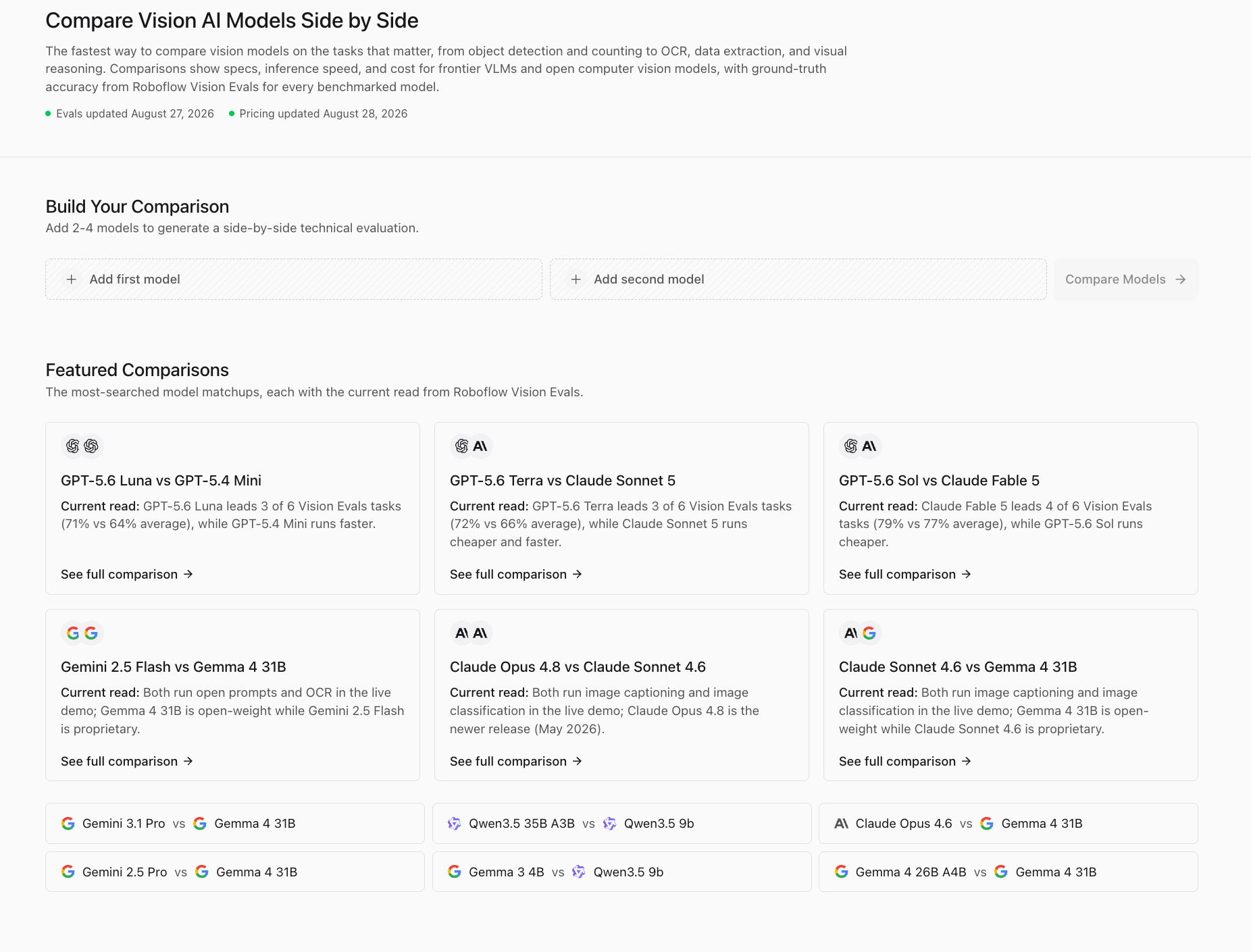
Pick two to four models, and the tool compares their specs, context windows, token pricing, latency, and Vision Evals scores in one view.
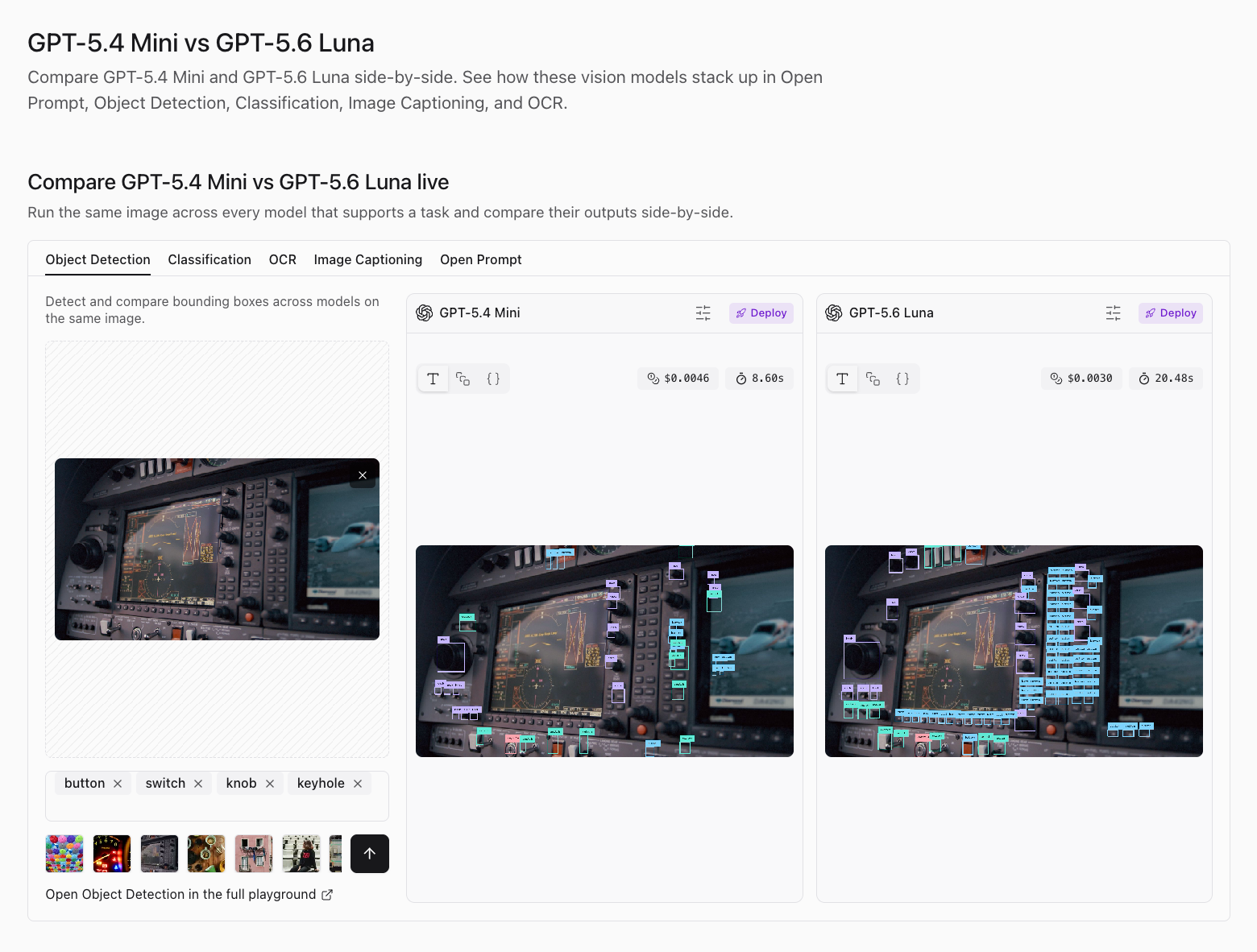
Because pricing syncs continuously and benchmark evaluation scores refresh as new weights land, Compare pages give your team an up-to-date technical reference when selecting foundation models for new projects.
Explore the 130+ model directory
The Model Directory indexes 134 models across 25 vision tasks. You filter by modality, organization, license, or specific task capabilities.
The catalog breaks into three distinct categories:
- Open-source models: 87 models with downloadable Apache 2.0 or MIT weights, including GLM 5.3 Flash and Qwen3.8 27B. Thirty-seven run live in Playground via hosted APIs, so self-hosting is optional.
- Proprietary APIs: 47 frontier vision models listed with transparent input, output, and cached pricing per million tokens.
- Specialized CV models: 49 single-task models like YOLO26 and RF-DETR built specifically for high frame rates and production accuracy.
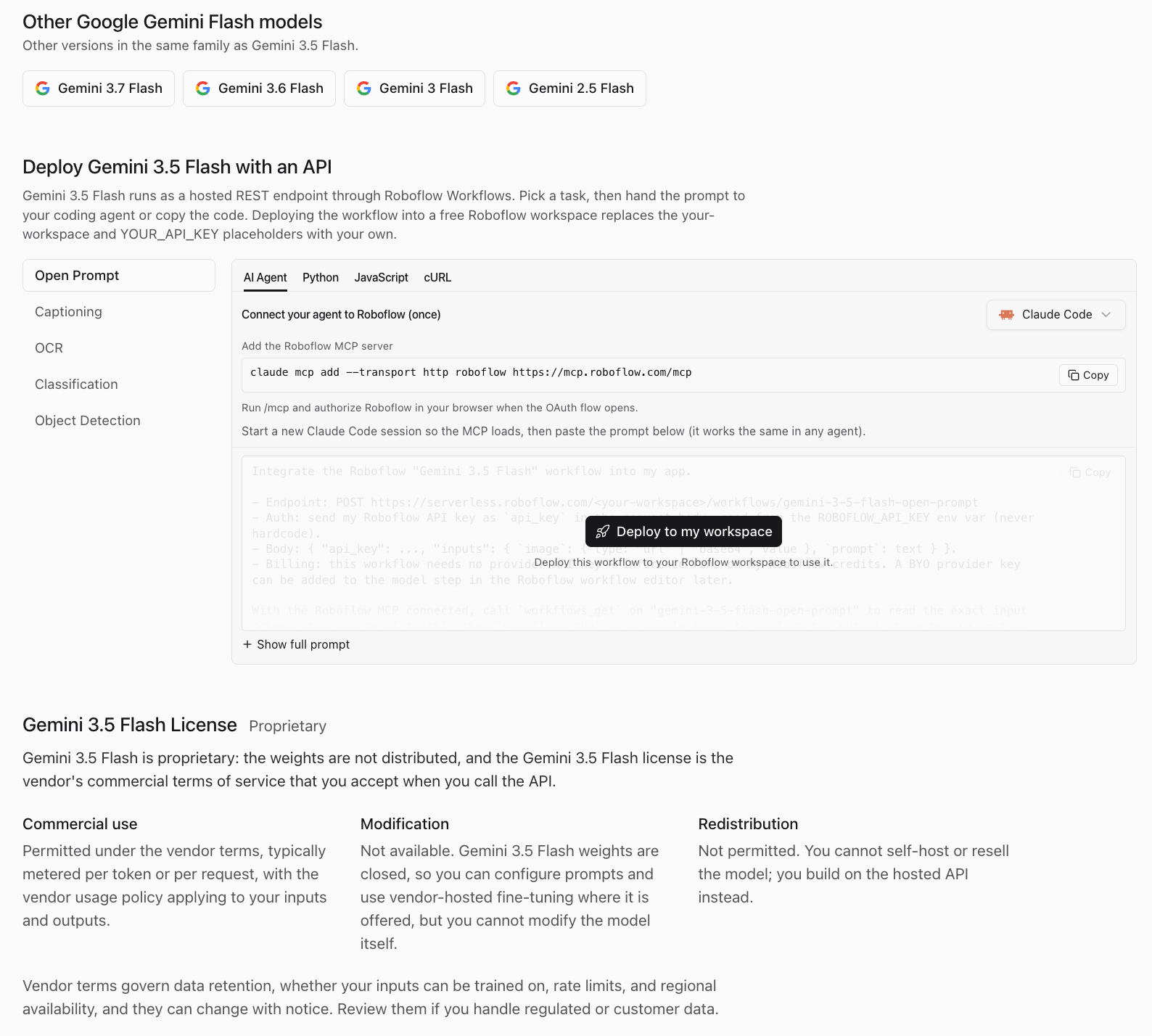
Every model detail page provides an interactive live demo, licensing breakdowns, 30-day usage numbers, and API deployment code snippets in Python, JavaScript, and cURL. Each page also includes a dedicated AI Agent setup tab with a copy-paste prompt and Roboflow Model Context Protocol (MCP) server integration command (claude mcp add --transport http roboflow https://mcp.roboflow.com/mcp), enabling coding agents to wire up model endpoints automatically.
Experiment with Playground Today
Vision-language models excel at zero-shot exploration when requirements are fluid. But production deployments demand speed, reliability, and cost control.
When your classes are fixed and your inference volume grows, validate requirements with a vision-language model, then train a specialized model like RF-DETR on your own annotated data. It will run faster and cheaper.
In Roboflow Workflows, you chain both approaches together. A specialized detector localizes a defect on a conveyor belt and dynamically crops the region of interest. The vision-language model reads only the crop. You deploy these complete logic pipelines to cloud APIs or edge hardware with a single click.
If you prefer building in plain language, Roboflow Agent constructs the pipeline for you. Type a prompt like "detect missing labels on bottles at 30 fps" and the Agent builds the Workflow, tests execution, and fixes pipeline errors automatically.
Building great vision products starts with knowing which model works on your data. When more teams can test models effortlessly, better vision products reach production faster. You find the model, you build the pipeline, and you move on.
You can get started with Roboflow Playground today to try, compare, and evaluate supported vision models for free.


Cite this Post
Use the following entry to cite this post in your research:
James Gallagher, Aarnav Shah. (Aug 27, 2026). Roboflow Playground: Try and Compare 130+ Computer Vision Models. Roboflow Blog: https://blog.roboflow.com/roboflow-playground/