

In this guide, we will demonstrate how to implement instance segmentation using the YOLO26 architecture. To follow along, we recommend opening the YOLO26 Instance Segmentation Colab Notebook.
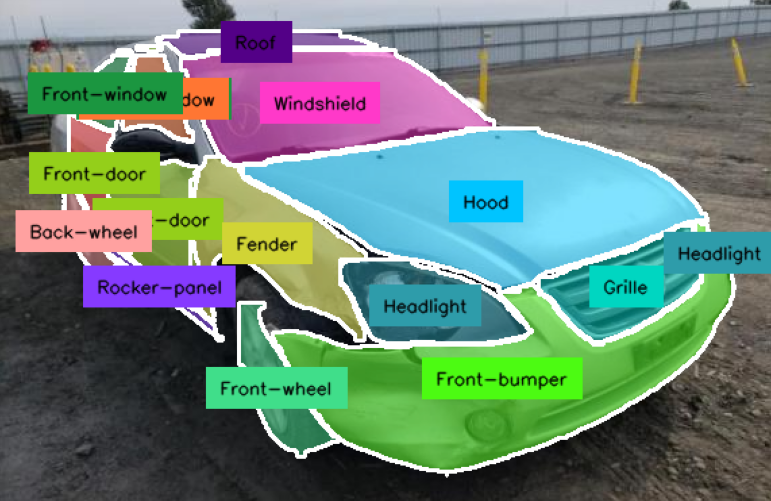
While object detection tells you where an object is with a box, instance segmentation takes it a step further by identifying the exact pixels that belong to each object. This is important for applications requiring precise shape measurement, such as medical imaging, autonomous navigation, or industrial quality control.
YOLO26 Segmentation Colab Setup
To begin, we need to ensure our environment is equipped with a GPU. In Google Colab, navigate to Edit -> Notebook settings, select GPU as the hardware accelerator, and save.
Next, we’ll install the necessary ecosystem of tools. We'll be using ultralytics for model training, roboflow for dataset management, and supervision for advanced visualization.
pip install -q "ultralytics>=8.4.0" supervision roboflowPreparing the YOLO26 Segmentation Dataset
For this tutorial, we'll use the specialized Car Part Detection dataset from Roboflow Universe. Unlike detection datasets, this version contains polygon annotations that wrap around the contours of different car parts like hood, wheel, bumper, windshield, etc.
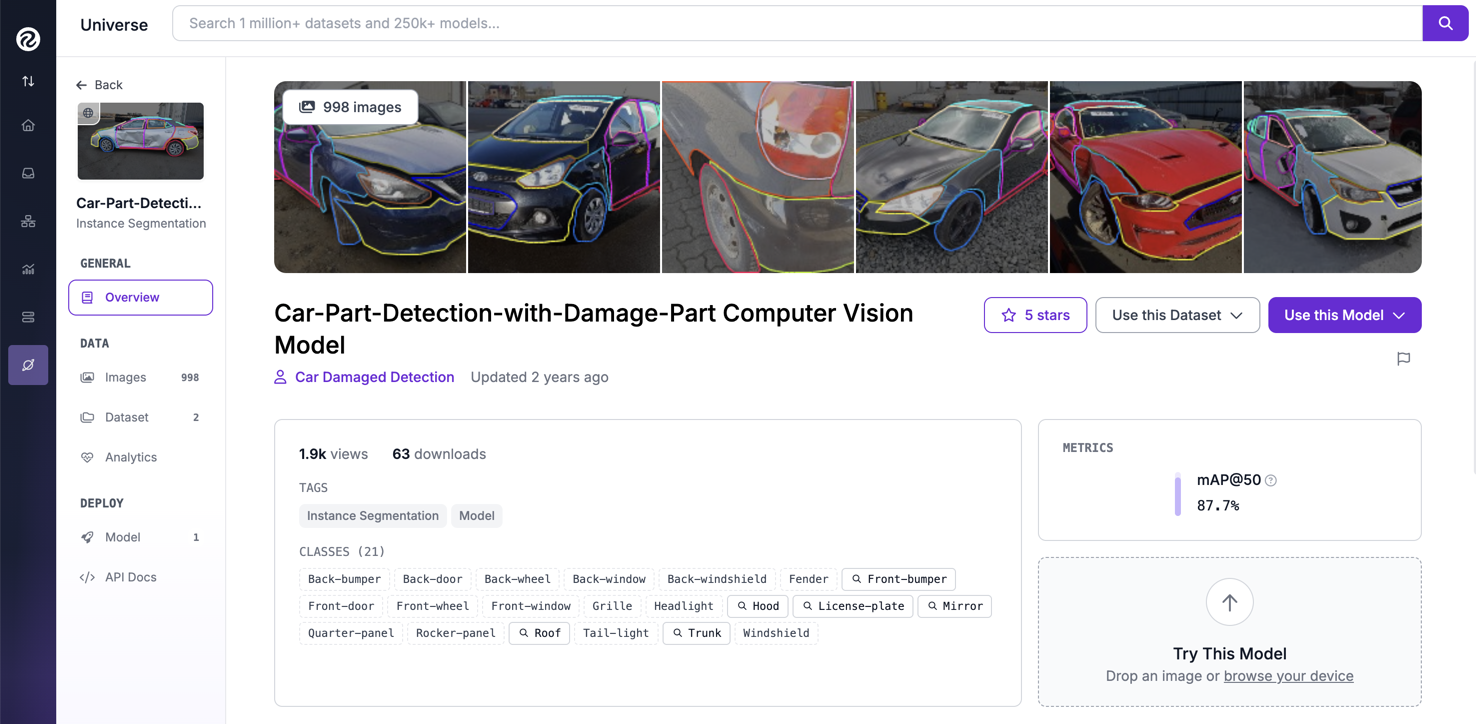
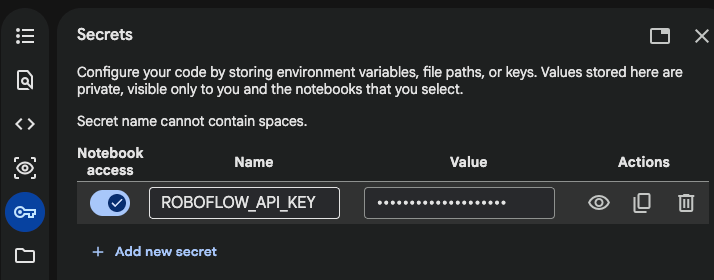
To integrate this data, store your Roboflow API Key in your Colab 🔑 Secrets under the name ROBOFLOW_API_KEY. This ensures your credentials remain secure during the training process.
We'll skip over the Inference with model pre-trained on COCO dataset and go directly to Fine-tune YOLO26 on custom dataset section.
The script below will securely download the Car Part Detection dataset (with YOLOv11 annotation format) into your Colab. This might take a few seconds.
from google.colab import userdata
from roboflow import Roboflow

ROBOFLOW_API_KEY = userdata.get('ROBOFLOW_API_KEY')
rf = Roboflow(api_key=ROBOFLOW_API_KEY)

workspace = rf.workspace("car-damaged-detection-e66m0")
project = workspace.project("car-part-detection-with-damage-part")
version = project.version(2)
dataset = version.download("yolov11")
Fine-Tuning YOLO26 Segmentation
Training a segmentation model is computationally more intensive than detection because the model must predict a mask for every instance.
While YOLO26 introduces some architectural changes, the training workflow remains familiar. We will initialize the training process using the segment task. Note that we are using the yolo26m-seg.pt weights as our starting point:
yolo task=segment mode=train model=yolo26m-seg.pt data={dataset.location}/data.yaml epochs=20 imgsz=640 plots=TrueBy focusing on a modest number of epochs, we can quickly evaluate if the model is learning the complex geometry of the car parts.
The training should be completed in about 30 minutes, after which your fine-tuned model weights will be saved in /weights folder:
20 epochs completed in 0.436 hours.
Optimizer stripped from /content/runs/segment/train/weights/last.pt, 54.5MB
Optimizer stripped from /content/runs/segment/train/weights/best.pt, 54.5MB
YOLO26 Confusion Matrix
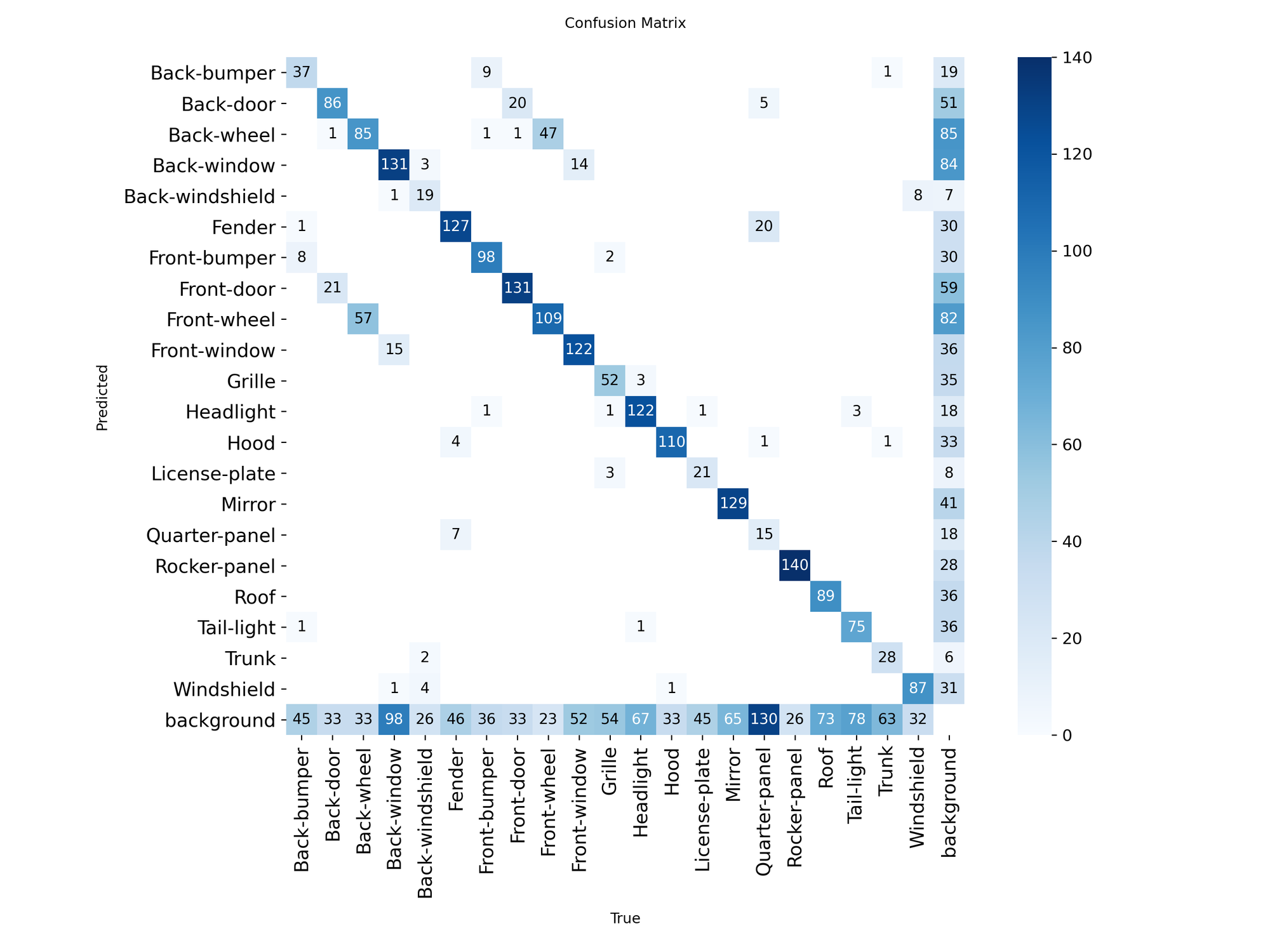
We can find the fine-tuned model confusion matrix at {HOME}/runs/segment/train/confusion_matrix.png , from which we can get a few insights:
- Symmetrical confusion: there's noticeable confusion between front-wheel/back-wheel and front-door/back-door.
- Size sensitivity: larger areas like Rocker-panel and Window have high accuracy, but small or thin objects (like license plates) are frequently missed or misclassified.
- Background leakage: A large amount of true objects (like 130 quarter-panel, or 98 back-window) are being ignored by the model and labeled as "background".
While these errors can often be mitigated by training on a larger dataset for more epochs, they also highlight the difficulty of pixel-perfect segmentation. To see if the model has captured the shape of the objects, we can run inference and visualize the segmentation masks.
Visualizing Results with Mask Inference
We use the Supervision library here because it provides cleaner, more customizable visualizations than standard plotting tools.
import random
import matplotlib.pyplot as plt
from ultralytics import YOLO

model = YOLO(f'{HOME}/runs/segment/train/weights/best.pt')

# Randomly select one image from the dataset
idx = random.randint(0, len(ds_test) - 1)
path, _, annotations = ds_test[idx]

# Run inference on fine-tuned YOLO26 instance segmentation model
result = model.predict(Image.open(path), verbose=False)[0]
detections = sv.Detections.from_ultralytics(result)

# Annotate (visualize bounding boxes) the image
annotated_image = annotate(image, detections)

# Display the annotated image
plt.figure(figsize=(10, 10))
plt.imshow(annotated_image)
plt.axis("off")
plt.show()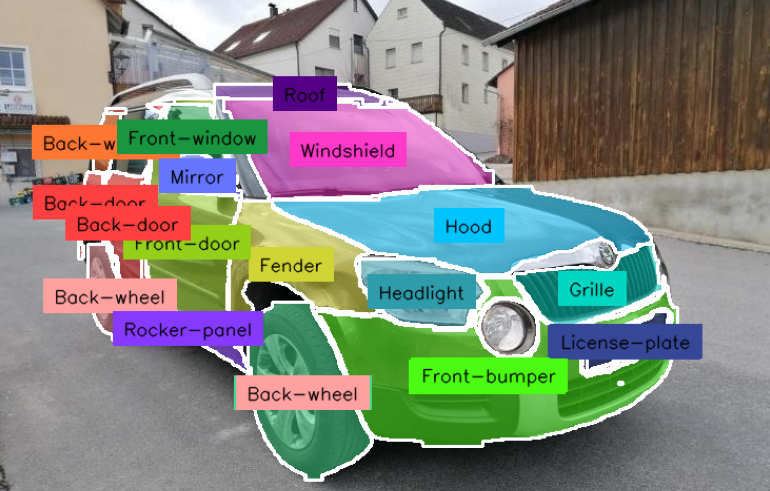
Conclusion
Congratulations! You have successfully fine-tuned the YOLO26 architecture to perform instance segmentation on a custom car parts dataset. We encourage you to build on this baseline by trying out our companion guide on how to train YOLO26 for object detection.
Try YOLO26 on Images
See how YOLO26 performs on images for common objects included in the COCO dataset. Test out how the model handles your data below.
Cite this Post
Use the following entry to cite this post in your research:
Erik Kokalj. (Jan 15, 2026). Train a YOLO26 Instance Segmentation Model with Custom Data. Roboflow Blog: https://blog.roboflow.com/train-yolo26-instance-segmentation-custom-data/