

Teaching a robotic arm to play Connect 4 and trash-talk human players in real time. The system combines local RF-DETR object detection for board tracking, a bitboard negamax engine that searches eight moves ahead in 12 milliseconds, a HiWonder MaxArm suction feeder setup, and Gemini Flash driving ElevenLabs voice roasts.
My brother and I played Connect 4 constantly growing up, and almost every game devolved into a heated argument. So before leaving for university, I taught a physical robot arm to take my place and insult his moves out loud while beating him.
The system runs local computer vision at 175 milliseconds per frame, evaluates board positions in 12 milliseconds, and drops pieces automatically.
The large language model never selects game moves. A classic minimax algorithm handles all tactical decision-making. The language model acts only as the robot's vocal mouth.
Follow along with the complete source code in our Connect 4 Robot GitHub repository.
Audio is muted for this 5x speedup. Full roasts are displayed in the text overlay at the top of the frame. If you want the regular speed demo, click to watch here.
System architecture
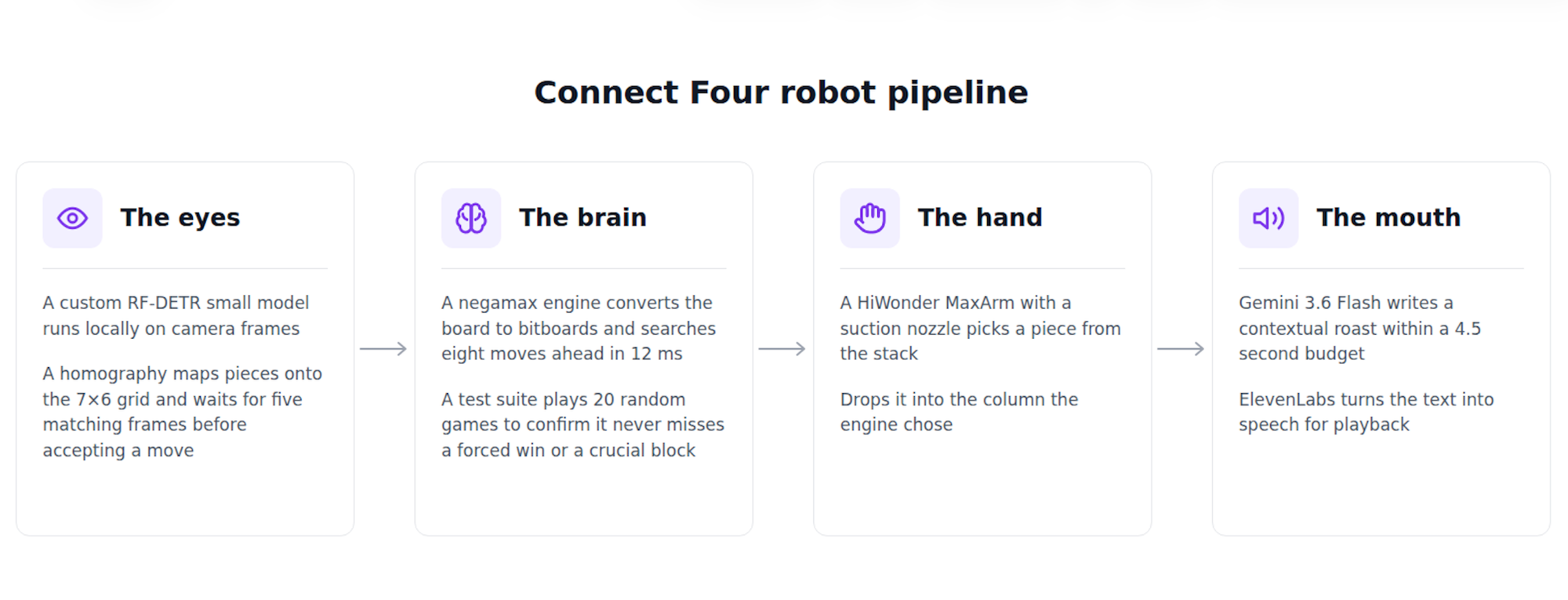
We divided the robot pipeline into four parts.
- A custom RF-DETR small model running locally processes camera frames. A homography maps piece locations directly to a 7x6 grid and waits for five matching frames in a row so it never misreads a move.
- Next, a negamax game engine converts the board state into bitboards, using fast binary math to evaluate positions at depth 8. In simple terms, it searches eight moves ahead in just 12 milliseconds. An automated test suite forces the engine through 20 random games to verify it never misses a forced win or a crucial block.
- Then, the HiWonder MaxArm and a suction nozzle picks pieces from a stack and drops them into designated columns.
- Lastly, Gemini 3.6 Flash writes contextual roasts within a 4.5 second budget. It sends text to an ElevenLabs voice generator for playback.
Hardware list
Building a physical board game requires some hardware.
- HiWonder MaxArm: a $200 desktop robot arm driven by an ESP32 controller and equipped with a suction nozzle.
- Connect 4 board: a standard plastic grid containing standard red and yellow pieces.
- Some cardboard (what I used) or a 3D printer for clean, detachable parts
Training object detection with empty cell awareness
We trained our model (found from Roboflow Universe) in the four classes: Red Piece, Yellow Piece, Board, and No Piece.
Detecting empty cells directly sounds redundant. But it provided a health check for the camera pipeline.
On our test split, the model achieved an F1 score of 0.96 at a 0.40 confidence threshold. The Red class registered perfect precision at 1.0.
If you deploy local inference using our inference package, use the project ID format connect4-kewhf/1 rather than the raw workspace checkpoint path to avoid invalid model errors.
Building the cardboard top guide
The MaxArm relies on a vacuum suction nozzle, which grabs Connect 4 pieces flat from the feeder stack. Dropping a piece into the board requires vertical orientation. Physical robot arms also suffer from some mechanical backlash, making exact millimeter drops into narrow plastic slots unreliable.
So I built a custom cardboard funnel apparatus mounted directly across the top frame of the board. This can also be 3d printed if you have the resources:
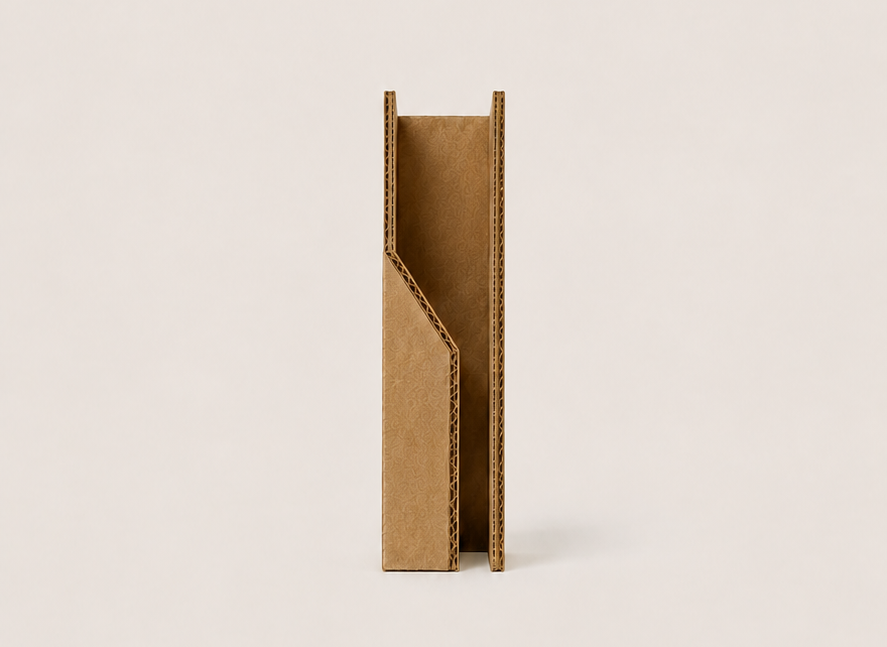
Each of the seven entry channels features a sloped interior wall designed to reorient the piece.
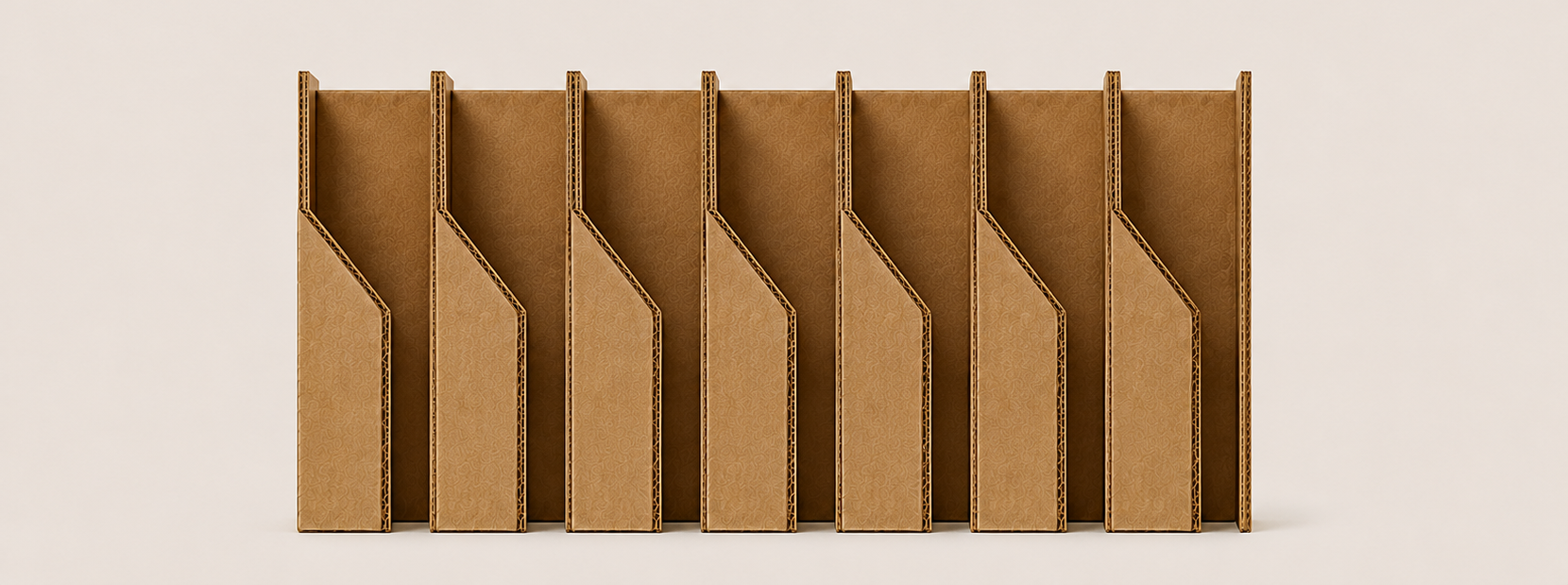
When the suction cup releases a horizontal chip above the channel, the piece hits the slanted cardboard ramp and flips vertically as it slides into the column slot. This physical funnel fixes the orientation issue and increases drop tolerance, guiding pieces cleanly into the board even if the arm shifts off-target by a few millimeters.
Repository layout and setup
Setting up the project requires a few shell commands.
git clone https://github.com/aarnavshah12/connect4-robot.git
cd connect4-robot
uv venv .venv --python 3.12
uv pip install --python .venv/bin/python -r requirements.txt
cp config.example.yaml config.yaml
Make sure to add all of the API keys needed in config.yaml. If they’re missing, the system will use default text lines as a substitute for Gemini, and the macOS system voice substitutes for ElevenLabs. The core engine and vision system run entirely locally.
Calibration and setup
If you build your own version, secure your hardware before recording any points. Screw down the robot arm and anchor your piece feeder directly to the table. A shift of even two millimeters breaks suction alignment and invalidates your stored coordinates.
Accurate coordinate mapping requires measuring things yourself instead of using online measurements. When setting up our red piece feeder, assuming a standard 5 millimeter piece thickness caused alternating grab failures for me. The arm grabbed the first and third pieces but missed the second and fourth because the error in the numbers made the arm drift past the suction cup tolerance.
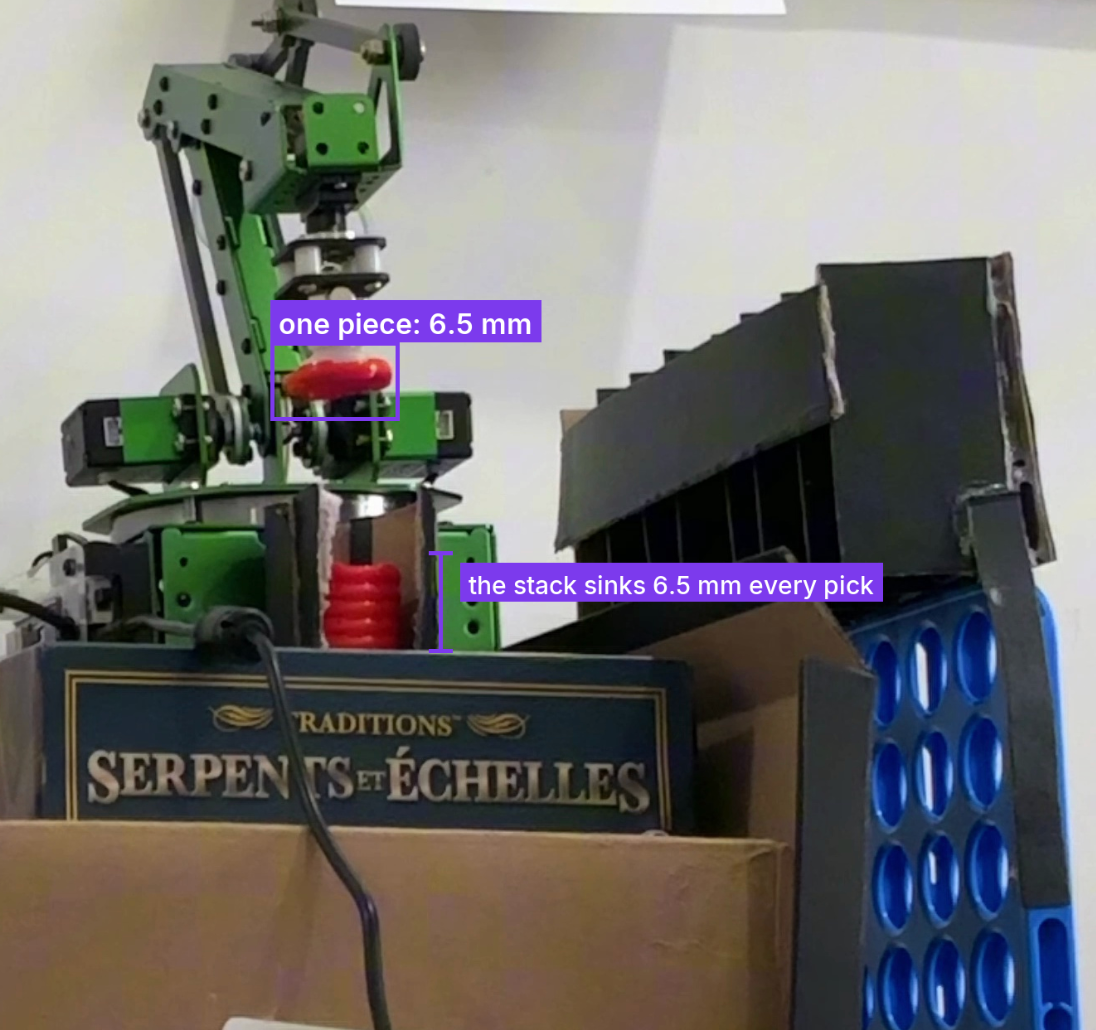
Reading back actual Z-axis coordinates from successful grabs (96 millimeters, 90 millimeters, and 83 millimeters) revealed a true piece thickness of 6.5 millimeters. I suggest recording every pick height manually during calibration, jotting down your exact coordinates, and testing your stack count repeatedly before running a full game.
Build your own
- Photograph your board, label red pieces, yellow pieces, board boundaries, and empty cells in the Roboflow UI, then train an RF-DETR model.
- Input all your API keys in
config.yaml - Clone the repository and install dependencies using uv.
- Flash MicroPython firmware to your robot arm and teach the feeder pick locations.
- Construct a cardboard top guide for column slots to maximize drop tolerances.
- Run calibration to align camera homography, verify board coordinates using debug tools, and start the game engine.
Further reading


Cite this Post
Use the following entry to cite this post in your research:
Aarnav Shah. (Aug 21, 2026). Building a Physical AI that Plays Connect 4. Roboflow Blog: https://blog.roboflow.com/building-a-physical-ai-that-plays-connect-4/