

OpenAI CLIP is a zero-shot image classifier: give it an image and a list of candidate captions, and it scores how well each caption matches, no training required. This guide shows two ways to run CLIP, locally with a few lines of Python and hosted through Roboflow Inference.
OpenAI dropped two groundbreaking models: While DALL-E (a model that can generate images from text prompts) has garnered much of the attention this week, this post focuses on CLIP: a zero-shot classifier which is arguably even more consequential.
Until now, classifying images has involved collecting a custom dataset of hundreds, thousands, or even millions of labeled images that suitably represent your targeted classes and using it to train a supervised classification model (usually a convolutional neural network). This approach (and extensions of it like object detection) has led to the rapid proliferation of computer vision over the past decade.
The downside of supervised training is that the resultant models do not generalize particularly well. If you show them an image from a different domain, they usually do no better than randomly guessing. This means you need to curate a wide variety of data that is sufficiently representative of the exact task your model will perform in the wild.
What Is OpenAI's CLIP?
The introduction of CLIP (Contrastive Language-Image Pre-training) disrupted this paradigm. It's a zero-shot model, meaning it can identify an enormous range of things it has never seen before.
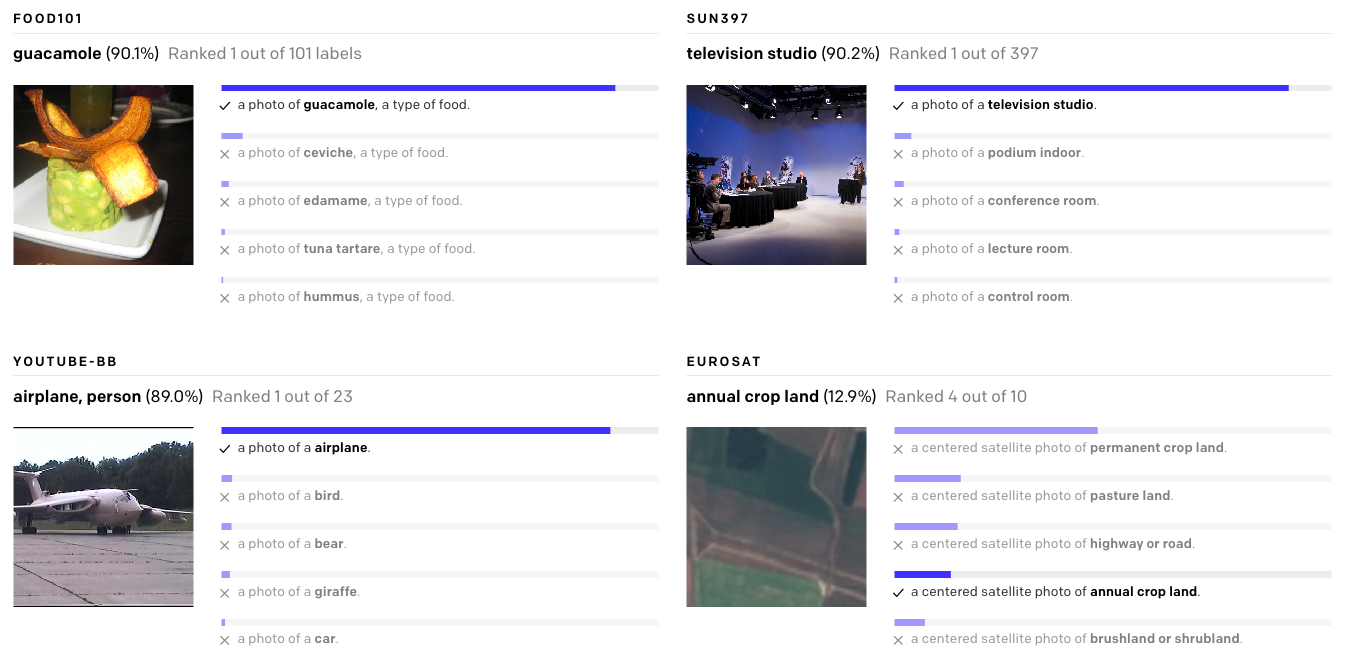
In traditional classifiers, the meaning of the labels is ignored (in fact, they're often simply discarded and replaced with integers internally). By contrast, CLIP creates an encoding of its classes and is pre-trained on over 400 million text to image pairs. This allows it to leverage transformer models' ability to extract semantic meaning from text to make image classifications out of the box without being fine-tuned on custom data.
All you need to do is define a list of possible classes, or descriptions, and CLIP will make a prediction for which class a given image is most likely to fall into based on its prior knowledge. Think of it as asking the model "Which of these captions best matches this image?"
Run CLIP Locally in Python
CLIP runs on a laptop. Install the package:
pip install torch torchvision ftfy regex
pip install git+https://github.com/openai/CLIP.git
Then classify an image against your candidate captions:
import torch
import clip
from PIL import Image

device = "cuda" if torch.cuda.is_available() else "cpu"
model, preprocess = clip.load("ViT-B/32", device=device)

image = preprocess(Image.open("flower.jpg")).unsqueeze(0).to(device)
text = clip.tokenize([
    "a picture of a daisy flower",
    "a picture of a dandelion flower",
]).to(device)

with torch.no_grad():
    logits_per_image, logits_per_text = model(image, text)
    probs = logits_per_image.softmax(dim=-1).cpu().numpy()

print(probs)
The output is a probability for each caption. Change the caption list and you have changed the classifier, which is the entire point.
Run CLIP Through Roboflow Inference
CLIP is a supported foundation model in Roboflow Inference, so you can call it as an API with nothing to download, or serve it yourself. The hosted comparison endpoint handles the classify-against-prompts pattern directly:
pip install inference-sdkimport os
from inference_sdk import InferenceHTTPClient
client = InferenceHTTPClient(
api_url="https://infer.roboflow.com",
api_key=os.environ["ROBOFLOW_API_KEY"],
)
result = client.clip_compare(
subject="./image.jpg",
prompt=["a picture of a daisy flower", "a picture of a dandelion flower"],
)
print(result)The same client exposes get_clip_image_embeddings and get_clip_text_embeddings for search and clustering work, and pip install "inference[clip]" runs the model fully locally, including against webcam and video streams. Nine CLIP versions are supported, from ResNet-50 variants through ViT-L/14, selectable with a clip_version argument.
To test on a real dataset, fork a classification dataset from Roboflow Universe, which hosts 200,000+ open datasets, and loop the comparison call over your test split.
Prompt Engineering
When you use CLIP for your classification task, it is useful to experiment with different class captions for your classification ontology, and remember that CLIP was trained to differentiate between image captions.
On the flowers dataset, we tried the following ontologies and saw these results:
- daisy vs dandelion: 46% accuracy, worse than guessing
- daisy flower vs dandelion flower: 64% accuracy
- picture of a daisy flower vs picture of a dandelion flower: 97% accuracy
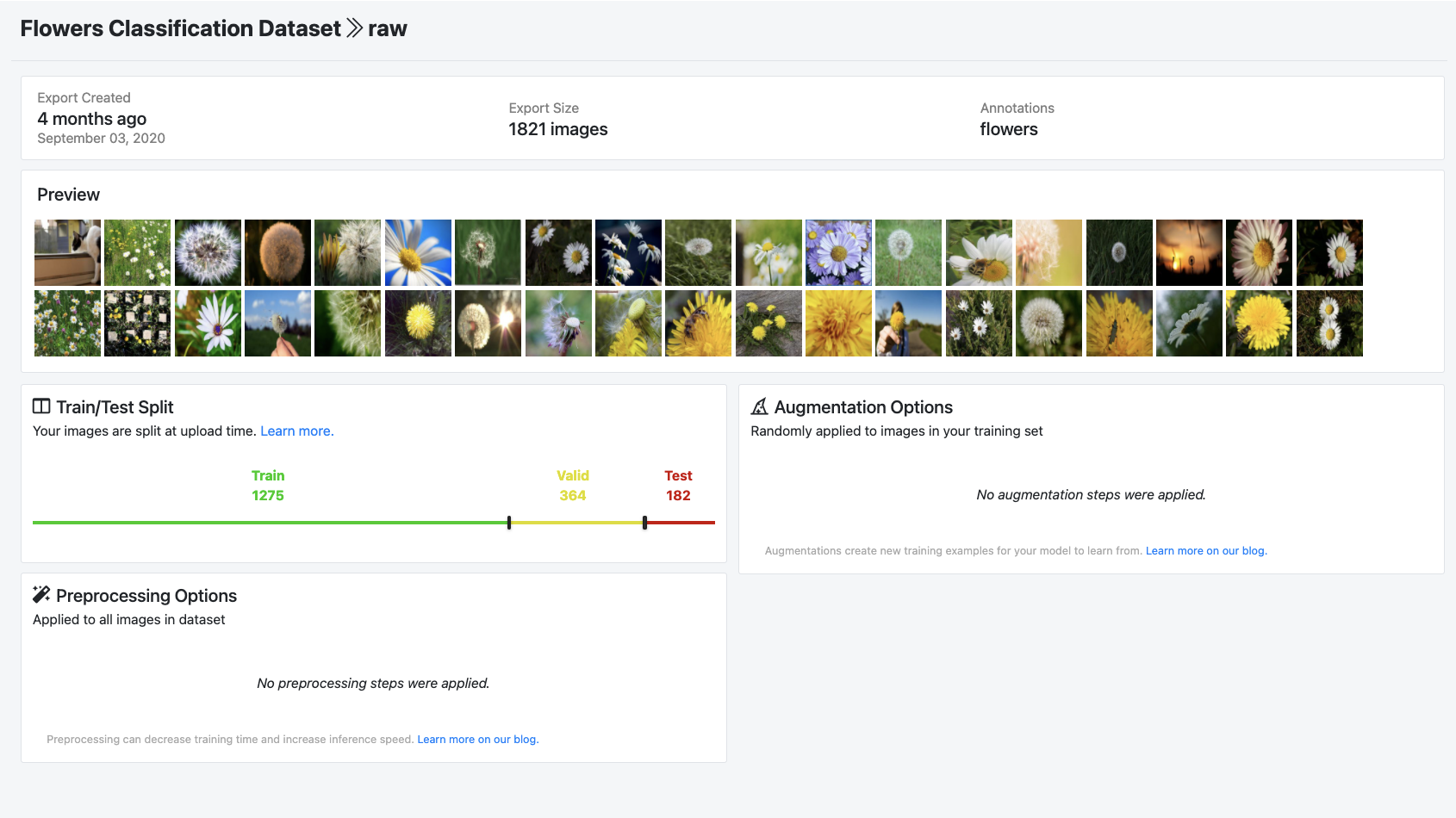
97% accuracy is higher than any other classification model that we trained on this dataset.
These results show the importance of providing the right class descriptions to CLIP and express the richness of the pretraining procedure, a feature that is altogether lost in traditional, binary classification. OpenAI calls this process "prompt engineering".
Beyond Classification: Embeddings
Under the hood, CLIP produces an embedding for every image and every string, and the cosine similarity between any pair measures semantic distance. That single property powers most production CLIP use: semantic image search (build one with CLIP and Faiss), deduplicating and clustering datasets, surfacing images dissimilar from your training data, and flagging content. If your use case is search or similarity rather than fixed classes, work with the embeddings directly through the endpoints above.
The CLIP Family Today
The original 2021 checkpoints remain useful, but the contrastive vision-language approach has an active family tree. OpenCLIP reproduces and extends CLIP with larger open training runs, Google's SigLIP 2 improves zero-shot accuracy with a modified training objective, Meta's MetaCLIP revisits the data curation recipe, and Meta's Perception Encoder (also supported in Roboflow Inference) pushes contrastive pretraining further. For a new similarity or zero-shot project, benchmark one of these successors alongside original CLIP; the interface pattern (embed, compare) is the same.
When Zero-Shot Is Not Enough
CLIP's zero-shot accuracy is impressive for broad, visually distinct categories and weaker on fine-grained or domain-specific distinctions (specific defect types, lookalike parts, subtle quality grades).
When prompt tuning stops helping, the supervised route moves fast: label a few hundred images in Roboflow with AI-assisted labeling and train a classification model on hosted GPUs.
A common production pattern uses both: CLIP for triage, search, or pre-labeling, and a small supervised model for the decisions that carry consequences.
Is CLIP still worth using?
Yes, for zero-shot classification, similarity search, clustering, and pre-labeling, CLIP remains a strong default with a large ecosystem. For maximum zero-shot accuracy, also benchmark successors like SigLIP 2 or Perception Encoder.
Is CLIP free for commercial use?
The openai/CLIP code and weights are released under the MIT license. As always, confirm the license of any successor checkpoint separately, since training data and license terms vary across the family.
Can CLIP be fine-tuned?
Yes, though most teams get further first by improving prompts, and then by training a supervised classifier on their own labels when fine-grained accuracy matters. Fine-tuning CLIP itself is mostly used for domain adaptation at larger scale.
How is CLIP different from a supervised classifier?
A supervised classifier learns a fixed set of classes from your labeled examples and ignores label semantics. CLIP matches images against arbitrary text at inference time, so its classes are editable strings. Supervised models still win on fine-grained, domain-specific accuracy.
Which CLIP versions does Roboflow Inference support?
Nine versions, including ResNet-50 and ResNet-101 variants and Vision Transformer models up to ViT-L/14-336px, selectable per request with the clip_version argument.


Cite this Post
Use the following entry to cite this post in your research:
Erik Kokalj. (Jan 8, 2026). How to Try CLIP: OpenAI's Zero-Shot Image Classifier. Roboflow Blog: https://blog.roboflow.com/how-to-use-openai-clip/