

Developing a computer vision solution for table tennis requires extremely high resolution and spatial accuracy. When monitoring a ping pong ball (which can reach speeds exceeding 100 km/h), the system must consistently identify a small, rapidly moving sphere across rallies to generate precise coordinates. Losing a single prediction during a fast serve, heavy topspin loop, or sharp edge-shot disrupts the continuous motion trail, making the resulting dataset less valuable for performance analysts and coaches.
Traditionally, gathering performance data for table tennis involved tedious manual logging and video review. Moving toward automated vision pipelines allows training centers and broadcast teams to deploy models that extract real-time telemetry with high reliability.
This guide explores the construction of a basic tracking system prototype that turns match footage into structured movement metadata using the Roboflow Platform.
How to Automatically Track Table Tennis
Step 1: Establish Your Development Environment
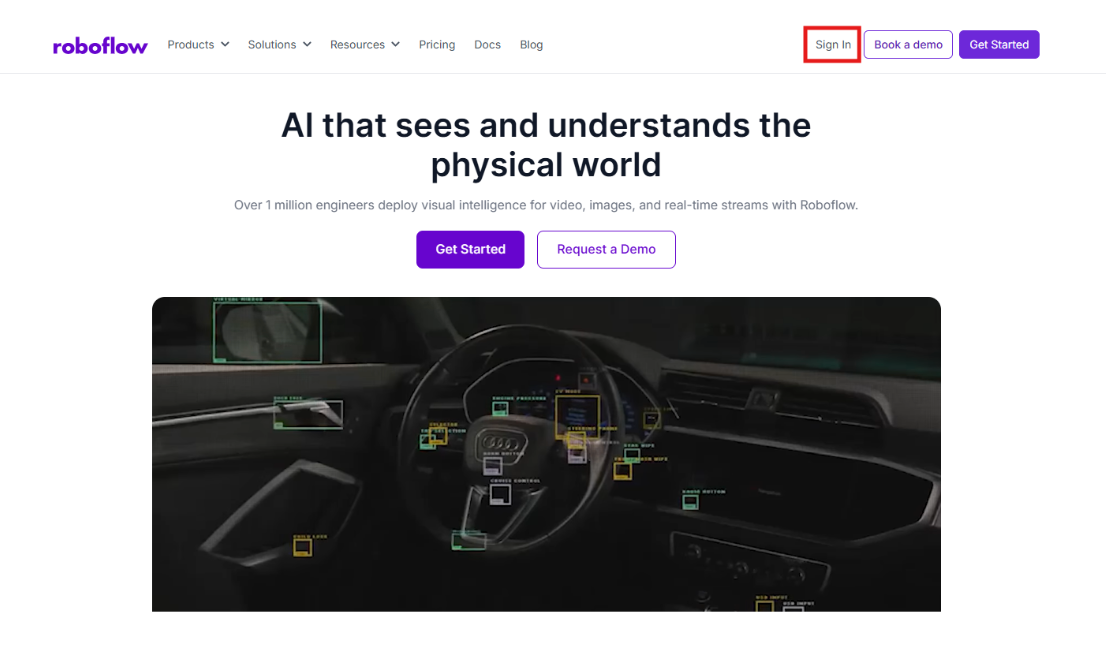
Start by signing in to the Roboflow Dashboard. Those new to the platform can create a free account to organize image datasets, host custom neural networks, and maintain project versioning through a centralized hub.
Step 2: Source a Table Tennis Dataset
The quality of an object detection model depends on training data that replicates the environment of the final deployment. For racket sports, Roboflow Universe offers a massive repository of public datasets featuring various lighting conditions, table colors, and arena backgrounds. The dataset used in this article can be greatly expanded upon to produce perfect predictions.
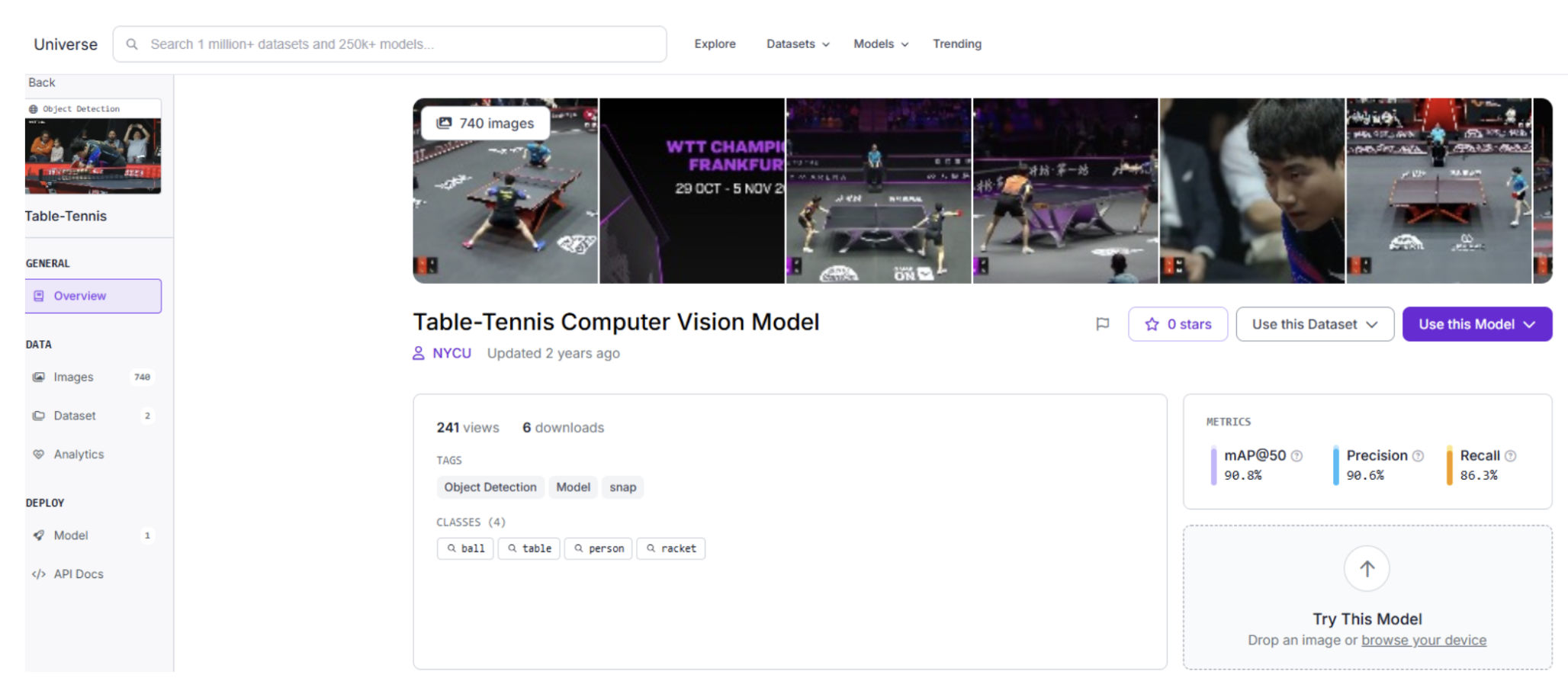
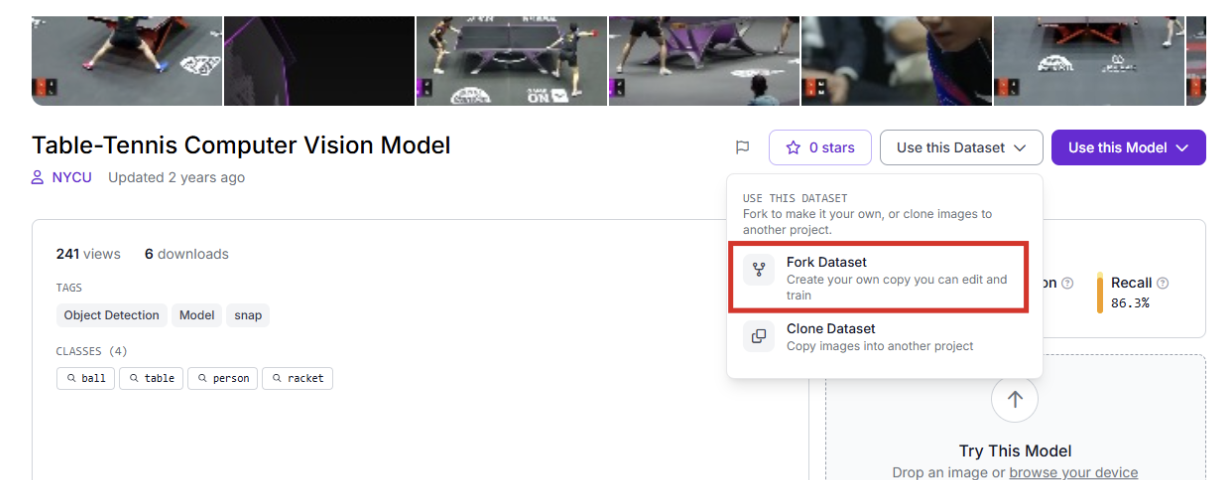
After finding a suitable foundation, use the "Clone" or "Fork" capability to bring the images into your workspace for customized refinement.
Step 3: Labeling and Annotation
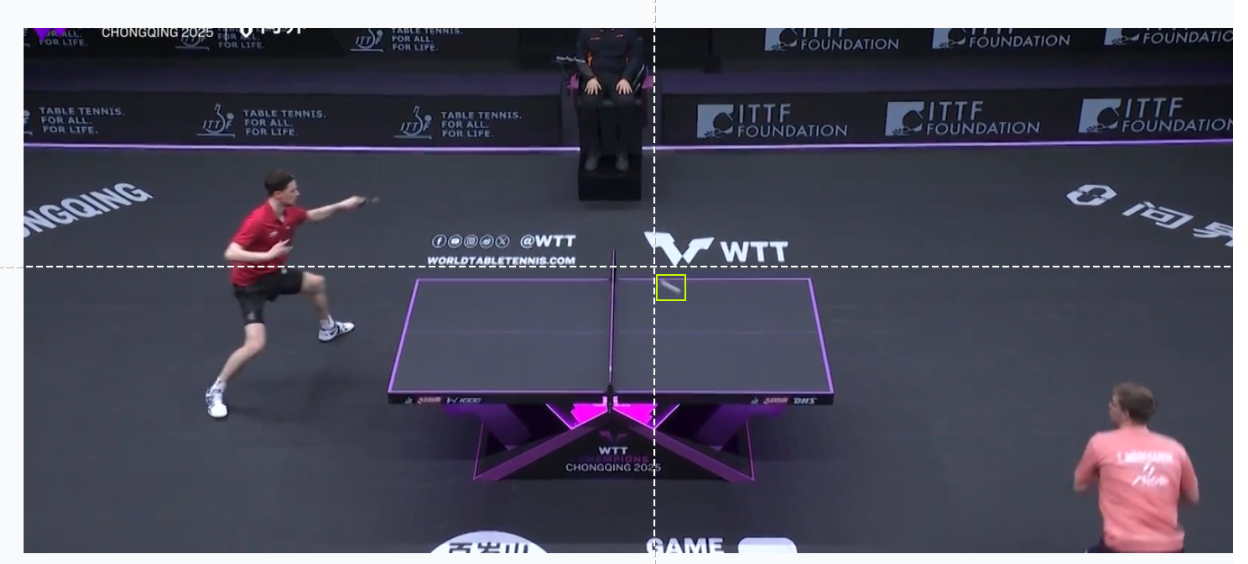
When using original video from your own club, employ Roboflow Annotate to define your targets. Creating tight bounding boxes for the ball, rackets, and players ensures the model distinguishes the specific circular geometry and motion blur of the ball from background noise.
Step 4: Training the RF-DETR Model
This project utilizes Roboflow's RF-DETR architecture. This transformer-based model is optimized for low-latency inference, providing the processing speed required for high-velocity sports.
To begin the training process:
- Navigate to the "Train" section of your project.
- Select the Roboflow RF-DETR Object Detection (Small) model.
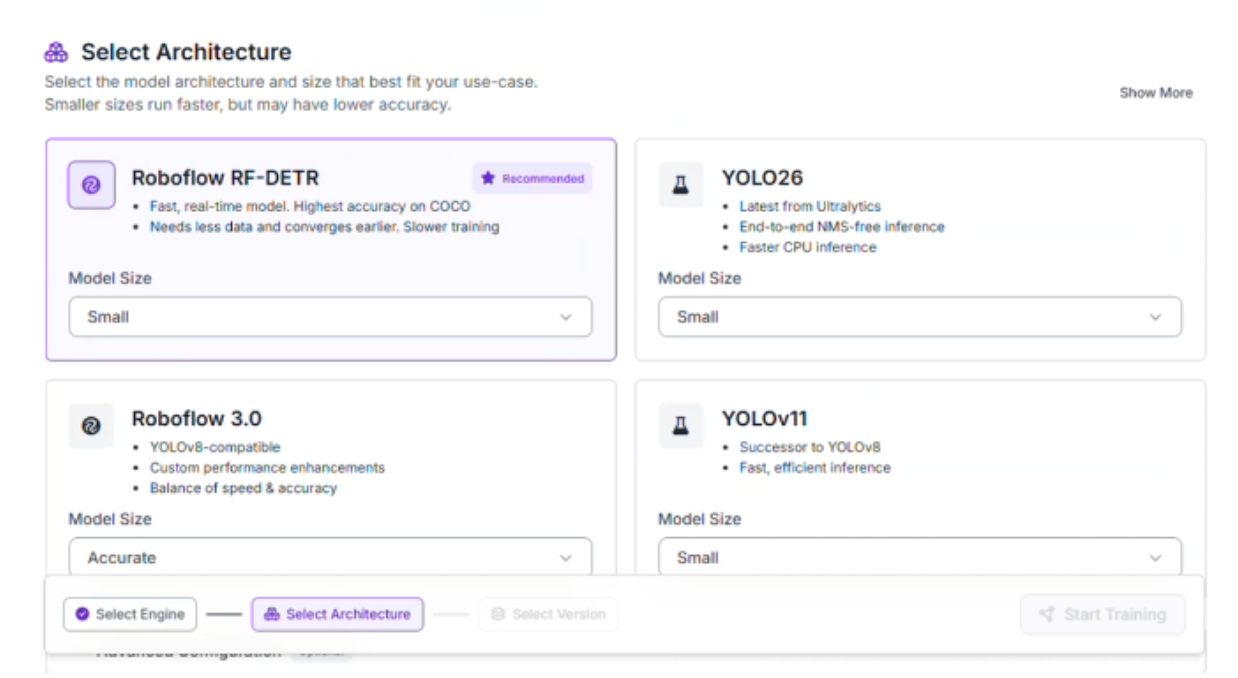
Why choose RF-DETR Small?
- Rapid Inference: Fast-paced sports require high frame-per-second (FPS) processing. This variant handles video frames quickly enough to facilitate real-time tracking.
- Hardware Compatibility: The compact architecture allows the model to operate efficiently on edge devices, minimizing the need for heavy cloud infrastructure during a match.
Step 5: Data Partitioning
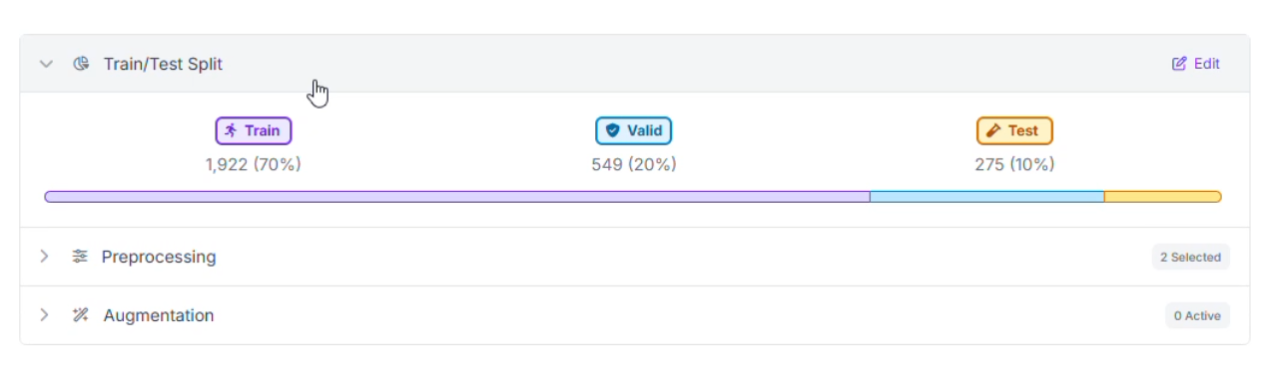
To ensure the network performs well on different tables and venues, the dataset was organized into three distinct groups:
- Training Set (70%): Teaches the model to recognize ball patterns, paddle orientations, and player movements.
- Validation Set (20%): Provides a benchmark during training to prevent the model from memorizing the data (overfitting).
- Testing Set (10%): Offers a final, unbiased assessment using match footage the model has never seen before.
Step 6: Preprocessing and Data Augmentation
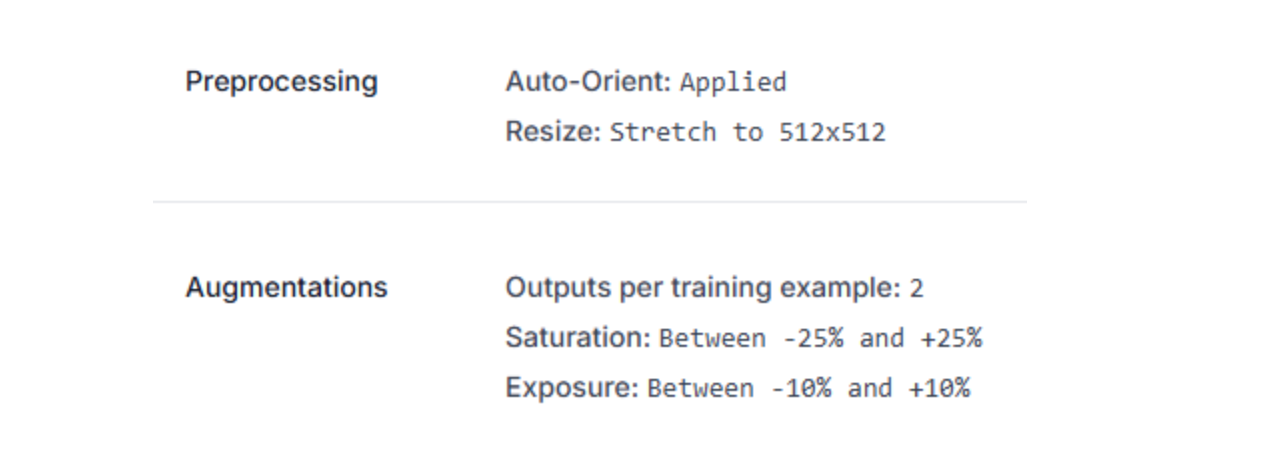
To maintain detection stability despite the intense speed and varying gym reflections, specific image preprocessing steps were implemented:
- Standardization: All inputs were resized to a consistent 512x512 resolution.
- Dataset Multiplier: The training pool was expanded by generating 2 augmented versions for every original image.
- Saturation Adjustments: Variations between -25% and +25% help the model recognize objects under different color temperatures.
- Exposure and Brightness: Fluctuations (up to 15%) prepare the system for harsh overhead stadium lights or glare on the table surface.
Step 7: Analyzing Model Performance
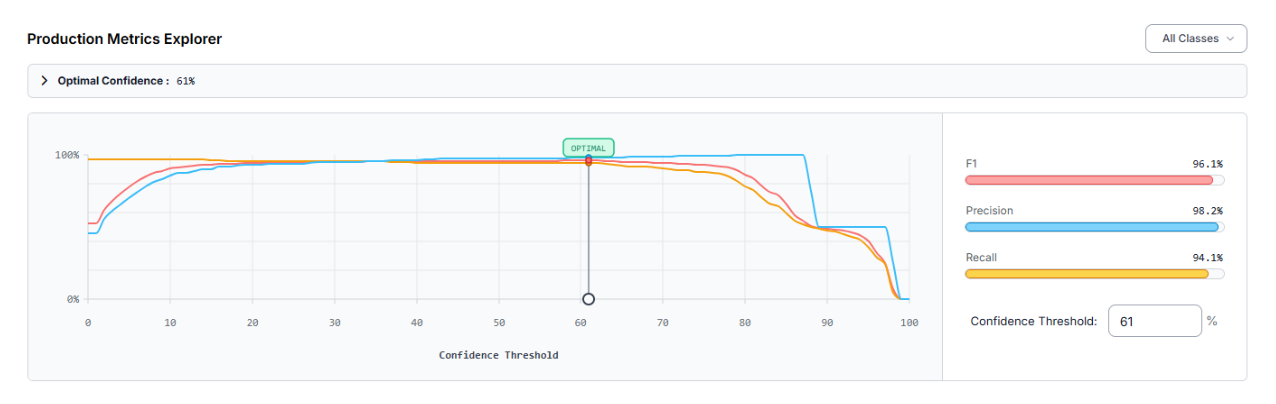
After the training cycle finished, the model was assessed through the Production Metrics Explorer. At an optimal confidence level of 61%, the specialized table tennis detector produced these results:
- mAP@50: 96.1%
- Precision: 98.2%
- Recall: 94.1%
- F1-Score: 96.1%
A Precision of 98.2% indicates that nearly every detection was a legitimate object, which minimizes "ghost" detections from floor markings or crowd movement. The mAP (Mean Average Precision) of 96.1% confirms strong performance across all classes.
The evaluation identified that the "racket" class was occasionally overlooked (false negatives). To reach higher accuracy, one could:
- Add more training images specifically showing rackets at diverse angles and during fast swings.
- Utilize Slicing Aided Hyper Inference (SAHI) for small objects like the ball when captured from distant, high-angle cameras.
Constructing the Tracking Engine in Roboflow Workflows
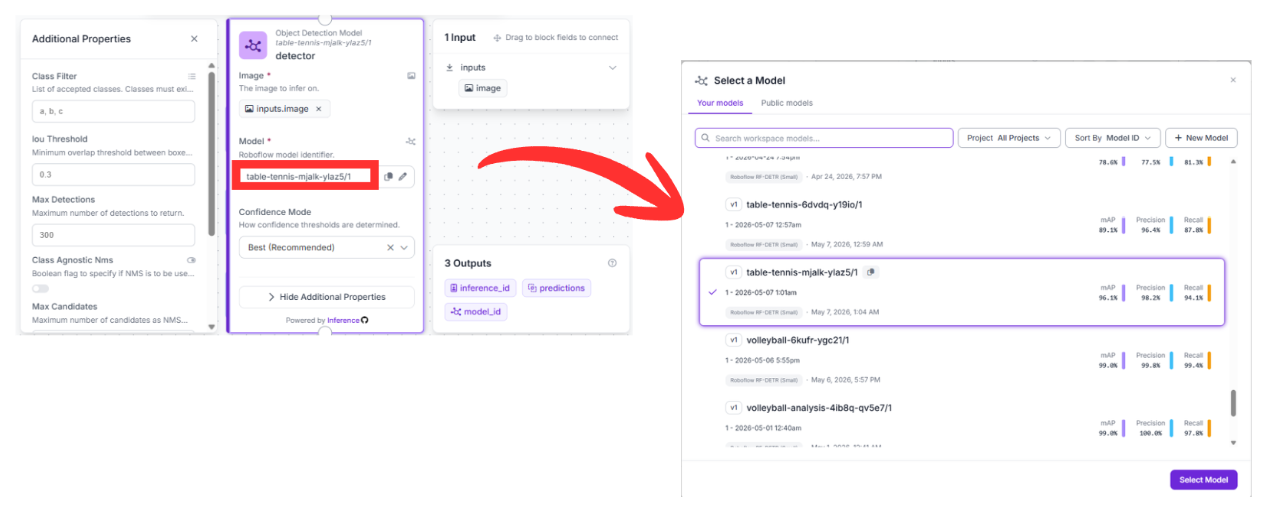
Once your specialized detection model (accessible via the endpoint table-tennis-mjalk-ylaz5/1) is ready, you can architect the movement logic. This system is built using Roboflow Workflows, a low-code, visual interface designed to orchestrate complex computer vision tasks by linking modular blocks. This is the workflow used in this article.
Here is the step-by-step breakdown of the logic used in this project:
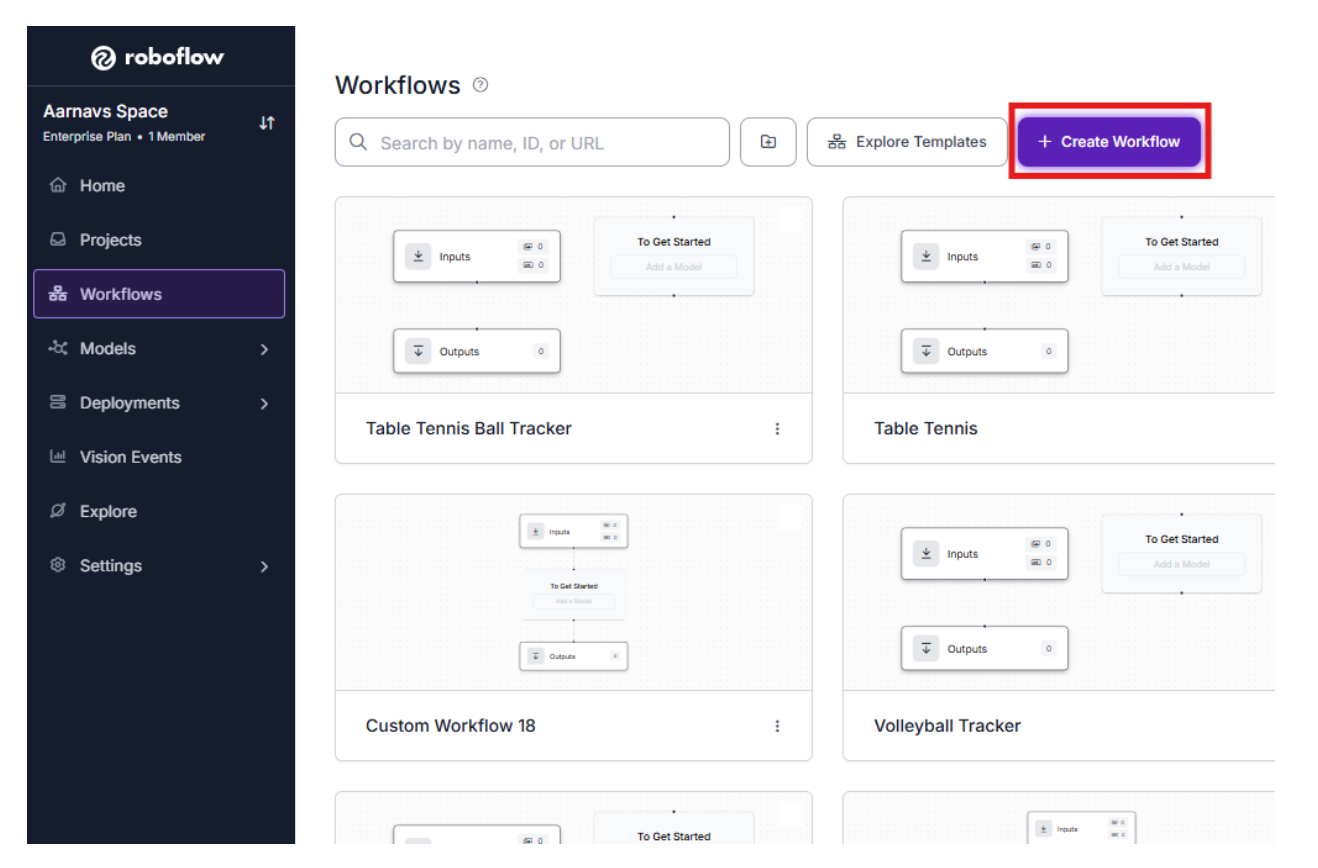
1. Initialize the Canvas
Enter your Roboflow Dashboard and head to the Workflows section in the left-hand navigation menu. Create a new workspace to begin dragging and dropping your functional blocks.
2. Detection Block (RF-DETR)
- Upstream Connection: This block pulls raw pixel data directly from the image field in the Inputs node.
- Configuration: It is pointed toward the specific model version: table-tennis-mjalk-ylaz5/1.
Function: This is the "eyes" of the operation. It runs inference on every frame to find the ball, rackets, and players, providing a list of structured coordinates for the rest of the pipeline to consume.
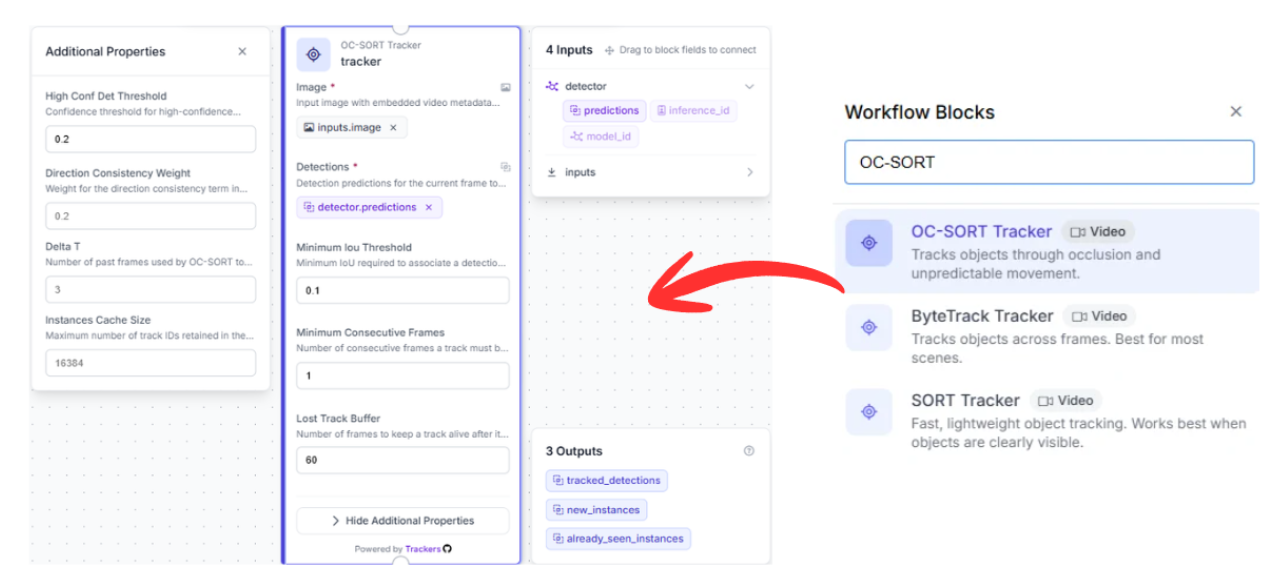
3. Tracking Block (OC-SORT Tracker)
- Upstream Connection: This node connects to the prediction data generated by the detector block.
- Why it matters: Standard object detection treats each video frame as an isolated snapshot with no memory. To follow a specific ball through a 100 km/h rally, you need a temporal memory.
Function: By utilizing the OC-SORT (Observation-Centric SORT) algorithm, this block calculates the ball's momentum. Even if the ball is briefly hidden by a player's paddle or body, the tracker estimates its likely position to ensure the "ID" of the ball remains consistent when it reappears.
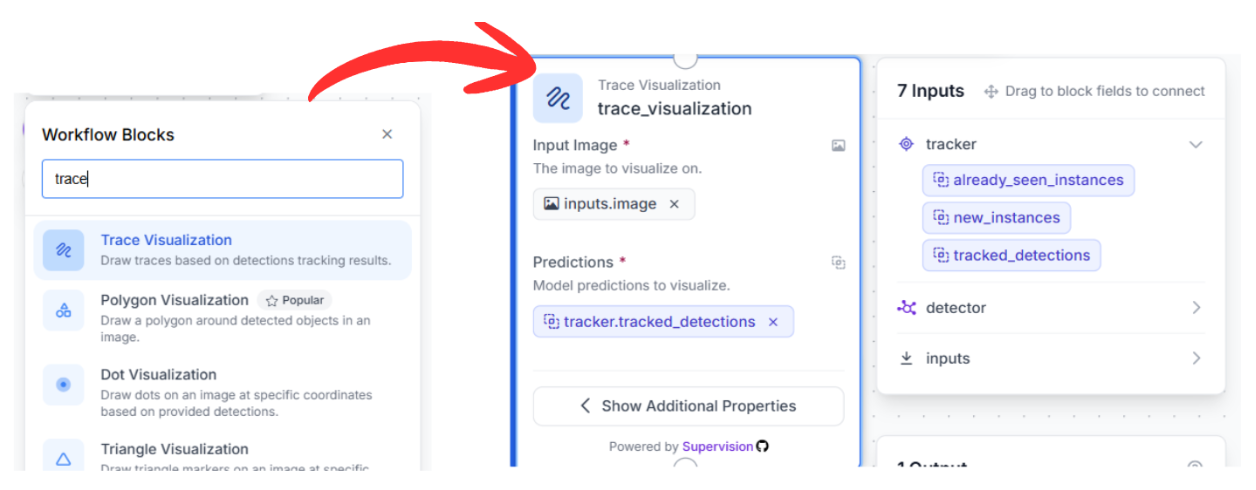
4. Sequential Visualization Pipeline
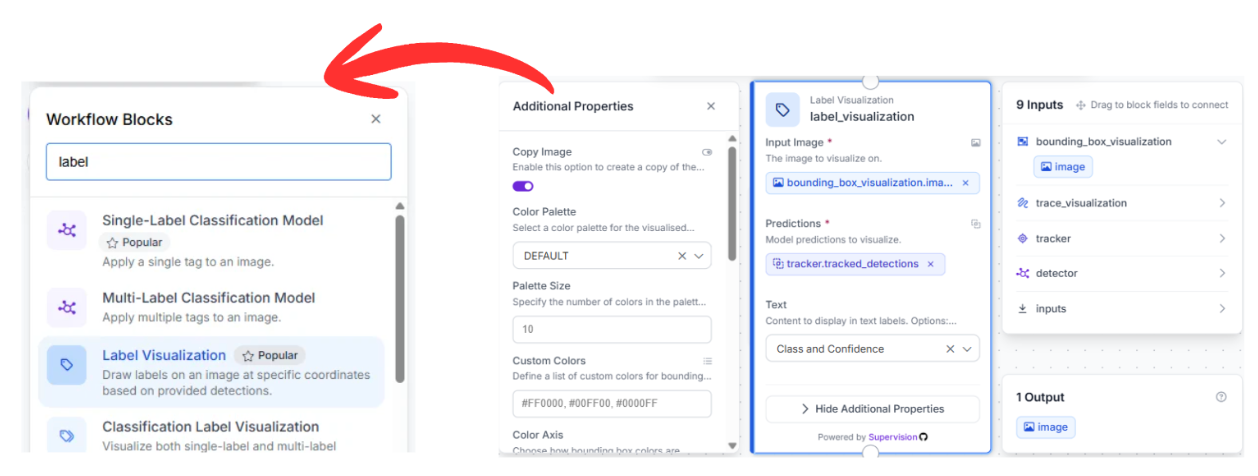
To transform raw data into a visual broadcast-style overlay, we chain three visualization blocks together in a serial sequence:
Trace Visualization: This block links to the tracker output. It maintains a historical record of coordinates to draw a persistent "tail" or motion path, mapping out the precise flight arc of the ball over several frames.
Bounding Box Visualization: Chained to the previous visualizer, this node draws the standard bounding boxes around the tracked objects using the refined coordinates provided by the OC-SORT logic.
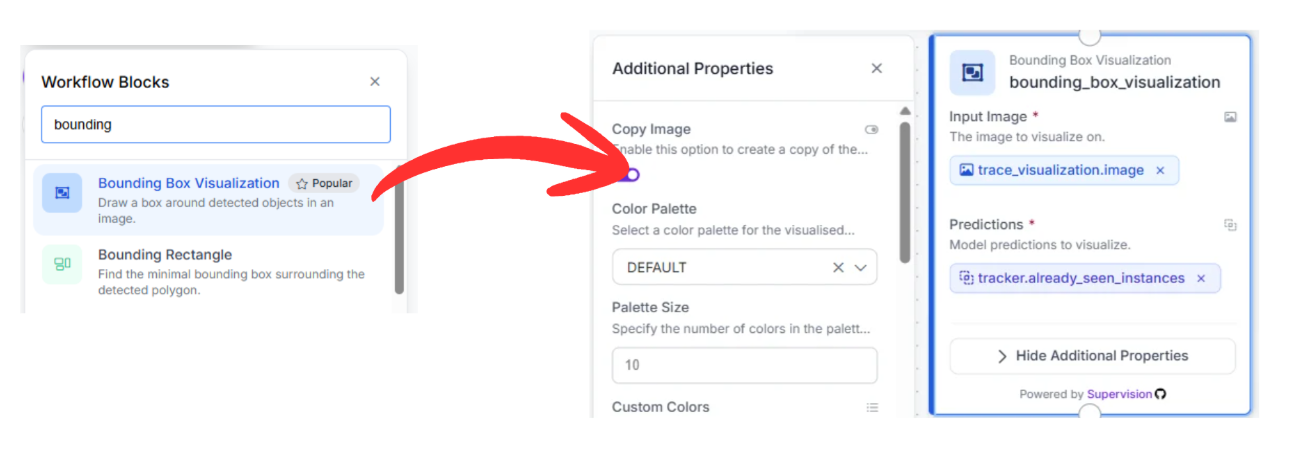
Label Visualization: The final link in the chain, this block adds text overlays (like "racket" or "ball") and confidence scores to the detections, making the output readable for human reviewers.
5. Finalizing the Data Export
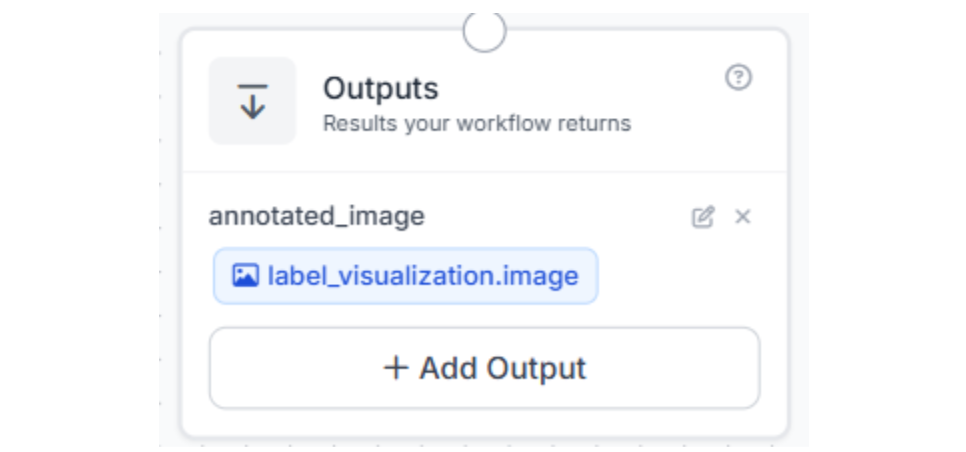
The pipeline concludes at the Outputs block. This node gathers the fully annotated image from the label_visualization block and returns the final video stream (complete with trajectories and boxes) to your application, storage bucket, or live dashboard.
Alternative Deployment: Leveraging the Roboflow Agent
If you prefer to skip manual node configuration, you can utilize the Roboflow Agent. This AI assistant can generate the entire workflow architecture based on a simple natural language request.
Example Prompt:
"Track table tennis balls in an image using the table-tennis-mjalk-ylaz5/1 detection model (confidence mode: best, threshold: 0.5), apply OC-SORT tracking optimized for small fast objects, and visualize results with bounding boxes, labels, and 30-frame motion traces. Output the annotated image."The Agent will analyze your request, verify the model ID, and automatically construct the block graph for you, allowing you to move from idea to deployment in seconds.
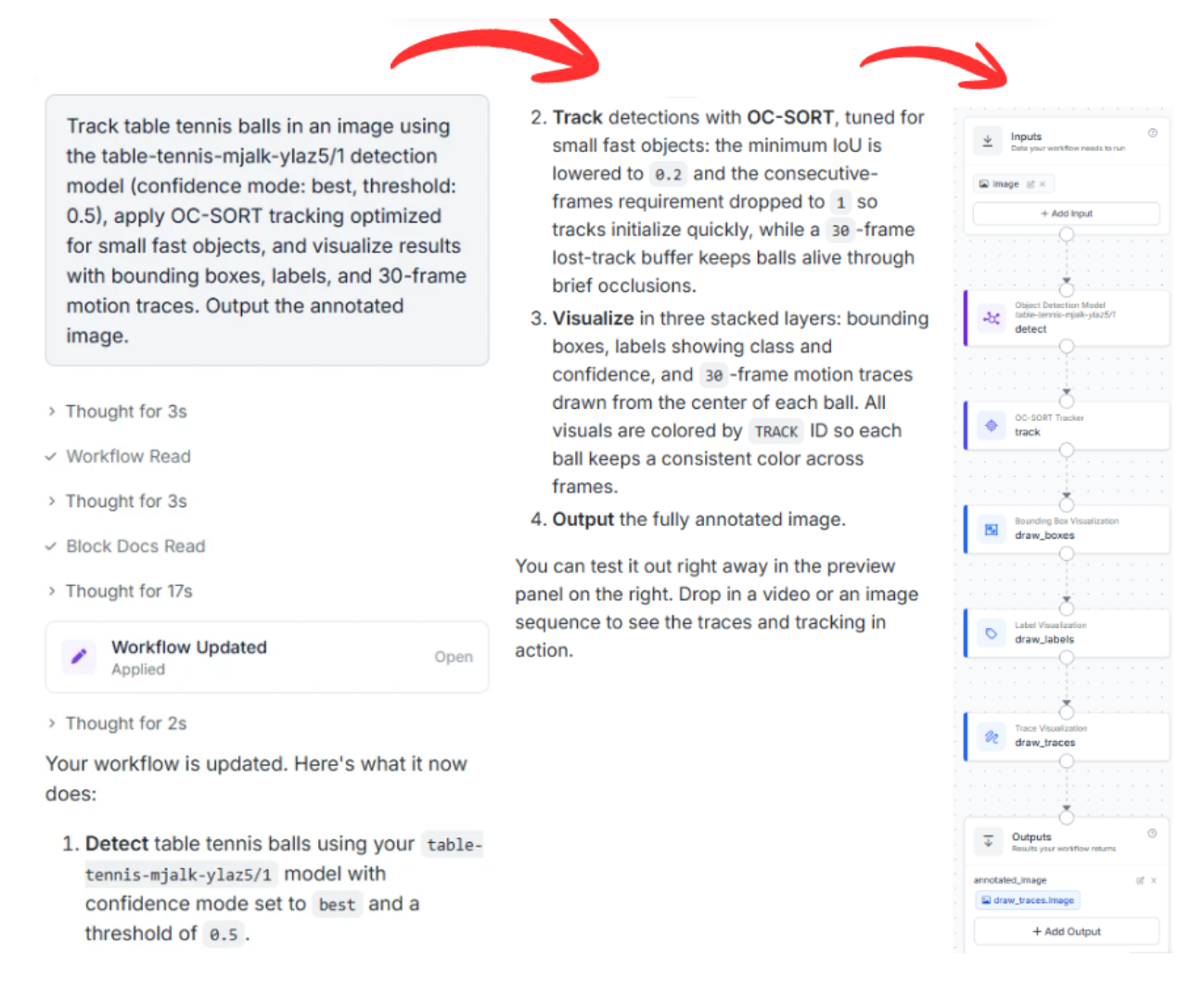
Table Tennis AI Conclusion
Ready to digitize your favorite sport? Create a free Roboflow Account and start exploring the computer vision tools available on the platform today.
Written by Aarnav Shah


Cite this Post
Use the following entry to cite this post in your research:
Contributing Writer. (May 11, 2026). High-Speed Analytics: Tracking Table Tennis Movements with AI. Roboflow Blog: https://blog.roboflow.com/tracking-table-tennis/