

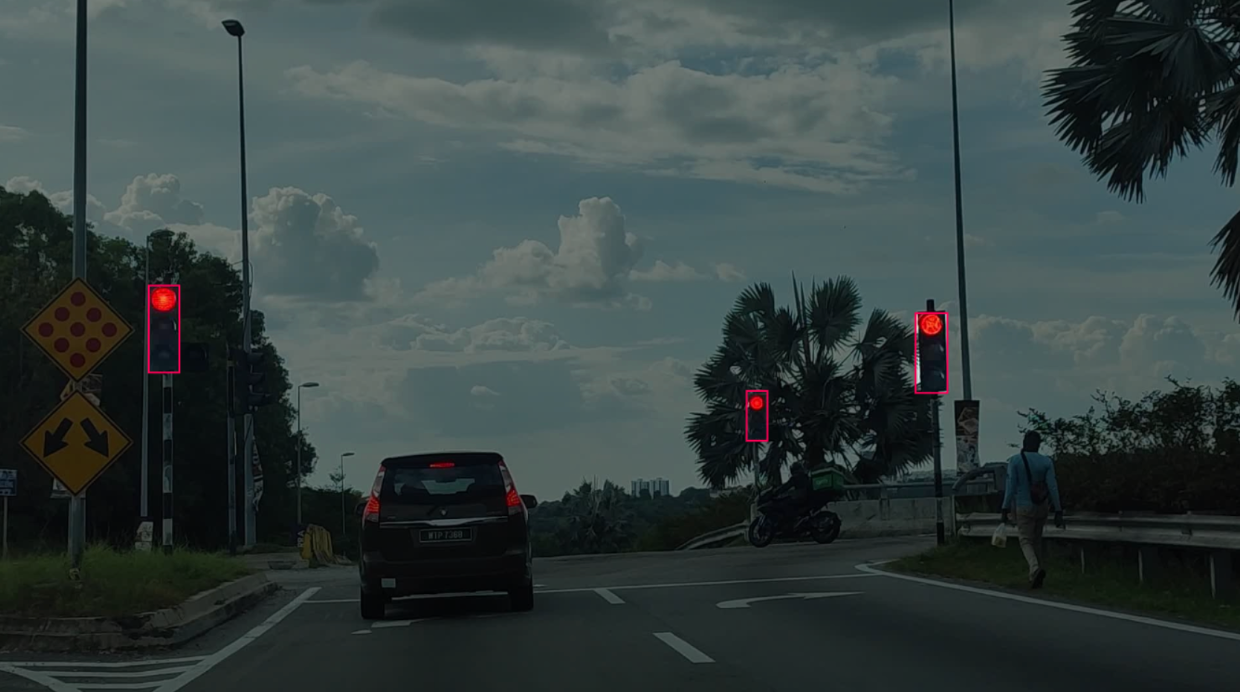
Traffic lights are critical components in autonomous driving systems, smart intersections, and driver assistance applications. Reliable traffic light detection helps vehicles make navigation decisions safely in complex urban environments. Some studies estimate that self-driving vehicles could help prevent up to 90% of traffic accidents by reducing human error, but this depends heavily on accurate real-time computer vision systems capable of detecting traffic lights, pedestrians, vehicles, and road signs under varying conditions.
Modern detection systems must operate reliably in nighttime scenes, changing weather conditions, motion blur, and crowded intersections while still maintaining low-latency inference. Models such as RF-DETR and YOLO are widely used because they combine strong detection accuracy with efficient real-time performance.
In this tutorial, you will build a real-time traffic light detection system using Roboflow and Roboflow Workflows. You will train an RF-DETR model using a public dataset from Roboflow Universe, deploy it with Workflows, and run real-time inference on street scenes with annotated detection outputs.
Traffic Light Detection with Vision AI
Step 1: Training Setup
High-quality object detection models depend heavily on the quality and diversity of the training dataset. For traffic light detection, the dataset should contain varied urban driving scenes captured under different lighting conditions, camera angles, weather environments, and traffic densities. This variation helps the model generalize more effectively during real-world inference.
In this tutorial, we use the Traffic Lights Dataset from Roboflow Universe. The dataset contains annotated traffic light images collected from real driving environments, including daytime, nighttime, and low-visibility scenes.
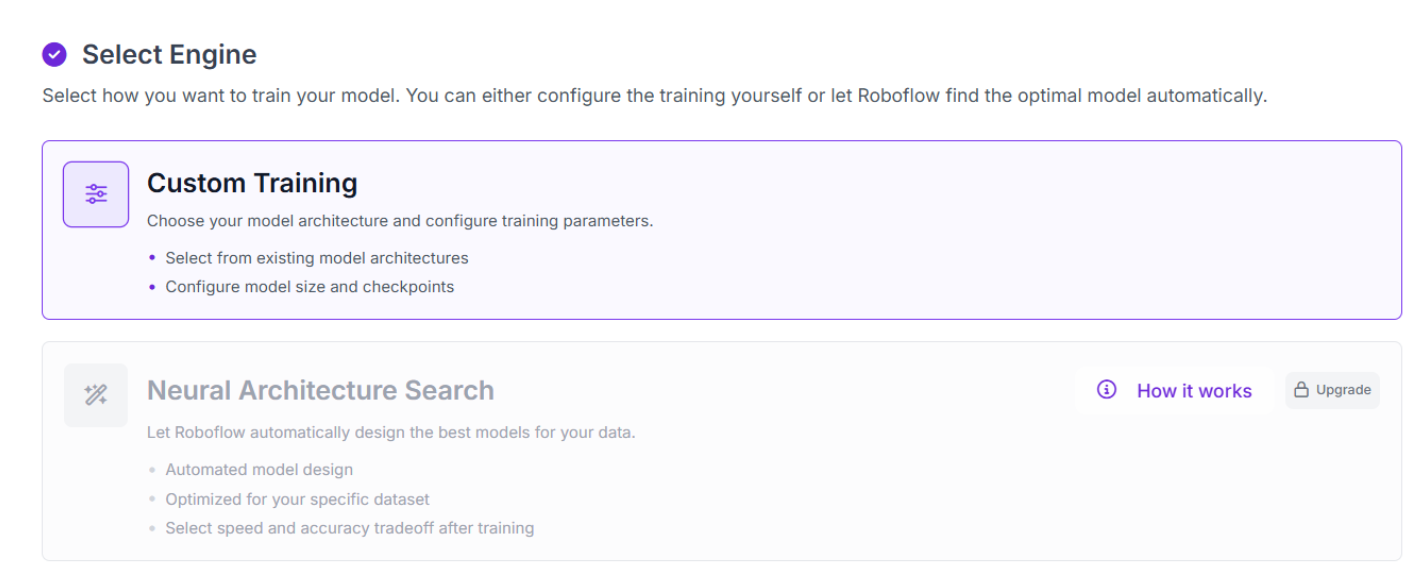
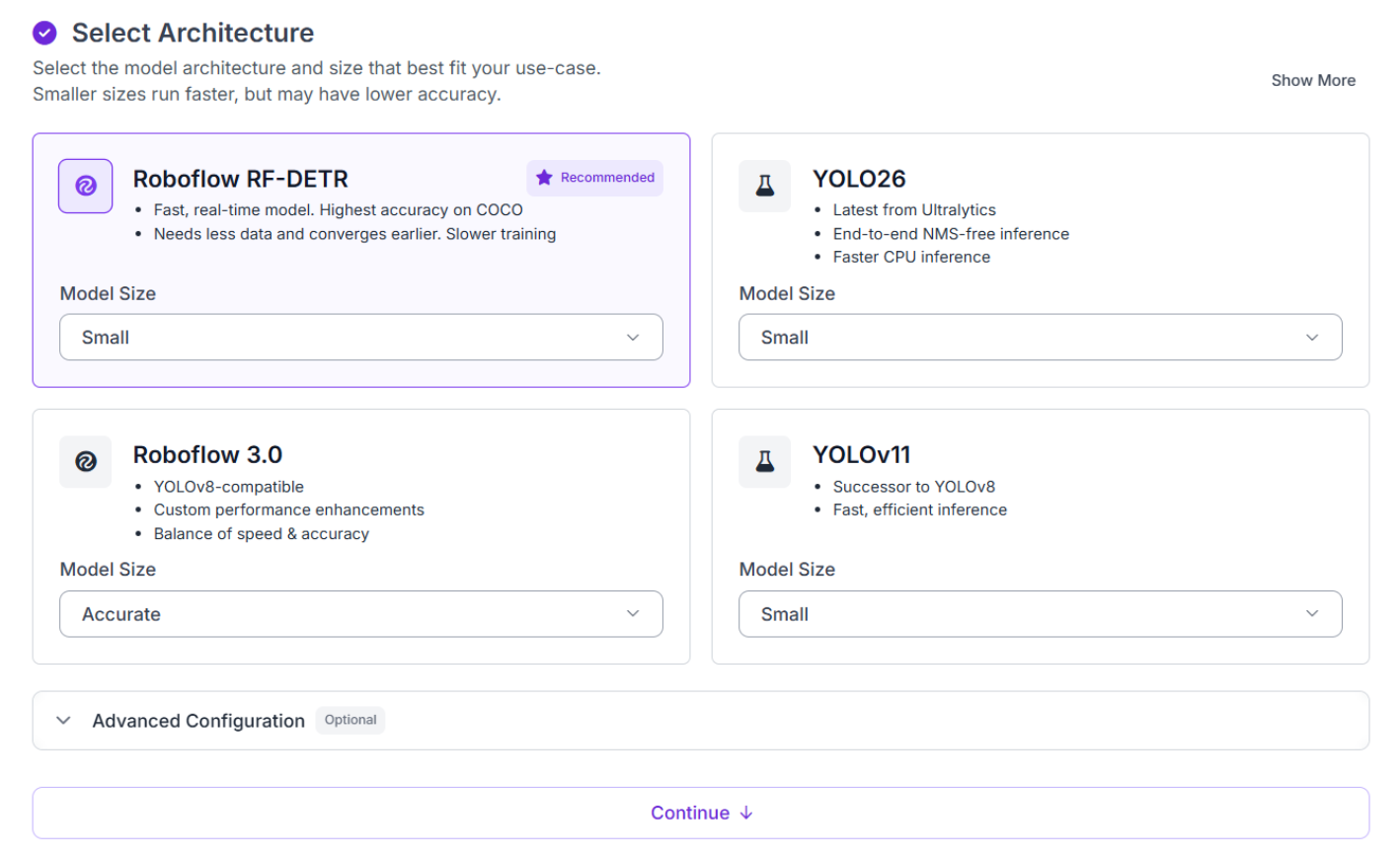
Start by forking the dataset into your Roboflow workspace. After creating the project, click “Train” and select Custom Training with the RF-DETR Small model variant. While larger model sizes may achieve slightly higher accuracy, the Small configuration provides a practical balance between detection performance and computational efficiency. It trains relatively quickly, runs efficiently on mid-range hardware, and delivers strong real-time inference performance for traffic light detection tasks.
During the setup process, create a new dataset version before starting training and configure a 70/10/20 split for training, validation, and testing. Next, configure preprocessing settings such as auto-orientation and image resizing. Auto-orientation ensures all images maintain a consistent orientation during training, while resizing standardizes image dimensions to match the expected input resolution used by the RF-DETR model.
In this tutorial, no augmentations were applied during dataset generation. While augmentations such as brightness adjustment, blur, or small rotations can improve robustness across varying traffic conditions, training without augmentations keeps the pipeline simpler and makes it easier to evaluate the baseline performance of the detector on the original dataset distribution.
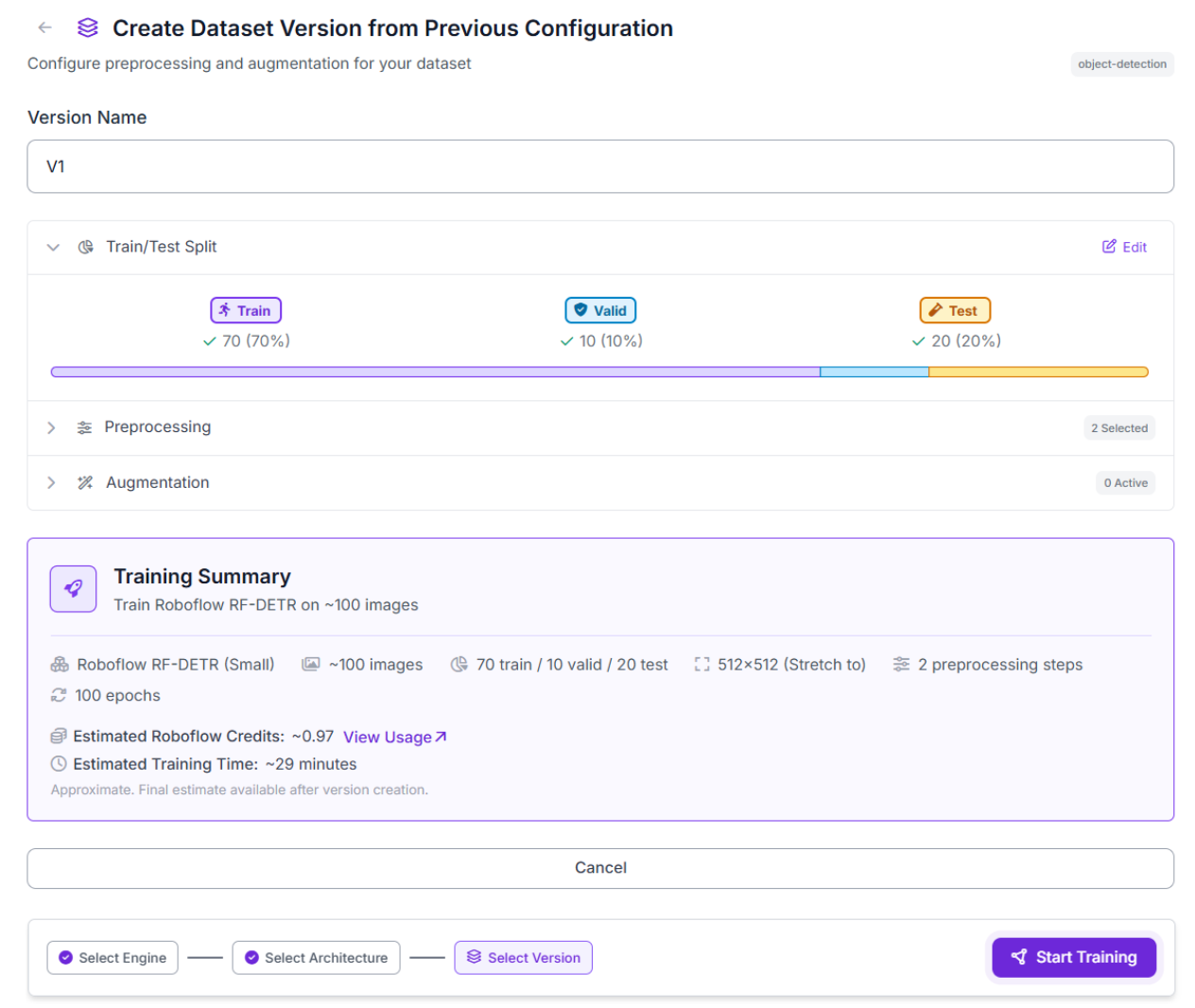
For small datasets, training typically completes in under 30 minutes. Roboflow provides a live training dashboard where you can monitor progress, evaluation metrics, and validation results throughout the training process.
Step 2: Evaluate Metrics
Once training completes, Roboflow provides a metrics dashboard for evaluating the trained RF-DETR model on the traffic light detection task.
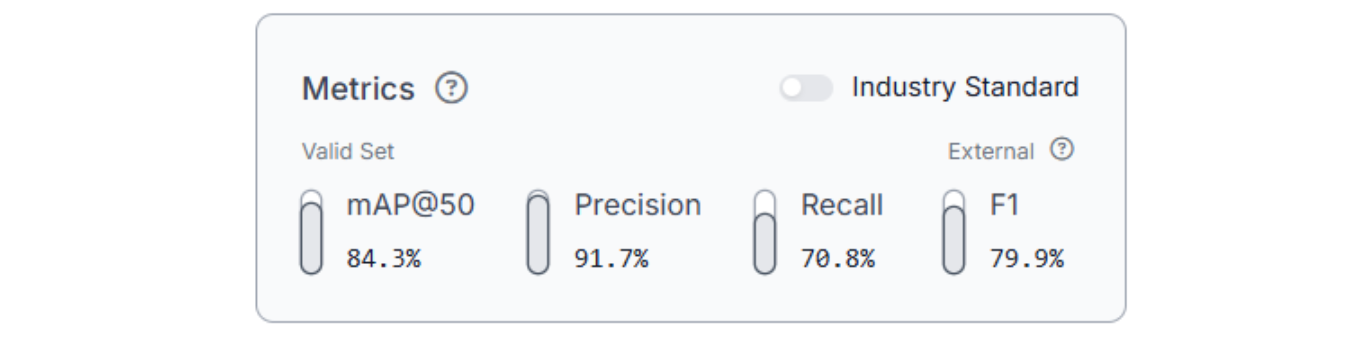
The trained RF-DETR Small model achieved 84.3% mAP@50, with 91.7% precision, 70.8% recall, and a 79.9% F1 score on the traffic light detection task. The high precision indicates that the detector produces relatively clean predictions with fewer false positives, while the balanced recall demonstrates that the model can successfully identify most visible traffic lights across varied urban scenes.
Traffic light detection remains challenging because traffic lights are often small within the frame, partially occluded by vehicles or infrastructure, and heavily affected by glare, reflections, nighttime lighting, and motion blur. Distant traffic lights may occupy only a small number of pixels, making accurate localization significantly more difficult than larger object detection tasks.
These results demonstrate that the model learned strong traffic light detection fundamentals and can reliably perform real-time inference inside Roboflow Workflows. However, this project is intended as a practical demonstration of building an end-to-end computer vision pipeline rather than a production-ready autonomous driving system. A deployment-grade detector would require substantially larger datasets, broader environmental coverage, and more rigorous evaluation across diverse traffic conditions.
Step 3: Deploy to Workflows
After training and evaluating the RF-DETR model, the next step is deploying it inside Roboflow Workflows. Click "Try Workflows" when viewing your trained model's deployment options. Here's the workflow we'll build.
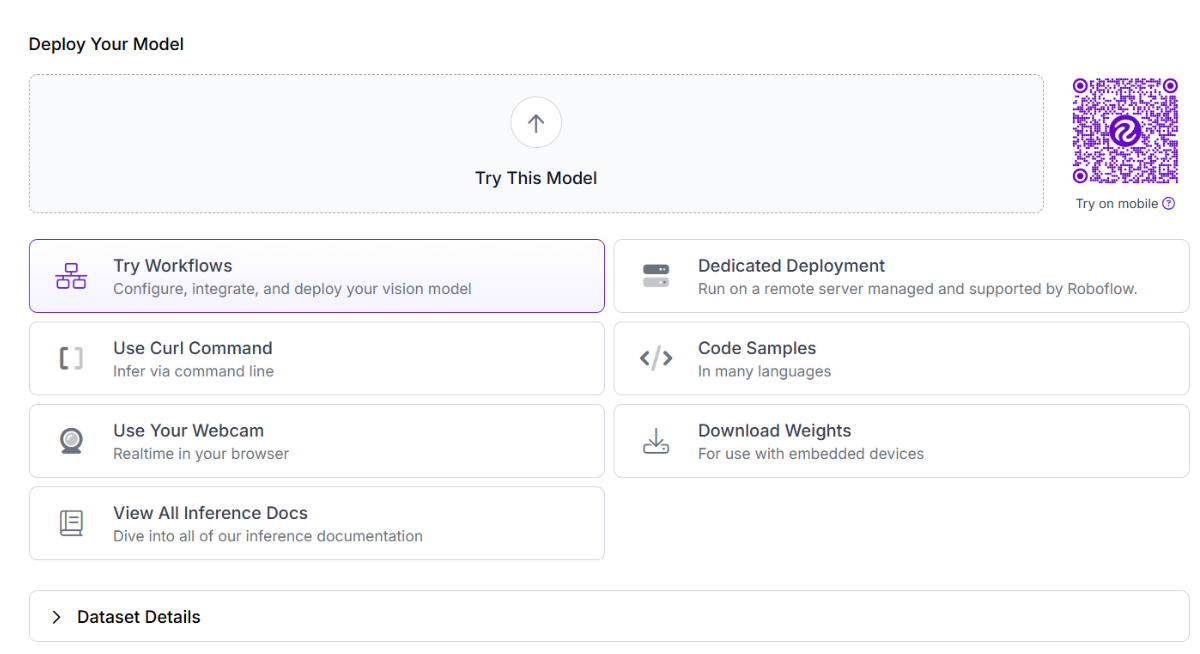
Workflows is a visual pipeline builder that allows developers to combine detection, visualization, filtering, and deployment blocks without writing infrastructure code.
Start by creating a new workflow using the “Detect, Count, and Visualize” template. The workflow accepts an image, video, or webcam stream as input, runs the RF-DETR detector on each frame, visualizes predictions, and returns annotated outputs in real time.
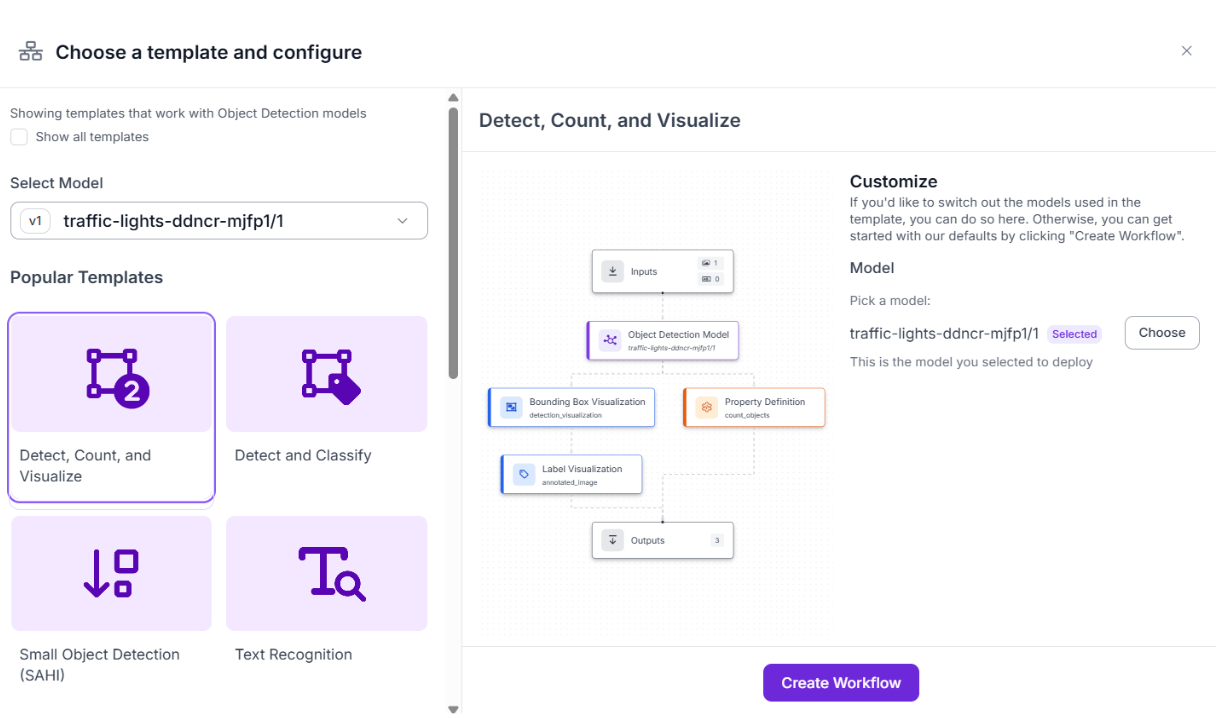
The first block in the workflow is the object detection model block. Configure this block to use the trained RF-DETR model TRAFFIC LIGHTS 1 and set the confidence threshold to 0.5.
Lower confidence thresholds increase the number of detections but may introduce additional false positives, while higher thresholds produce cleaner detections at the cost of occasionally missing smaller or distant traffic lights. A threshold around 0.5 provides a reasonable balance for this workflow.
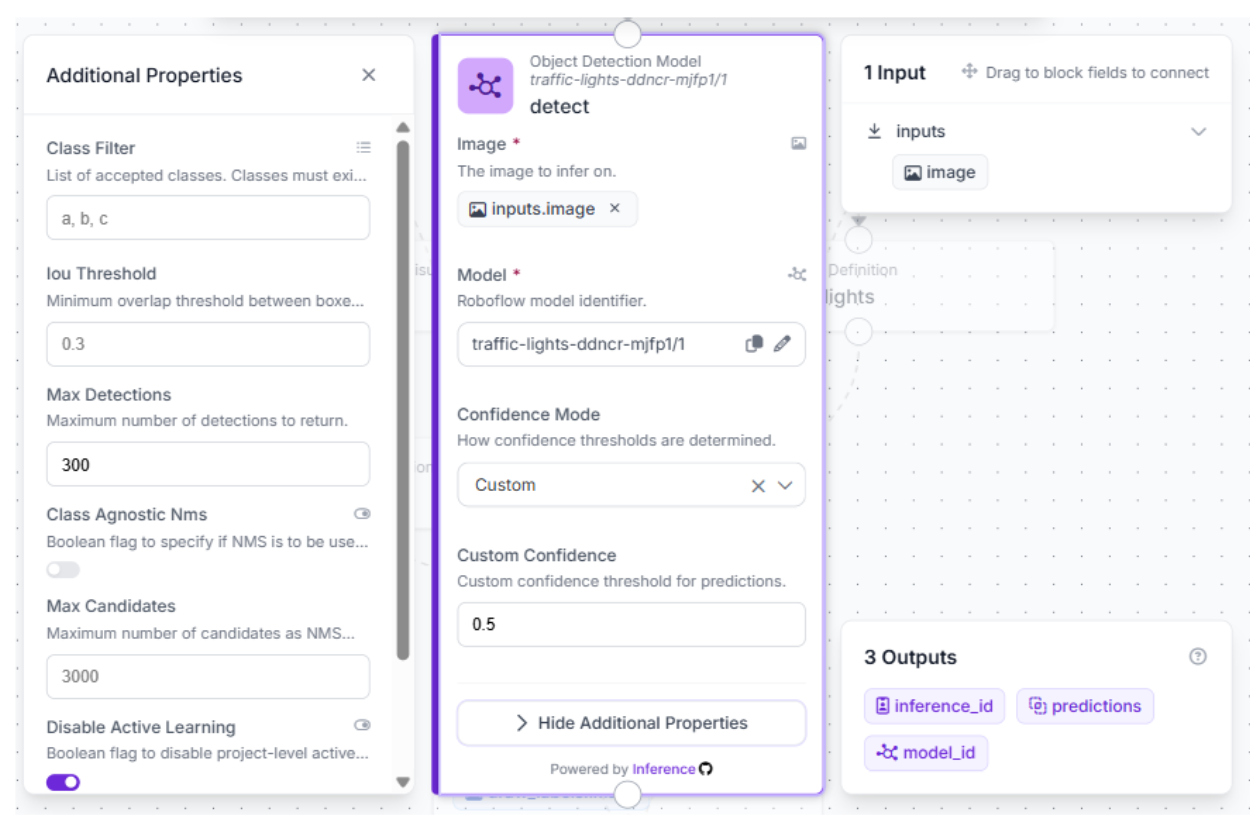
Next, add a bounding box visualization block to render traffic light detections directly on the image. This block overlays detection boxes on top of the original frame, making the workflow output easier to interpret visually. Visualization blocks are especially useful during debugging because they allow developers to quickly verify whether the detector is identifying the correct objects.
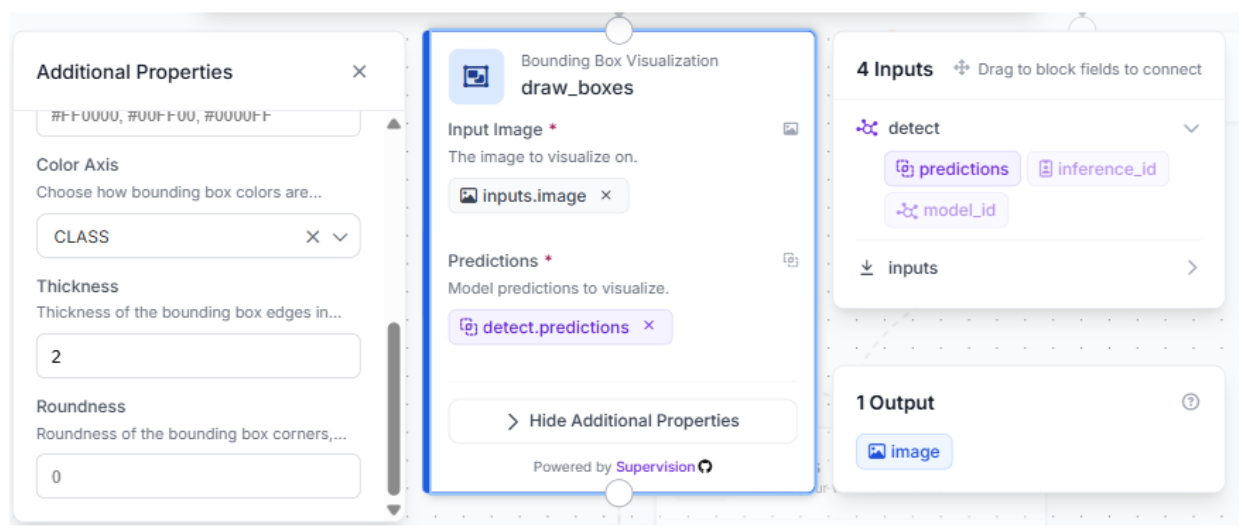
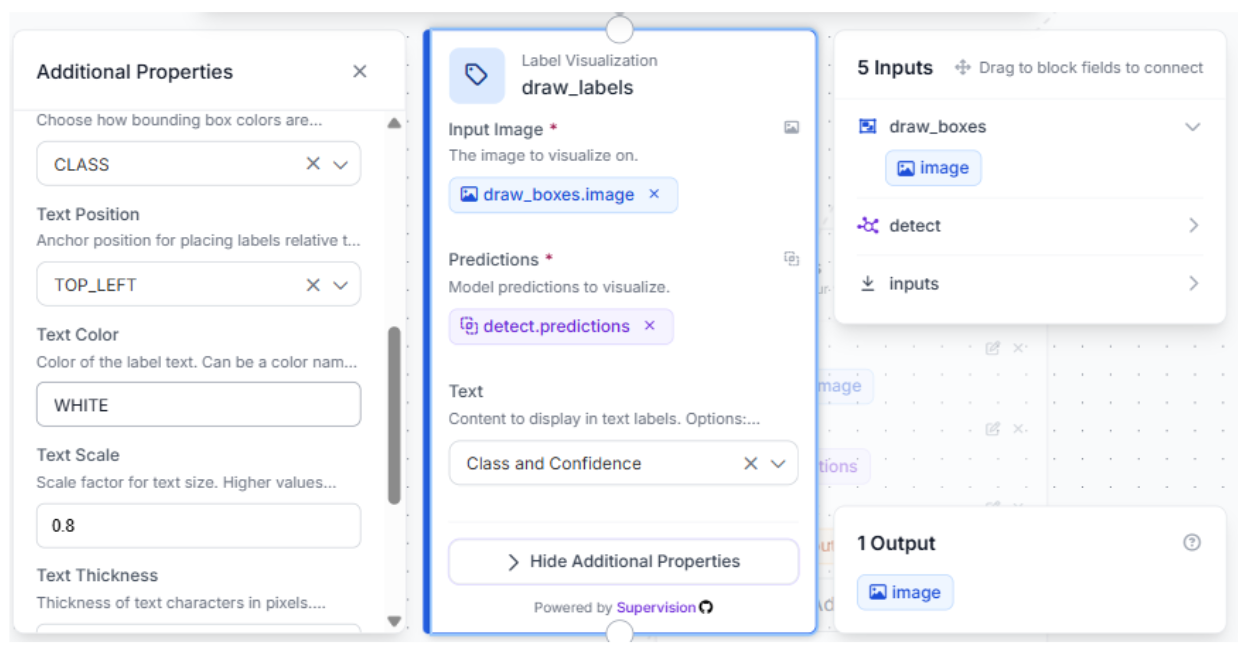
After drawing bounding boxes, add a label visualization block to display class names and confidence scores. In this workflow, labels are configured to show both the predicted class and the associated confidence value for each traffic light detection. Class-colored overlays can also help distinguish traffic light states more clearly during inference visualization.
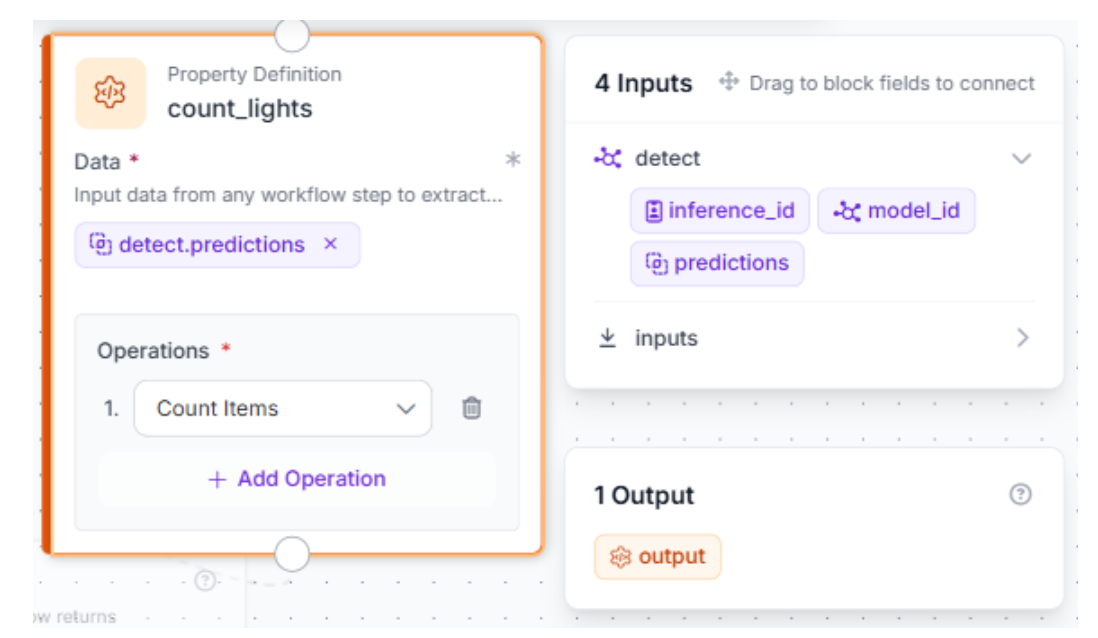
To extend the workflow further, add a counter block that tracks the number of detected traffic lights in each frame. While this project focuses on real-time object detection, detection counts can later be integrated into larger analytics systems such as traffic congestion monitoring platforms, smart intersection dashboards, or roadway analysis pipelines.
Finally, configure the outputs block to return:
- The annotated image
- Raw prediction data
- The traffic light count
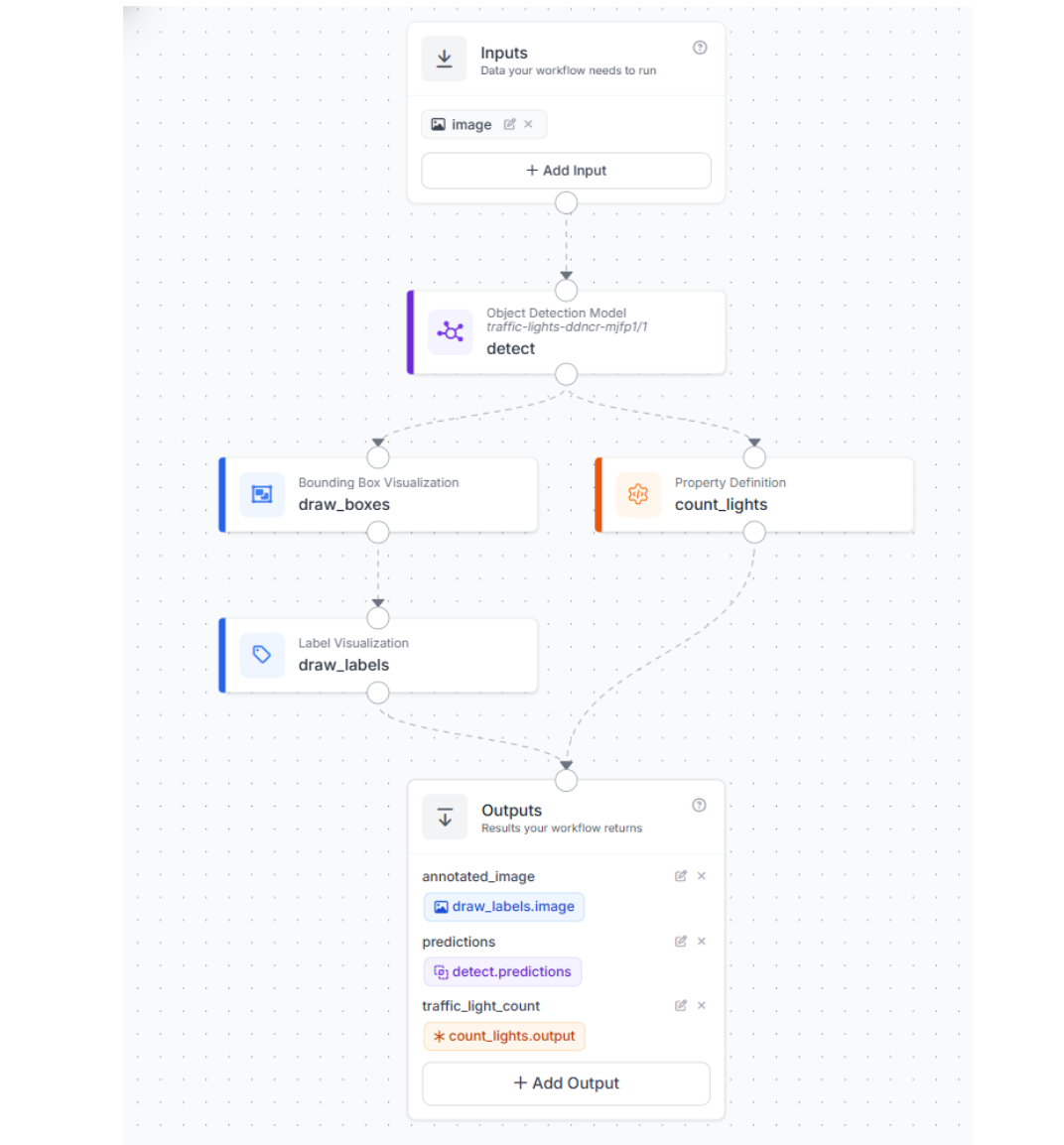
Together, these blocks form a complete end-to-end traffic light detection workflow capable of processing real-world traffic scenes in real time.
Step 4: Test the Workflow
Click “Run Workflow” in the top-right corner to validate the traffic light detection pipeline. Upload a test image, or a dashcam frame containing visible traffic lights from urban driving scenes or intersections.
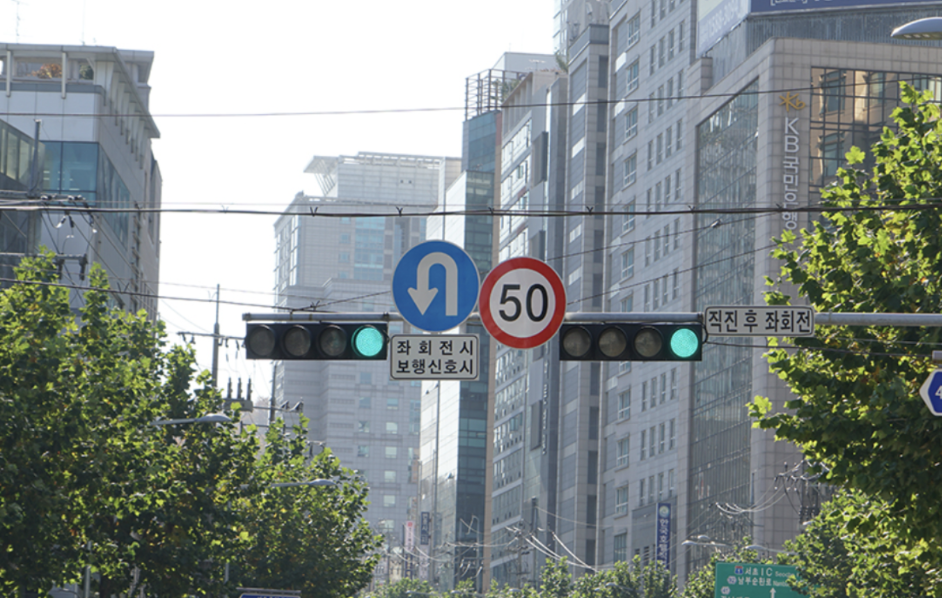
Within seconds, the workflow returns three outputs:
- the final annotated image containing bounding boxes and class labels
- The raw prediction data generated by the RF-DETR detector
- The total number of detected traffic lights in the frame
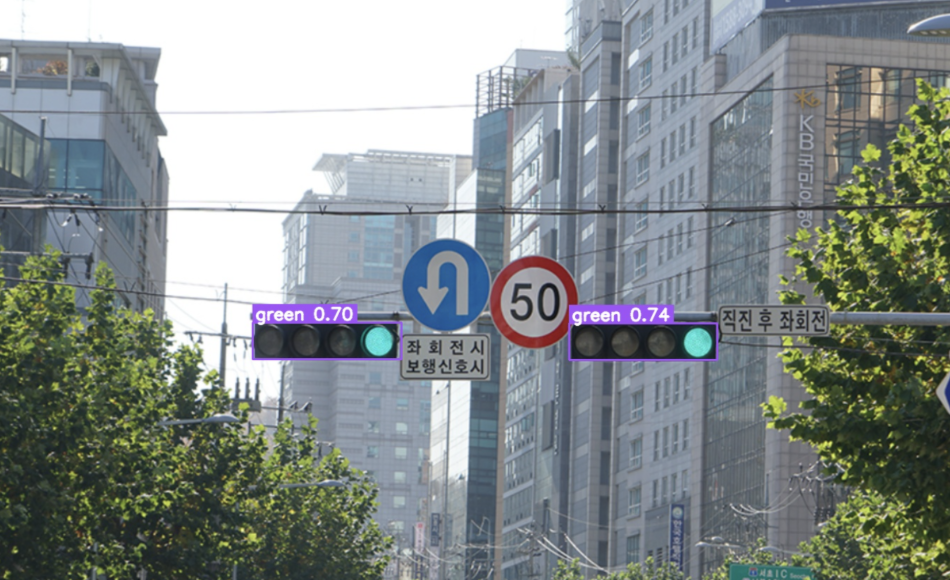
A representative detection output may include:
- Nearby traffic lights detected with high confidence
- Distant traffic lights were detected with lower confidence values
- Multiple traffic lights were tracked simultaneously within the same intersection scene
The workflow performs most reliably during daytime conditions where traffic lights are clearly visible and occupy a reasonable portion of the frame. More challenging environments, such as nighttime scenes, reflections, glare, motion blur, rainy weather, or heavily occluded traffic lights, may still produce occasional missed detections or false positives.
Use Roboflow Agent for Traffic Light Detection
You can also build this project using text-based prompts with Roboflow Agent.
Traffic Light Detection with Vision AI Conclusion
In this tutorial, we built a real-time traffic light detection system using Roboflow, RF-DETR, and Roboflow Workflows. Starting from a public dataset in Roboflow Universe, we trained a custom RF-DETR model, evaluated its detection performance, and deployed it into a visual workflow capable of processing real-world traffic scenes in real time.
This project demonstrates how Roboflow simplifies the computer vision development pipeline by combining dataset management, model training, inference, and workflow deployment into a single developer-friendly platform.
To extend this project further, you can improve nighttime detection accuracy by expanding the dataset with more low-light traffic footage, training on region-specific traffic light systems, or deploying the workflow directly on live camera streams for traffic monitoring applications.
Further Reading


Cite this Post
Use the following entry to cite this post in your research:
Contributing Writer. (May 18, 2026). Build a Real-Time Traffic Light Detection System. Roboflow Blog: https://blog.roboflow.com/traffic-light-detection/