

VGG Image Annotator (VIA) is a free, open source labeling tool that runs entirely in your browser from a single HTML file, with no installation and no account. This tutorial walks through the full workflow: starting a project, loading images, drawing bounding box and polygon annotations, assigning class labels, exporting your data, and converting the export into any training-ready format with Roboflow so you can move on to training a model.
What Is the VGG Image Annotator?
VGG Image Annotator is an image, audio, and video annotation tool built by researchers in the Visual Geometry Group at Oxford University. The entire application fits in a self-contained HTML page under 300 KB that runs offline in any modern browser, and it is released under the BSD-2 license, so it is usable in both academic and commercial projects.
You can use VIA to draw bounding boxes or polygons around objects in your images to build a dataset for training computer vision models. It is deliberately minimal: no server, no dependencies, no setup, which makes it one of the fastest tools to simply open and start labeling.
That minimalism also means every box is drawn by hand. If you want the same zero-install, in-browser start but with AI doing the first pass, Roboflow Annotate is free to use: Auto Label drafts annotations across your whole dataset from a text description of each class, Label Assist suggests boxes as you review, and the labeled data flows straight into training without a conversion step.
To see how VIA compares to other labeling tools, check out our guides to CVAT, LabelMe, LabelImg, and VoTT.
Start a Project in the VGG Image Annotator
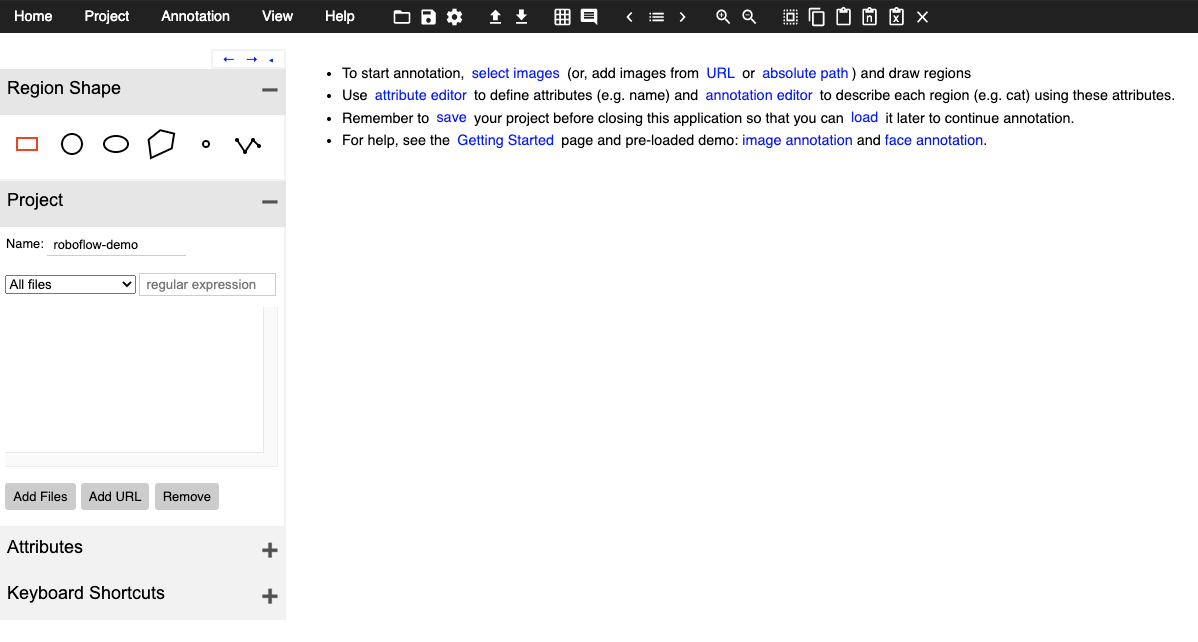
Open the VIA image annotator in your browser, or download the HTML file from the VIA project page to run it fully offline. There is nothing to install and no account to create.
When the tool loads, use the left sidebar to define your project settings and give the project a name.
Load Images Into the VGG Image Annotator
Once your project is defined, click Add Files in the left sidebar and select images from your local drive. Your image files appear in the sidebar list, and clicking one opens it on the canvas for labeling.
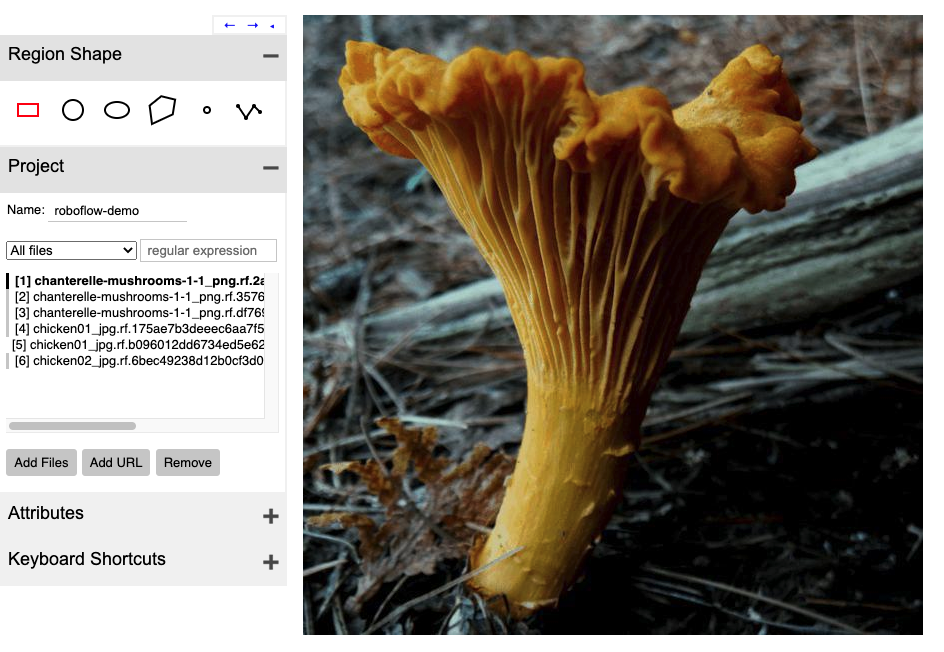
Because VIA runs locally in the browser, your images never leave your machine, which is convenient when working with sensitive data.
Labeling Images in the VGG Image Annotator
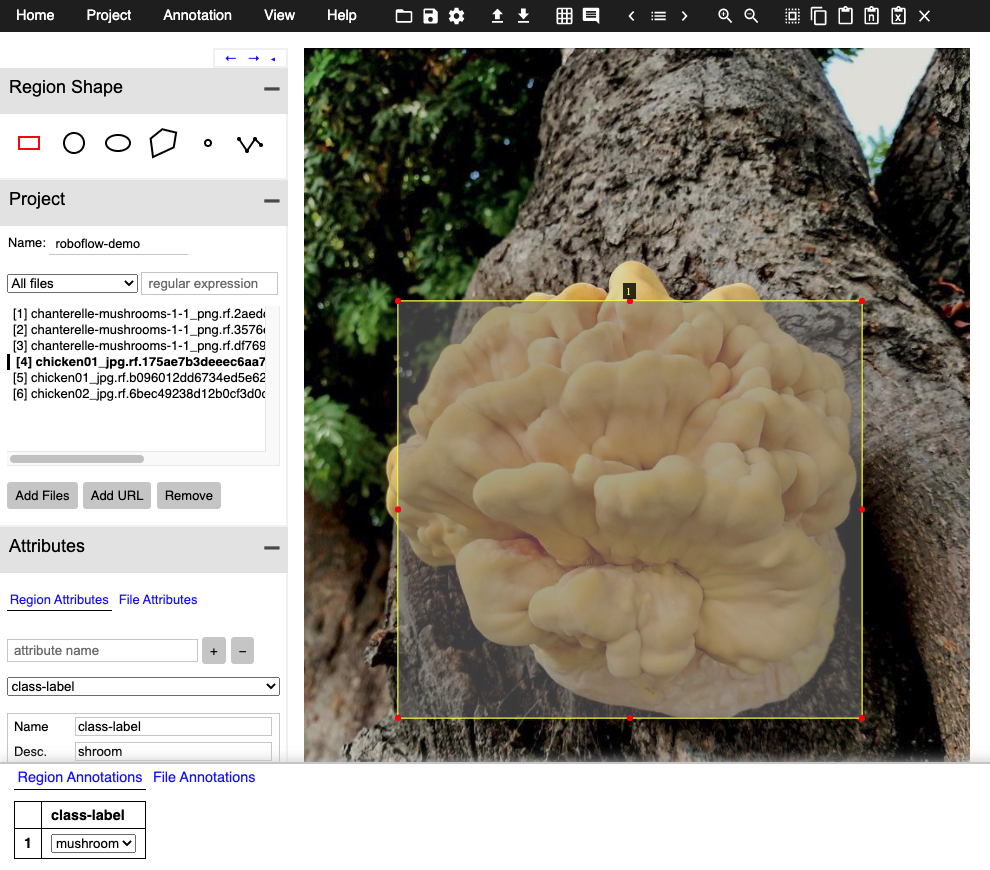
Choose an annotation shape from the left sidebar (rectangle for bounding boxes, polygon for tighter outlines), then click and draw around each object you want to label.
Assigning Class Labels to Your Annotation
Assigning class labels in VIA is a two step process. First, define a Region Attribute; for a straightforward detection dataset, name it class-label and set its type to a dropdown containing your class names, which keeps labeling fast across multiple classes.
Then press Space Bar to toggle the annotation pane. Each labeled region appears with an empty attribute field; fill in the class for each one and the annotation is complete.
A few labeling rules pay off downstream regardless of the tool: draw boxes tight around the full object, label occluded objects as if fully visible, and label every instance in every image.
Exporting Data From the VGG Image Annotator
Once you have finished labeling your dataset in the VGG Image Annotator, you will want to export it for use elsewhere.
To export, hit Annotation in the upper left and then Export Annotations as CSV.
This will download a file to your local file store. Note that VIA saves nothing automatically and has no cloud storage: if you close the tab before exporting, the work is gone. Export early and often, and save the VIA project file if you plan to continue labeling later.
Convert VGG Image Annotator Data to Any Format
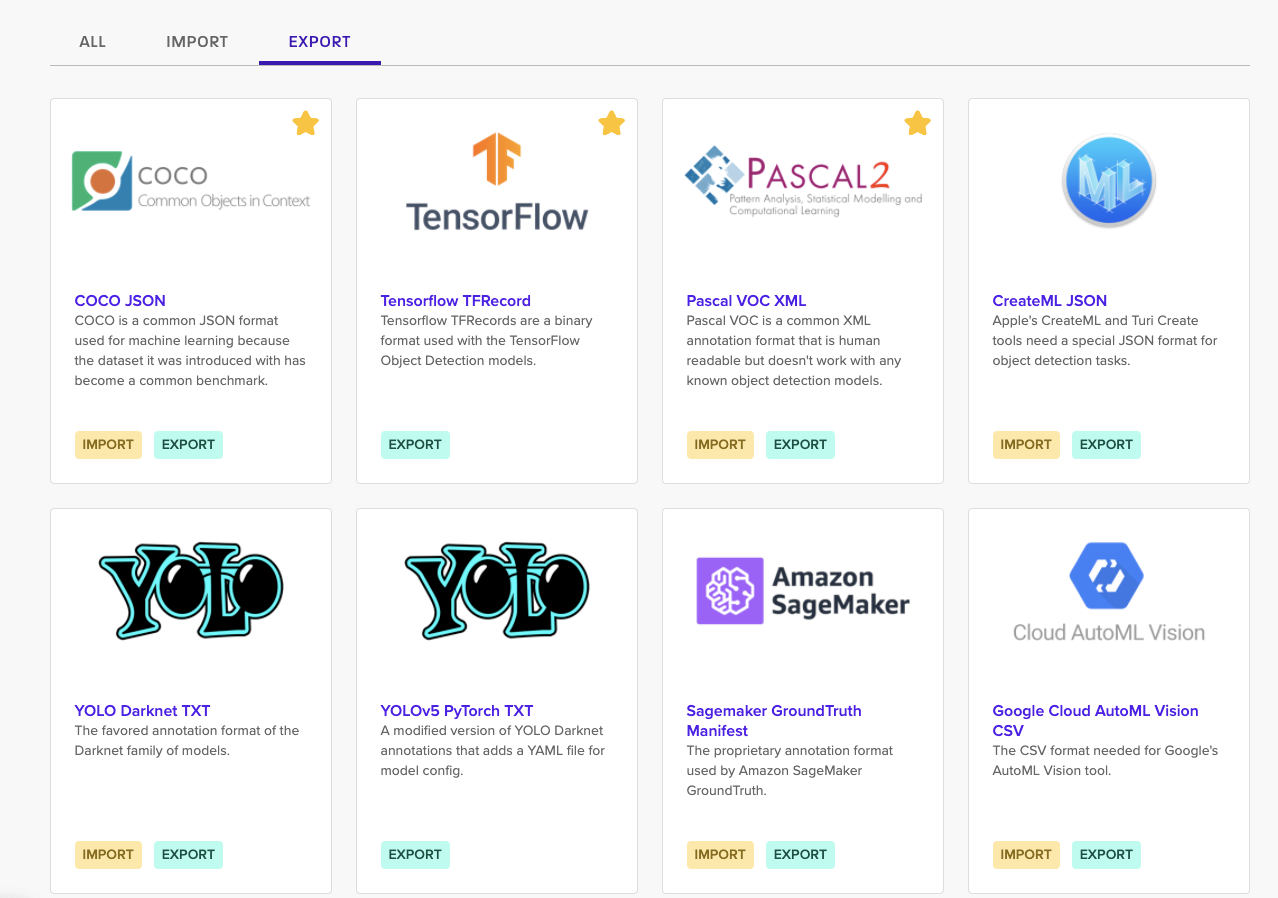
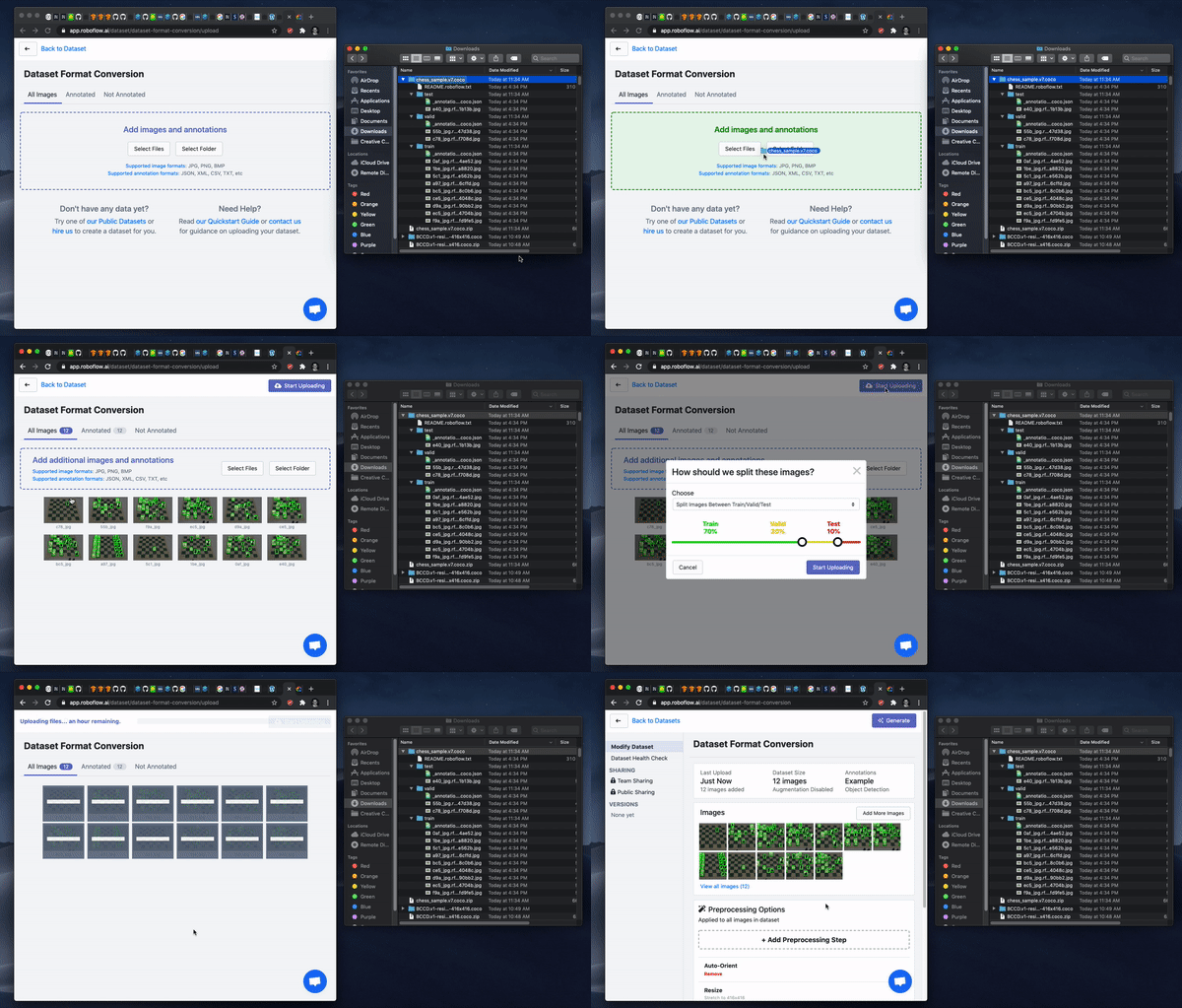
VIA's CSV and JSON exports are not formats that training frameworks consume directly, so the last step is conversion. Roboflow reads VIA JSON natively: sign up free, create a project, and drag your images and VIA export into the browser. From there you can generate a dataset version, add preprocessing and augmentation, and export in any of 30+ computer vision formats, or skip the export entirely and train a model directly on the platform.
Where VIA Fits
VIA's strengths are its zero-setup start and offline operation. Its limits show up as projects grow: labeling is fully manual with no AI assistance, there is no team management, review workflow, or progress tracking, and the tool changes infrequently since it is a research group's side project rather than an actively developed product.
For datasets beyond a few hundred images, AI-assisted labeling changes the economics. Roboflow Annotate includes Auto Label, which drafts annotations across an entire dataset from a text description of each class, and Label Assist, which suggests boxes image by image, turning labeling into review. The labeled data then feeds directly into training RF-DETR, Roboflow's real-time detection transformer, without a conversion step.
Is the VGG Image Annotator free?
Yes. VIA is open source under the BSD-2 license, which permits both academic and commercial use at no cost. It runs in your browser with no account or installation.
What formats does VIA export?
VIA exports annotations as CSV or its own JSON format. Neither is directly consumed by training frameworks, so most workflows convert the export; Roboflow converts VIA JSON to 30+ formats including COCO JSON, Pascal VOC XML, and YOLO TXT.
Can VIA annotate video?
Yes. VIA 3 includes a video annotator for temporal segments and object tracks, alongside the image annotator and an audio annotator. For frame-by-frame object detection datasets, most teams extract frames and label them as images.
Is VIA still maintained?
The tool remains available and works reliably, but releases are infrequent. It is best suited to small, individual labeling projects; teams with ongoing labeling needs generally outgrow it and move to tools with AI assistance, collaboration, and dataset management.
Get Started
VIA gets you from zero to labeled images in minutes, and Roboflow takes it from there. Create a free account, upload your VIA-labeled dataset, and you can convert it, augment it, and train a working model the same afternoon.


Cite this Post
Use the following entry to cite this post in your research:
Jacob Solawetz. (May 12, 2026). Getting Started with VGG Image Annotator for Object Detection Tutorial. Roboflow Blog: https://blog.roboflow.com/vgg-image-annotator/