

Refining a system for aquatic monitoring requires both inference speed and accuracy. In the context of swimming analytics, the goal is to maintain a consistent lock on athletes as they move through the water to generate performance data. Missing a detection during a turn or high-splash interval can result in incomplete datasets for coaches and analysts.
Traditionally, tracking swimmer metrics involved manual video review, which is time-consuming and labour-intensive. By implementing computer vision, facilities can deploy automated systems that monitor pool activity with digital consistency.
This article details how to construct a tracking pipeline that transforms raw pool footage into metadata using the Roboflow ecosystem.
Building an Automated Swimming Tracking System
Step 1: Initialize Your Environment
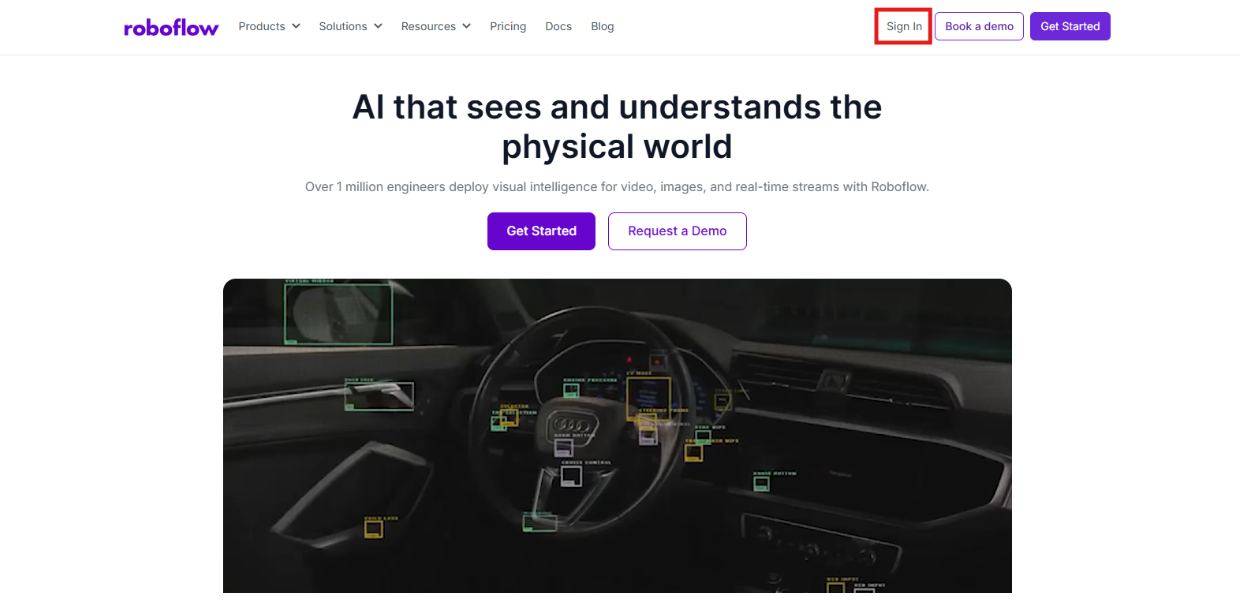
Begin by logging into the Roboflow platform. If you are a new user, you can register for a free account to organize your vision projects and manage your datasets.
Step 2: Source the Swimmer Dataset
Effective machine learning relies on images relevant to your specific environment. For this project, we utilize a swimmer dataset from Roboflow Universe that captures various pool depths, reflections, and lighting setups.
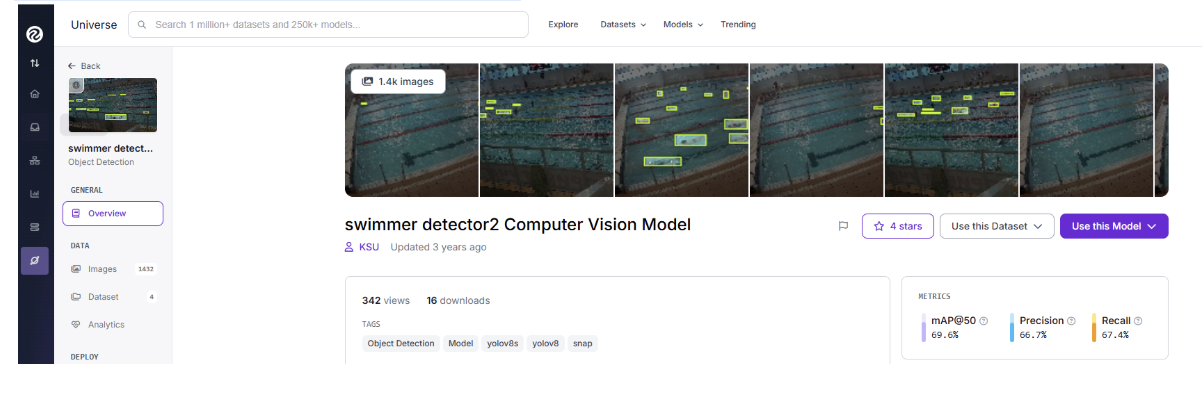
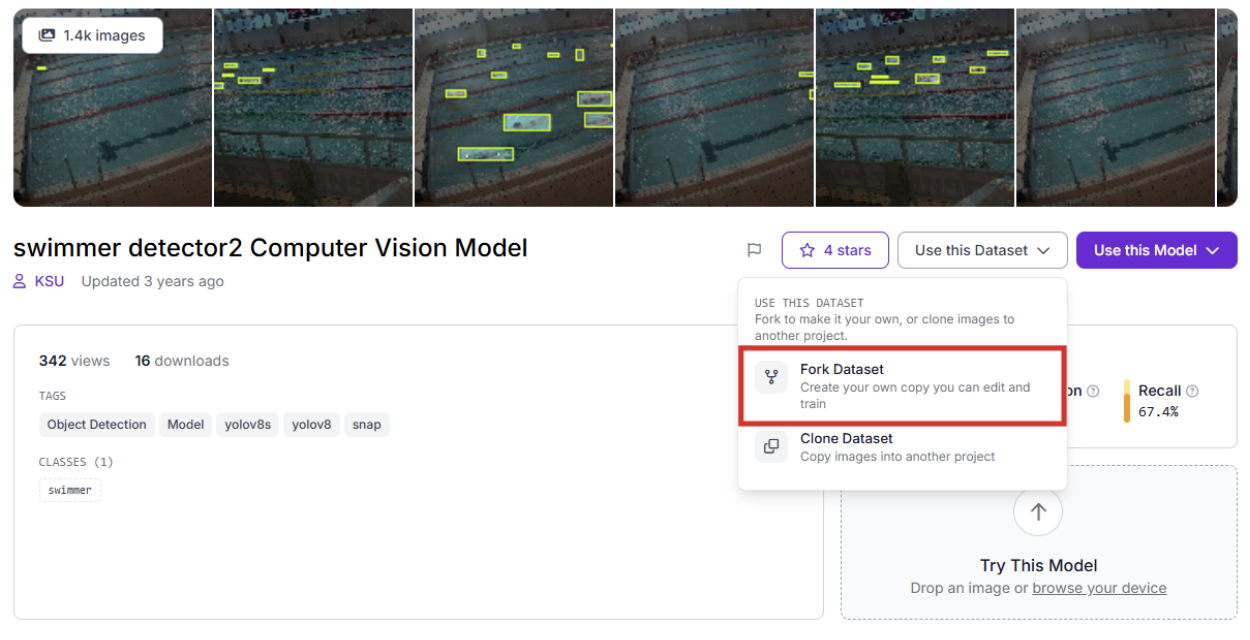
Locate a tracking project on Universe and select "Fork Project" to pull the imagery into your own workspace for specialized training.
Step 3: Labeling and Data Preparation
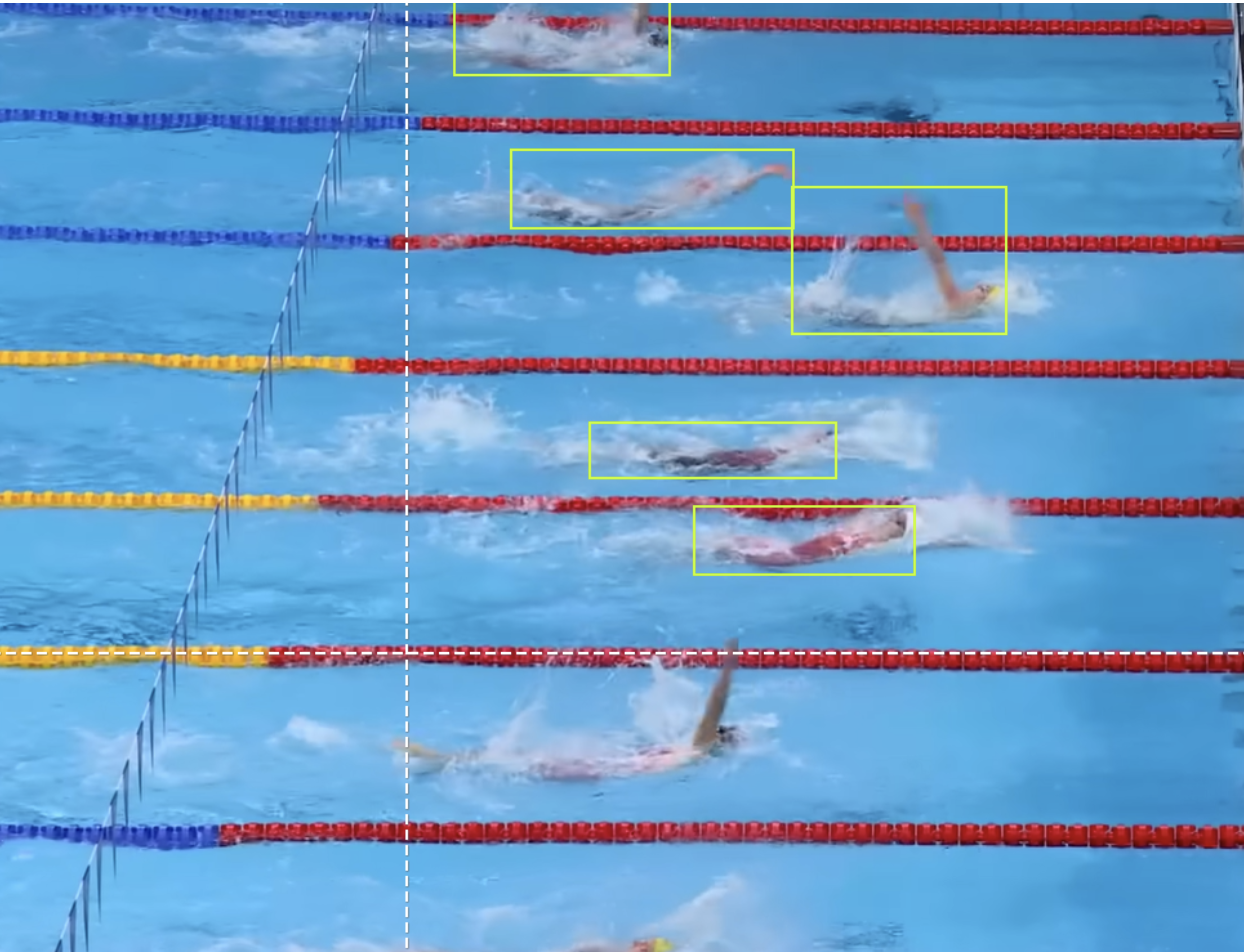
When working with your own facility's footage, use Roboflow’s annotation tools to define your subjects. Drawing bounding boxes around each swimmer and labelling them clearly ensures the model understands the visual characteristics it needs to detect.
Step 4: Train the RF-DETR Detection Model
We are utilizing the RF-DETR architecture for the detection core. As a transformer-based model optimized for efficiency, it provides the low-latency results required for processing video.
- Initiate Training: Navigate to the "Train" tab in your project dashboard.
- Select Framework: Choose the Roboflow RF-DETR Object Detection (Small) version.
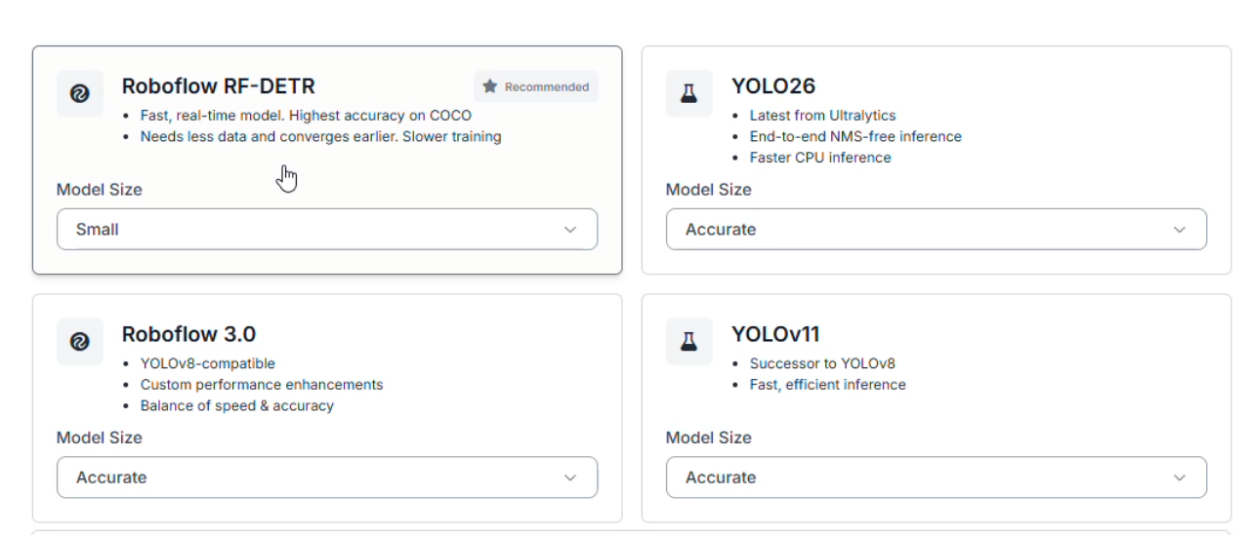
Advantages of RF-DETR Small:
- Fast Inference: Video streams require rapid frame analysis; this model ensures the system processes data fast enough to remain real-time.
- Hardware Versatility: The model is lightweight enough to be deployed on edge devices, keeping the computation local to the pool deck.
Step 5: Configure the Data Split
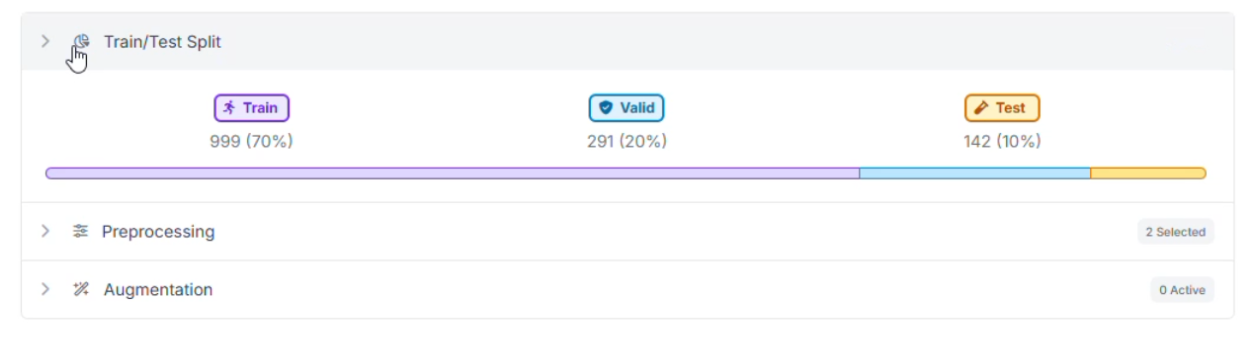
For this project, the data was distributed to help the model adapt to different pool environments:
- Training Set (70%): To teach the model about swimwear, caps, and water patterns.
- Validation Set (20%): Used to monitor performance during the training phase and prevent overfitting.
- Testing Set (10%): Acts as a final evaluation using images the model has not encountered before.
Step 6: Apply Preprocessing and Augmentations
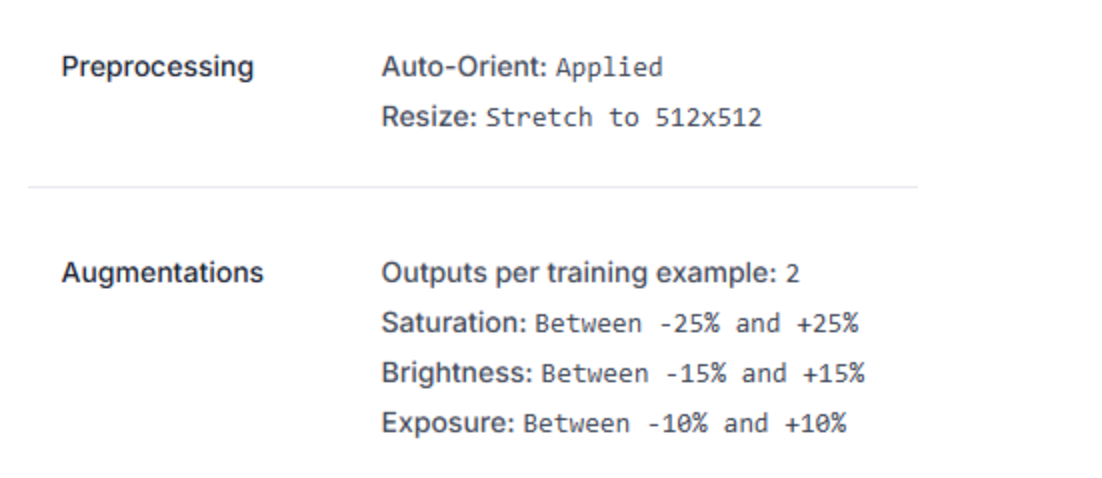
To ensure the tracker remains stable despite splashes and camera angles, the following augmentations were applied:
- Auto-Orient & Resize: Images are standardized to 512x512 for consistent model input.
- Saturation (±25%): Prepares the model for different water clarity and chlorine levels.
- Brightness (±15%) & Exposure (±10%): Helps the AI maintain detection accuracy under indoor floodlights or natural sunlight.
Step 7: Evaluate Results
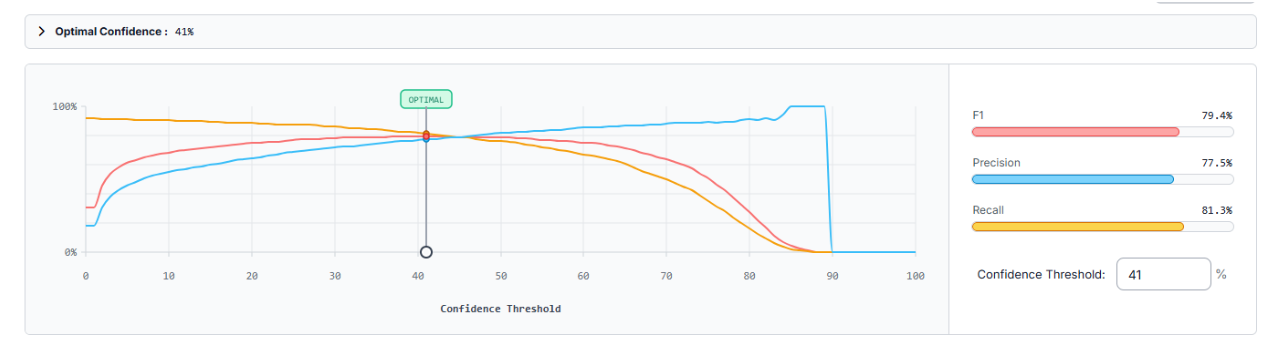
After training, we use the Production Metrics Explorer to audit the model's accuracy. Our swimmer detector achieved a mAP@50 of 78.6%. At a confidence threshold of 41%, the system reached an F1 Score of 79.4%.
- Precision (77.5%): Indicates that when the system identifies a swimmer, it is usually correct, reducing false positives.
- Recall (81.3%): Shows the model captures a high percentage of the swimmers present in the frame.
Improvement Roadmap:
- Handle Missed Detections: If the "swimmer" class is sometimes overlooked, adding more samples of swimmers in deep water or mid-stroke can increase recall.
- Detecting Distant Subjects: For cameras mounted far from the pool, implementing SAHI (Slicing Aided Hyper Inference) can help detect swimmers who appear smaller in the frame.
Build the Automated Swimming Tracking Workflow
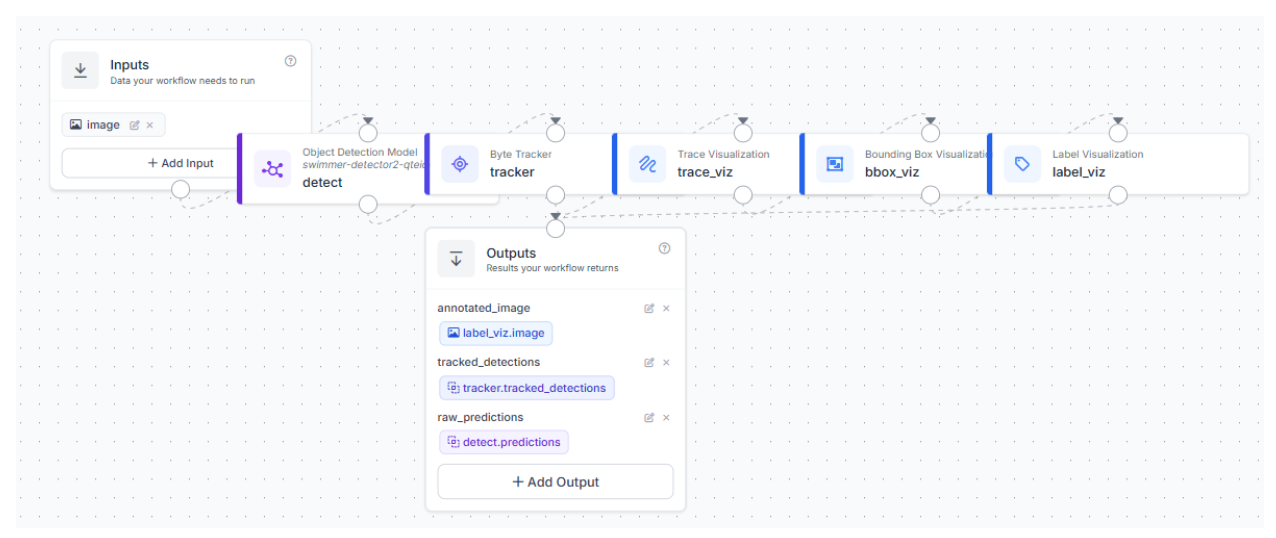
With the model trained, we now assemble the workflow that handles the tracking logic. This structure is built within Roboflow Workflows. In this article, the following workflow was created.
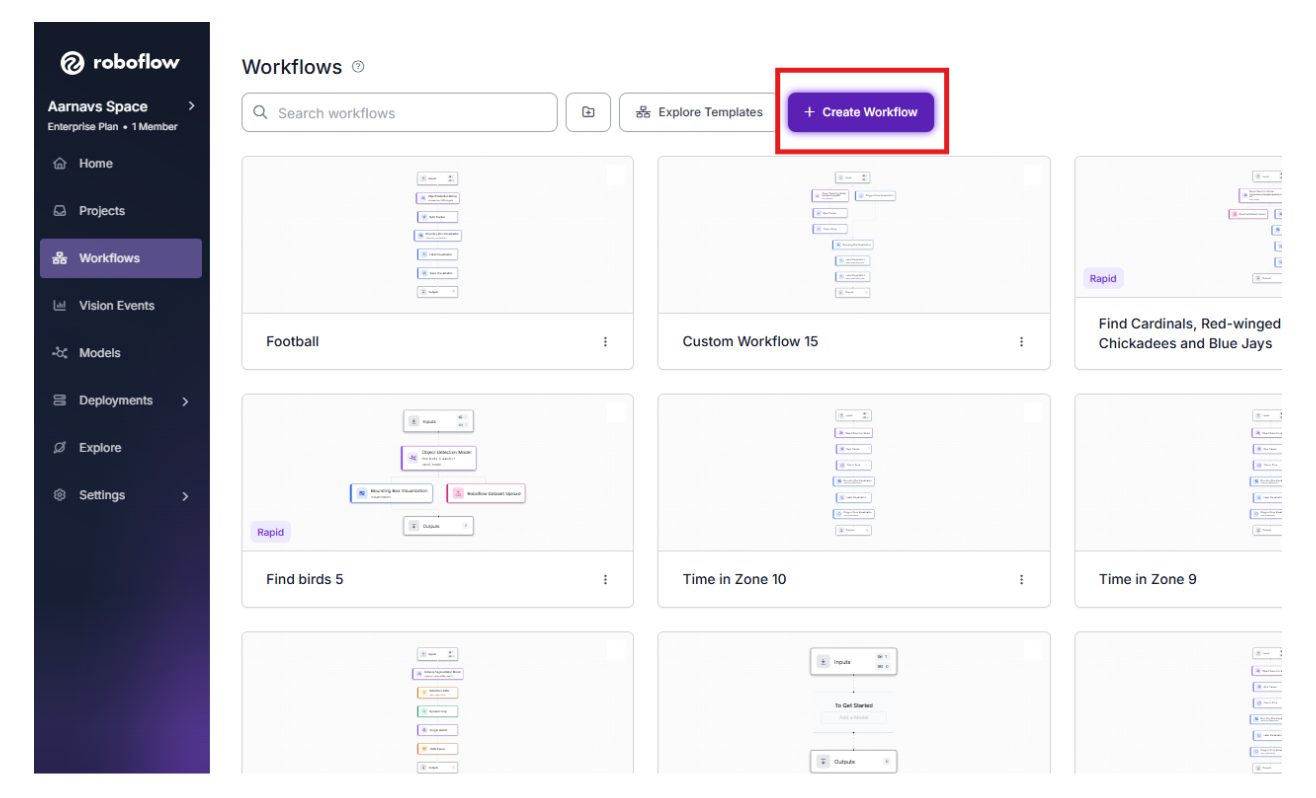
1. Initialize the Workflow
Navigate to the Workflows tab in the sidebar.
2. Detection Block (RF-DETR)
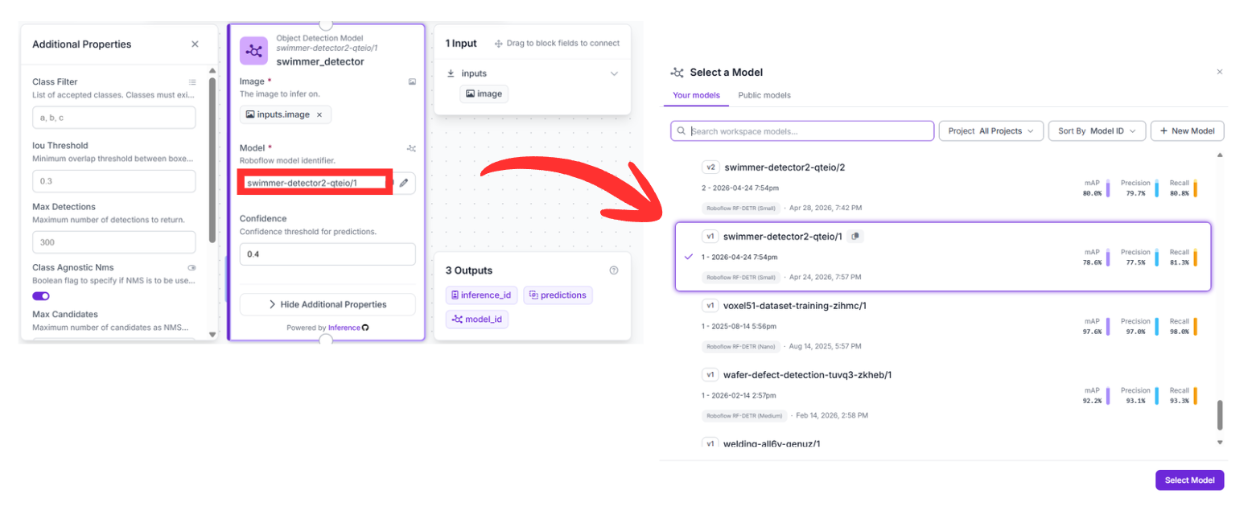
Connect the Object Detection Model block to the Input.
- Configuration: Select the swimmer-detector2-qteio/1 model.
- Function: This block scans the frames and generates bounding boxes for every detected swimmer.
3. Tracking Block (ByteTracker)
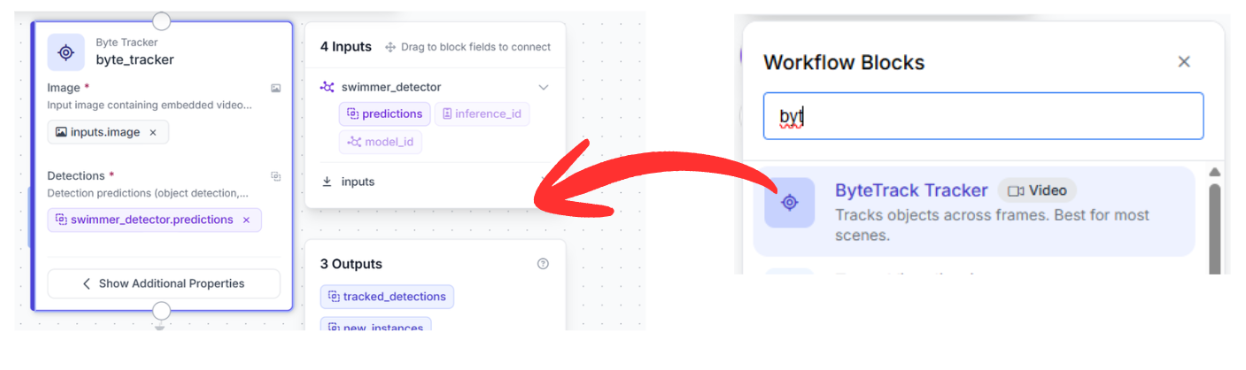
Connect the detection output to the Byte Tracker block.
- Why this matters: The tracker requires the bounding box coordinates from the detector to maintain a consistent identity for each swimmer across multiple frames.
- Function: ByteTracker uses motion vectors to associate detections. If a swimmer is briefly hidden by a splash, the tracker predicts their position to ensure the ID remains the same.
4. Visualization Chaining
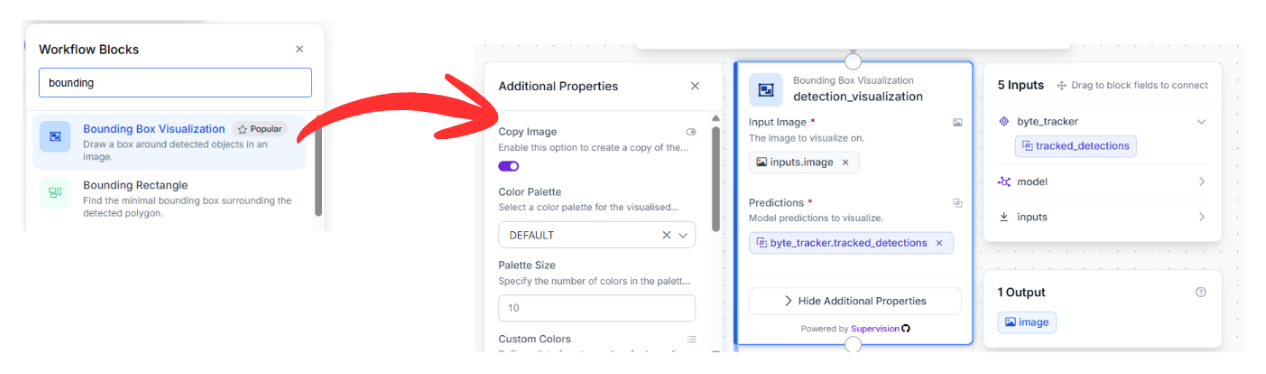
To see the results, we chain three visualization blocks together:
Bounding Box Visualization: Draws rectangles around each swimmer.
Label Visualization: Pulls the unique Track ID from the Byte Tracker and overlays it on the box.
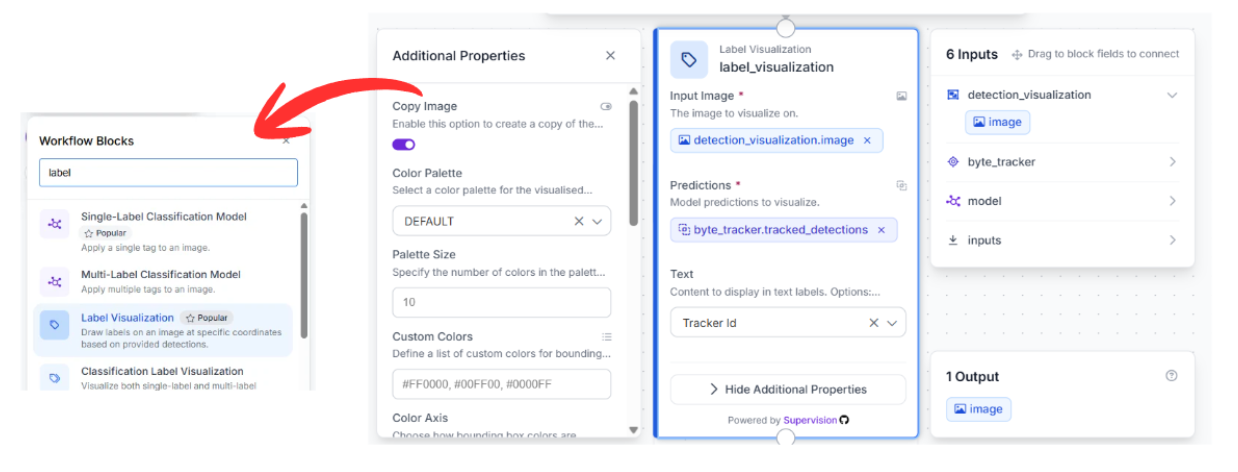
Trace Visualization: Chained last, this block draws a "movement trail" showing the path the swimmer has taken through the lane.
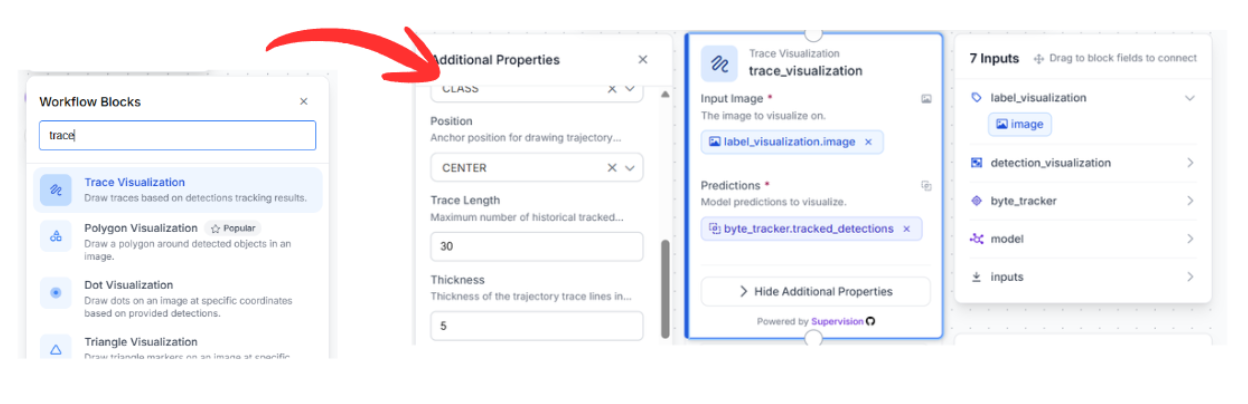
5. Final Output
Connect the Trace Visualization to the Output block. This returns the final tracked video stream containing the boxes, IDs, and movement history.
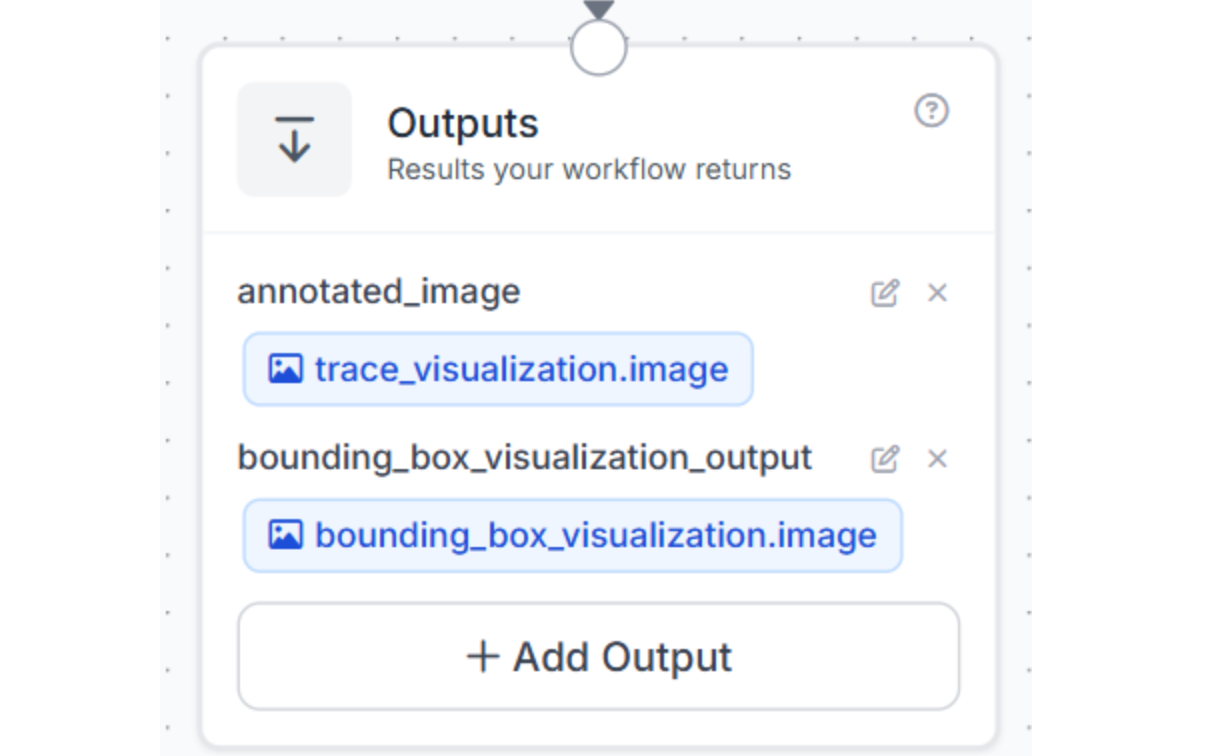
Alternative: Using the Vision Agent for Swimmer Tracking
For a more automated setup, you can use the Roboflow Agent. By entering a prompt such as "build a workflow that tracks swimmers," the agent will ask a few clarifying questions, such as whether you are using a livestream or a custom model, and then automatically assemble the workflow for you.
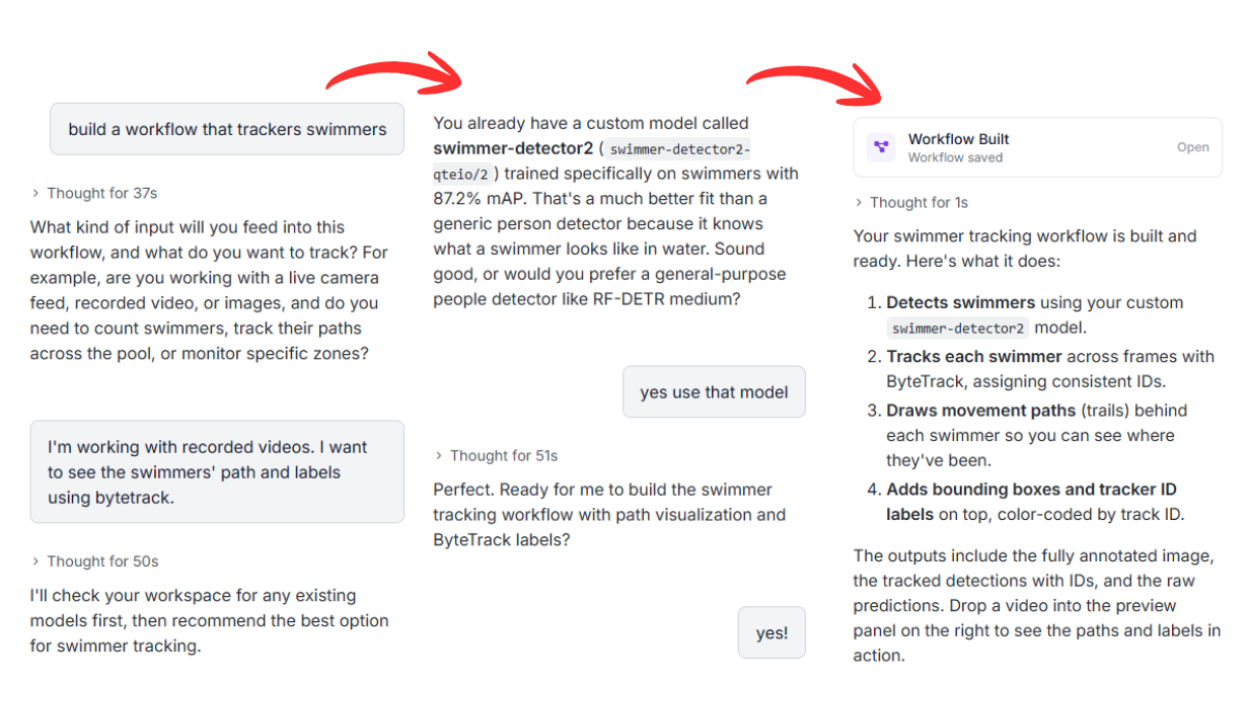
Computer Vision Swimming Analytics Conclusion
Combining a high-speed RF-DETR detector with ByteTrack creates a practical system for following swimmers and generating movement metadata. This approach allows for a deeper understanding of athlete performance through consistent, automated monitoring.
Ready to build your own aquatic tracker? Sign up for a free Roboflow account and explore the swimming datasets available on Universe.
You might also be interested in drowning detection.
Written by Aarnav Shah


Cite this Post
Use the following entry to cite this post in your research:
Contributing Writer. (May 2, 2026). AI Swimmer Tracking. Roboflow Blog: https://blog.roboflow.com/ai-swimmer-tracking/