

Natural language image annotation is a way to label images by describing the objects you want in plain text instead of drawing boxes by hand. This tutorial covers two approaches: using SAM3 inside Roboflow's Auto Label UI to generate segmentation masks, and using Autodistill with Grounding DINO to auto-label a folder of images from text prompts locally. Both end with a trained RF-DETR model.
Labeling data is the slowest part of most computer vision projects. Before you can train a model, someone has to open every image and draw a box around every object of interest. For a few hundred images that is tedious. For the tens of thousands of images a production model needs, it becomes a real bottleneck that stalls projects for weeks.
There is a faster way. Instead of drawing boxes by hand, you can describe the objects you want in plain English and let a foundation model find and label them for you. Type "safety boots" and the model draws the boxes. This is natural language annotation, and it turns a folder of raw images into a labeled dataset without a single manual click.
In this tutorial, you will cover two ways to do this. The first uses Roboflow's Auto Label feature with SAM 3 to generate segmentation masks directly in the UI with no code required. The second uses Autodistill to run the same concept locally in Python for object detection. Both end with a trained RF-DETR model built from labels you never had to draw by hand.
Approach 1: Segmentation with SAM3 in Roboflow
SAM 3 is Meta's latest Segment Anything Model, designed to generate precise segmentation masks around objects in an image. Unlike bounding boxes which draw a rough rectangle around an object, segmentation masks trace the exact outline, giving you pixel-level annotations. This matters when object shape carries information your model needs, such as detecting PPE where the precise coverage area of a vest or glove is relevant to whether it is worn correctly. In this approach, you will use Roboflow's Auto Label feature to generate these masks from plain text prompts directly inside the UI, with no code required.
Step 1: Upload Your Dataset to Roboflow
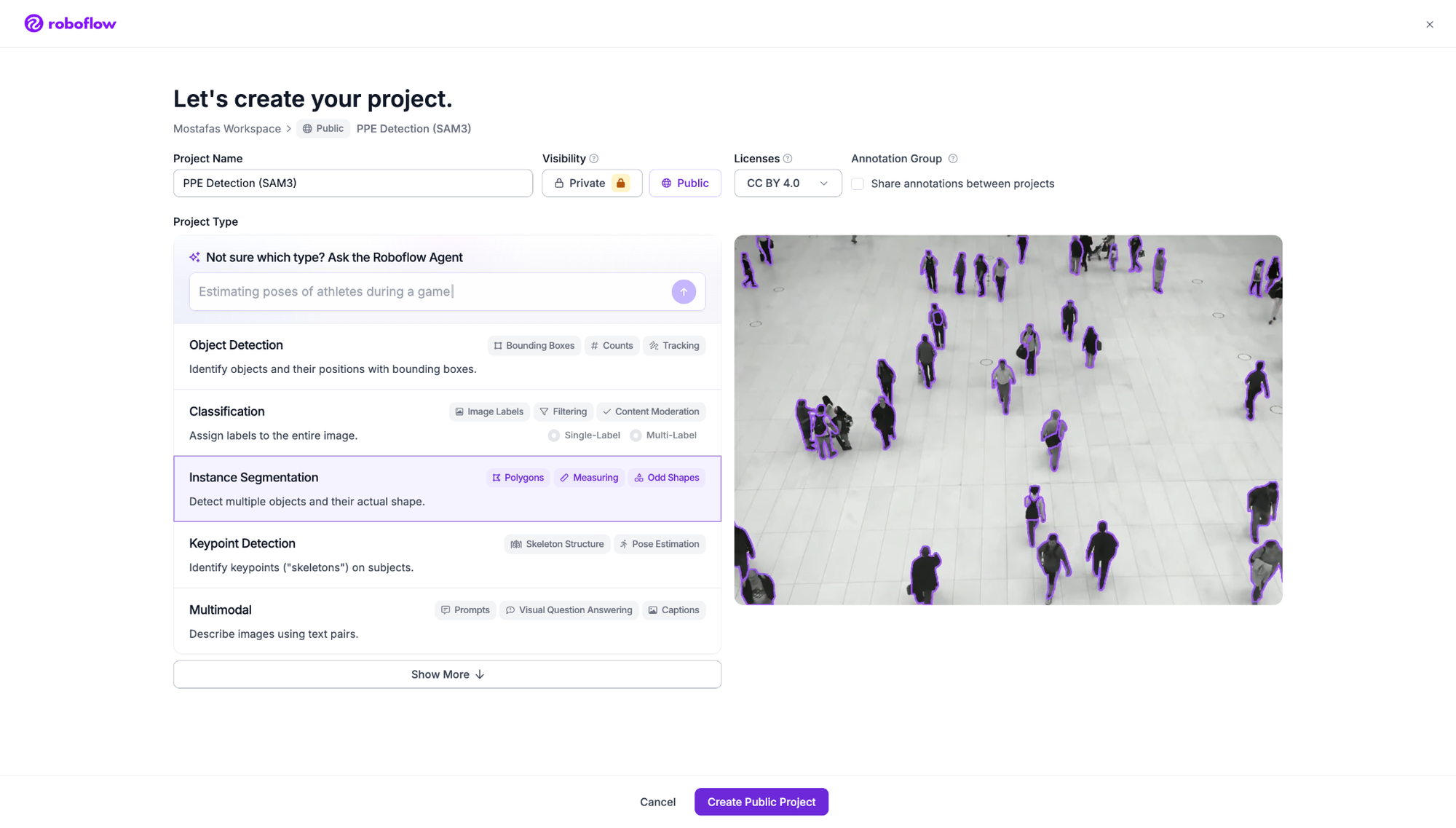
Create a new project in Roboflow. Since SAM3 generates segmentation masks, select Instance Segmentation as the project type.
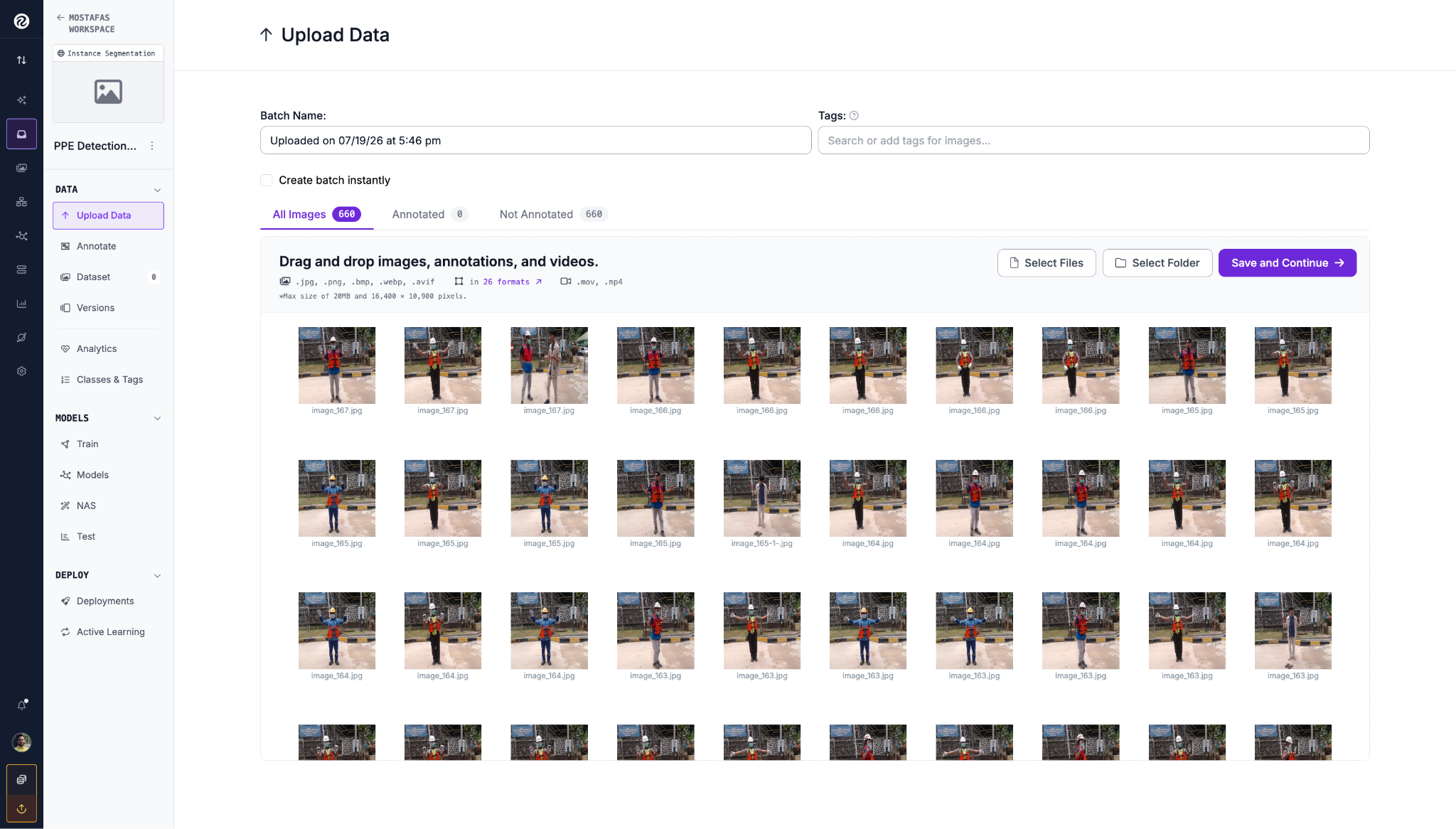
Once the project is created, go to Upload Data and drag in your images folder. For this tutorial we are using the PPE Detection dataset from Roboflow Universe. If you do not have a specific dataset in mind, you can fork it into your workspace and use it to follow along. Click Save and Continue once the images finish uploading.
Step 2: Auto-Label with SAM3
From the Annotate tab, click on your uploaded batch. On the right side panel you will see labeling options. Click Auto-Label Entire Batch and select SAM 3 (Masks) as the model.
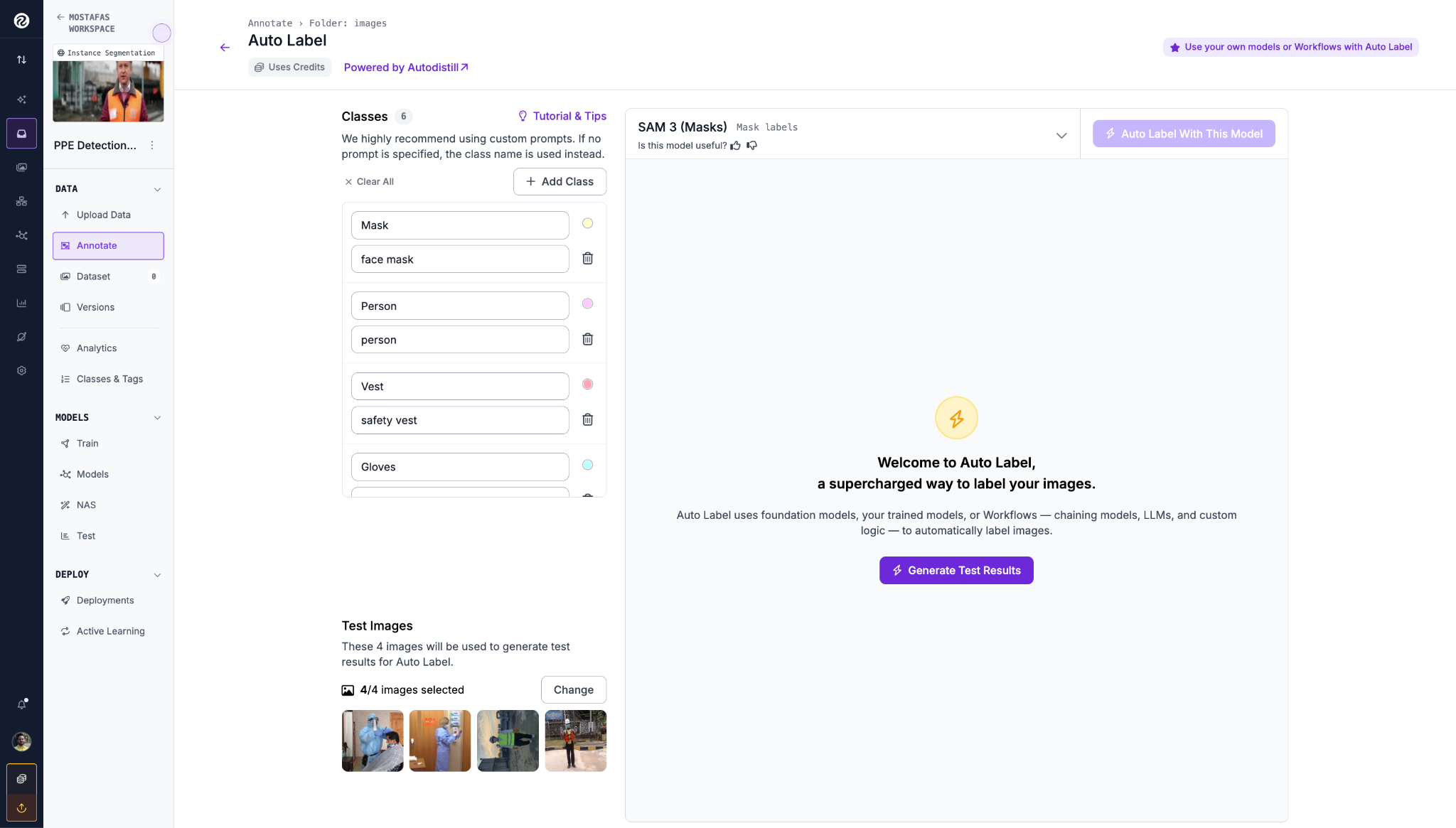
For each class, enter a text prompt describing the object. SAM3 uses these prompts to locate and segment the objects across your images. Click Generate Test Results to preview how SAM3 performs on a sample of your images before committing to the full batch.
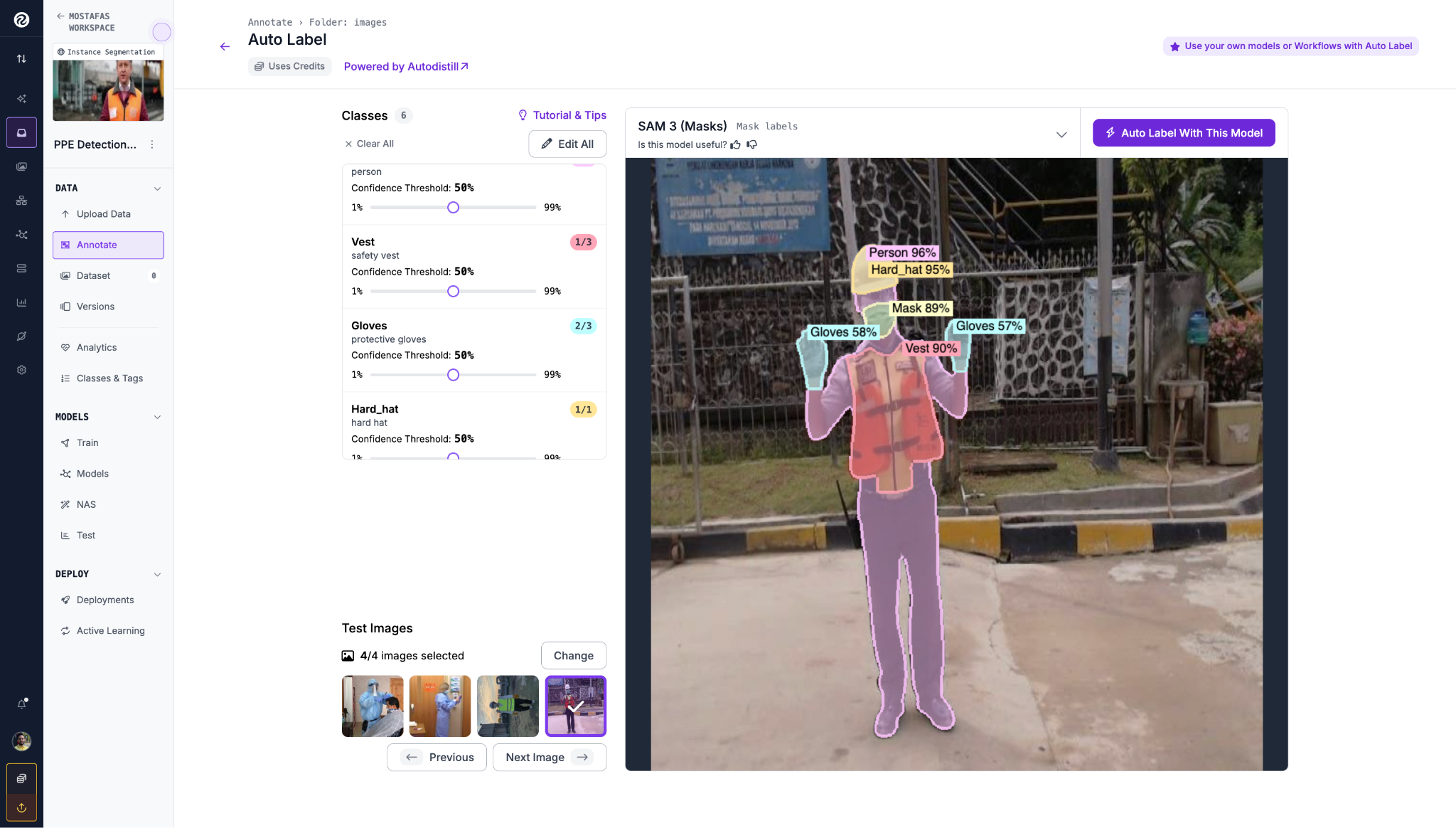
Once you are satisfied with the test results, click Auto Label With This Model to run it across all 660 images. When it finishes, open a few images in Roboflow Annotate to review the masks and correct anything that looks off before moving to training.
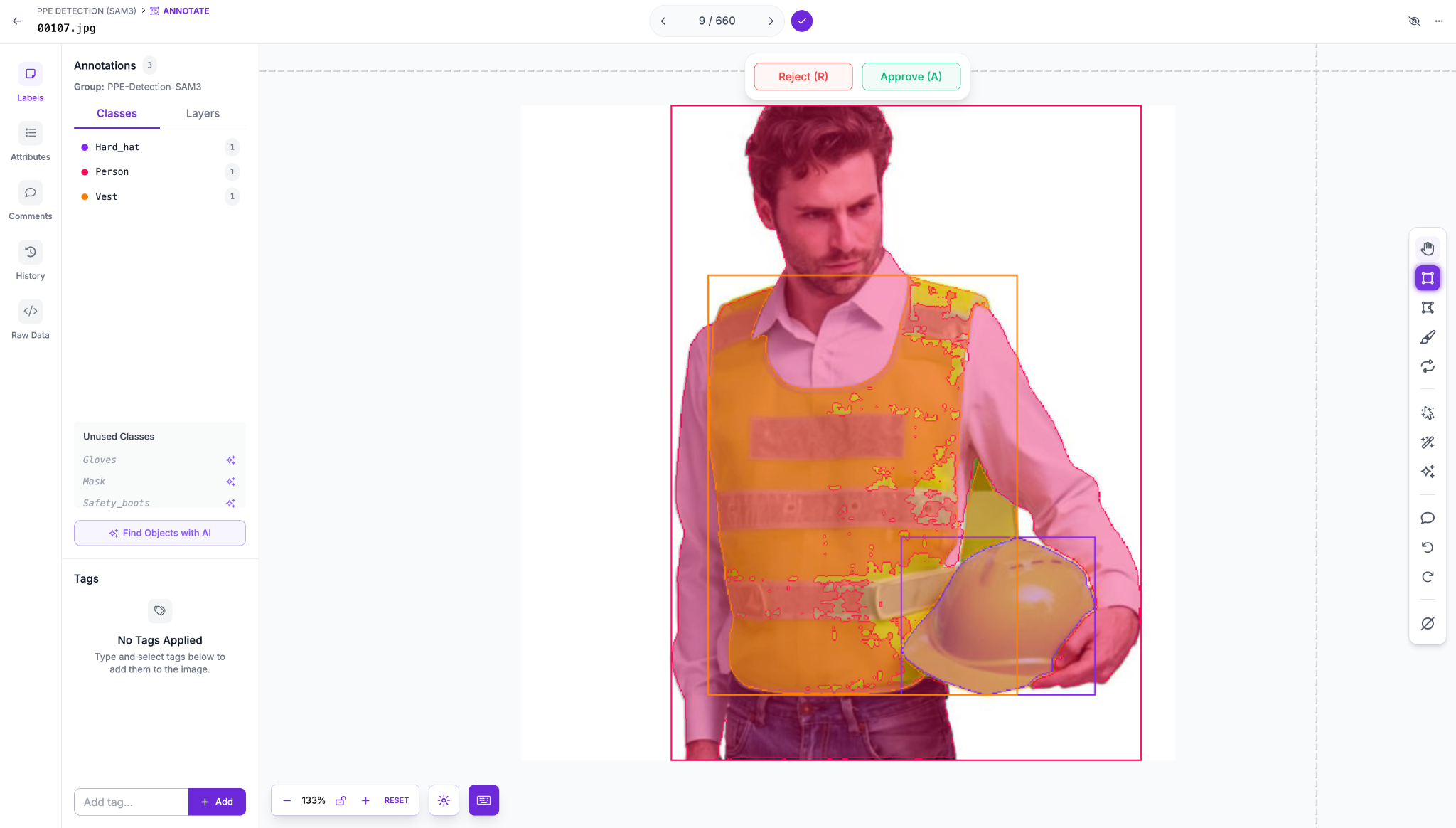
Step 3: Train an RF-DETR Model
With clean labels in place, generate a dataset version. From the Versions tab, apply any preprocessing and augmentation you want, then click Create. A version freezes your dataset into a fixed snapshot that training can reproduce.
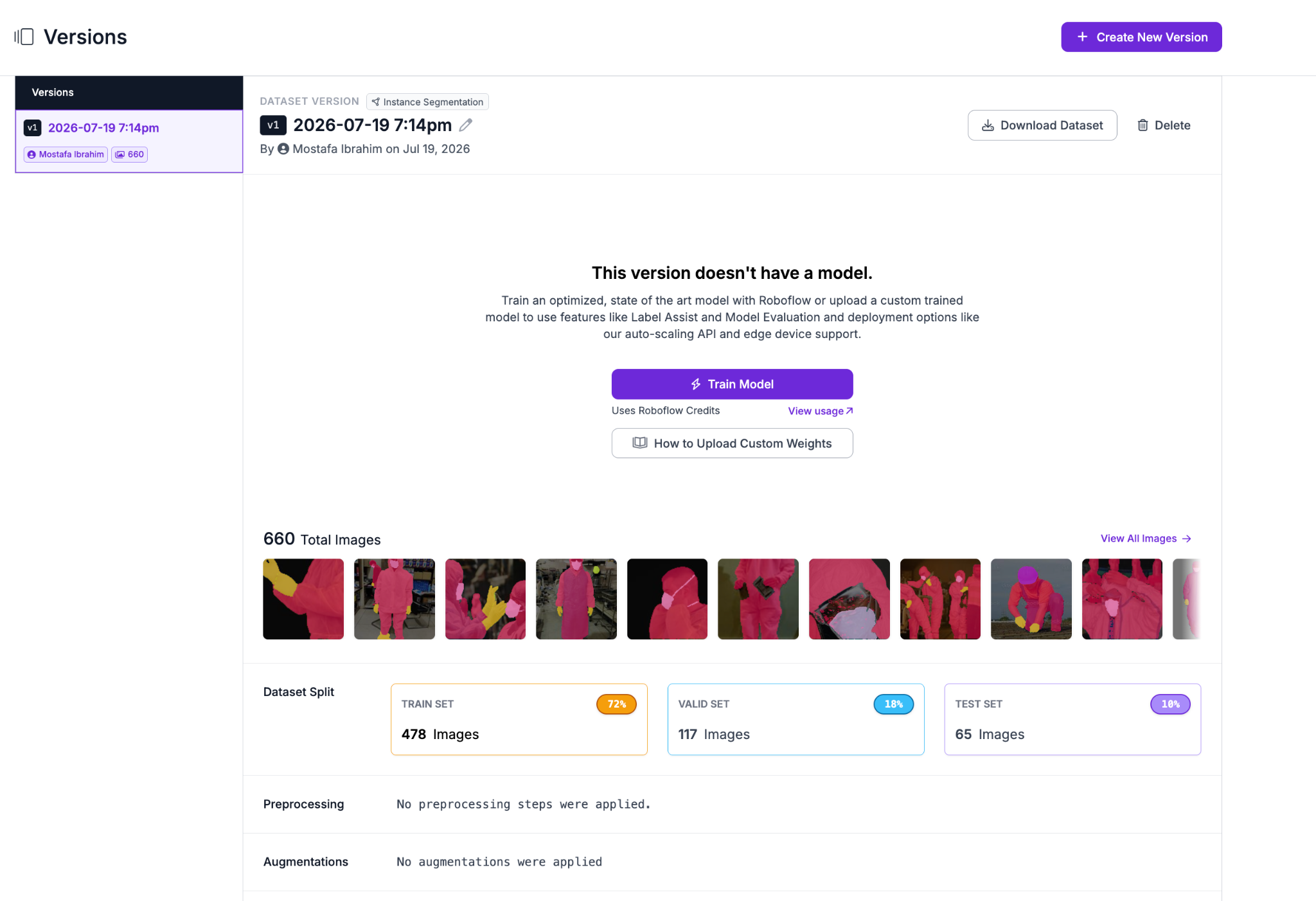
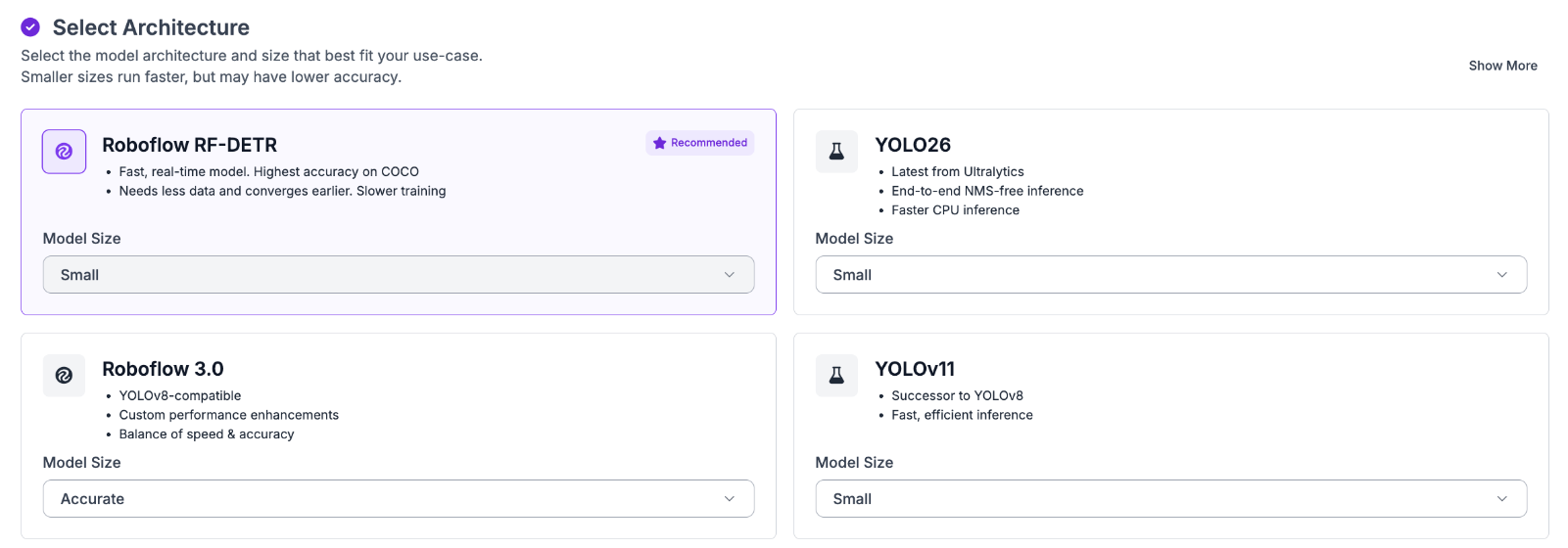
Now start training. Roboflow supports RF-DETR, a transformer-based detector that hits real-time speeds while staying accurate. Select RF-DETR and start training.
Training runs in the cloud, so you can close the tab and come back to it. Roboflow emails you when it is done and shows the accuracy metrics for the run.
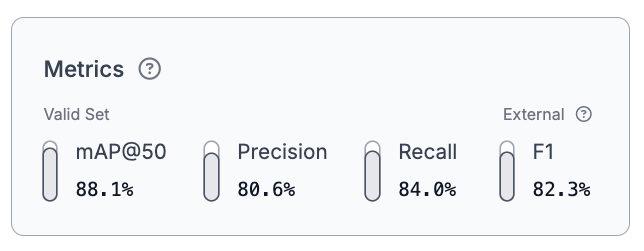
These metrics confirm the model learned the task well. A 88.1% mAP@50 across six PPE classes means the model is reliably localizing gloves, hard hats, masks, safety boots, vests, and persons from labels it never saw a human draw. That is what natural language annotation makes possible.
Approach 2: Object Detection with Autodistill
If you prefer a code-based approach or want to automate labeling as part of a larger pipeline, Autodistill lets you run the same natural language annotation workflow locally in Python.
Install the required packages:
pip install autodistill autodistill-grounding-dino scikit-learn roboflowDefine your ontology, a dictionary mapping text prompts to class names:
from autodistill_grounding_dino import GroundingDINO
from autodistill.detection import CaptionOntology

ontology = CaptionOntology({
   "protective gloves": "Gloves",
   "hard hat": "Hard_hat",
   "face mask": "Mask",
   "person": "Person",
   "safety boots": "Safety_boots",
   "safety vest": "Vest"
})

base_model = GroundingDINO(ontology=ontology)

dataset = base_model.label(
  input_folder="./images",
  extension=".jpg",
  output_folder="./dataset"
)
The `label` method reads every image in `input_folder` that matches the `extension`, runs Grounding DINO against it using your prompts, and writes the results to `output_folder`. The first run downloads the model weights, so give it a moment.
When it finishes, Autodistill saves a complete dataset in YOLO format. You get a `data.yaml` file, your images sorted into train and validation splits, and a matching label file for each image.

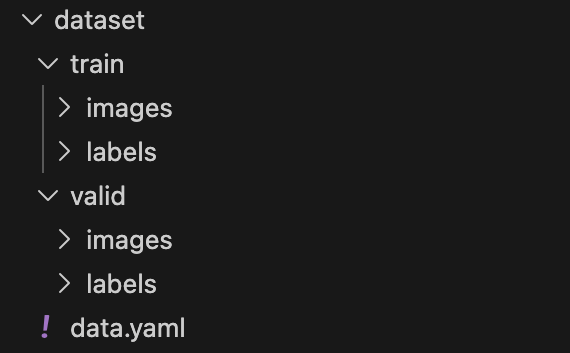
Once complete, upload the `dataset` folder to Roboflow, review the annotations in Roboflow Annotate, and train exactly as shown in Approach 1.
Conclusion
So when should you reach for each approach? Use Roboflow's Auto Label with SAM3 when you want pixel-level segmentation masks and a built-in review interface with no code required. Use Autodistill in code when you want to run labeling locally on your own machine or automate it as part of a larger pipeline. Fall back to fully manual annotation in Roboflow Annotate for the classes foundation models struggle with, like tiny objects, rare defects, or anything hard to describe in words.
Most real projects mix all three. Auto-label the easy classes to knock out the bulk of the work, then spend your manual effort where it actually counts. Point the same pipeline at your own images and see how much of your dataset you can label with nothing but text.
Further reading:


Cite this Post
Use the following entry to cite this post in your research:
Mostafa Ibrahim. (Jul 2, 2026). Natural Language Image Annotation. Roboflow Blog: https://blog.roboflow.com/natural-language-image-annotation/