

You can train a custom object detector on your own images without Darknet, a .cfg file, or a GPU: label in the browser, generate a dataset version, and train in the cloud in under an hour. The model you train is Roboflow's RF-DETR, which fine-tunes faster than a Darknet YOLOv4 run, runs in real time, and ships under a permissive Apache 2.0 license for production.
Interested in training YOLOv4 on a custom dataset? The best case is a detector that works on your own images, without wrestling Darknet, a config file, and a GPU environment to get there.
This guide gives you that faster path: label your images, generate a dataset version, and train a model in the cloud from your browser. The model you train is RF-DETR, Roboflow's real-time detection transformer that fine-tunes fast, reaches state-of-the-art accuracy, and ships under a permissive Apache 2.0 license, so you can take it to production without licensing friction.
We use a blood cell detection dataset (BCCD) as the worked example, since counting red blood cells, white blood cells, and platelets is a clean stand-in for any task where you need to find many small objects in one frame. The steps are identical for any detection problem, so you can drop in your own images at any point.
What Is YOLOv4?
YOLOv4 is a single-stage object detector released in 2020, described in the paper YOLOv4: Optimal Speed and Accuracy of Object Detection. It pushed the real-time detection frontier of its day by combining a CSPDarknet53 backbone with a set of training-time techniques the authors grouped under the name bag of freebies, including mosaic data augmentation, self-adversarial training, and CIoU loss.
How YOLOv4 Is Trained
YOLOv4 was built on Darknet, a C and CUDA framework. Training it on custom data traditionally meant configuring a GPU environment with the right CUDA and cuDNN versions, compiling Darknet, editing a .cfg file to set batch size, subdivisions, max_batches, filters, and class counts per YOLO layer, then running training and picking the checkpoint with the best validation mAP. It works, but every one of those steps is a place for the toolchain to rot or break on a new machine.
Where YOLOv4 Fits Today
YOLOv4 is a useful reference point for how real-time detectors are trained, and its augmentation ideas, mosaic in particular, are still in wide use. For building a detector you plan to deploy, transformer-based architectures now match or beat it on accuracy while being far simpler to train and ship.
That is why this guide trains RF-DETR. RF-DETR fine-tunes in a fraction of the time a Darknet training run takes, runs in real time, and comes with a clean commercial license and a direct path to deployment. You keep the real-time detection goal YOLOv4 was built for, without the environment setup that makes the original hard to complete today.
How to Frame the Vision Problem
The goal is a model that looks at an image and draws a labeled box around every object you care about. BCCD has 364 images and roughly 4,900 labels, which is small by deep learning standards. With transfer learning from a COCO-pretrained checkpoint, that is enough: you do not need millions of images to reach a working detector, you need a few hundred well-labeled ones.
What you need
A free Roboflow account, some images (yours, or a public dataset), and a browser. If you later want to call the model from a script, you also need Python installed locally. There is no GPU, CUDA, or Darknet to install.
Step 1: Create a project
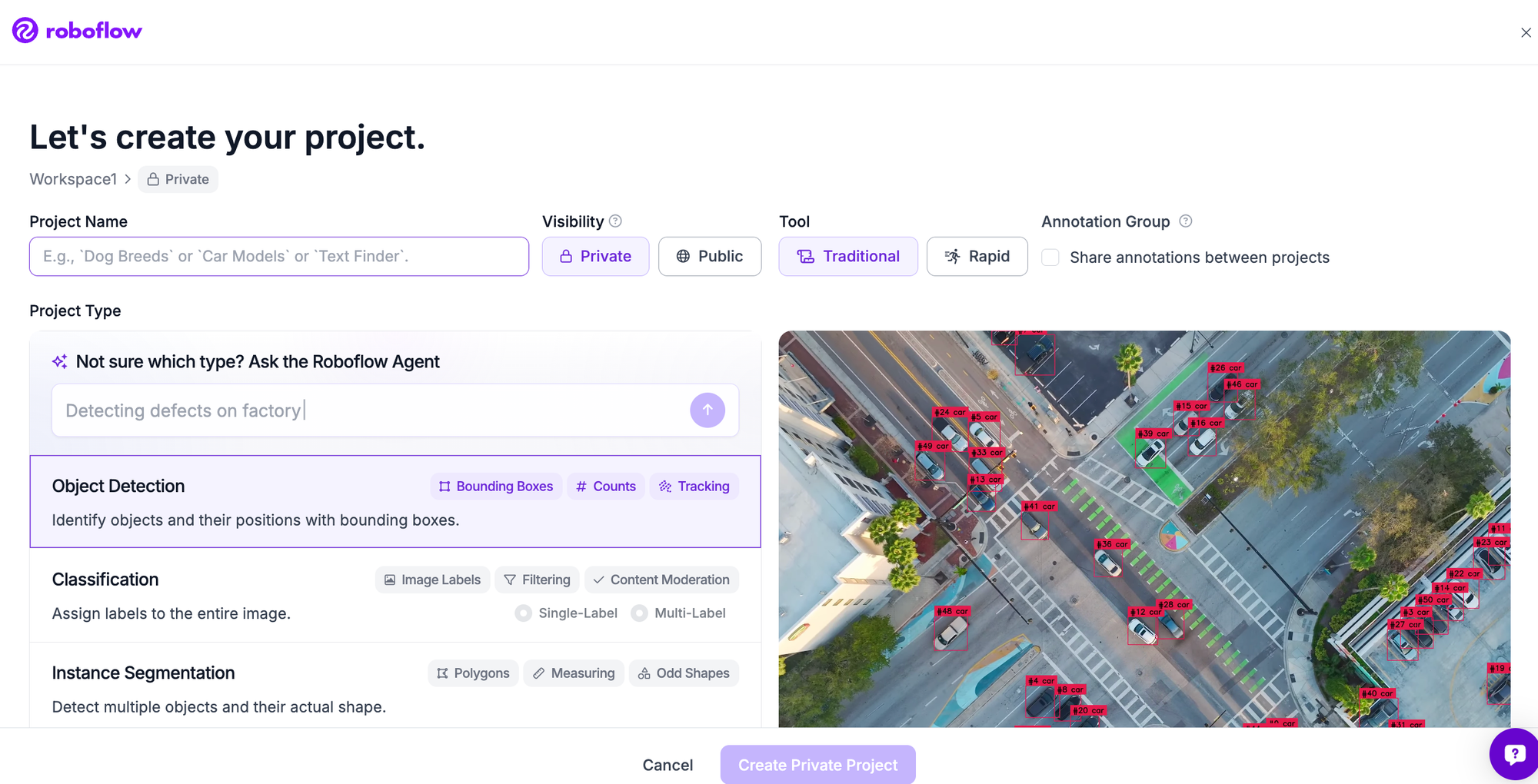
Sign in, create a new project, choose Object Detection as the type, and name the classes you want to detect. The project holds everything: images, annotations, dataset versions, and the models you train.
Step 2: Upload your images
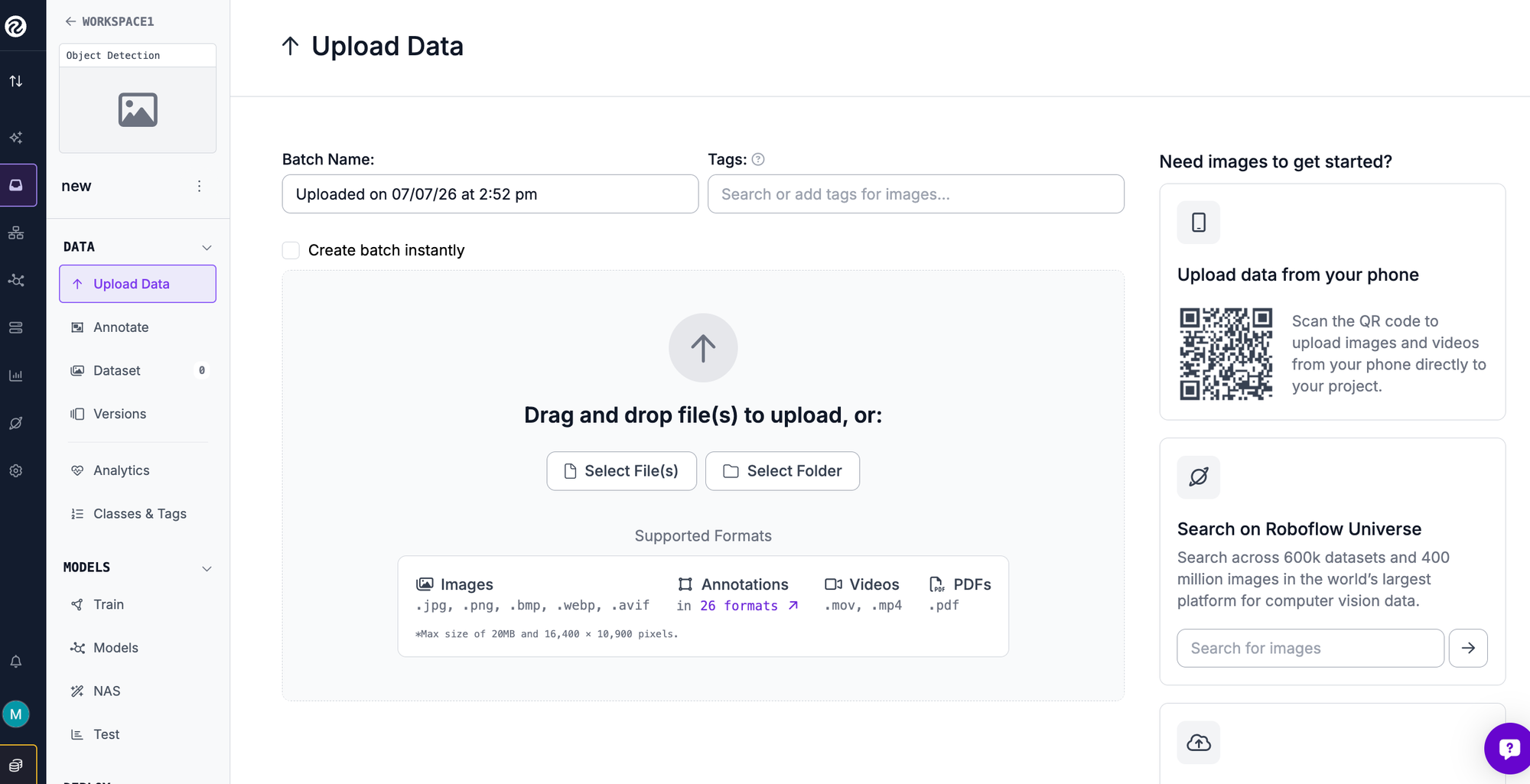
Drag your images into the project. Two shortcuts can save you the collection and labeling work. You can fork the BCCD dataset, or any of the 200,000-plus datasets on Roboflow Universe, straight into your workspace already labeled. Or upload your own images, and Roboflow reads existing annotations in YOLO, COCO, Pascal VOC, and other formats, or leaves them unlabeled for the next step.
Step 3: Annotate your images
Label unlabeled images in Roboflow Annotate. Auto Label uses a foundation model to draft boxes for you to review, and Label Assist lets a model pre-fill boxes as you go so you confirm rather than draw from scratch. Consistent, tight boxes are the single biggest lever on final accuracy, more than any training setting.
Step 4: Generate a dataset version
A version freezes your labeled images together with preprocessing and augmentation, and Roboflow auto-splits into train, validation, and test sets. Apply auto-orient and resize to almost any dataset. For augmentation, the same mosaic technique YOLOv4 popularized is available here, along with flips and small rotations, so you can expand a small dataset and improve small object detection. Keep your validation and test sets clean so your metrics reflect real images.
Step 5: Train your model
Open Roboflow Custom Training, select RF-DETR, and train from the COCO-pretrained checkpoint so the model starts with broad object knowledge and only has to learn your classes. That is transfer learning, and it is why a few hundred images suffices. Training runs on Roboflow's cloud infrastructure, so there is no environment to configure, and a small dataset like BCCD usually finishes in under an hour rather than the multi-hour Darknet runs the old toolchain required.
Step 6: Evaluate your model
When training completes, Roboflow reports mean average precision (mAP) on the held-out test set, along with precision and recall. Look at the per-class numbers, not just the overall figure: BCCD is heavily imbalanced toward red blood cells, so a model can post a strong average while missing the rarer platelets. When a class lags, add or relabel examples of it and retrain. Two or three of these passes is what moves a model from promising to production-ready.
Step 7: Run inference
Serve the trained model through the Serverless Hosted API and call it from a few lines of Python. Install the SDK:
pip install inference-sdk supervision
Then run the model on an image, with your API key supplied through an environment variable:
import os
import cv2
import supervision as sv
from inference_sdk import InferenceHTTPClient

client = InferenceHTTPClient(
    api_url="https://serverless.roboflow.com",
    api_key=os.getenv("ROBOFLOW_API_KEY"),
)

# model_id is "project-name/version", e.g. "your-project/1"
result = client.infer("image.jpg", model_id="your-project/1")

image = cv2.imread("image.jpg")
detections = sv.Detections.from_inference(result)

box_annotator = sv.BoxAnnotator()
label_annotator = sv.LabelAnnotator()
annotated = box_annotator.annotate(scene=image.copy(), detections=detections)
annotated = label_annotator.annotate(scene=annotated, detections=detections)
cv2.imwrite("annotated.png", annotated)
The supervision library handles drawing and post-processing so you are not writing box math by hand.
Step 8: Deploy to production
To run the model where your images actually are, Roboflow Inference is the open source engine that serves it on the cloud, on-prem, or at the edge on devices like NVIDIA Jetson, using the same model ID. To add application logic without building a service, Roboflow Workflows is a low-code builder for chaining the model with steps like filtering by class, counting, and triggering actions. And if you work with a coding agent, the Roboflow MCP server connects your workspace to tools like Claude Code, Codex, and Cursor over the Model Context Protocol.
Why RF-DETR for Custom Object Detection?
YOLOv4 was built to hit high accuracy at real-time speed, and it delivered for its era. RF-DETR reaches that goal with an architecture and workflow suited to production today. It fine-tunes fast, so the evaluate-and-retrain loop is quick. It runs in real time, so the model you train for analysis drops straight into a live pipeline. It ships under an Apache 2.0 license, so commercial deployment is unambiguous. And it lives in one platform from labeling to training to deployment.
Can I still train YOLOv4 in Roboflow?
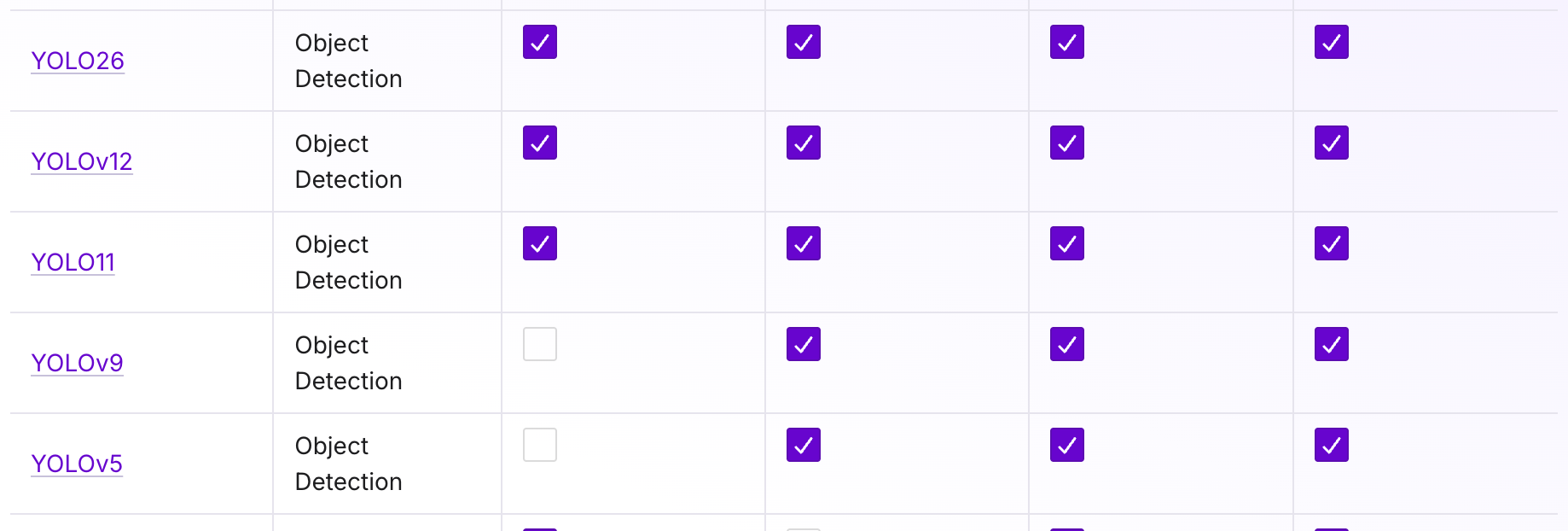
See all the models Roboflow supports here. Roboflow trains RF-DETR for custom object detection rather than YOLOv4. RF-DETR reaches state-of-the-art accuracy, fine-tunes faster, runs in real time, and ships under a permissive license, so it is the better choice for nearly any project that would have reached for YOLOv4. Roboflow also offers YOLO26, YOLOv12, and more. You can still export your dataset in YOLO Darknet and other formats if you want to train YOLOv4 in your own environment.
Do I need Darknet or a GPU to train a detector?
No. Training runs in the cloud on Roboflow's infrastructure, so there is no Darknet to compile, no CUDA or cuDNN to match, and no GPU to provision. You only need Python locally if you want to run inference from a script.
How much data do I need?
With transfer learning from a COCO-pretrained checkpoint, a few hundred labeled images per class is often enough. The BCCD example uses 364 images. Start small, check the per-class metrics, and add data where the model is weak.
What format does my dataset need to be in?
Roboflow reads common annotation formats including YOLO Darknet TXT, COCO JSON, and Pascal VOC XML, and can export to whatever format you need later. You can also label from scratch in the browser, so an existing format is not required.
How do I know when my model is good enough?
Look at mean average precision on the held-out test set, then read per-class precision and recall. A model is ready when the classes you care about clear the accuracy bar your application needs. If a class lags, add or fix labels for it and retrain rather than continuing to tune.
Get Started Training YOLOv4 with Roboflow
You can train a custom object detection model on your own images today, entirely in the browser, and have a deployable model in an afternoon. Create a free Roboflow account and start with your dataset or one from Universe.


Cite this Post
Use the following entry to cite this post in your research:
Erik Kokalj. (Mar 2, 2026). How to Train YOLOv4 on a Custom Dataset. Roboflow Blog: https://blog.roboflow.com/training-yolov4-on-a-custom-dataset/